Xamarin.forms.googlemaps: How to display a 'blue dot' of the current position?
BUG / PROBREM REPORT
SUMMARY
How to display a 'blue dot' of the current position?
VERSIONS
- Xamarin.Forms.GoogleMaps - 2.2.1-beta1
PLATFORMS
- [x] iOS
HOW TO REPRODUCE
By testing the sample solutions / iOS / BasicMapPage
Once we click on the My Location Button we can't see the blue-dot
(as shows on Google Map via browser)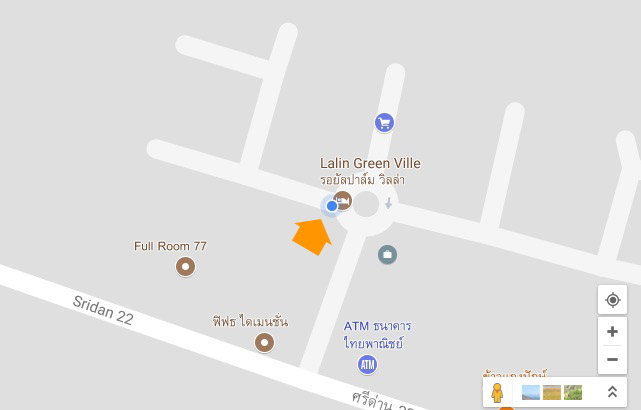
The sample screen on iOS

 maniti
All 12 comments
Yhis is a bug reported here: https://github.com/amay077/Xamarin.Forms.GoogleMaps/issues/371 please wait for new version.
 ghost
on 30 Oct 2017
ghost
on 30 Oct 2017
I released v2.2.1-beta2.
And you should call Map.MyLocationEnabled = true.
Could you try below code with v2.2.1-beta2?
public partial class BasicMapPage : ContentPage
{
    public BasicMapPage()
    {
        InitializeComponent();

        map.MyLocationEnabled = true;  // <-- added
        map.UiSettings.MyLocationButtonEnabled = true;
    }
}
 amay077
on 30 Oct 2017
amay077
on 30 Oct 2017
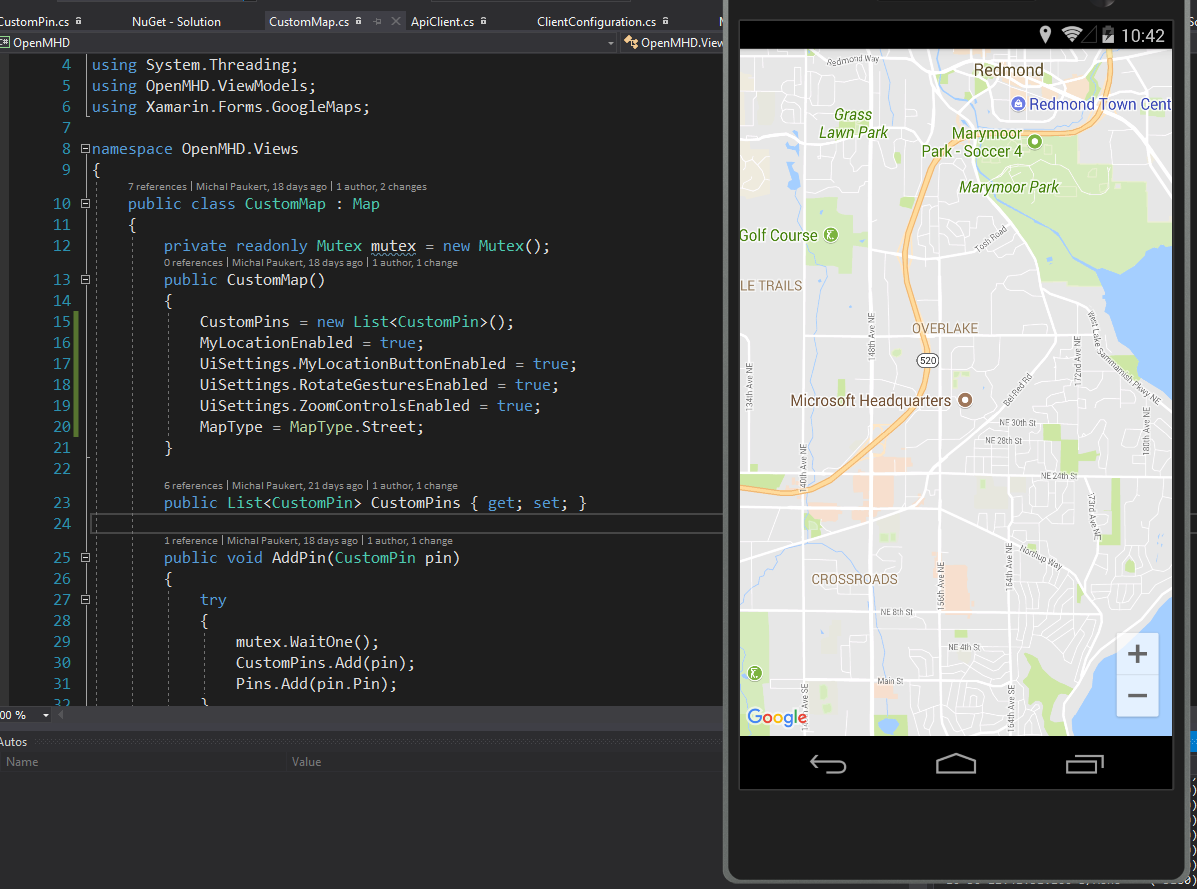
Still it is not working for me even with v2.2.1-beta2.
ghost
on 30 Oct 2017
Try add MyLocationEnabled = "true" in Xaml.
 kingnguyen93
on 31 Oct 2017
kingnguyen93
on 31 Oct 2017
@deextercz ,
I can not reproduced.
I added below code in XFGoogleMapSample, works fine.
// CustomMap.cs
using System;

namespace XFGoogleMapSample
{
    public class CustomMap : Xamarin.Forms.GoogleMaps.Map
    {
        public CustomMap()
        {
            MyLocationEnabled = true;
            UiSettings.MyLocationButtonEnabled = true;
        }
    }
}
// BasicMapPage.xml
<?xml version="1.0" encoding="UTF-8"?>

<ContentPage
    xmlns="http://xamarin.com/schemas/2014/forms"
    xmlns:x="http://schemas.microsoft.com/winfx/2009/xaml"
    xmlns:cmaps="clr-namespace:XFGoogleMapSample;assembly=XFGoogleMapSample"
    x:Class="XFGoogleMapSample.BasicMapPage"
    Title="BasicMap">
    <ContentPage.Content>
        <cmaps:CustomMap x:Name="map"
                  InitialCameraUpdate="-23.68, -46.87, 13, 30, 60"
                  VerticalOptions="FillAndExpand" />
    </ContentPage.Content>
</ContentPage>
// BasicMapPage.xml.cs
using System;
using System.Collections.Generic;
using System.Linq;

using Xamarin.Forms;
using Xamarin.Forms.GoogleMaps;

namespace XFGoogleMapSample
{
    public partial class BasicMapPage : ContentPage
    {
        public BasicMapPage()
        {
            InitializeComponent();
        }
    }
}
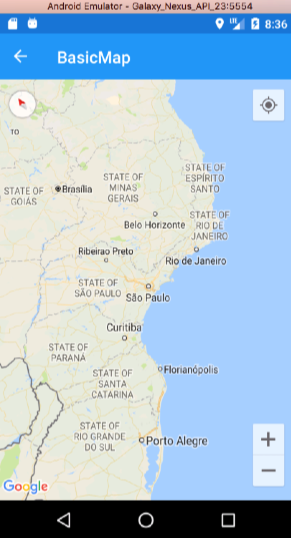
amay077
on 31 Oct 2017
Probably it was in some cache, now it is working.
ghost
on 31 Oct 2017
I tried on both on code and xaml = the blue-dot won't show either.
Dear @deextercz //cache? how?
maniti
on 2 Nov 2017
Clean solution helped me to make it works
ghost
on 2 Nov 2017
Not yet testing with the new solution suggested by @deextercz:
Tested on either my solution & sample solutions / iOS / BasicMapPage = still not working
maniti
on 2 Nov 2017
@maniti could you try Android ?
ghost
on 2 Nov 2017
@deextercz : will test / thanks
maniti
on 2 Nov 2017
@amay077 last version (2.2.1) MyLocationEabled works in Android but not in iOS (no blue dot, and no certer if you tap in MyLocationButton)
 rayita
on 21 Nov 2017
rayita
on 21 Nov 2017
Related issues
 idan-rubin
·
6Comments
idan-rubin
·
6Comments
 JKennedy24
·
6Comments
JKennedy24
·
6Comments
 Gavrielo
·
3Comments
Gavrielo
·
3Comments
 woellij
·
4Comments
amay077
·
7Comments
woellij
·
4Comments
amay077
·
7Comments