Wysiwyg-editor: Editor freezes/crashes when selecting table cells
This is the same issue as #3419 but that issue is still closed (it was believed to be solved, but that is not the case).
Expected behavior.
The editor continues to work.
Actual behavior.
The editor freezes completely, with no way to write text, use the toolbar or even highlight text.
Steps to reproduce the problem.
1) Create a table with at least two cells.
2) Press and hold in one cell, drag to the other and back to the first (without releasing).
3) Continue to drag outside the editor.
4) Release the mouse button.
5) The editor is now frozen.
These steps may easily be performed by accident.
Editor version.
Latest demo version, but a very similar problem exists in v2, se #3419
OS.
macOS
Browser.
Confirmed in Chrome (latest) and Safari (latest)
Recording.
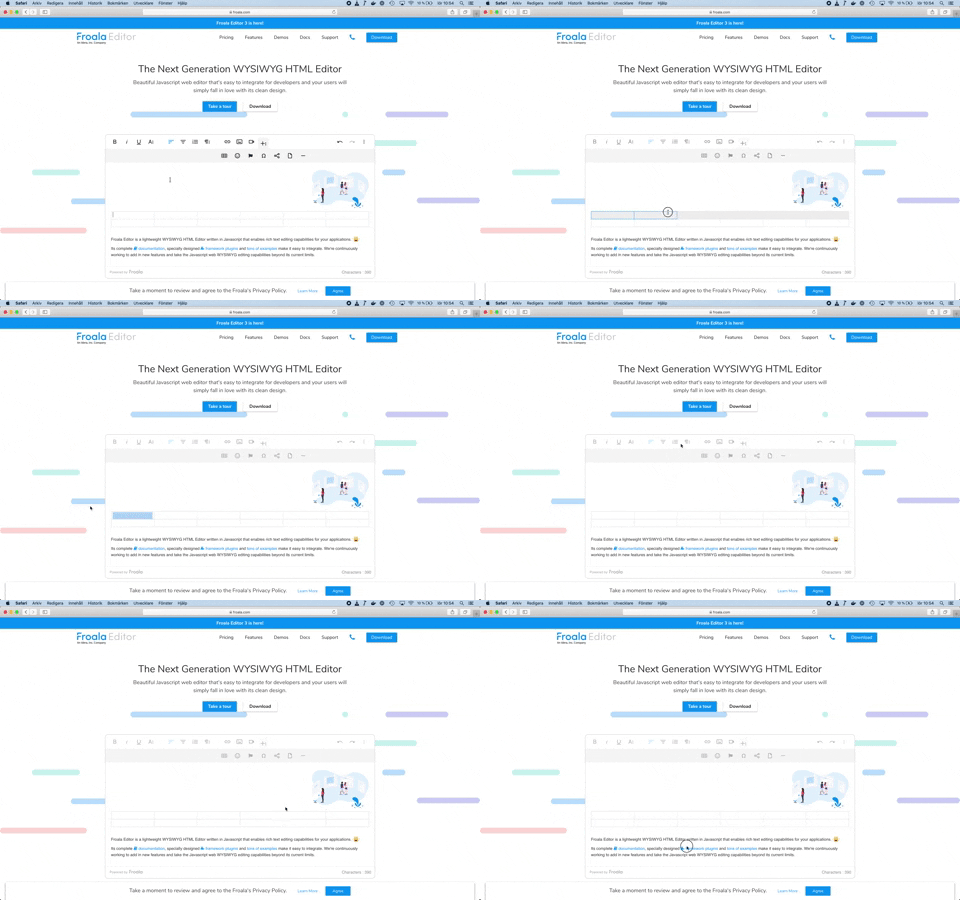
 Krisell
All 4 comments
Oh wow, this has been causing me issues occasionally, never realised what the exact issue was to create it - just knew sometimes working in tables caused the toolbar to freeze / inactivate. Happens in v2 and v3. Any update on fixing this bug?
 codemzy
on 25 Sep 2019
codemzy
on 25 Sep 2019
Quick workaround I have come up with that seems to be working...
var editor = new FroalaEditor('.selector', {
  events: {
    'click': function () {
      if (editor.edit.isDisabled()) {
        editor.edit.on();
        editor.toolbar.enable();
      }
    }
  }
});
That's not the exact code I'm using, because I'm using react and I also check if I have disabled the editor myself first (e.g. during saving and other actions - if (editor.edit.isDisabled()) && !saving) - but that's the nuts and bolts of it and it does seem to activate the editor again when this issue happens. Hopefully will help someone!
codemzy
on 26 Sep 2019
@codemzy Thanks for that idea, it seems to solve the problem for us (which remains in the latest version of Froala 3 and 2).
Krisell
on 6 Feb 2020
This issue still remains in 3.2.5
Krisell
on 16 Dec 2020
Related issues
 cksachdev
·
4Comments
Krisell
·
3Comments
cksachdev
·
4Comments
Krisell
·
3Comments
 lohiaad
·
4Comments
lohiaad
·
4Comments
 george-norris-salesforce
·
4Comments
george-norris-salesforce
·
4Comments
 rogersteblerbsi
·
3Comments
rogersteblerbsi
·
3Comments