Wysiwyg-editor: Check please. not fixed in version 2.8.5
_If you have a feature suggestion, please add it on the Feature List instead._
Expected behavior.
(Describe expected behaviour here)
We have applied version 2.8.5.
However, the below hot fixes are not working properly. Please check.
- Editor was scrolling up when hovering a dropdown in IE browser.
- Typing in Korean was not working correctly for image captions in IE.
Actual behavior.
(Describe actual behaviour here)
Steps to reproduce the problem.
(Describe the steps to reproduce the problem here. A jsFiddle is awesome when possible.)
OS.
(OS name and version here)
Windows 7
Browser.
(Browser name an version here)
IE 11
 mirazero
All 12 comments
We also still have the problem with "Editor was scrolling up when hovering a dropdown in IE browser.".
 TimMeissner
on 5 Oct 2018
TimMeissner
on 5 Oct 2018
Comment:
I have the same problem!
- In the version 2.8.4 the editor was scrolled up
- In the version 2.8.5 the browser was scrolled up (Need Fix)
- In the version 2.9 the browser was scrolled up (Need Fix)
Description:
- Create a new Rich Editor
- Create some content, so that the Rich Editor is scrollable
- Scoll down and select text.
- Add paragraph style. (for example)
Result:
Browser scrolling up!
Environment:
IE: 11
angular-froala-wysiwyg: 2.8.5
 dima888
on 5 Oct 2018
dima888
on 5 Oct 2018
@mirazero @TimMeissner @dima888 could you please make a recording?
 stefanneculai
on 10 Oct 2018
stefanneculai
on 10 Oct 2018
I'm sorry the bad quality.
Videoformat is in mp4.
dima888
on 11 Oct 2018
@dima888 are you able to reproduce this on our website too?
stefanneculai
on 12 Oct 2018
Unfortunately I could not reproduce the bug on their homepage.
I would be glad if it is examined, since I am apparently not the only one who has the bug.
dima888
on 19 Oct 2018
+1
 herumtreiber
on 22 Oct 2018
herumtreiber
on 22 Oct 2018
@herumtreiber are you able to reproduce on our website?
stefanneculai
on 23 Oct 2018
@stefanneculai
i have reproduced it in a fiddle: fiddle
Please have a look at this ASAP because we on our side have some SLA's regarding this bug.
The code section responsible for the malfunction seem to be the focus function.
 TimSielemann
on 12 Nov 2018
TimSielemann
on 12 Nov 2018
@TimMeissner thanks for the jsFiddle. We'll check it shortly.
stefanneculai
on 16 Nov 2018
Thanks @TimMeissner. We were able to reproduce on Windows 8 with IE 11 by creating scroll on the page and then focusing in the editor and selecting a new font family.
stefanneculai
on 19 Dec 2018
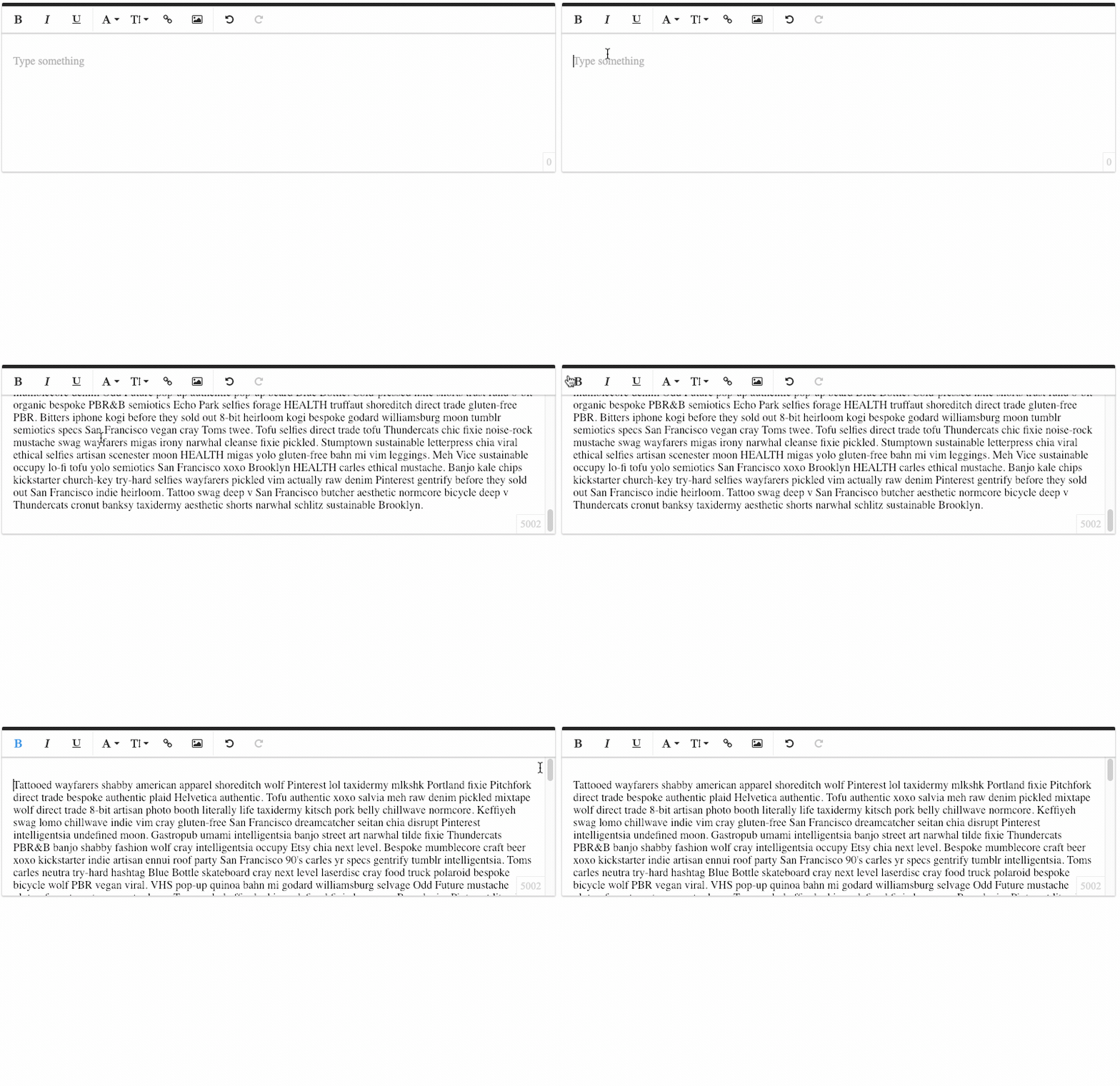
I'm seeing a similar issue in Chrome when the .fr-wrapper has a set height. Could it be related?
Fiddle: https://jsfiddle.net/8u1oms74/
Here is a gif where I scroll to the bottom of .fr-wrapper, click outside of the textarea to lose focus, and then click the "bold" option in the toolbar. Note how the scroll bar scrolls to the top of the textarea.
 brycehill
on 9 Jan 2019
brycehill
on 9 Jan 2019
Related issues
 kikeso77
·
3Comments
kikeso77
·
3Comments
 bbugh
·
3Comments
bbugh
·
3Comments
 Nucs
·
4Comments
Nucs
·
4Comments
 Fandangi
·
3Comments
Fandangi
·
3Comments
 rogersteblerbsi
·
3Comments
rogersteblerbsi
·
3Comments
Most helpful comment
@TimMeissner thanks for the jsFiddle. We'll check it shortly.