Wp-calypso: Image Size selector missing
Steps to reproduce
- Upload a picture to a Simple site
- Upgrade it to a Business plan and activate Karuna theme
- Create an Image block with the uploaded picture
What I expected
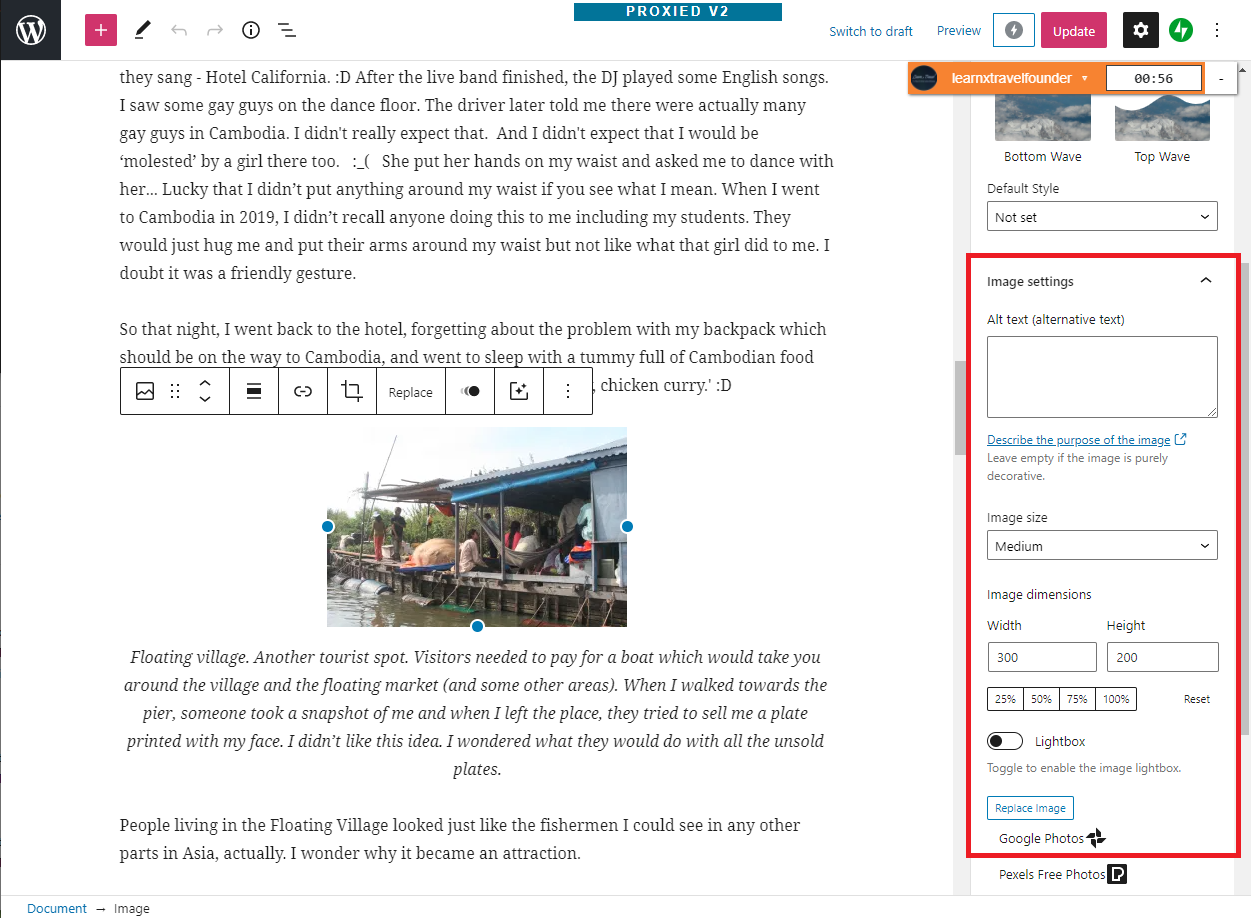
Available ‘Image Size’ selector on the Image Block properties when editing a post or page
What happened instead
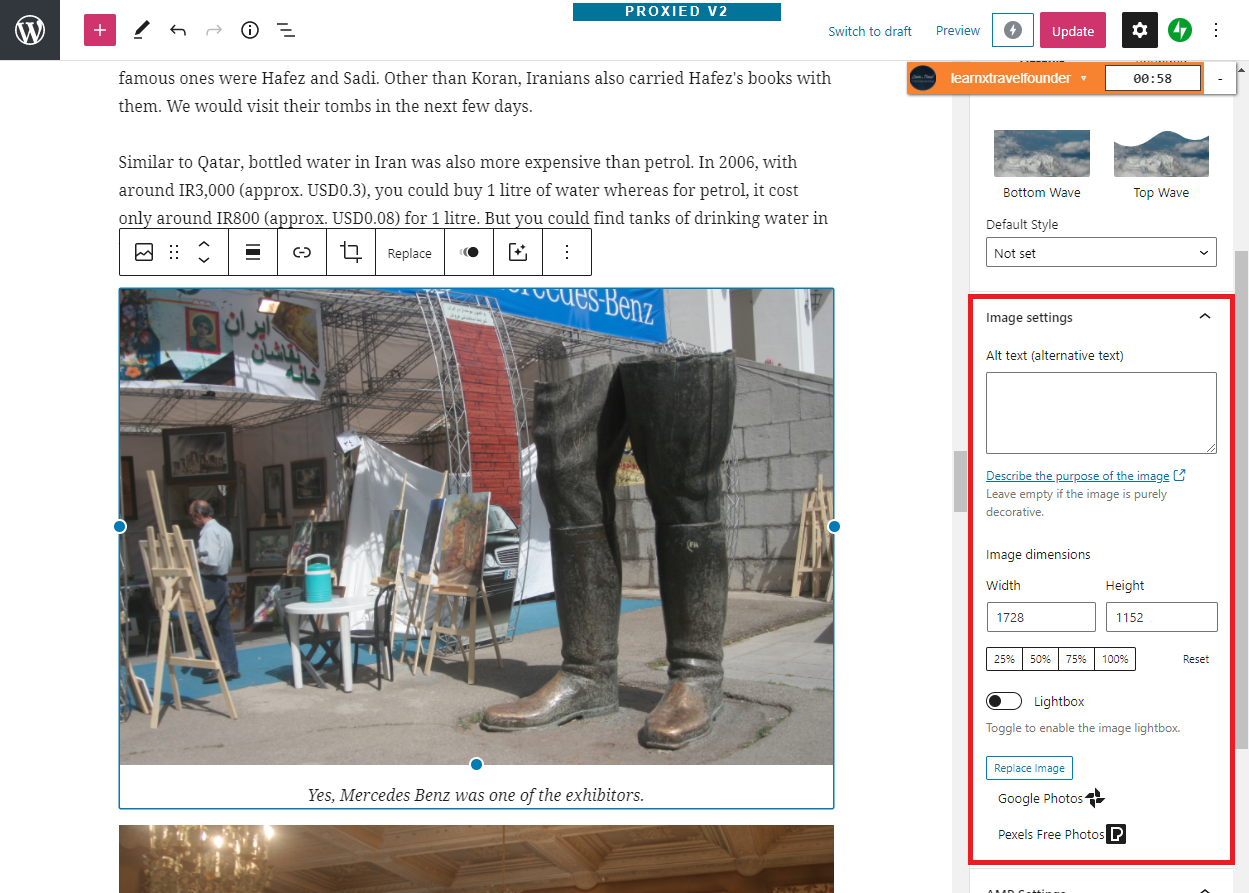
Only Image dimensions (width and height) fields are displayed but no dropdown image size selector
Browser / OS version
Chrome / Windows 10
Screenshot / Video
This capture shows a ‘pre-upgrade’ uploaded image on the user’s site:
This capture shows a ‘post-upgrade’ uploaded image on the user’s site:
Context / Source
Please note that the dropdown image size selector comes back after reverting the site to a simple site.
 mcampal
All 3 comments
Some additional discussion here: p9F6qB-64S-p2
 cathymcbride
on 11 Nov 2020
cathymcbride
on 11 Nov 2020
This is a curious issue. I can verify the problem on the affected user's site, but I can't seem to reproduce it on a testing site.
- I create a new simple site through https://wordpress.com/new
- I select the initial theme to be Coutoire
- I upload a ~400kb jpeg image to the simple site's media library
- I upgrade the simple site to a business plan using store admin
- I switch the theme to Karuna and activate it
- I navigate to Posts > Add New Post
- I add an image block and select the jpeg image I previously uploaded
I've tried it twice, and in both instances, I can still see the image size selector. 🤔
@mcampal or @galakhyati would you mind taking a look at the steps I've outlined about how I'm reproducing the problem? Is there anything different from how either of you are replicating the issue?
 jeyip
on 14 Nov 2020
jeyip
on 14 Nov 2020
The Image Size option is not showing for the images that were existing on the page/post while the site was simple: https://d.pr/v/HF7WVg/dUSpizYvO8
So the only missing steps from the ones you followed was to add an image on a page/post while the site was on a simple site, not just uploaded to the media.
Now if you add another image on the atomic site, it shows the Image Size option: https://d.pr/v/RZEspI/4qP7G55OMf
So basically the existing images on an atomic site is not showing the Image Size option. Hope that helps, please ping me if need any further help in replicating the issue.
 galakhyati
on 16 Nov 2020
galakhyati
on 16 Nov 2020
Related issues
 kellychoffman
·
3Comments
kellychoffman
·
3Comments
 rickybanister
·
3Comments
rickybanister
·
3Comments
 spen
·
3Comments
spen
·
3Comments
 ehg
·
3Comments
ehg
·
3Comments
 ghost
·
3Comments
ghost
·
3Comments
Most helpful comment
The Image Size option is not showing for the images that were existing on the page/post while the site was simple: https://d.pr/v/HF7WVg/dUSpizYvO8
So the only missing steps from the ones you followed was to add an image on a page/post while the site was on a simple site, not just uploaded to the media.
Now if you add another image on the atomic site, it shows the Image Size option: https://d.pr/v/RZEspI/4qP7G55OMf
So basically the existing images on an atomic site is not showing the Image Size option. Hope that helps, please ping me if need any further help in replicating the issue.