Wp-calypso: Search Plan: Purchase a monthly plan and no "manage" link when looking at yearly
Steps:
- Go to /plans in Calypso
- Purchase a monthly search plan for a jp site
- Go back to the /plans page in Calypso and look at yearly plans
- There will not be a link to manage the plan that you purchased (link appears if you click to monthly)
 gibrown
All 6 comments
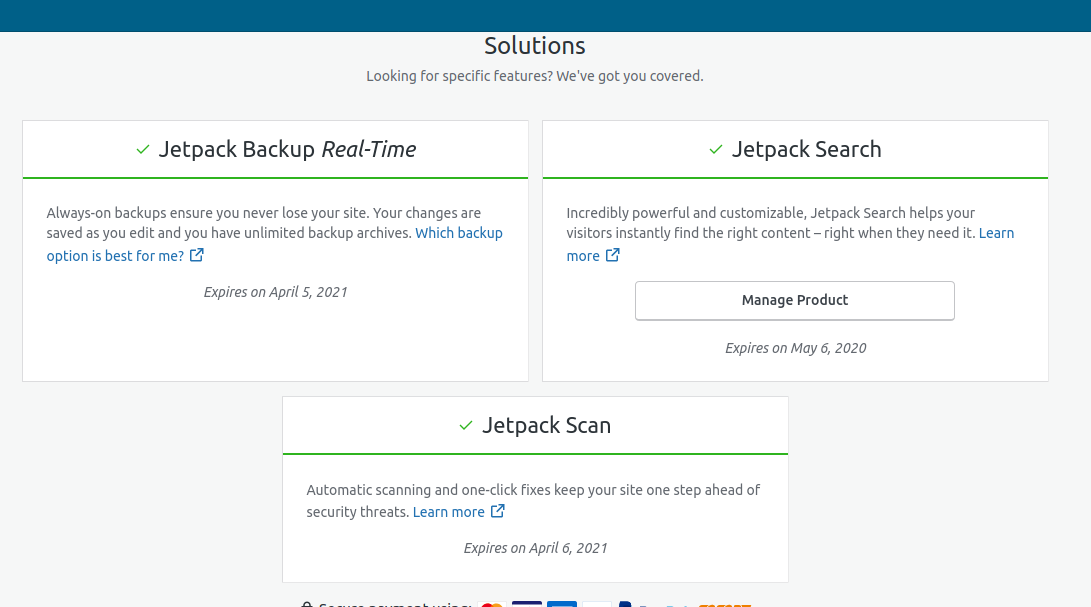
Noting that the discrepancies between monthly and yearly concern all product cards.
monthly
yearly
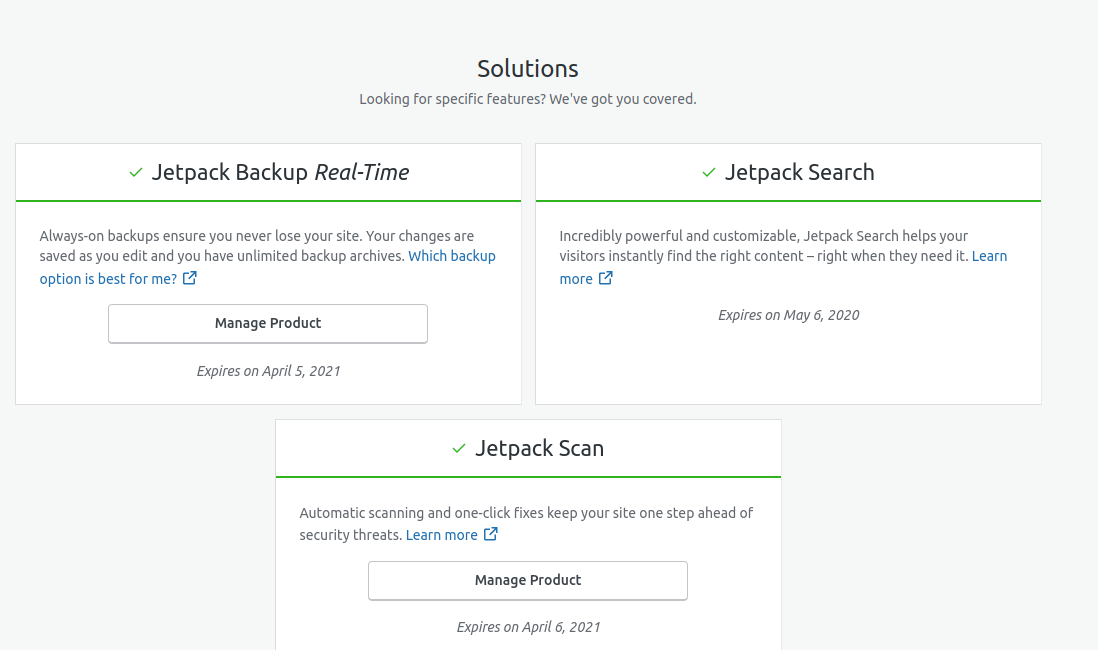
@keoshi which one would you say is the wanted card display? As the changes will affect all the cards, whom should we consult about it?
 AnnaMag
on 6 Apr 2020
AnnaMag
on 6 Apr 2020
I believe the monthly/yearly toggle shouldn't change the content inside of a purchased product card.
This means we would display a “Manage product” button if a customer has purchased any of them, no matter what the current billing cadency happens to be.
cc @folletto for a double check of this.
 keoshi
on 6 Apr 2020
keoshi
on 6 Apr 2020
I agree. The button should always show. The "product" is the same product. And the button manages the product.
 folletto
on 6 Apr 2020
folletto
on 6 Apr 2020
To provide some Background: The way it works now was done on purpose like this since the monthly and yearly products are two different things and some point wanted to offer a way to upgrade between the two choices.
We should make it clear to the user which interval they have the product for.
cc @eeeeevon13
 enejb
on 6 Apr 2020
enejb
on 6 Apr 2020
The fact that in the future we might provide that shouldn't be a limiting factor causing us being confusing now.
I agree on clarity: the interval clarity should be in whichever page they land on when they click "Manage", not on this page.
folletto
on 6 Apr 2020
@enejb is this on your plate? Not a huge priority for us but we should get it fixed.
gibrown
on 9 Apr 2020
Related issues
 ehg
·
3Comments
ehg
·
3Comments
 roccotripaldi
·
3Comments
roccotripaldi
·
3Comments
 hoverduck
·
3Comments
hoverduck
·
3Comments
 ghost
·
3Comments
ghost
·
3Comments
 spen
·
3Comments
spen
·
3Comments