Wp-calypso: Layouts: Contact Form Previews are very poor in Layout Selector
Chrome and MacOS.
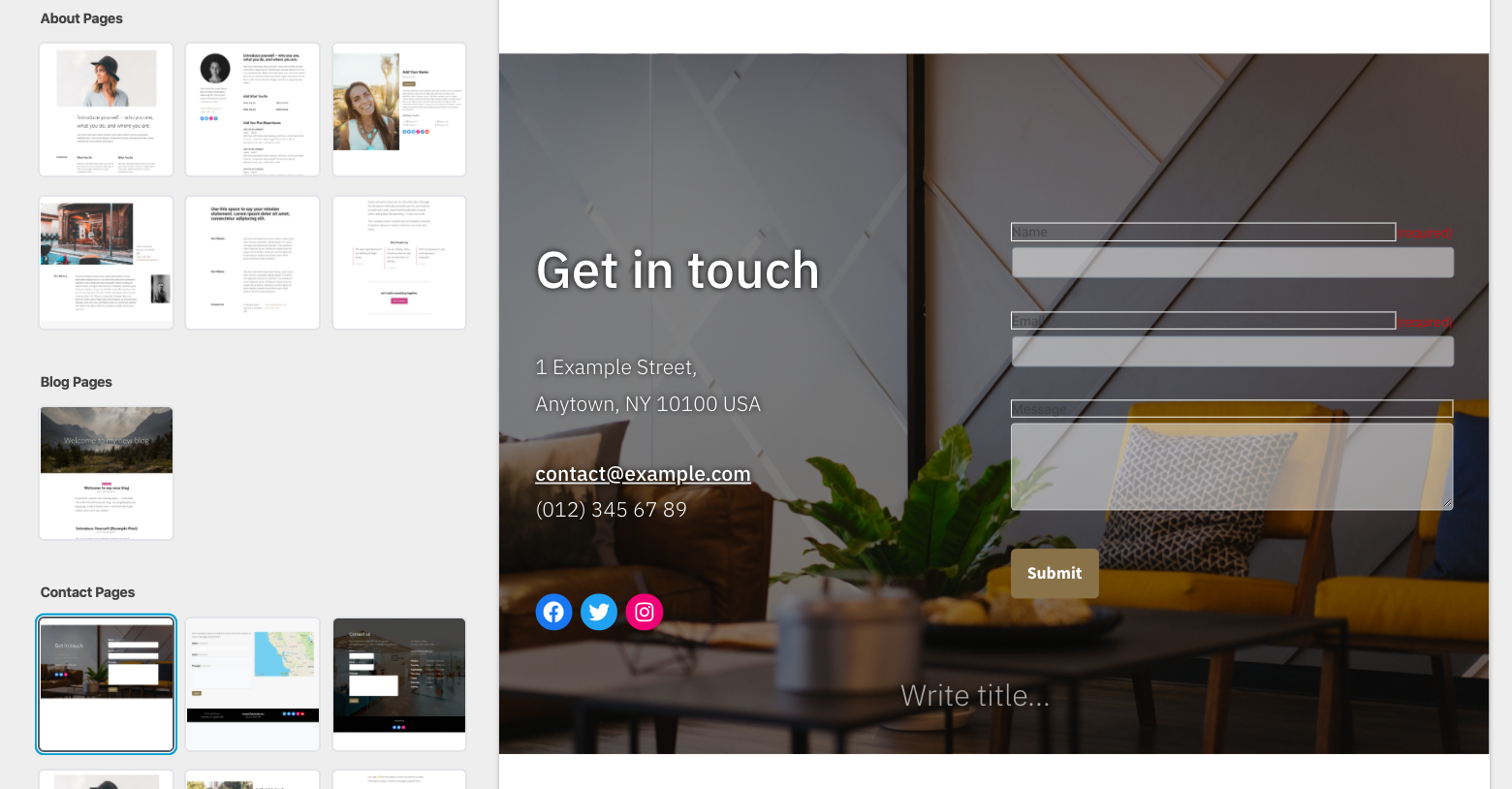
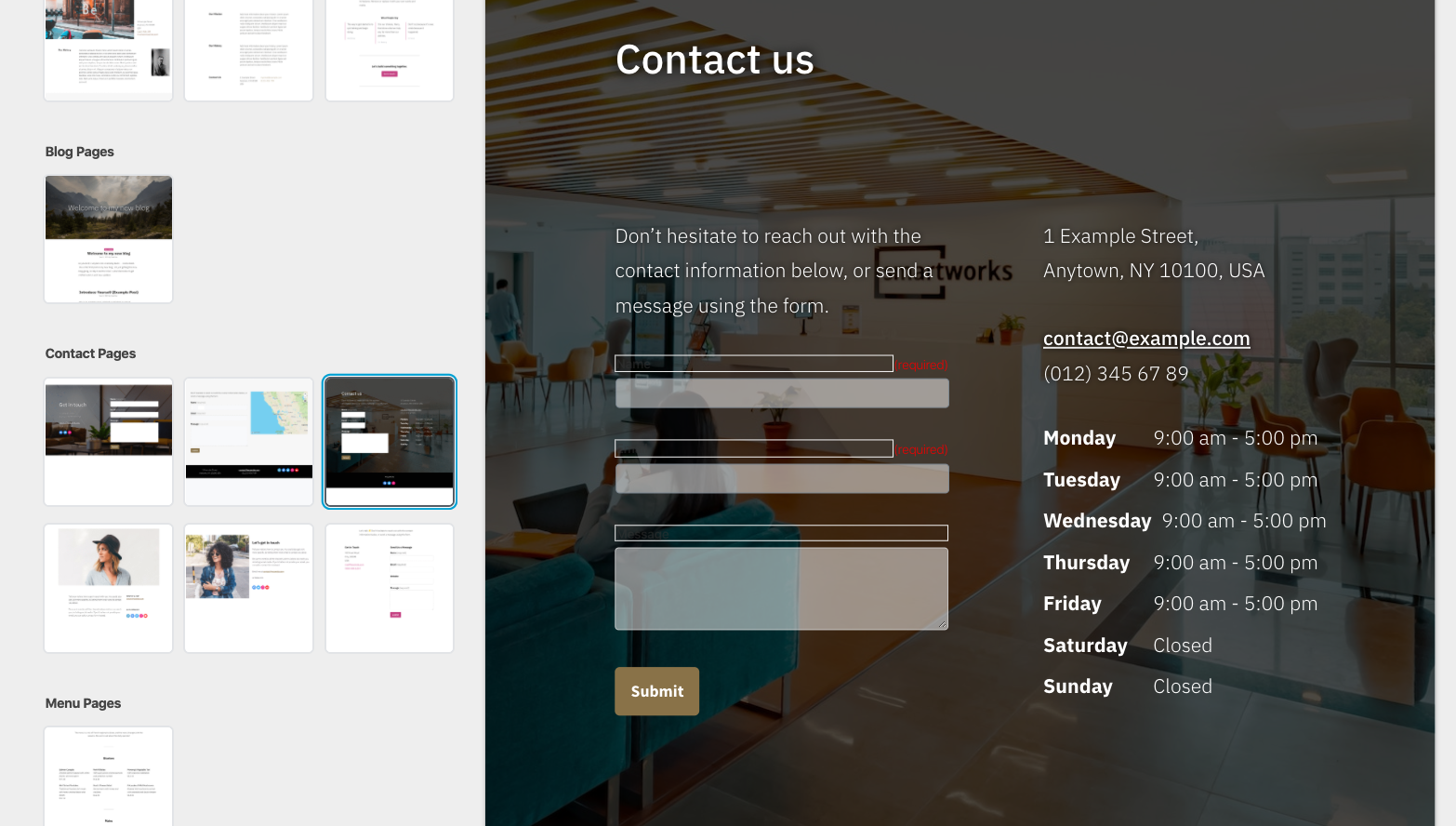
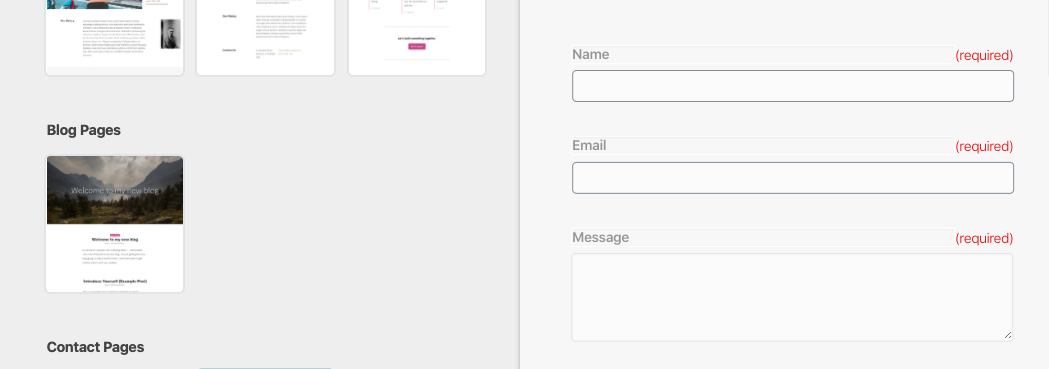
Strange borders and Hard-to-read text that don't appear in the Editor or on published pages.
@iamtakashi @alaczek
 ianstewart
All 8 comments
The placeholder for the contact form here in the Maywood layout could be seen as looking like it's broken in a different way …
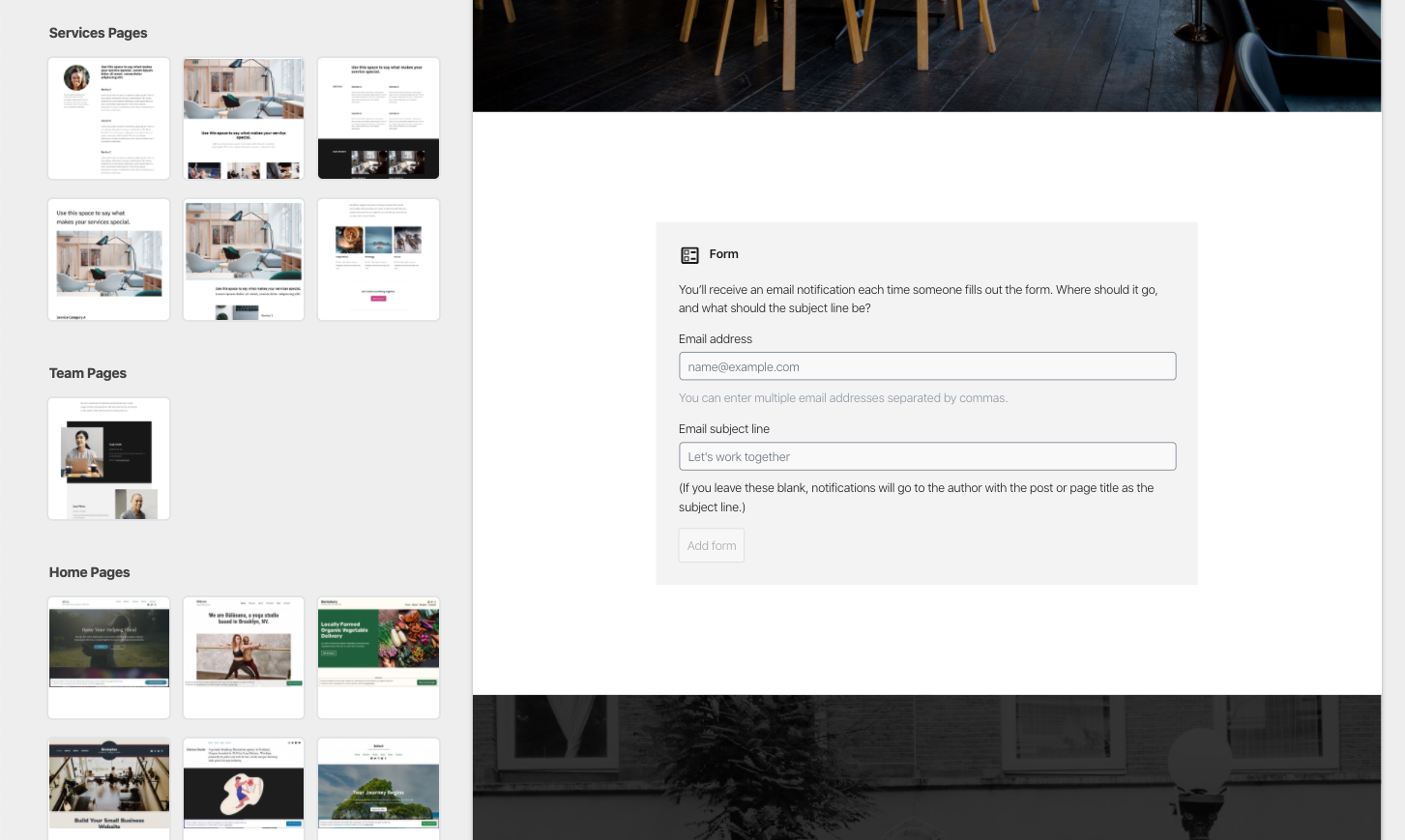
… in that it's not providing a preview of the final result.
ianstewart
on 10 Feb 2020
I think we've hit the problem with the intro screen of the form block before. I believe it was dismissed for the user by setting an attribute on the block. That way they immediately saw real form fields in both preview and editor. Disadvantage being they are not guided to set their email and subject and block will use some default ones
Edit: this is the attribute https://github.com/Automattic/jetpack/blob/026529c933acc84280214d91fb137941795ad004/extensions/blocks/contact-form/index.js#L86
 marekhrabe
on 11 Feb 2020
marekhrabe
on 11 Feb 2020
The borders are caused by https://github.com/Automattic/jetpack/blob/ca039e9b2a22d183c0b98c0393edda6e2b2503e7/extensions/blocks/contact-form/editor.scss#L84-L105
 obenland
on 18 Feb 2020
obenland
on 18 Feb 2020
The borders are caused by...
The same CSS is used in the editor too, but the form looks fine in the editor. Why do they appear differently between the editor and the preview then?
Some CSS from core Gutenberg that is loaded in the editor seems to be missing in the preview. block-editor/style.css
 iamtakashi
on 19 Feb 2020
iamtakashi
on 19 Feb 2020
The placeholder for the contact form here in the Maywood layout could be seen as looking like it's broken in a different way …
@ianstewart This looks to be a separate issue to the "borders". Therefore I've split out to avoid confusion:
 getdave
on 25 Feb 2020
getdave
on 25 Feb 2020
The borders are caused by https://github.com/Automattic/jetpack/blob/ca039e9b2a22d183c0b98c0393edda6e2b2503e7/extensions/blocks/contact-form/editor.scss#L84-L105
Some CSS from core Gutenberg that is loaded in the editor seems to be missing in the preview.
block-editor/style.css
@obenland has correctly identified that the border _colors_ are added by Jetpack. However, the border's _appearance_ is actually caused by what @iamtakashi identified: the lack of the Core Gutenberg styles for .block-editor-plain-text being applied within the preview.
Specifically it is this missing border: none; rule that is _allowing_ the borders to appear on textareas:
.block-editor .block-editor-plain-text {
    box-shadow: none;
    font-family: inherit;
    font-size: inherit;
    color: inherit;
    line-height: inherit;
    border: none;
    padding: 0;
    margin: 0;
    width: 100%;
}
When the template has been inserted into the Post Block Editor the following CSS file seems to include the necessary rule:
/wp-content/plugins/gutenberg-core/7.3.0/build/block-editor/style.css
I'm not sure why the editor styles aren't being applied within the preview. However a quick fix is simply to add the necessary border:none in the Jetpack CSS ruleset and then re-apply it on :focus/:hover.
getdave
on 25 Feb 2020
I'm not sure why the editor styles aren't being applied within the preview.
I'm currently investigating this. I will update this comment with details.
Updates
It appears that the selector .block-editor .block-editor-plain-text is not matching the textarea element.
However, the selector .block-editor-plain-text does match!
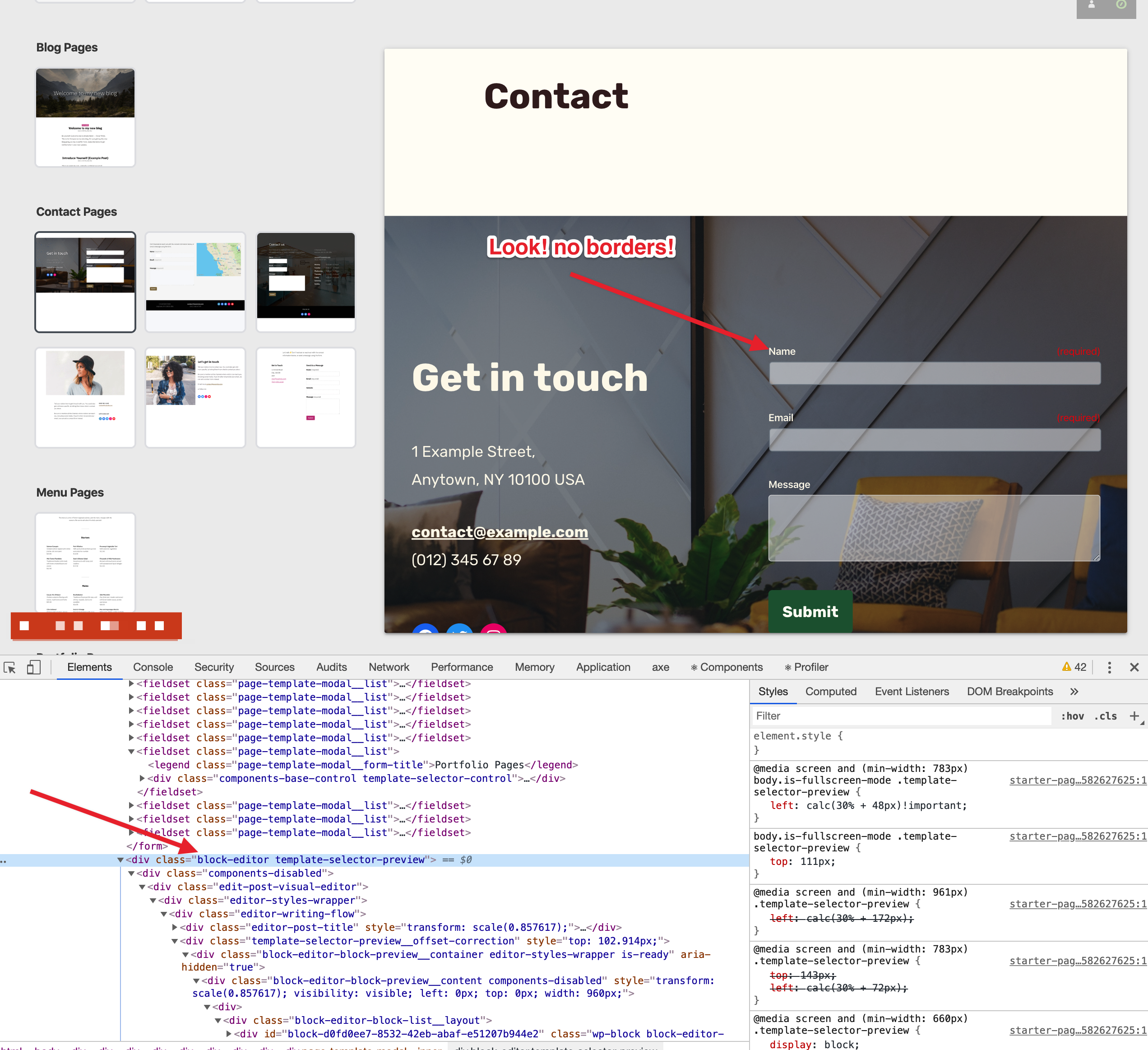
~Therefore I suspect~ We _are_ missing the .block-editor class in the DOM hierarchy within the preview.
Note the output in Console below. The .matches method returns a Boolean depending on whether the given selector matches the element in question.
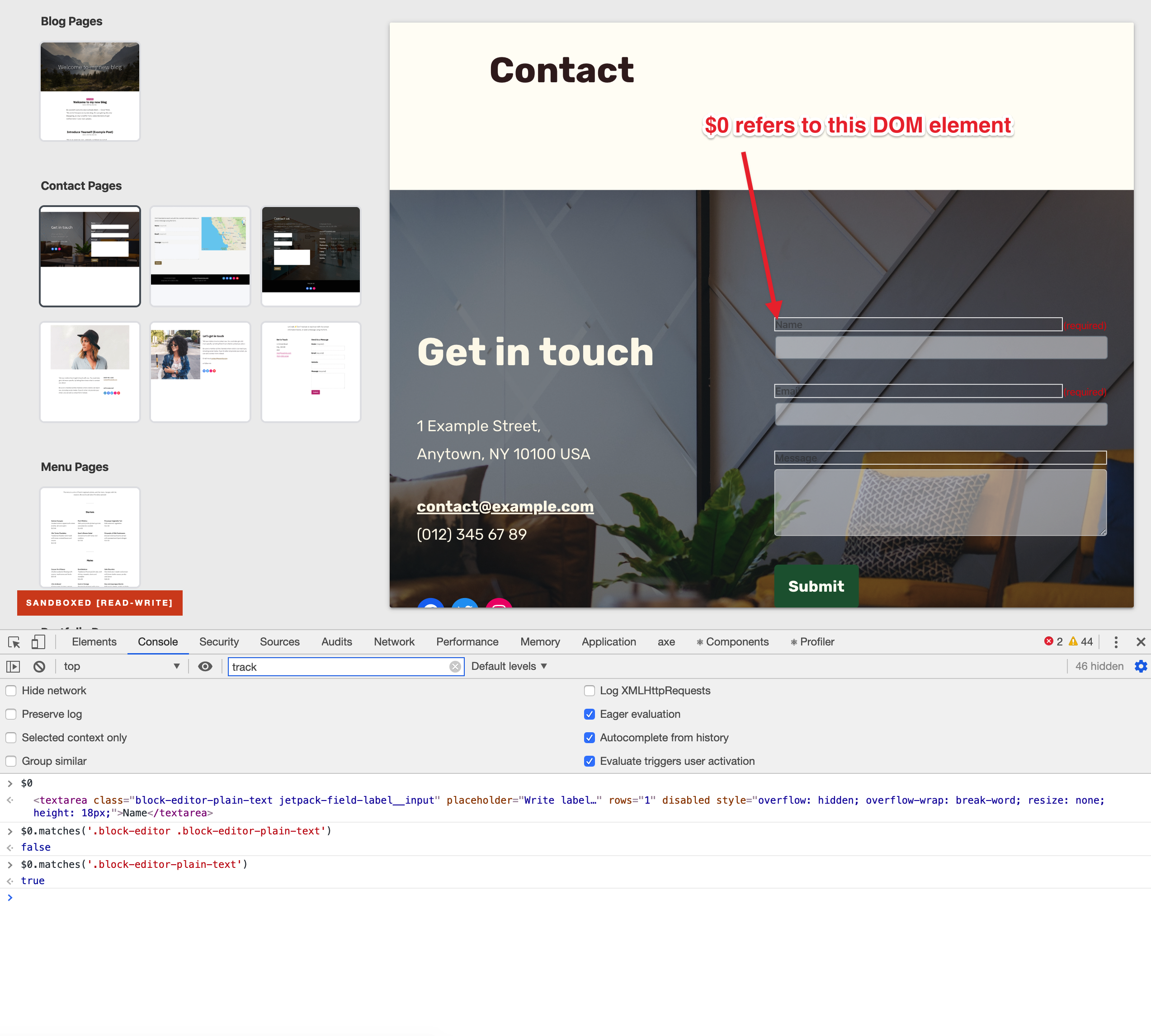
If we add the additional class .block-editor to the topmost <div class="block-editor template-selector-preview"> then the styles are correctly applied.
Debugging Resources
Use the following selector to search within devtools Elements panel to find the necessary elements:
block-editor-plain-text jetpack-field-label__input
getdave
on 25 Feb 2020
Therefore I suspect we are missing the
.block-editorclass in the DOM hierarchy within the preview.
This is a very good catch, Dave!
 retrofox
on 25 Feb 2020
retrofox
on 25 Feb 2020
Related issues
 roccotripaldi
·
3Comments
roccotripaldi
·
3Comments
 aduth
·
3Comments
aduth
·
3Comments
 kellychoffman
·
3Comments
kellychoffman
·
3Comments
 spen
·
3Comments
spen
·
3Comments
 samouri
·
3Comments
samouri
·
3Comments
Most helpful comment
I'm currently investigating this. I will update this comment with details.
Updates
It appears that the selector
.block-editor .block-editor-plain-textis not matching thetextareaelement.However, the selector
.block-editor-plain-textdoes match!~Therefore I suspect~ We _are_ missing the
.block-editorclass in the DOM hierarchy within the preview.Note the output in Console below. The
.matchesmethod returns aBooleandepending on whether the given selector matches the element in question.If we add the additional class
.block-editorto the topmost<div class="block-editor template-selector-preview">then the styles are correctly applied.Debugging Resources
Use the following selector to search within devtools
Elementspanel to find the necessary elements:block-editor-plain-text jetpack-field-label__input