Wp-calypso: Gallery Block: Adding new images removes existing ones
Steps to reproduce
- Create a new page
- Add a Gallery block
- Add 3 images on it
- Click on the block to select it
- Click on Media Library to select a new image
- Select a new image
What I expected
For the new image to be added to the gallery.
What happened instead
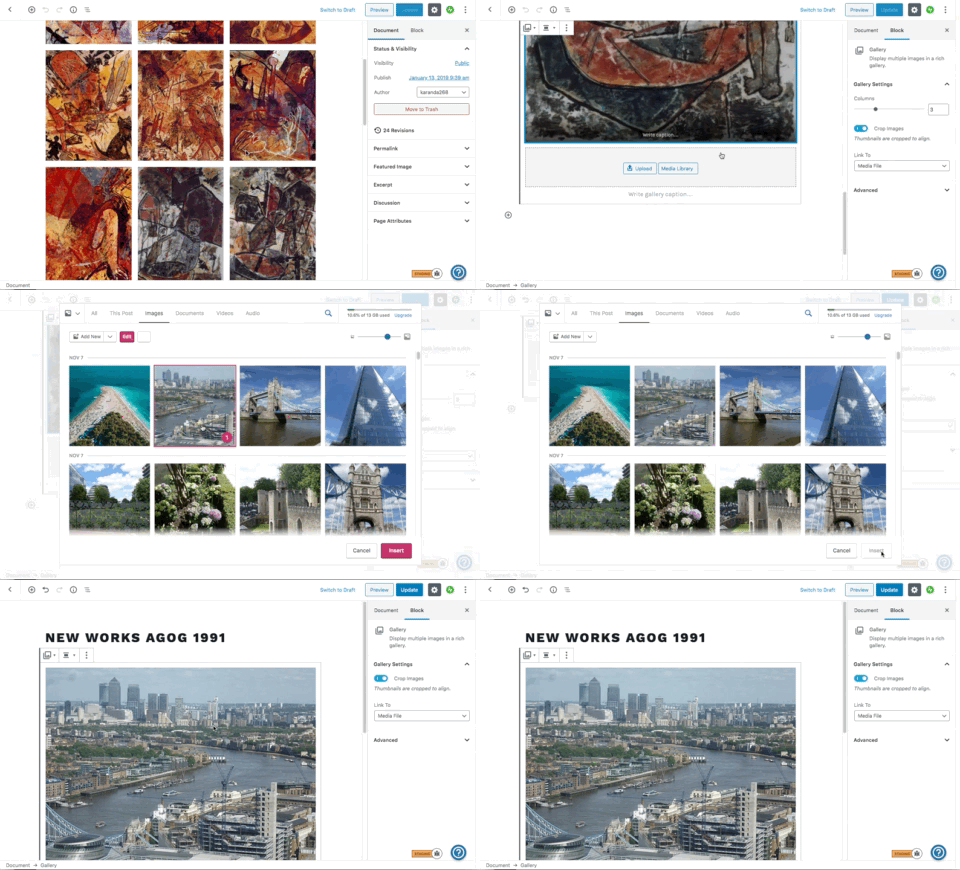
The new image is added, but all existing ones are removed.
Browser / OS version
OS X 10.13.6
Chrome 78.0.3904.87
Screenshot / Video
This seems to happen when the existing images aren't loaded on the media library when you select the new one. On this GIF you can see that the gallery images aren't shown, so the issue happens (you can see that once you select it shows the little "1" icon):
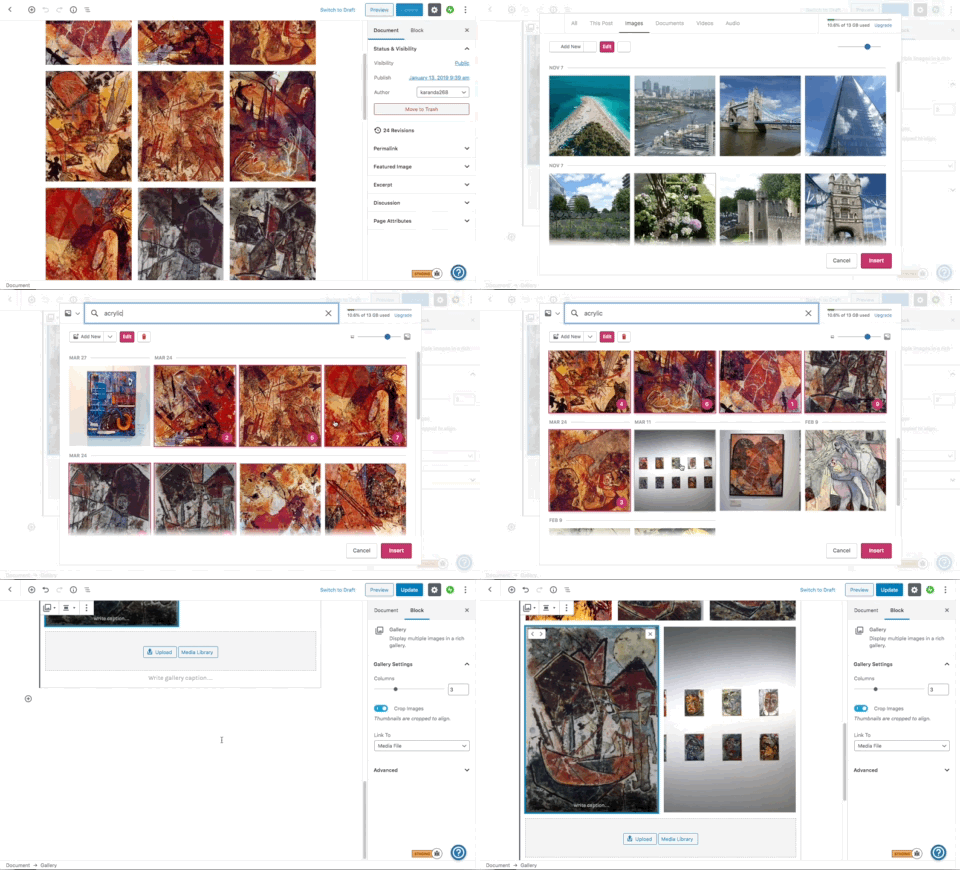
When you search for the images, and it shows the images that are already in the gallery, the issue doesn't happen:
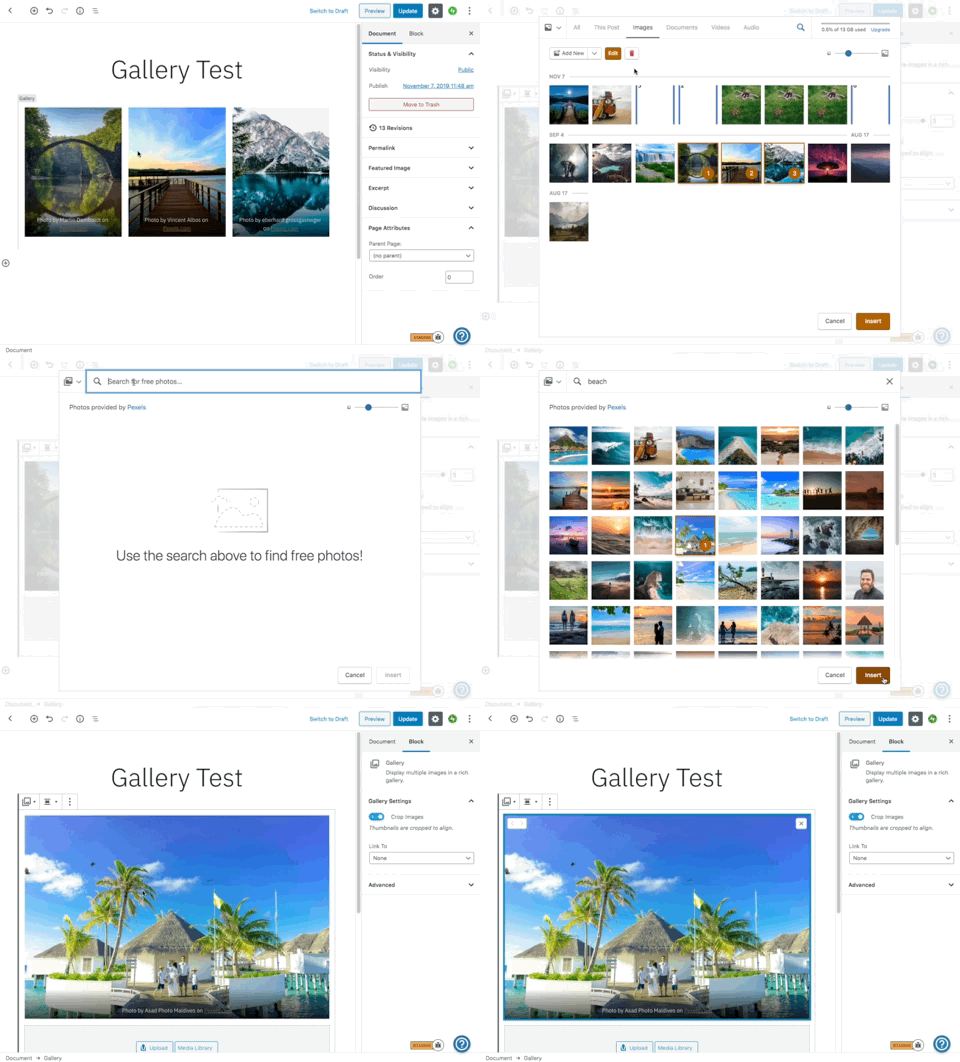
This issue also happens when you try to add a new image from the free Pexels library:
User reported that this started happening with all existing galleries on their site, it seems after the pencil icon to edit the gallery was removed.
Context / Source
user-report
Reported on 2475906-zen.
 carinapilar
All 6 comments
Looks like this is Calypso specific. I can't reproduce in WP-Admin on Simple, Atomic, or self-hosted but can reproduce via Calypso on all three.
Thus, it appears that the current workaround is to add the image to your media library first or use WP-Admin.
Something is off with the integration -- likely coming in from the new order function.
 JoshuaGoode
on 7 Nov 2019
JoshuaGoode
on 7 Nov 2019
I can't replicate this at all, not with production nor Horizon (which is right now running a newer alpha Gutenberg). @carinapilar @JoshuaGoode anything else you can give to help replicate?..
 kwight
on 8 Nov 2019
kwight
on 8 Nov 2019
I can only reproduce this when adding images from the free Pexels library:
- Create a new post
- Add a Gallery block
- Upload some images
- Click on Media Library
- Switch to the Free photo library
- Select a new image
 mmtr
on 8 Nov 2019
mmtr
on 8 Nov 2019
@kwight, I tested now on a Free Simple site on WordPress.com. Here are all the steps to replicate with the Pexels library:
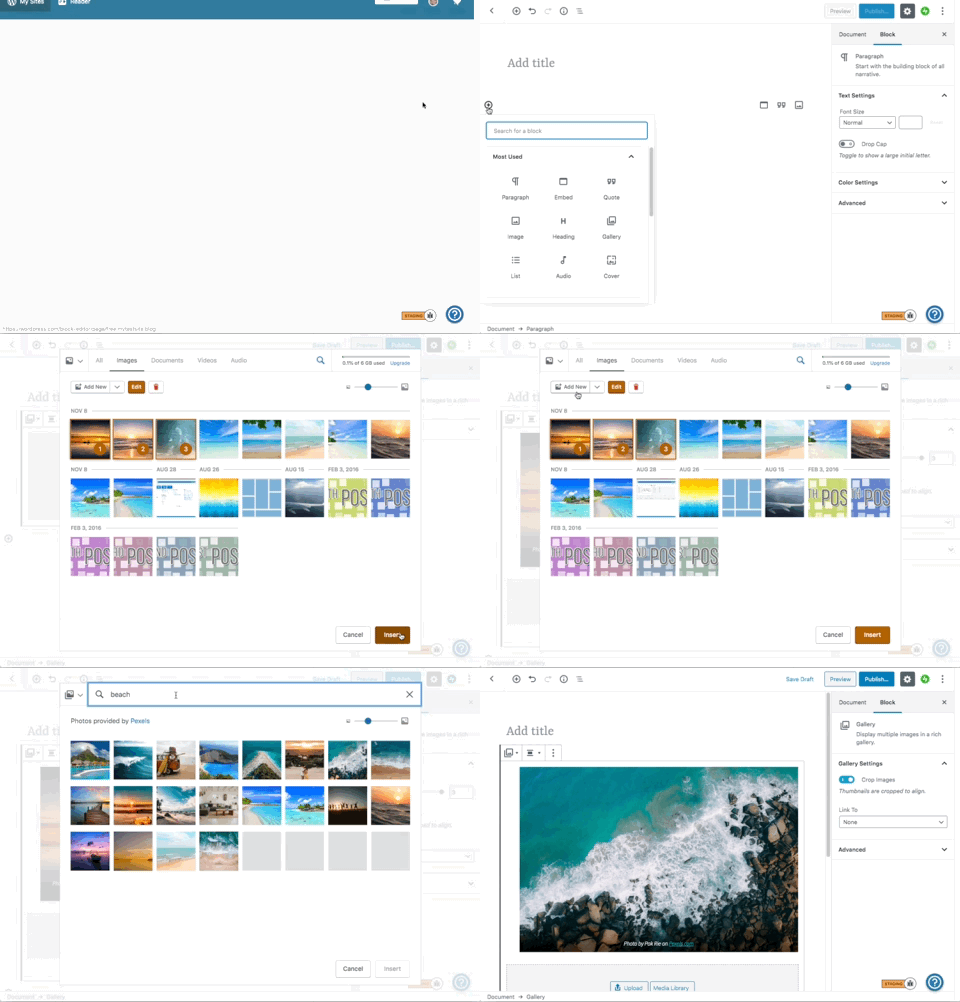
To replicate what the user is facing we would need to have lots of images on the media library, that are only loaded when you scroll down. It seems that if the images that are already on the gallery aren't on the first load when you go to select a new one, this error happens.
carinapilar
on 8 Nov 2019
Thanks @carinapilar! I can replicate now when the gallery is using images that are only loaded when scrolling down. Note that I needed to reload the browser (otherwise the images would be already loaded on the media modal).
I recorded this video with the whole process: https://cloudup.com/cRDvvvTYFP7
mmtr
on 8 Nov 2019
The issue with the Free photo library ended up being unrelated to Gutenberg, since I can reproduce it as well with the classic editor, so I opened a separated issue for that: https://github.com/Automattic/wp-calypso/issues/37450
I also opened a PR that should fix the issue with the images that are not loaded on the first load: https://github.com/Automattic/wp-calypso/pull/37452
mmtr
on 8 Nov 2019
Related issues
 apeatling
·
3Comments
apeatling
·
3Comments
 rickybanister
·
3Comments
rickybanister
·
3Comments
 ghost
·
3Comments
ghost
·
3Comments
 kellychoffman
·
3Comments
kellychoffman
·
3Comments
 spen
·
3Comments
spen
·
3Comments