Wp-calypso: Classic editor's editing area shrinking on iOS 13
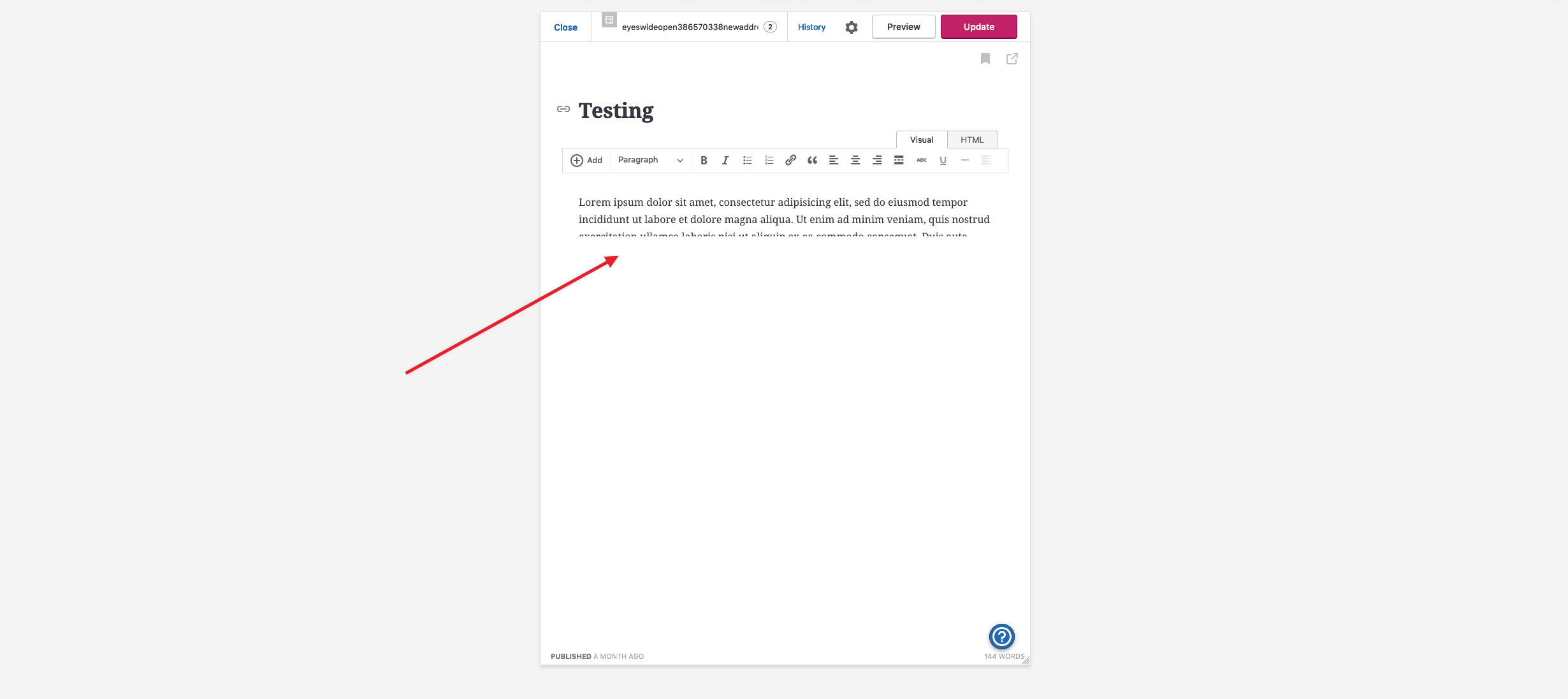
When using the classic Editor on an ipad mini, the editing area gets shunk.
Steps to reproduce
- Switch a site back to the Classic Editor
- Add dummy content to the post.
- View the post in Responsive Design Mode from Developer Tools set to ipad Mini 4.
- Refresh the page.
What I expected
The editing area would expand to fit the entire screen.
What happened instead
The editing area shrinks to be less than half of the page.
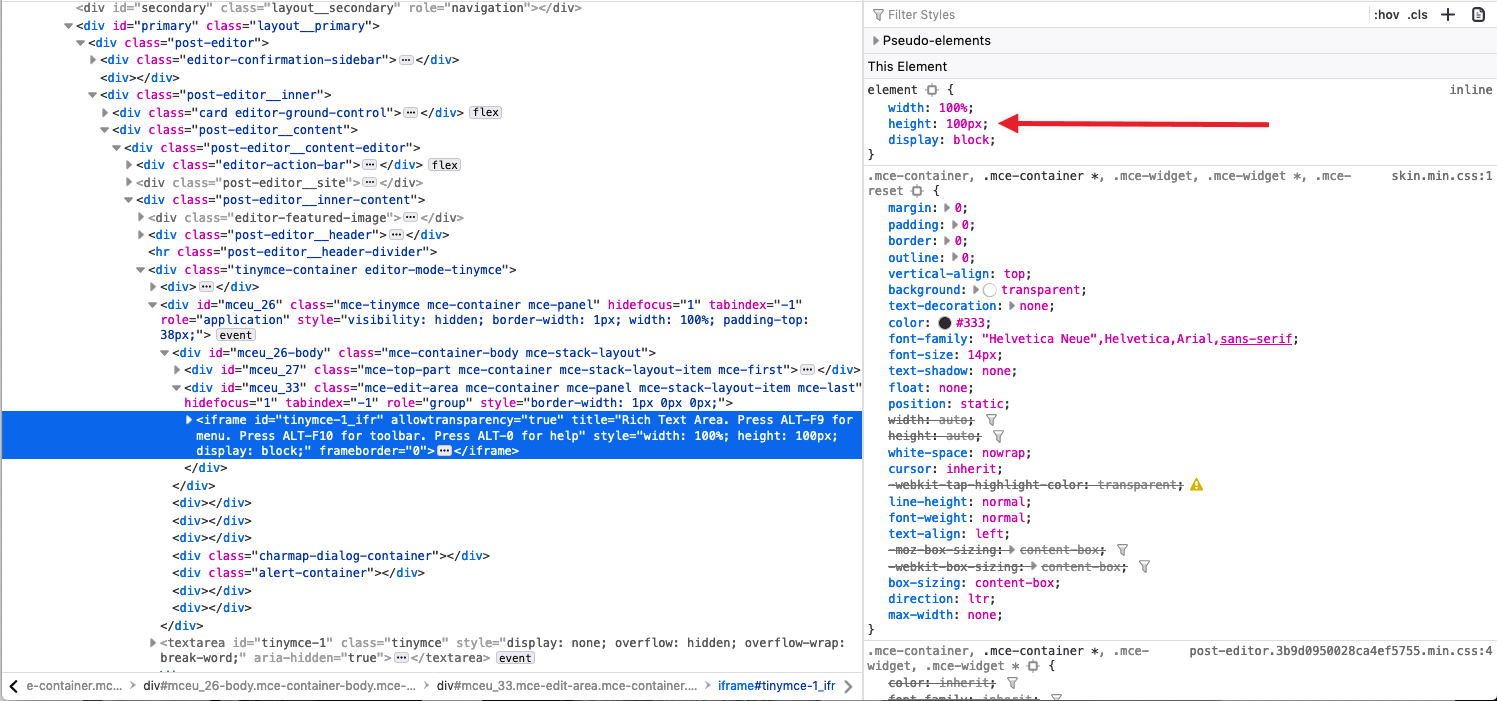
It appears to be a set height that is added to the iframe of the tinymce that is doing this.
Browser / OS version
iPad mini 4, iPad OS 13.1.2, Google Chrome/Safari/Firefox
Screenshot / Video
Video: https://cld.wthms.co/oMatiG
Context / Source
2409148-zen
 joweber123
All 11 comments
This seems to be the same issue as reported here as well
https://github.com/Automattic/wp-calypso/issues/36714#issue-506605867
joweber123
on 15 Oct 2019
Got another report here 2417542-zen
Ran a couple of tests and found out it is not only happening on iPad mini but also on iPhone, and it is specific to iOS 13 (iOS 12 and Android works well).
Updating the GH issue title :)
 AtrumGeost
on 16 Oct 2019
AtrumGeost
on 16 Oct 2019
Very interesting and good catch!
joweber123
on 17 Oct 2019
Another report here: #2459594-zen
IOS 13.1.3 Ipad Pro.
joweber123
on 31 Oct 2019
Another report here: #16462227-hc
joweber123
on 6 Nov 2019
@apeatling Heads up - this severely breaks the classic Calypso editor on iOS devices.
 rachelmcr
on 11 Nov 2019
rachelmcr
on 11 Nov 2019
Found another case in #2511869-zen.
 Robertght
on 25 Nov 2019
Robertght
on 25 Nov 2019
Thanks for the report.
Just to set clear expectations, supporting the old Classic editor is lower priority for teams versus building compatibility and quality in the Gutenberg editor.
 lancewillett
on 25 Nov 2019
lancewillett
on 25 Nov 2019
Bumping this to critical since it's a rough one, and adding to Serenity's board after a chat with Kerry. They'll prioritize it accordingly.
 apeatling
on 25 Nov 2019
apeatling
on 25 Nov 2019
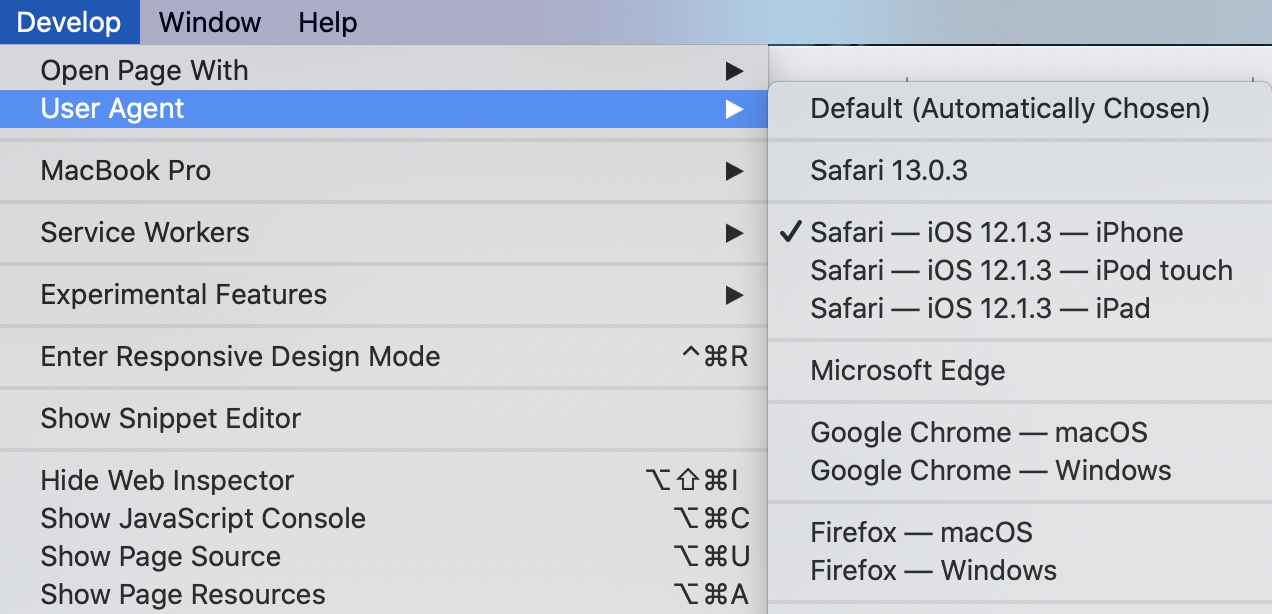
This can be reproduced on Safari desktop by forcing an iOS user agent:
 mmtr
on 29 Nov 2019
mmtr
on 29 Nov 2019
I can also reproduce with @mmtr 's tip in Safari. The difference is definitely the height attribute on the edit content iframe; I wonder if it's something involving resize.
 kwight
on 3 Dec 2019
kwight
on 3 Dec 2019
Related issues
 hoverduck
·
3Comments
hoverduck
·
3Comments
 kellychoffman
·
3Comments
kellychoffman
·
3Comments
 lamosty
·
3Comments
lamosty
·
3Comments
 ehg
·
3Comments
ehg
·
3Comments
 spen
·
3Comments
spen
·
3Comments