Wp-calypso: Related Posts Block: Editor shows example content
Steps to reproduce
- On a site with a few exisiting posts, start writing a new post (in Gutenlypso, or WP.com wp-admin)
- Add a Related Posts block.
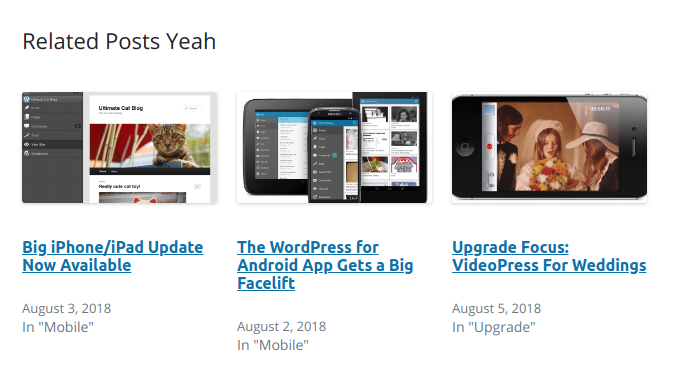
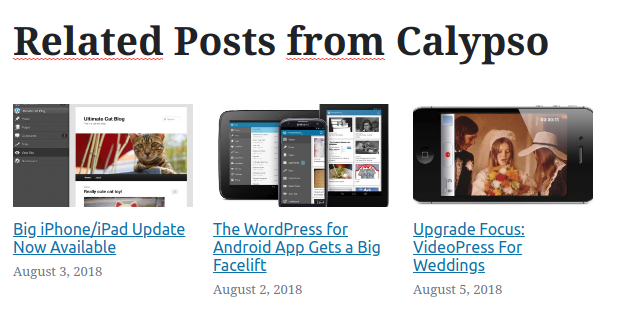
- Note that example content is being displayed.
- Publish the post
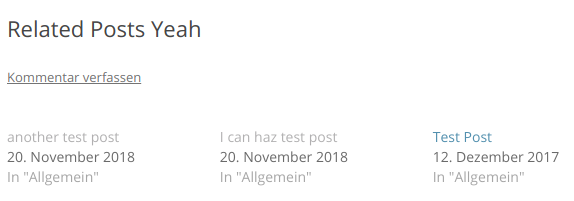
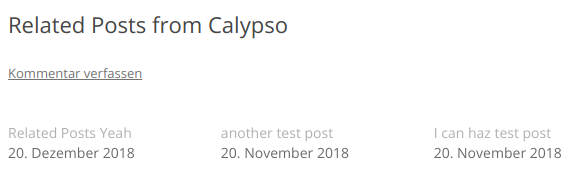
- Note that in the published post, actual posts are used rather than just example content
- Close the editor, navigate back -- still showing example content
What I expected
Actual content to be shown
What happened instead
Example content is shown
Screenshot / Video
wp-admin editor:
Frontend:
Calypso editor:
Frontend:
Context / Source
I'm not sure this is indexing or caching related, since it works fine on the frontend after all.
Apparently, this isn't an issue on Jetpack sites.
/cc @tyxla
 ockham
All 2 comments
Disregard, this was apparently happening because the Related Posts module was disabled on my WP.com test site (yet wpcalypso.wordpress.com allowed inserting Related Posts regardless). We probably need to look into Related Posts' block registration in order to prevent that.
ockham
on 20 Dec 2018
👍1
@ockham if you think there's some issue with registration, let's get it documented as an issue so we don't forget about it.
 tyxla
on 21 Dec 2018
tyxla
on 21 Dec 2018
👍1
Was this page helpful?
0 / 5 - 0 ratings
Related issues
 vparkhere
·
3Comments
vparkhere
·
3Comments
 spen
·
3Comments
spen
·
3Comments
 ehg
·
3Comments
ehg
·
3Comments
 rickybanister
·
3Comments
rickybanister
·
3Comments
 kellychoffman
·
3Comments
kellychoffman
·
3Comments