Wp-calypso: Checklist guided tour doesn't disable buttons on Personalize Contact page
Steps to reproduce
- Starting at URL: https://wordpress.com/checklist/siteurl.wordpress.com/checklist/:site:
Signed up for a free account. - Click "Do It!" to Personalize your Contact page
- Once the contact page opens, note that Update button looks enabled. Click on it.
What I expected
The Update either happens, or is disabled until all guided tour popups are dismissed. Maybe see this part of the tour (if image and page was done in the expected order, this is what you see):
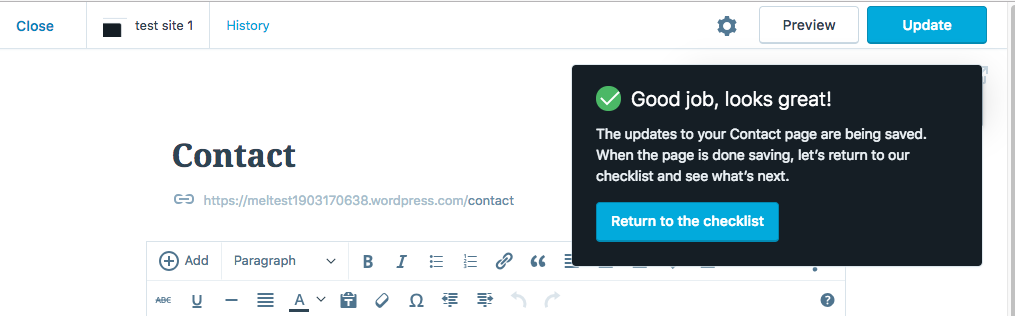
What happened instead
Nothing. Clicking the update button didn't save the page or move me to the next guided tour modal.
Browser / OS version
Chrome 67.0.3396.99
Mac OS 10.13.6
Screenshot / Video
Context / Source
manual-testing
Idontfollowdirections
 mel-OR
All 7 comments
Thanks for the report, Melissa -- good find.
 lancewillett
on 26 Jul 2018
lancewillett
on 26 Jul 2018
Pinging @taggon. Can you take a look when you have a chance?
 fditrapani
on 26 Jul 2018
fditrapani
on 26 Jul 2018
User in 1341800-zen reported this.
 rantoncuadrado
on 12 Aug 2018
rantoncuadrado
on 12 Aug 2018
After some investigation I think it's borking in the save post action.
We don't send a request to the API and return null if the post is unchanged. It's still treated however as a successful save and null is therefore passed to the success callback, the effect of which, is... well... null. :)
I'll look further.
_Edit:_
The result of changedAttributes = getPostEdits( getState(), siteId, postId ); in wp-calypso/blob/master/client/state/posts/actions.js is null, meaning that the post has no edits. This seems to occur so long as the post isn't dirty.
We could, in order of least annoying:
1) Just dismiss the checklist item and do nothing else
2) Disable the Editor Update/Publish button until isEditedPostDirty is true (or something like that) (in isEnabled() in client/post-editor/editor-publish-button/index.jsx) I tried it, and it looks something like this:
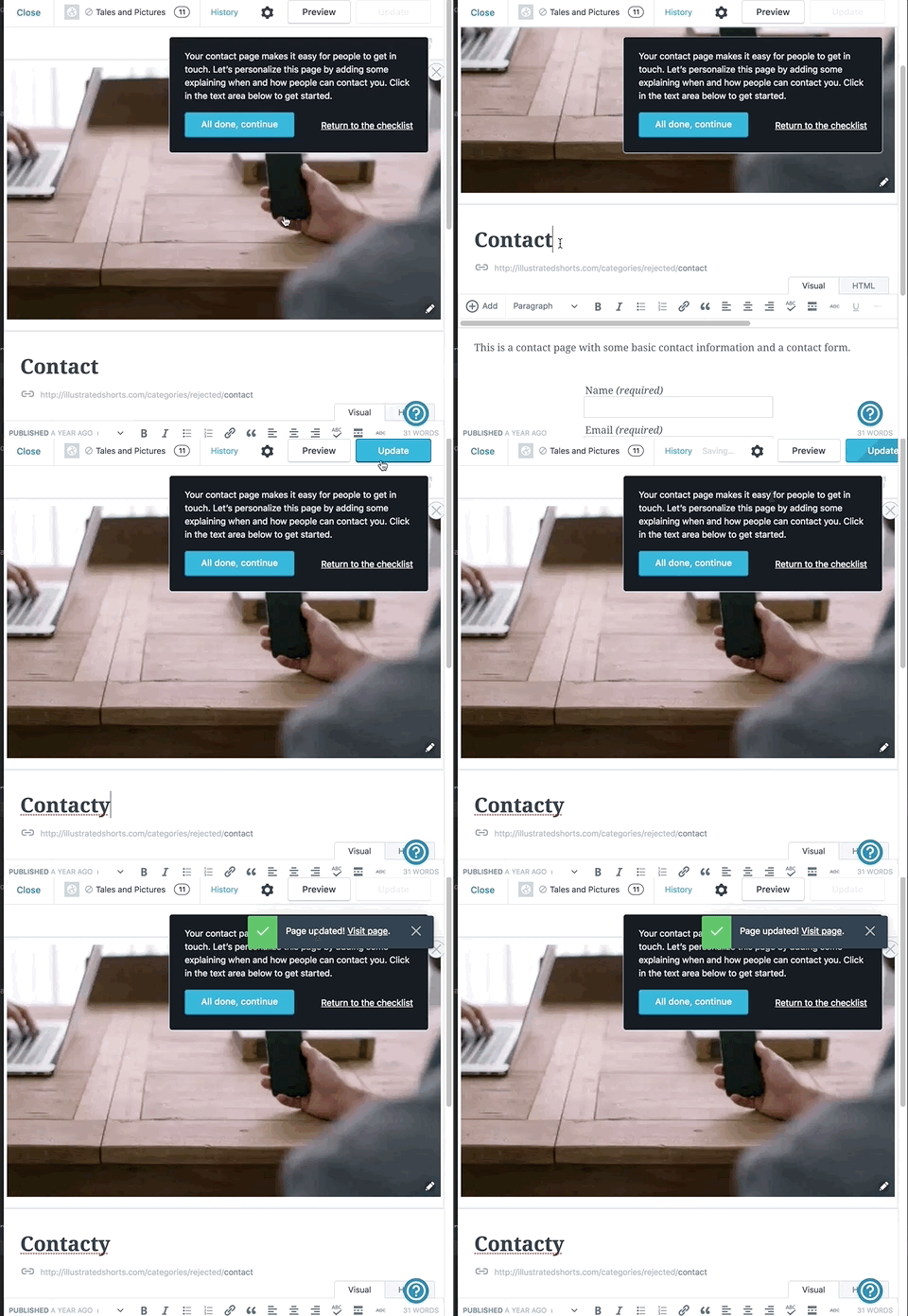
We should still probably dismiss the tour modal.
3) ??
What do you think @fditrapani?
 ramonjd
on 18 Oct 2018
ramonjd
on 18 Oct 2018
@ramonjd I think we should dismiss the checklist item and leave the "Update" active. If we disable the button, it might cause some confusion: "Hmm Update button is this disabled, that's weird. I probably can't edit this post for some reason, maybe something's not working properly?"
 adamziel
on 24 Oct 2018
adamziel
on 24 Oct 2018
- ??
Going back to the suggestion made by OP, I like the suggestion to show a modal that asks the user to continue with the checklist, instead of just dismissing the tour modal.
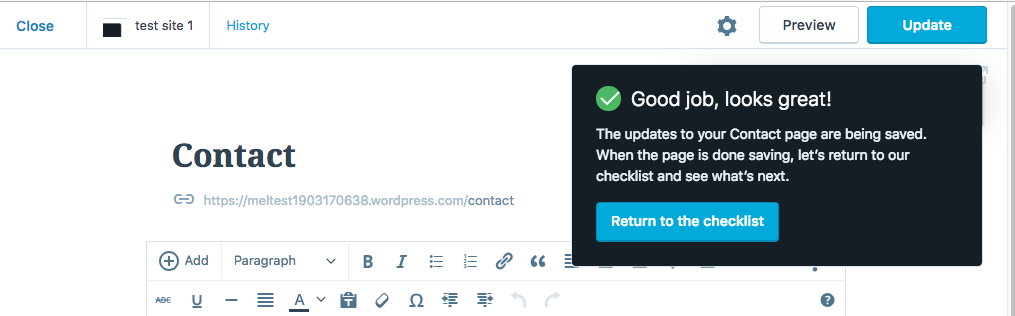
I like this suggestion because:
(1) It gives a nudge to the user to proceed to the next items in the checklist.
(2) Positive reinforcement - "Great job", "Your Awesome!" etc
(3) It is inline with how the guided tour operates in other parts of the checklist. For example, if I add a site tagline, then I see this:
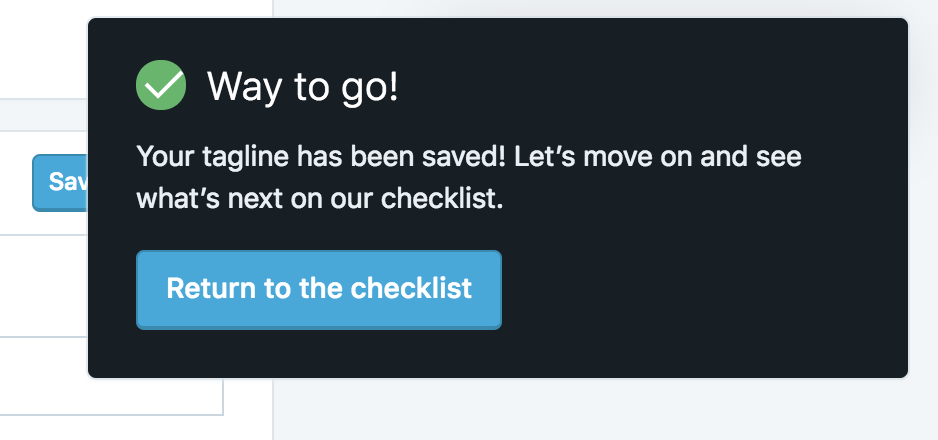
Thoughts?
 niranjan-uma-shankar
on 26 Oct 2018
niranjan-uma-shankar
on 26 Oct 2018
asks the user to continue with the checklist, instead of just dismissing the tour modal.
Good suggestion. I actually wanted to implement this when the update was _successful_, but in my mind the logic needed some more fundamental fine-tuning. I can't get past the idea that returning null and an implied success to a user update action, when no update has occurred, is misleading.
It would be useful in another PR to automatically skip to the next step after a real, successful update. I did play with that option using nextGuidedTourStep( { tour, stepName } ) (the tour step names must be explicitly set), but because of the above reasons, it added too much noise to the initial task.
It would be useful however to iterate using your ideas here. 👍
ramonjd
on 29 Oct 2018
Related issues
 jeherve
·
3Comments
jeherve
·
3Comments
 samouri
·
3Comments
samouri
·
3Comments
 vparkhere
·
3Comments
vparkhere
·
3Comments
 ghost
·
3Comments
ghost
·
3Comments
 kellychoffman
·
3Comments
kellychoffman
·
3Comments