Wp-calypso: Domains: privacy selection isn't fully keyboard navigable
Steps to reproduce
- Starting at URL: https://wordpress.com/domains/add/example.wordpress.com
- Select a domain
- Click "No thanks" for the email
- On the next page, you'll see the privacy protection form — with two radio buttons
What I expected
To be able to navigate the domain purchase flow with a screen reader or keyboard, and make the privacy selection by clicking "Enter" or "Return" after focusing the radio button.
What happened instead
A blind user reported that they missed the option of choose private registration while registering a domain (which then caused issues and was the reason why they came to chat with us). Chat: 1601763-chat
I tested with the same screenreader in Windows 10 using Internet Explorer (Edge), and was able to hear the words — but had trouble selecting the other radio button.
I then tested in Safari and Chrome on macOS, and also had the same keyboard issue: can't use "Enter" to select the radio button.
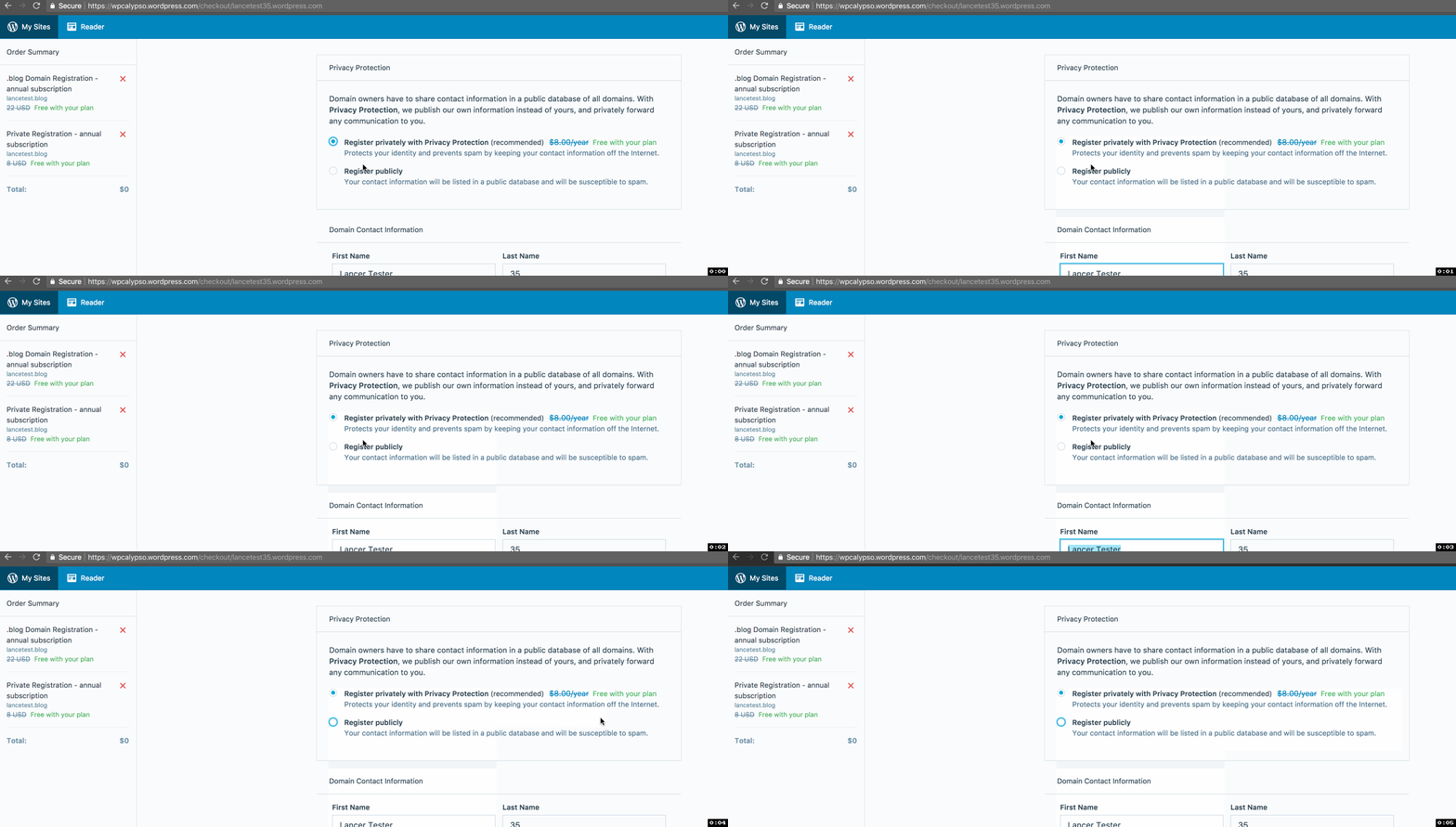
I can select the radio buttons with my mouse, but not the keyboard. This leads me to believe assistive devices also won't have full access to make the change.
Browser / OS version
NVA screenreader: https://www.nvaccess.org/download/
 lancewillett
All 10 comments
Radio buttons don't use "enter" to select, you can select them with space or arrow keys. This does work in this case - I can tab to highlight the first radio button, then arrow-key to select one or the other option.
I also quickly checked this with VoiceOver though, because I realize that I also missed this option when I ran through signup with VoiceOver (p90Yrv-wH-p2). In my test today, I was dropped into the phone input, and had to intentionally navigate backwards to hear these options, and then the fact that they are so verbose makes it harder to figure out which is selected. Maybe that's what happened with this user?
 ryelle
on 30 Jan 2018
ryelle
on 30 Jan 2018
Thanks for clarifying, @ryelle — yes, the "droppped into the phone input" and navigating backwards is what I experienced also, and is probably the root cause.
lancewillett
on 30 Jan 2018
I reproduced this issue today, and for me, the screen reader went directly into the first name field and skipped reading the privacy part.
In the pull request (#21954) , I removed the autofocus attribute, so that the screen reader starts at the top of the page.
This is my first contribution to this project, so take it with a grain of salt, as I didn't understand why autofocus was needed in the first name field.
 albacoretuna
on 18 Feb 2018
albacoretuna
on 18 Feb 2018
@omidfi Thanks for helping out with this! 🙂 Removing the autofocus is a good idea, but that doesn't seem to fix the issue I was seeing - where I'm focused into the phone input. This only seems to happen in Safari, but I can't seem to find why the focus is pulled there.
ryelle
on 19 Feb 2018
No problem @ryelle :smiley:
Just now I checked with Safari, and the results are similar to Chrome.
With autofocus attribute (current implementation:
When the page loads, VoiceOver starts at the name field, because it's focused.
Without autofocus attribute, as in the PR:
When the page loads, VoiceOver stays silent, until user starts moving by pressing tab. Then the first radio button is read.
What is your phone number field like when it gets the focus? Is it empty? Is there any error message? I noticed in the component, there are some form validations, that set the focus on invalid form elements, but that probably shouldn't be the case on page load.
albacoretuna
on 19 Feb 2018
What is your phone number field like when it gets the focus? Is it empty? Is there any error message?
All the fields are filled in with my previously-entered info, so my phone number is filled in. I've added a fake email & number for the screenshot, but it is real info - no validation errors.
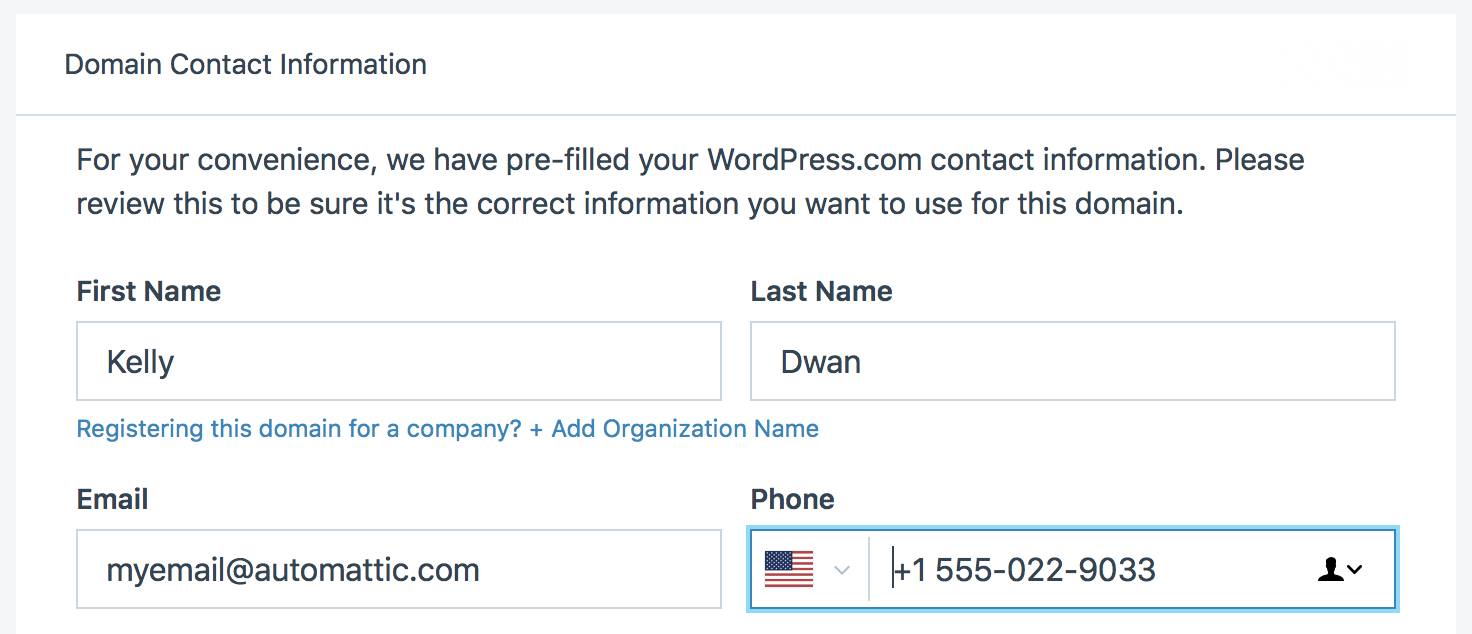
Even in the current implementation, my focus is pulled to the phone field, not first name.
ryelle
on 19 Feb 2018
Ok then that's one difference I need to iron out. In my case I had only First Name filled in, all other fields were empty.
One way out could be adding the autofocus to the first radio button, if we are sure there's no scenario where more form elements should appear before them.
Seemingly it needs more digging :)
albacoretuna
on 19 Feb 2018
I can repeat what @ryelle found in Safari — I think it might have to do with the fact that the previous input for the country is marked tabindex = -1 to pull it out of the navigational flow. So maybe Safari defaults to the next item after that.
Chrome and Firefox seem to behave correctly.
lancewillett
on 19 Feb 2018
I think we should consider merging the change anyway — even with the Safari quirk.
lancewillett
on 19 Feb 2018
Committed in 1e2547456758645f2894dfad64dd537927349631
lancewillett
on 20 Feb 2018
Related issues
 ehg
·
3Comments
ehg
·
3Comments
 rickybanister
·
3Comments
rickybanister
·
3Comments
 gedex
·
3Comments
gedex
·
3Comments
 apeatling
·
3Comments
apeatling
·
3Comments
 roccotripaldi
·
3Comments
roccotripaldi
·
3Comments