Wp-calypso: Calypso Editor: After publishing, editor bar not going away
Problem
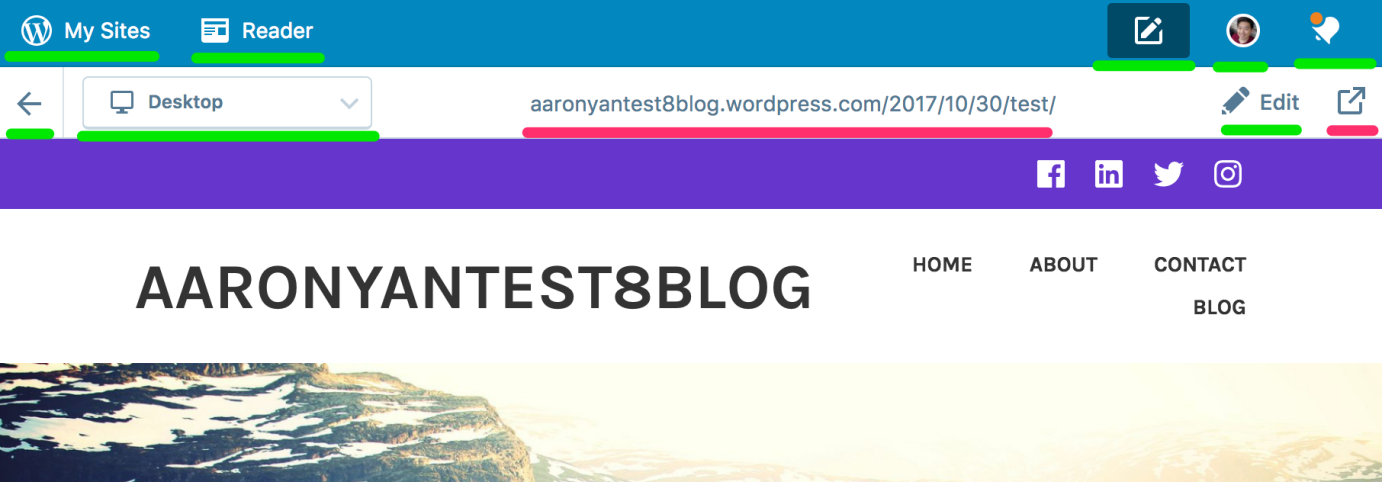
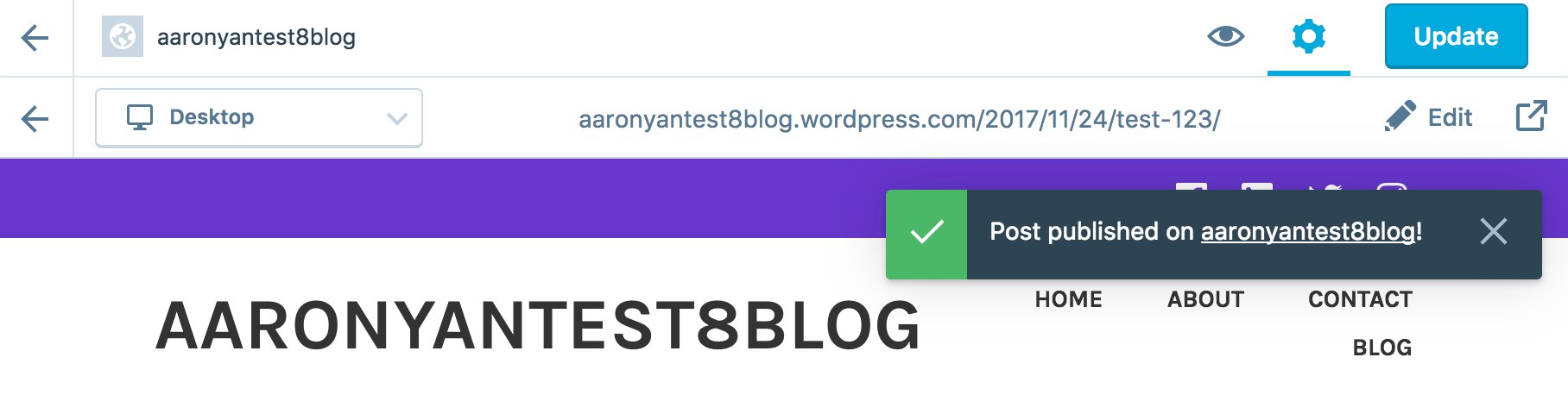
The editor bar should disappear and the blue "My Sites, Reader" bar should appear after publishing a post/page ("old" experience). In the "new" experience, after a post/page is published, the editor bar stays at the top, and the Update button, settings toggle, and preview don't work. This leads me to believe the old experience is the correct one.
Here are pictures of old and new experiences:
Old
New
 aaronyan
All 7 comments
Good catch. That doesn't look right.
Maybe related to #20174? /cc @lamosty
 lsinger
on 25 Nov 2017
lsinger
on 25 Nov 2017
It looks like this code was relying on the masterbar being there to hide the other options underneath. Instead, the bar will need to be hidden on this screen.
 apeatling
on 25 Nov 2017
apeatling
on 25 Nov 2017
@lsinger Did your team work on this? It's probably just as quick to update the CSS to hide the bar on this screen, would someone mind looking at that? Otherwise we can revert the masterbar change.
apeatling
on 25 Nov 2017
@apeatling can we revert for now? nobody available immediately and this seems like it needs a fast fix.
lsinger
on 25 Nov 2017
cc @Automattic/tanooki who worked on the post-publish experience so they're aware.
lsinger
on 25 Nov 2017
apeatling
on 25 Nov 2017
Fixed through #20219, closing for now.
lsinger
on 25 Nov 2017
Related issues
 gedex
·
3Comments
gedex
·
3Comments
 jeherve
·
3Comments
jeherve
·
3Comments
 vparkhere
·
3Comments
vparkhere
·
3Comments
 kellychoffman
·
3Comments
kellychoffman
·
3Comments
kellychoffman
·
3Comments
kellychoffman
·
3Comments