Wp-calypso: Editor: adding a link using toolbar causes editor to jump to top
Steps to reproduce
- Starting at URL: https://wordpress.com/post
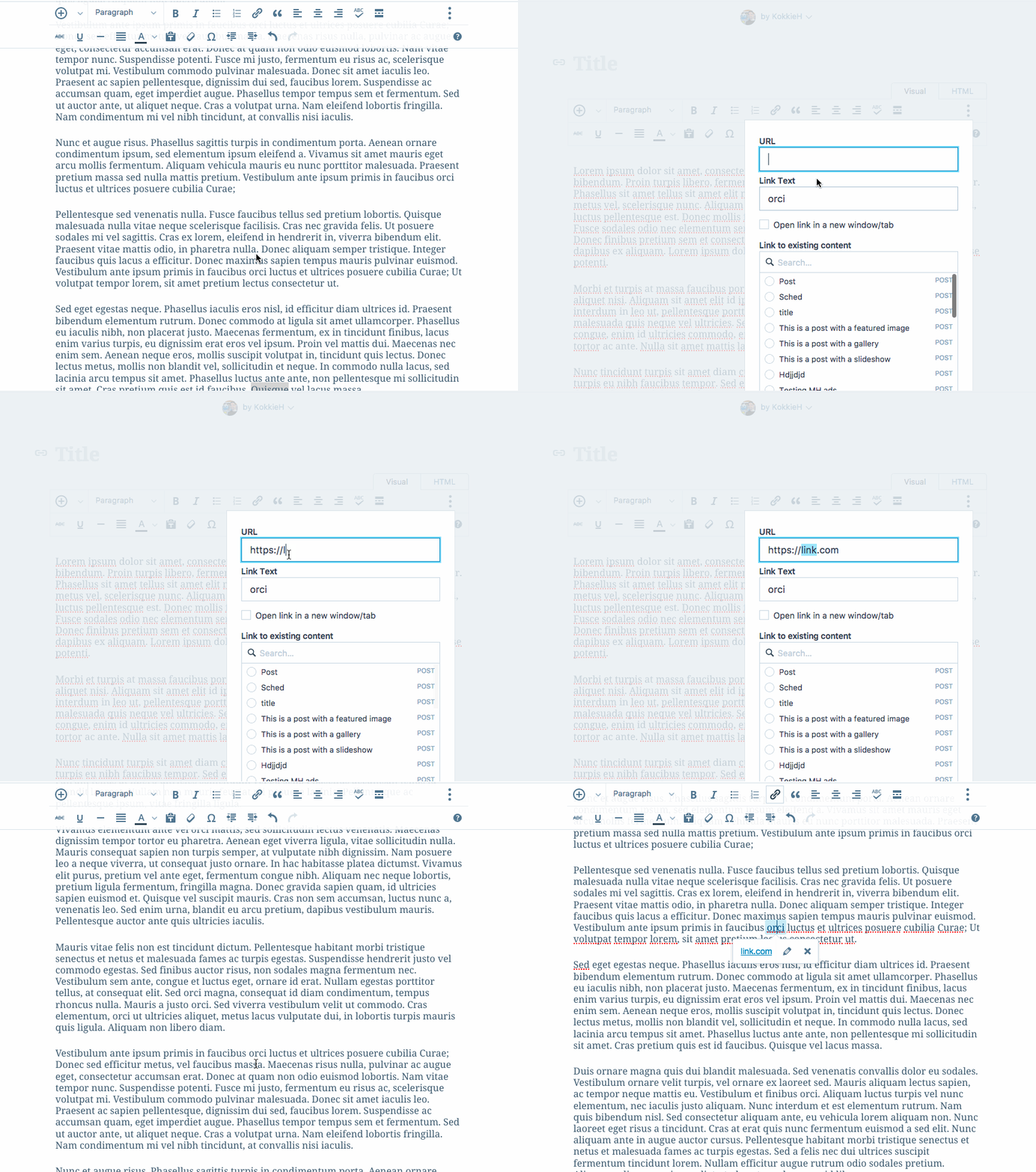
- Add content to a new post. Make sure it's enough content so the first line scrolls off the top of the screen.
- Towards the end of the post, highlight some text
- Click the hyperlink button in the toolbar and add a link.
What I expected
For the link to be added, but to still have the editor focused on the text I'm currently editing.
What happened instead
The editor jumped to the top of the post, and I had to scroll down to get back to the anchor text where I'd added the link.
Browser / OS version
Confirmed in latest versions of Firefox and Chrome on Mac OS X.
Screenshot / Video
Context / Source
Reported in the public forums in 871246-f
 KokkieH
All 6 comments
Another report via Twitter
This user reports the same thing happening when adding images, and I was able to confirm that as well.
KokkieH
on 1 Aug 2017
Another report on Twitter.
Issue affecting Chrome and Edge.
 gemmagarner
on 1 Aug 2017
gemmagarner
on 1 Aug 2017
Another report in the forums: http://en.forums.wordpress.com/topic/problem-editing-links
User is on Windows 7, and has tried Firefox 54 and Chrome.
 lizkarkoski
on 3 Aug 2017
lizkarkoski
on 3 Aug 2017
Reported in 614267-ZD
Adding Images Screencast: https://cloudup.com/cPntWQzFD_g
 dcoleonline
on 6 Aug 2017
dcoleonline
on 6 Aug 2017
Closing in favour of #16873
KokkieH
on 7 Aug 2017
@dcoleonline don't know if you saw but this has been fixed in the other issue, in case you want to follow up with your user.
I'll follow up on the forum thread.
KokkieH
on 10 Aug 2017
Related issues
 ehg
·
3Comments
ehg
·
3Comments
 kellychoffman
·
3Comments
kellychoffman
·
3Comments
 aduth
·
3Comments
aduth
·
3Comments
 lamosty
·
3Comments
lamosty
·
3Comments
 spen
·
3Comments
spen
·
3Comments
Most helpful comment
Closing in favour of #16873