Wp-calypso: Store: Don't allow Stripe or Paypal to be enabled without valid credentials
It's currently possible to enable stripe without supplying any credentials.
Idea: If you click the enable toggle and valid credentials aren't already present, open the Stripe modal with the relevant inputs marked as required.
 jameskoster
All 12 comments
@jameskoster and I chatted a bit about an ideal flow for payments setup until we get our improvements to Stripe up and running.
Flow for a brand new user setting up their store:
- Land on Payments step page, _no_ payments have been set up or enabled
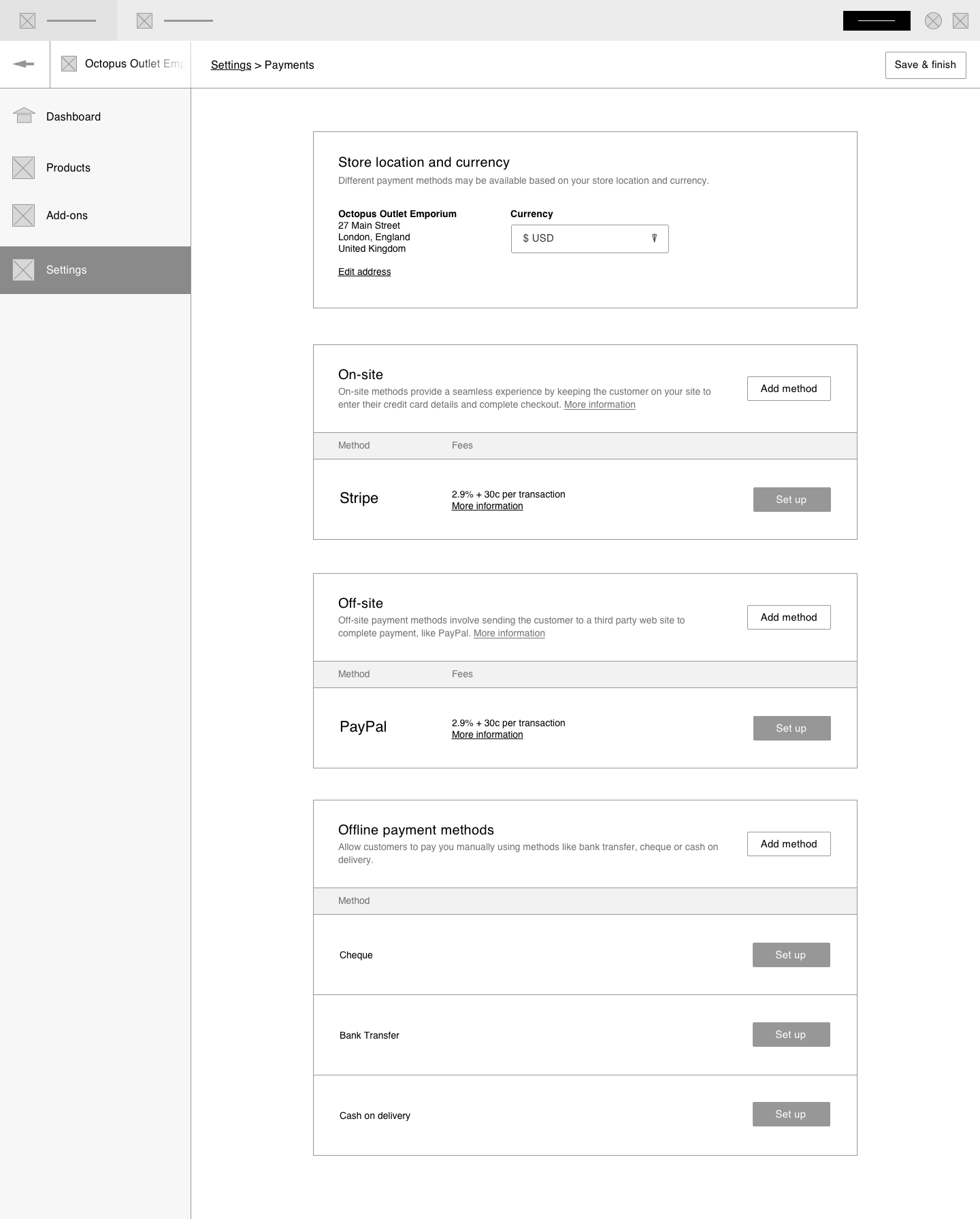
- Note that the "enabled" toggles have been removed
- Click Set up button and fill out the required fields:
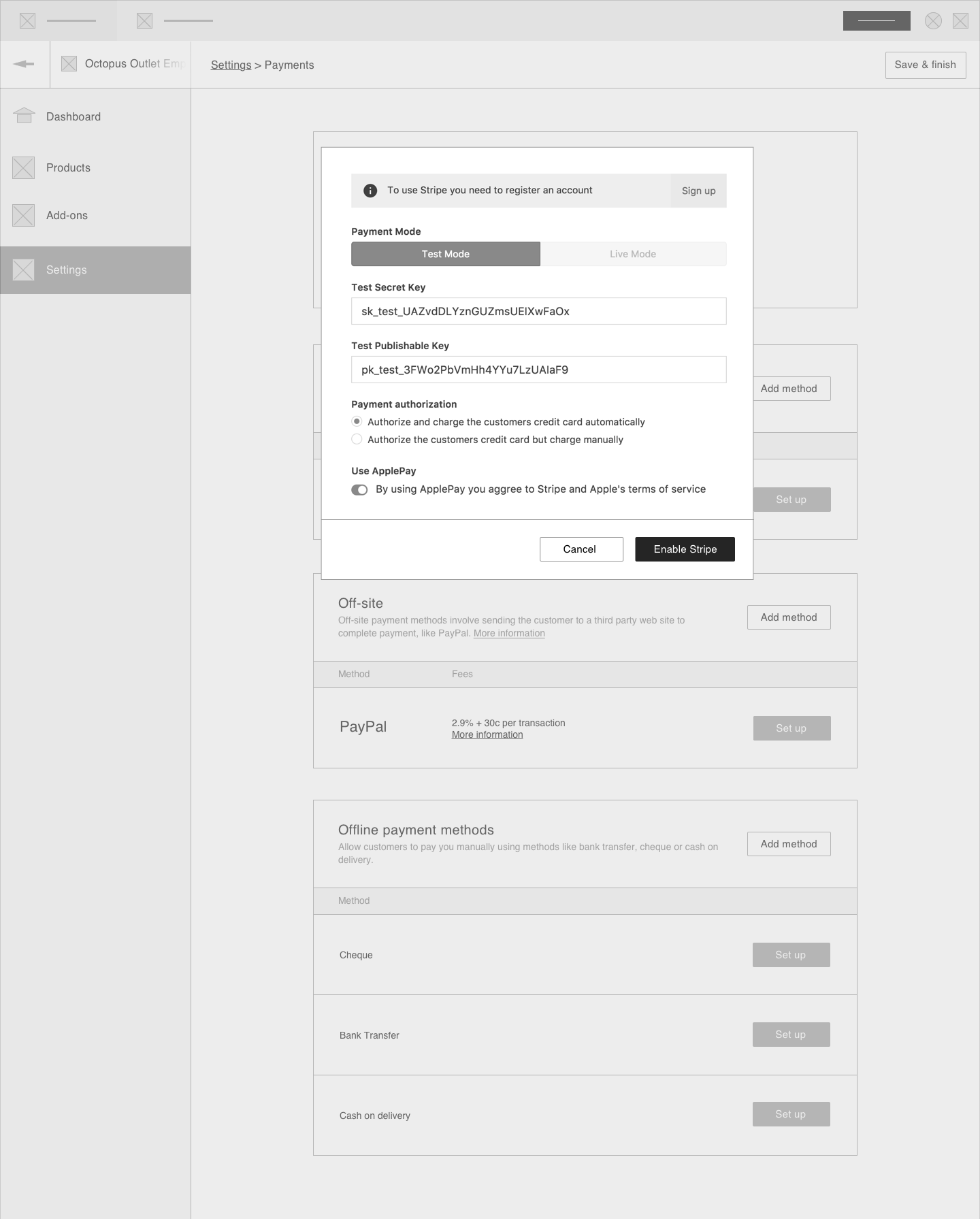
Note that the action button mentions 'Enable'. A brand new user on WP.com setting up their payment shouldn't have to worry about the difference between setting up and enabling at this time.
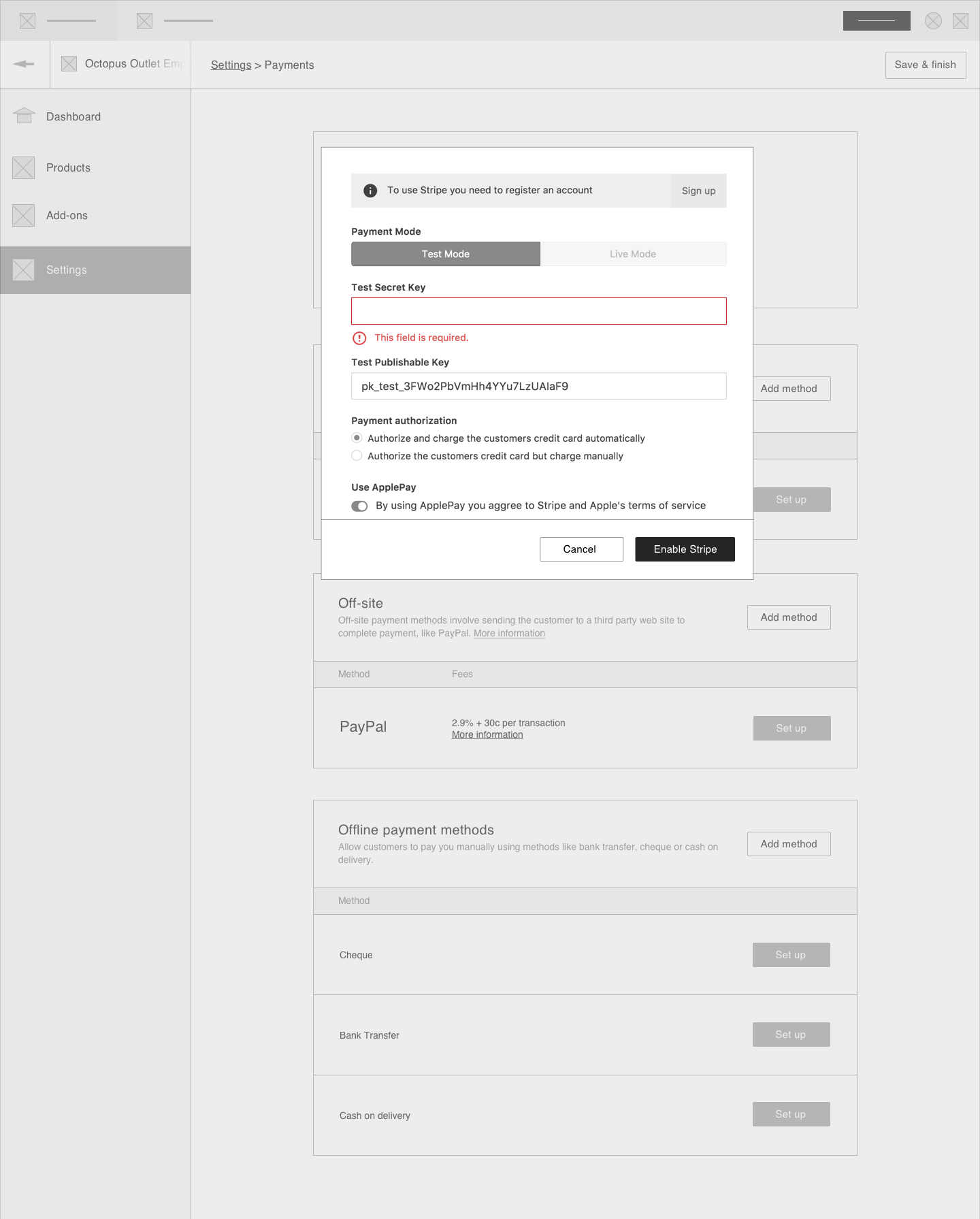
If they forget to fill out something, we throw an error when the press the 'Enable' button:
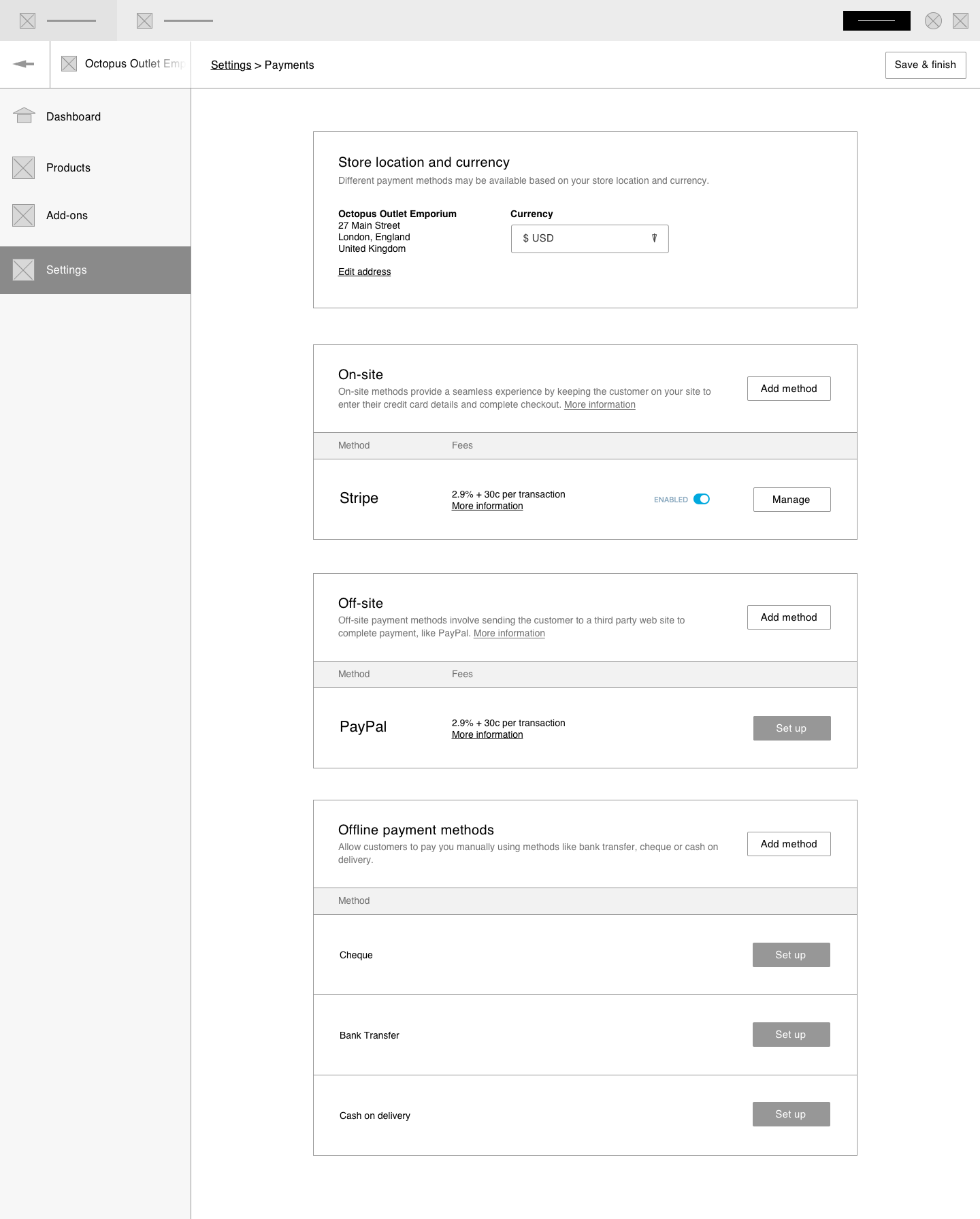
When the merchant clicks Enable Stripe and everything is filled out, the modal closes, and the enable toggle appears toggled on in the main card, so its easy to see at a glance which payments are set up.
 kellychoffman
on 28 Jul 2017
kellychoffman
on 28 Jul 2017
I really like this flow and I think it will make setting up payments a much smoother process for new store owners.
My one question is: What happens if you set enabled back to disabled for Stripe? Do they still see the toggle & Manage button, or would it go back to just a setup button?
If it displays the toggle, it will take a bit of extra work because we'll need a flag or way of telling if a method has never been touched before, which we don't currently have.
cc @kellychoffman
 justinshreve
on 28 Jul 2017
justinshreve
on 28 Jul 2017
Good question. Should have added that to the design. I was thinking they would see the toggle and manage button, since we don't want to make them set everything back up again.
If it displays the toggle, it will take a bit of extra work because we'll need a flag or way of telling if a method has never been touched before, which we don't currently have.
If its too much work, we could make this an iterative change and do your plan first, see how it goes and then add the toggle back in later so people can keep their changes.
kellychoffman
on 28 Jul 2017
Removing my assignment as I don't think this pertains to work my team is doing.
We'll need to discuss what to do on the payment gateways screen when using the auto-configured Stripe via WCS, but I think that should be tracked separately.
 jeffstieler
on 28 Jul 2017
jeffstieler
on 28 Jul 2017
Unassigning you as well Kelly since the design part of this is done, and I don't want it to look like it's claimed when it hasn't been claimed by anyone yet.
justinshreve
on 1 Aug 2017
@justinshreve
If it displays the toggle, it will take a bit of extra work because we'll need a flag or way of telling if a method has never been touched before, which we don't currently have.
Well if the publishable and secret keys are present in redux store for selected mode of operation (live or test), and I think that we fetch them from payments API, it means that we can show the toggle.
That is my thinking.
 budzanowski
on 2 Aug 2017
budzanowski
on 2 Aug 2017
@budzanowski That could work for Stripe for sure, though the mocks made it seem like this is something we want for every payment method.
justinshreve
on 2 Aug 2017
@budzanowski: Let's do this flow for both Paypal and Stripe.
kellychoffman
on 10 Aug 2017
Reopening this so we don't forget to do the same for Paypal.
kellychoffman
on 17 Aug 2017
@kellychoffman You have mentioned on one of the last calls that you want to take a look at this design again? I would like to start working on Paypal but I don't know if the design is OK or not :P
budzanowski
on 6 Nov 2017
This design is good to go!
kellychoffman
on 6 Nov 2017
This issue has been marked as stale and will be closed in seven days. This happened because:
- It has been inactive in the past 9 months.
- It isn't a project or a milestone, and hasn’t been labeled `[Pri] Blocker`, `[Pri] High`, `[Status] Keep Open`, or `OSS Citizen`.
You can keep the issue open by adding a comment. If you do, please provide additional context and explain why you’d like it to remain open. You can also close the issue yourself — if you do, please add a brief explanation.
![stale[bot] picture](https://avatars3.githubusercontent.com/in/1724?v=4&s=40) stale[bot]
on 17 Sep 2018
stale[bot]
on 17 Sep 2018
Related issues
kellychoffman
·
3Comments
 ehg
·
3Comments
ehg
·
3Comments
 rickybanister
·
3Comments
rickybanister
·
3Comments
 apeatling
·
3Comments
apeatling
·
3Comments
 gedex
·
3Comments
gedex
·
3Comments
Most helpful comment
@jameskoster and I chatted a bit about an ideal flow for payments setup until we get our improvements to Stripe up and running.
Flow for a brand new user setting up their store:
Note that the action button mentions 'Enable'. A brand new user on WP.com setting up their payment shouldn't have to worry about the difference between setting up and enabling at this time.
If they forget to fill out something, we throw an error when the press the 'Enable' button:

When the merchant clicks Enable Stripe and everything is filled out, the modal closes, and the enable toggle appears toggled on in the main card, so its easy to see at a glance which payments are set up.
