Wp-calypso: Accessibility: Unable to Manage Followed Blogs using Screen Reader
Steps to reproduce
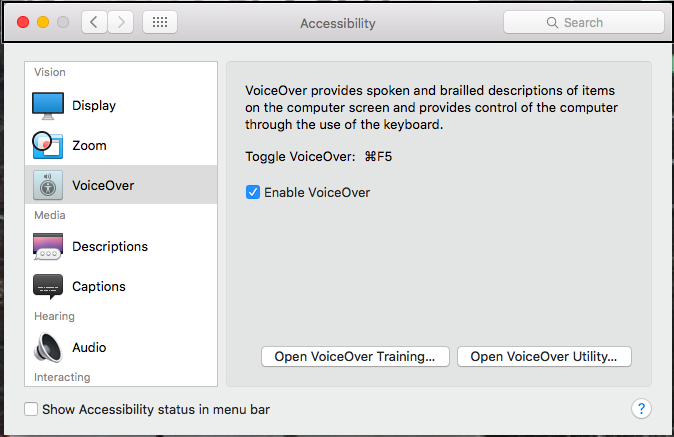
- Using OSX, open Settings > Accessibility > Enable Voiceover.
- Navigate to https://wordpress.com/following/manage
- Use 'tab' key to navigate between different page elements.
- Land on the list of blogs.
What I expected
To be able to select and interact with different blogs and the options within the table itself.
What happened instead
It only gave the option to select the table, stating: "You are currently on a table."
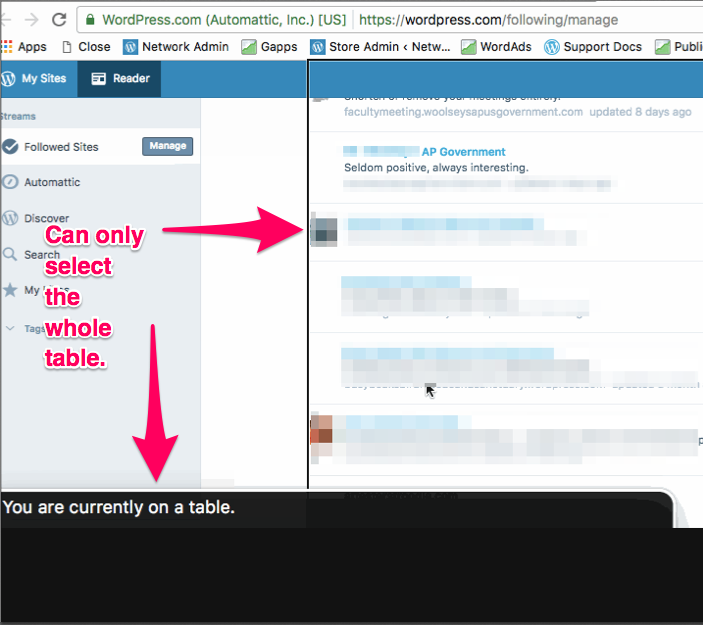
No elements can be selected inside this table.
We can select and manipulate other elements on a page, but not this one.
Browser / OS version
Not browser/OS specific
Context / Source
Follow-Up: 3339517-t
First Reported: 531284-hc
user-report
This is a #painpoint for our users with visual impairments, as this makes it extremely difficult to manage their own blog subscriptions with assistance.
 swoolz
All 5 comments
Thanks @swoolz! I've confirmed the issue and it's not possible to enter the grid containing the user's subscriptions.
The first step to getting this solved is:
https://github.com/bvaughn/react-virtualized/pull/744
It's just been merged into react-virtualized and we need to wait for the next release beyond 9.9.0 and then update Calypso to the new version. Afterwards, we need to add role="row" on our reader-infinite-stream__row-wrapper. The grid should then be available to screen readers 👍
 bluefuton
on 27 Jul 2017
bluefuton
on 27 Jul 2017
A user of react-virtualized suggests that role="tabpanel" on the list may be worth a try:
https://github.com/bvaughn/react-virtualized/issues/819#issuecomment-342548476
bluefuton
on 15 Dec 2017
Customer asked for a status. I promised I would ask (or at least make a note) and let them know.
1850549-HC
 senff
on 23 Feb 2018
senff
on 23 Feb 2018
I tested this on Firefox and Chrome and seems like it's resolved, I can tab through the list of blogs:
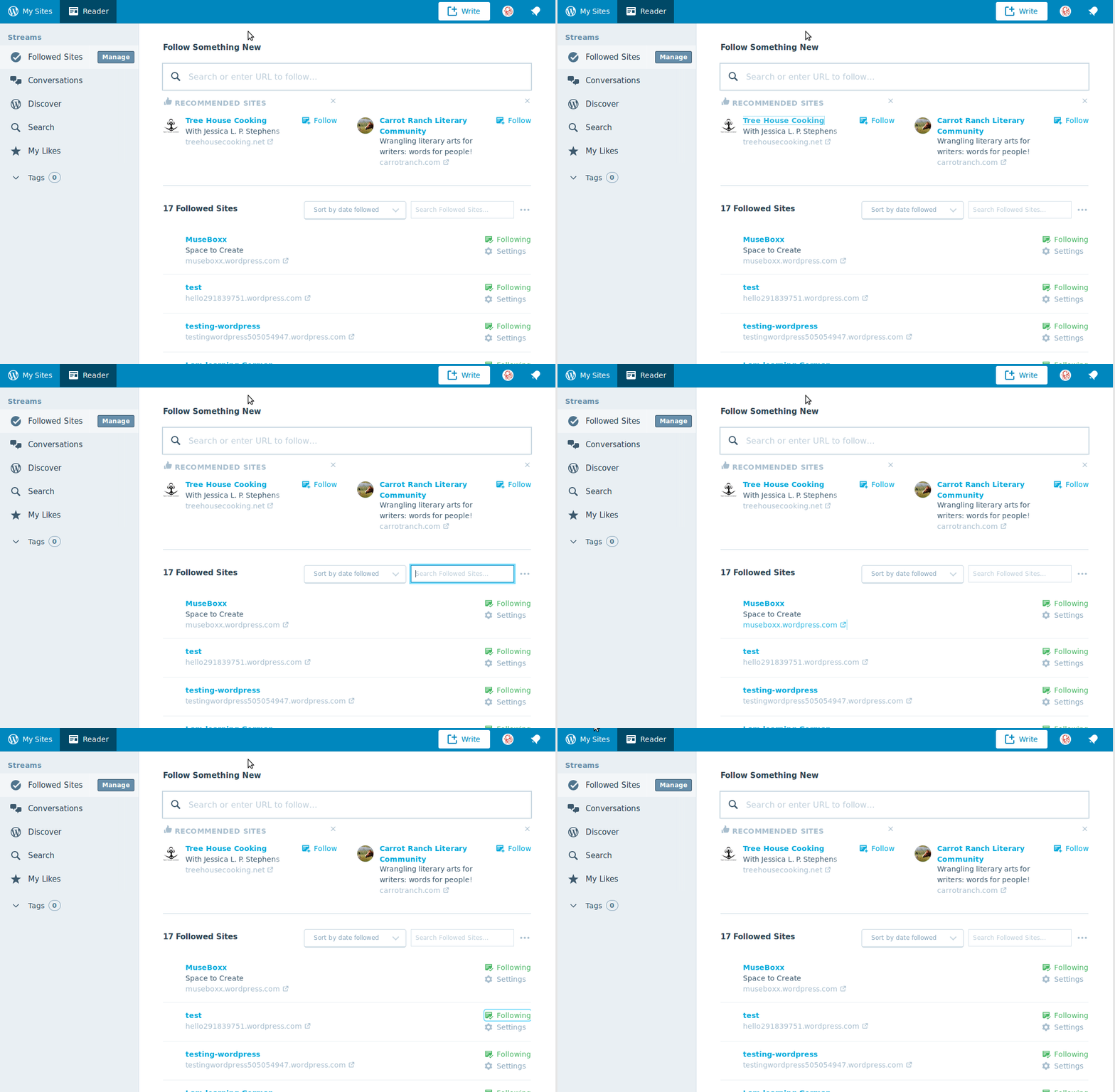
Could you confirm @swoolz?
Otherwise, I'd be interested in fixing this.
 albacoretuna
on 13 Mar 2018
albacoretuna
on 13 Mar 2018
User reports that this is an ongoing issue for them.
They only use Safari since only integrates with Apple VoiceOver. They say that this is not only an issue on the "Followed Sites" (https://wordpress.com/following/manage) page, but also the "Followers" page (https://wordpress.com/people/followers/travelswithtio.com).
We have an open ticket with them, in case we need to ask them questions or when we're able to provide them with an update.
Ticket: Zen-1083473
 xpurichan
on 12 Apr 2018
xpurichan
on 12 Apr 2018
Related issues
 aduth
·
3Comments
aduth
·
3Comments
 roccotripaldi
·
3Comments
roccotripaldi
·
3Comments
 lamosty
·
3Comments
lamosty
·
3Comments
 hoverduck
·
3Comments
hoverduck
·
3Comments
 ehg
·
3Comments
ehg
·
3Comments