Wp-calypso: Food menus: Calypso not showing list of published items
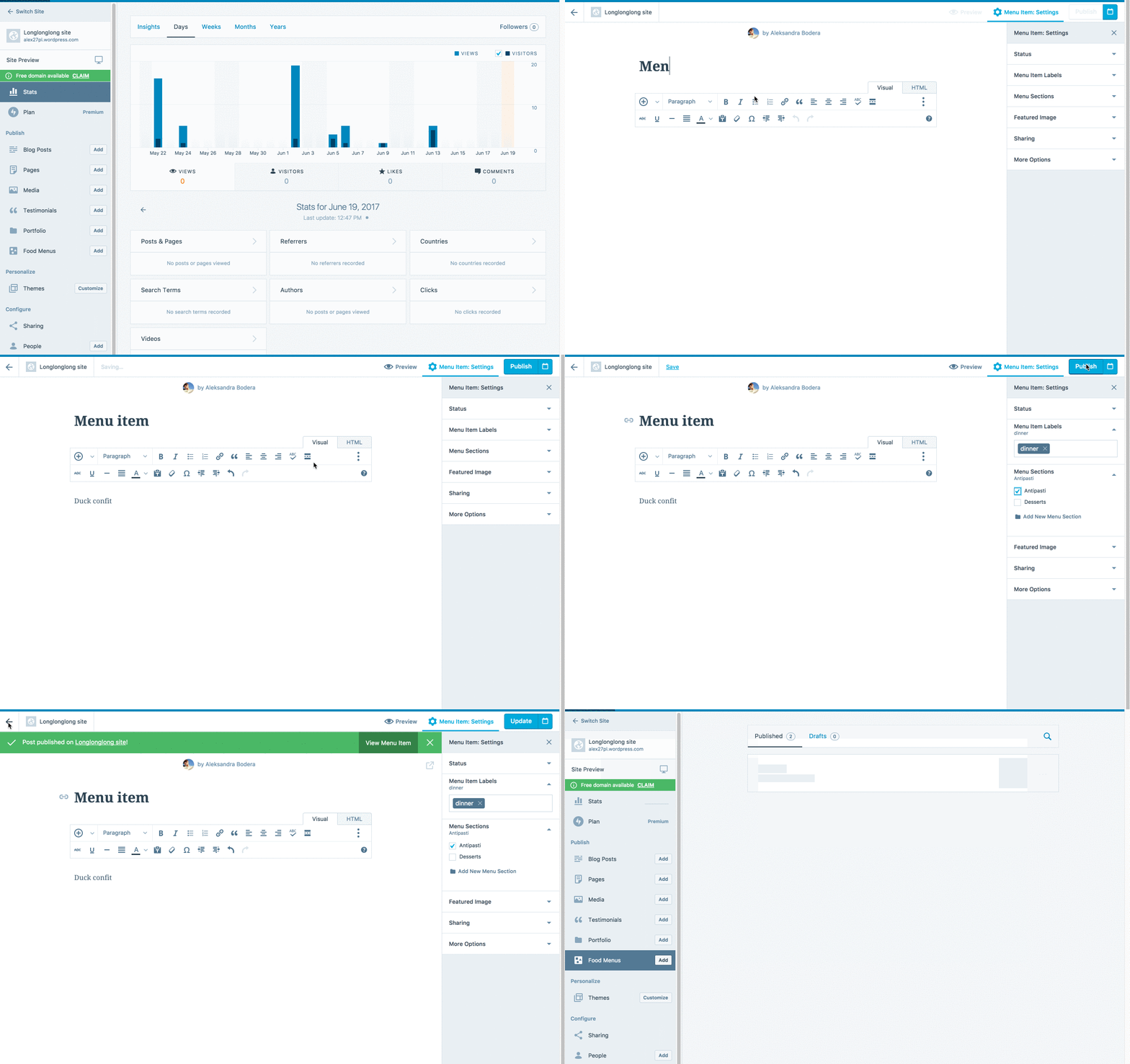
When opening the food menus tab on a site that already has some existing menu items, an empty loading state is displayed instead of the list of items.
Steps to reproduce
- Activate a theme that supports Food Menus, for example Canape or Confit.
- Add some menu items.
- Click on the "Food Menus" tab in Calypso.
- Result - an empty loading state. This means that it's not possible to edit or delete menu items.
What I expected
To see the list of all existing menu items.
The site I tested on has a number of menu items previously added through wp-admin interface, but none showed on the list either.
 alaczek
All 30 comments
I came across this issue, and I found some differences between WordPress.com Simple and Atomic sites:
I can still publish a Food menu item in Calypso from a WordPress.com Simple site, even though it won't show the published items in the dashboard.
However, I'm unable to publish anything in this module on an Atomic site. Instead, I receive this error message:
Publishing of Post Failed
 gracie
on 7 Jul 2017
gracie
on 7 Jul 2017
I had another user report this issue in #680482-hc. It's a wpcom simple site on the business plan using the Aperitive theme. We could access the Food Menu CPT in WP Admin, but not in Calypso. I was able to confirm this on a test site, too.
 amylaneio
on 6 Oct 2017
amylaneio
on 6 Oct 2017
Another report here:
https://en.forums.wordpress.com/topic/food-menus-not-showing-up
 kathrynwp
on 6 Nov 2017
kathrynwp
on 6 Nov 2017
Another report today on a Simple site using the theme was APPETITE. It's a WordPress.com Simple site. The behavior was the same as Gracie described for simple sites above. 1273636-hc
 lizthefair
on 12 Dec 2017
lizthefair
on 12 Dec 2017
User came to chat today with this issue as well. Appetite menus show up in WP-Admin, but their Calypso menu section is empty. Business Plan - Not AT.
Domain: thnbarandgrill.com
SA: https://wordpress.com/wp-admin/network/wpcom-paid-upgrades.php?action=search&username=thnbarandgrill
Username: thnbarandgrill
 scosgro
on 22 Dec 2017
scosgro
on 22 Dec 2017
Also reported in #1533695-hc on a wpcom Simple site
Domain: https://ateliervermeer.ca/
Username: ateliervermeer
Theme: Aperitive
 jerrysarcastic
on 16 Jan 2018
jerrysarcastic
on 16 Jan 2018
Another report on a Simple site using Restaurant: 1885148-hc
royalindiabelgium.com
I was able to reproduce on a test site.
Food Menus are shown as published, but are not accessible from Calypso. They can only be viewed and edited from WP Admin. https://cloudup.com/cNuTXRmOGwz
 julsyd
on 1 Mar 2018
julsyd
on 1 Mar 2018
Also reported in #1692803-hc
Follow up in #1007086-zen
Site (simple site, Aperitive theme): https://courtclubitalia.com/
 eurello
on 9 Mar 2018
eurello
on 9 Mar 2018
Also reported in #1121201-zen
Possibly related to https://github.com/Automattic/wp-calypso/issues/14442
 rantoncuadrado
on 27 Apr 2018
rantoncuadrado
on 27 Apr 2018
Report in #3525705-hc with the Restaurant theme. In this one user has 30 menu items, but only 10 display in Calypso. I was able to recreate this on a test site. I initially had 14 items and everything was OK, but somewhere between 15 and 30 the behavior started. It looks like it displays all the items briefly, then hides everything but the first 10.
 GeoJunkie
on 13 May 2018
GeoJunkie
on 13 May 2018
Another report, moved from https://github.com/Automattic/themes/issues/126
User report: #1822654-hc
Follow-up ticket: #1148472-zen
User's site: http://thefodband.wordpress.com
alaczek
on 15 May 2018
issue reported in #1227313-hc as well, nothing appears on Calypso for Food Menus but they have quite a bit set up (on the Premium plan)
 msilbers
on 16 May 2018
msilbers
on 16 May 2018
Another user (christonite) reported they can't see the food menu they created with canape theme here: #5442926-hc
Site: foodbyami.wordpress.com
 brookewp
on 2 Aug 2018
brookewp
on 2 Aug 2018
Another user (trattoria4mori) reported not seeing Food menu on Canape theme. Seemed to work using wp-admin.
Site: http://trattoria4mori.de
53886-hc
 chantalcoolsma
on 20 Aug 2018
chantalcoolsma
on 20 Aug 2018
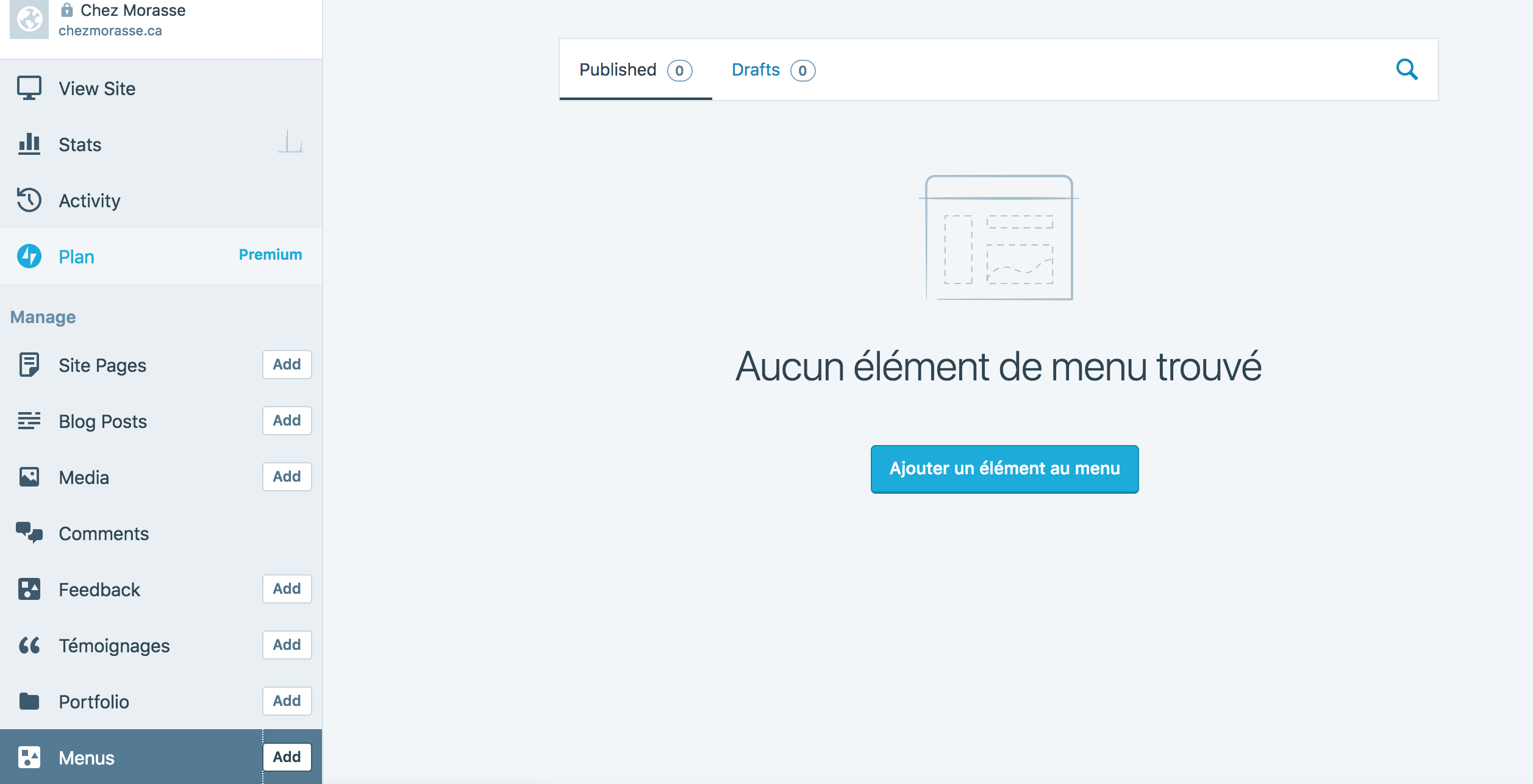
Another user in chat reported in not seeing posts she created in the Food Menu using the "Aperitive" theme. The posts show up on the frontend, but are missing from the Food Menus tab.
Plan: Premium
Theme: Aperitive
Site: chezmorasse.ca
Follow up ticket: 1530460-zen
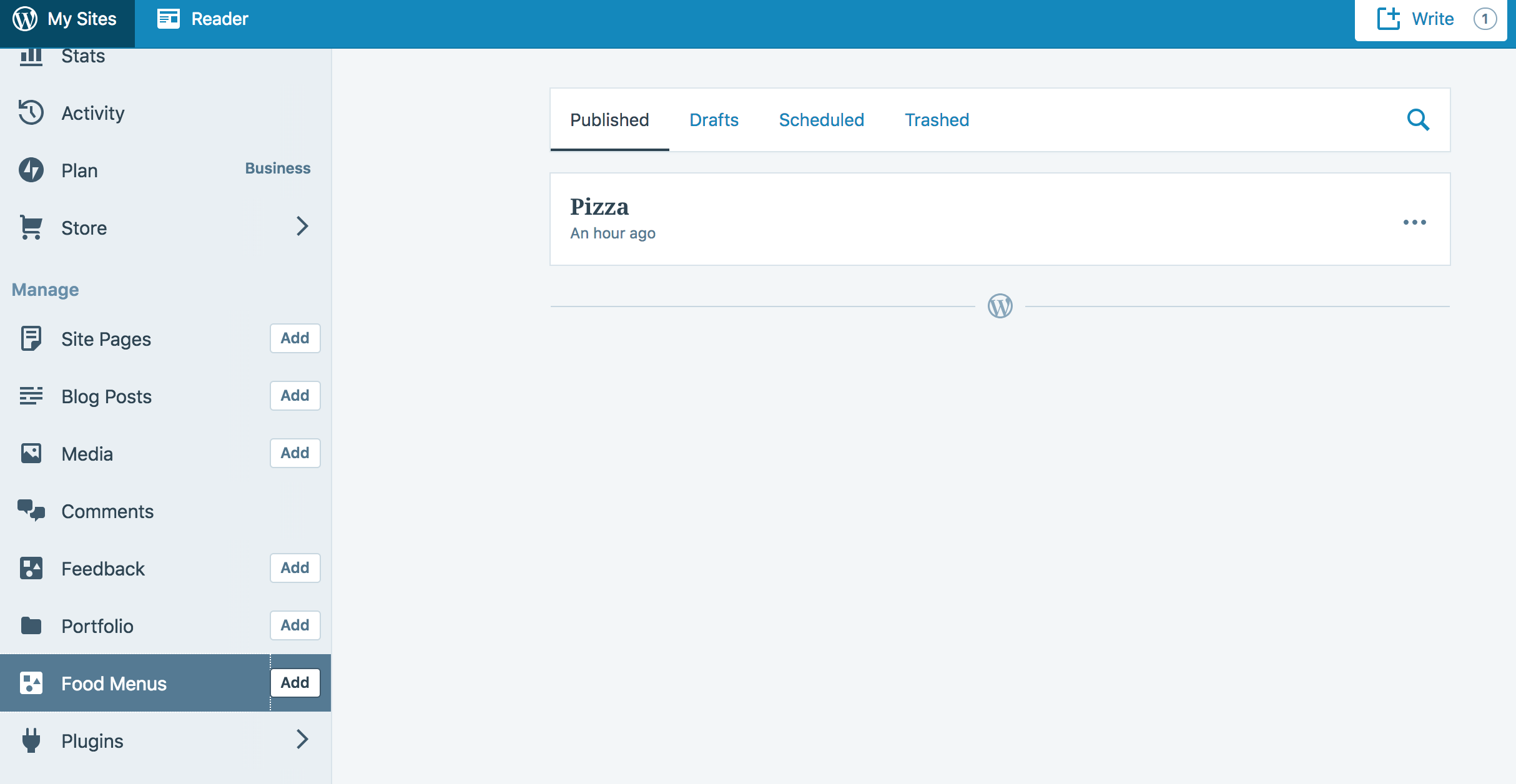
However, when I attempted to replicate on my AT site (Activate Aperitive, Add new item under Food Menu, go back to Food Menus) I was able to see my post:
 desnum
on 30 Oct 2018
desnum
on 30 Oct 2018
Another report on 1741817-Zen using the Canape (Canapé) theme.
 xpurichan
on 24 Jan 2019
xpurichan
on 24 Jan 2019
Another report: 1808810-zen - Canape theme.
 ivan-ottinger
on 17 Feb 2019
ivan-ottinger
on 17 Feb 2019
This came up in #10930868-hc on the Restaurant theme:
- Initially, clicking Food Menu → Add in Calypso loaded a completely blank screen at the URL https://wordpress.com/block-editor/edit/nova_menu_item/ but this seems to have resolved itself now. Clicking Add loads the menu item editor in WP Admin.
- Can successfully add a food menu item in WP Admin, but it does not show in Calypso Food Menus. Shows this even though items have been created:
- Food menus shows up under _Feedback_ in a calypsofied version on WP Admin:
Is #3 related or would it be best to open up a separate issue for that?
 donalirl
on 6 Mar 2019
donalirl
on 6 Mar 2019
Came across this in 1903280-zen with Aperitive.
User has several food-menu items added, but none is showing in Calypso. They are present in WP Admin.
kathrynwp
on 24 Mar 2019
This could be a good candidate for Calypsoify where the link is present in Calypso UI but when clicked loads the WP Admin view with Calypso CSS applied to it.
 lancewillett
on 9 Apr 2019
lancewillett
on 9 Apr 2019
Changed from Bug to Enhancement since the content is accessible but it'd be even better to improve the flow so customers can edit and view all the CPTs as expected.
lancewillett
on 9 Apr 2019
Got a user with the same situation on #2879730-hc. When troubleshooting I replicated the same situation Donal explains above.
 carinapilar
on 9 Apr 2019
carinapilar
on 9 Apr 2019
Another case in #4373898-hc. The fact that Calypso says No Menu Items found even though the items are present, makes it seem like a bug to me. It's confusing for users who don't know to check WP Admin. It would be great to get this fixed.
donalirl
on 23 Apr 2019
Came across this in 1903280-zen with Aperitive.
User has several food-menu items added, but none is showing in Calypso. They are present in WP Admin.
Similar case here:
2042243-zen
Also with Aperitive.
 cecoates
on 19 May 2019
cecoates
on 19 May 2019
2173184-zen
Theme: Canape
 kosiew
on 12 Jul 2019
kosiew
on 12 Jul 2019
This is a bug in the Jetpack/WP.com REST endpoints that list posts or fetch post counts for a particular CPT (nova_menu_item in case of Canape). That CPT is defined in the theme and the endpoint callback needs to do a call to
$this->load_theme_functions();
to define the CPT. Some endpoints do it, some don't.
 jsnajdr
on 30 Jul 2019
jsnajdr
on 30 Jul 2019
Fixing in D31026-code.
jsnajdr
on 31 Jul 2019
@donpark Could you please take a look at the Phabricator patch from Jarda?
lancewillett
on 7 Aug 2019
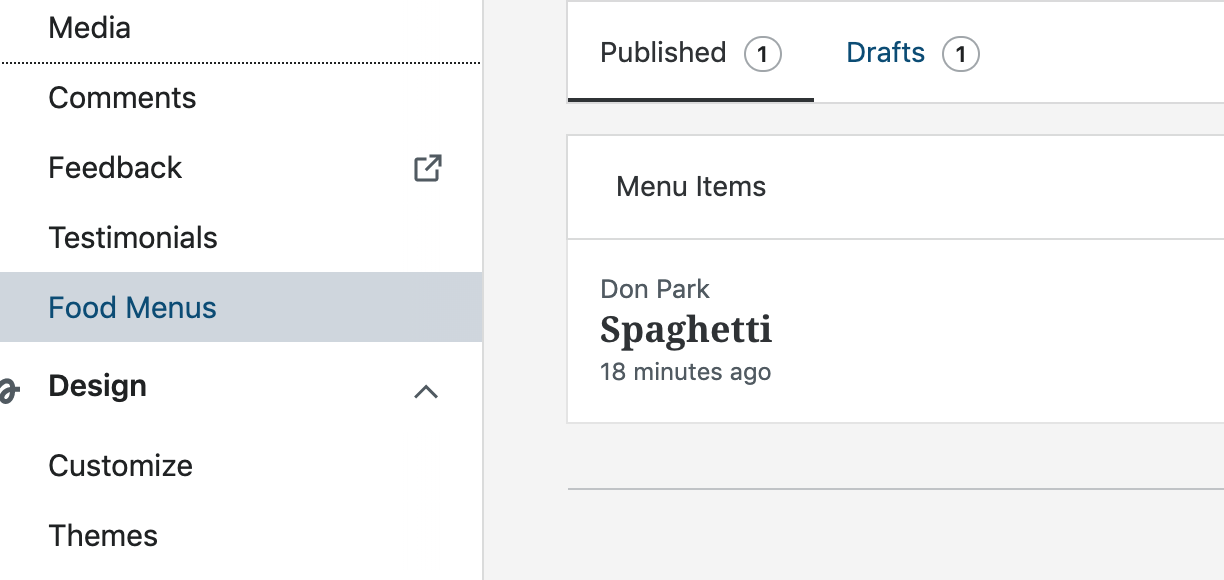
Reviewed and accepted @jsnajdr's patch with which Food Menus side menu now display food menu items.
Sidenote: This is unrelated to the patch nor this issue but I'm seeing X-Frame-Options related page crash when browser redirects to https://wordpress.com/block-editor/edit/nova_menu_item/{site_slug}/{post_id} after creating or updating a Food menu item.
Refreshing the crashed page loads the wp-admin Edit Menu Item page.
Pressing Update on the page again crashes the page.

UPDATE: Appears to be another X-Frame-Options related Block Editor issue, this time involving Calypsoify and wp-admin, which will take some to investigate unless there is someone who is up to speed on this stuff. Behavior is similar except, when redirecting, the page crashes immediately and, when reloading, the page takes a few seconds with some spinning feedback before it finishes loading.
 donpark
on 7 Aug 2019
donpark
on 7 Aug 2019
D31026-code was deployed a moment ago. Jetpack PR to sync the changes to Jetpack/Atomic is open (not yet merged).
jsnajdr
on 12 Aug 2019
Related issues
 apeatling
·
3Comments
apeatling
·
3Comments
 ehg
·
3Comments
ehg
·
3Comments
 spen
·
3Comments
spen
·
3Comments
spen
·
3Comments
spen
·
3Comments
 hoverduck
·
3Comments
hoverduck
·
3Comments
Most helpful comment
D31026-code was deployed a moment ago. Jetpack PR to sync the changes to Jetpack/Atomic is open (not yet merged).