Wp-calypso: Themes: can't install themes from WordPress.com on a multisite network
Steps to reproduce
- Start with a mulitisite network where the primary site in the network is connected to WordPress.com, by one of the superadmins on the network.
- Starting at URL: https://wordpress.com/design/
- Pick the primary site of the network in the site picker.
- No WordPress.com themes are available for installation.
What I expected
Since my user is a super admin and is allowed to install new themes on the network, I expected to be able to to install WordPress.com themes from the theme selector.
Reported here:
https://jetpack.com/2017/03/16/165-beautiful-free-themes/#comment-21119
 jeherve
All 10 comments
We currently don't support multi-site installations unfortunately, see #11499.
I guess the bug is that we still show the site in the All Sites list, is that correct?
 folletto
on 30 Mar 2017
folletto
on 30 Mar 2017
I guess the bug is that we still show the site in the All Sites list, is that correct?
No, I think the site should remain the site picker since you can manage other aspects of your Jetpack site on WordPress.com.
I can think of 4 ways to solve this issue:
- Allow super admins to upload and install themes to the main site of their multisite network install. They are allowed to do that in wp-admin/network/themes.php
- Allow user admins to upload and install themes to each one of the sites of the network, as long as they have super admin access.
- We could display the WordPress.com Themes to super admins, but replace the "activate" buttons by the Download option, so folks can still get the themes and upload them manually in wp-admin later on.
- Maybe we could display a little notice on
design/yoursite.com, below the list of themes currently installed on the site, like the one we show ondesign/yoursite.com/upload, explaining that WordPress.com themes are not available for Multisite yet?
jeherve
on 30 Mar 2017
No, I think the site should remain the site picker since you can manage other aspects of your Jetpack site on WordPress.com.
Yes sorry, I meant the site picker for themes, the dialog that appears on All Sites → Themes when any site action is performed. :)
I can think of 4 ways to solve this issue
All sensible solutions. I think the ideal one if there was enough time is to match the access controls and provide the level of functionality they can access.
User report: "I have a network install. If I go to the “All Sites” part of the menu I get the ability to access the extra themes but when I try to activate them it gives me a dropdown with only one of the subsites on it and the activate button does nothing."
The bug there is that the sites shouldn't show up as we don't support the feature yet.
The solution however is along the lines you outlined.
It's currently not in the roadmap for themes tho.
folletto
on 30 Mar 2017
699768-zen and 686842-zen are multi-site customers that have shown interest in installing premium themes.
 roccotripaldi
on 25 Sep 2017
roccotripaldi
on 25 Sep 2017
Also reported in #17566
jeherve
on 30 Mar 2018
Testing and confirmed this is still an issue. This point from #17566 seems particularly important here:
At the time this restriction was introduced we were only installing free themes so it was kind of harmless, now that premium themes are part of the Professional plan offer, users should be able to use the premium themes in a multisite.
 rachelmcr
on 30 Aug 2018
rachelmcr
on 30 Aug 2018
For clarity: can anyone check what actually shows up for Multi-Site?
Because as noted before, if it's just to provide the feature, then it's as it was built, and it's a Feature Request.
If instead it's not showing any message whatsoever and the user is surprised with an error message on multi-sites, then it's a Bug, as there should be guidance there (as per #11499).
folletto
on 31 Aug 2018
There's currently no message whatsoever. The only themes a user sees are ones installed on the self-hosted site, and there's no explanation why the user can't access/install WordPress.com themes (including the premium themes included in the Jetpack plan) on the multisite:
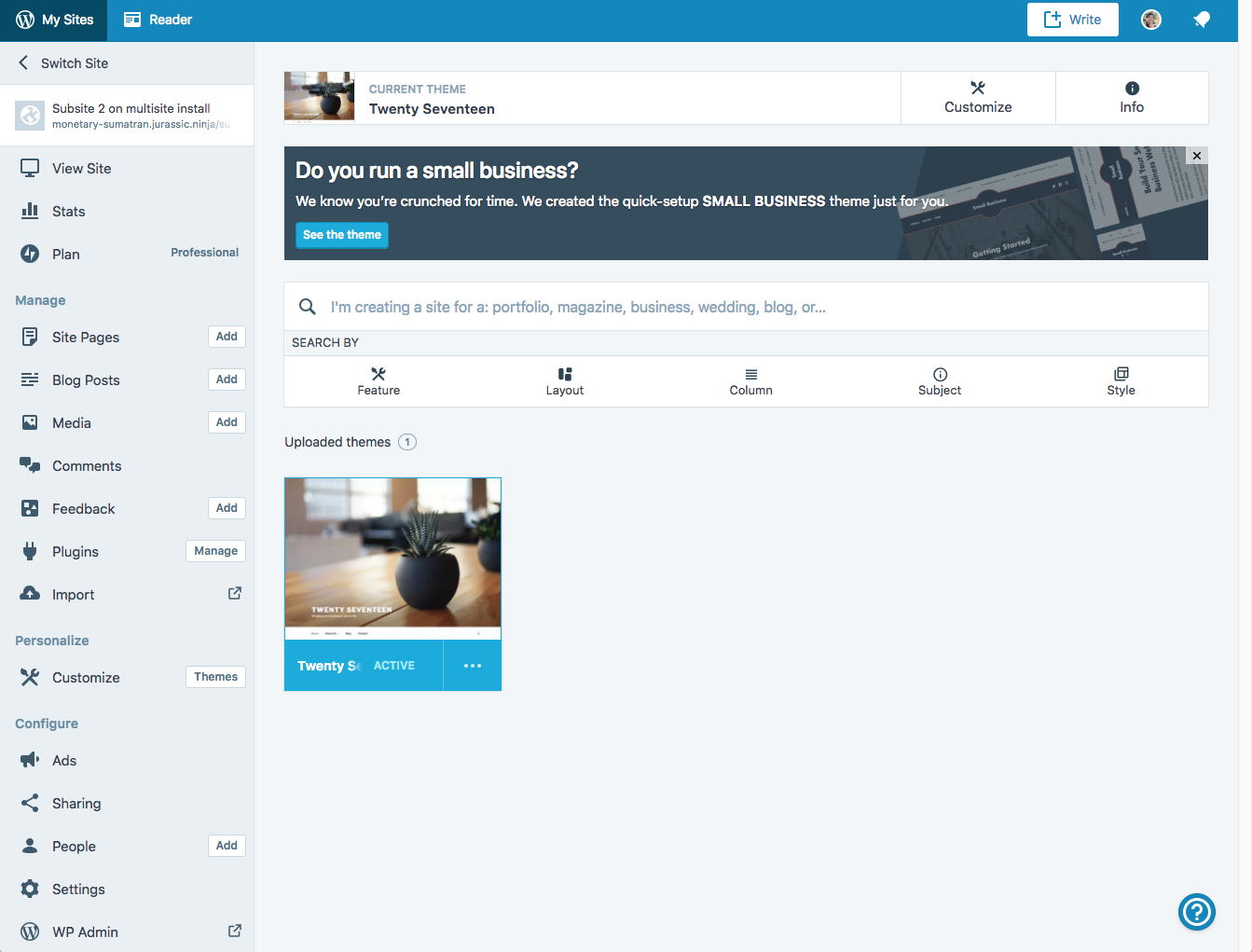
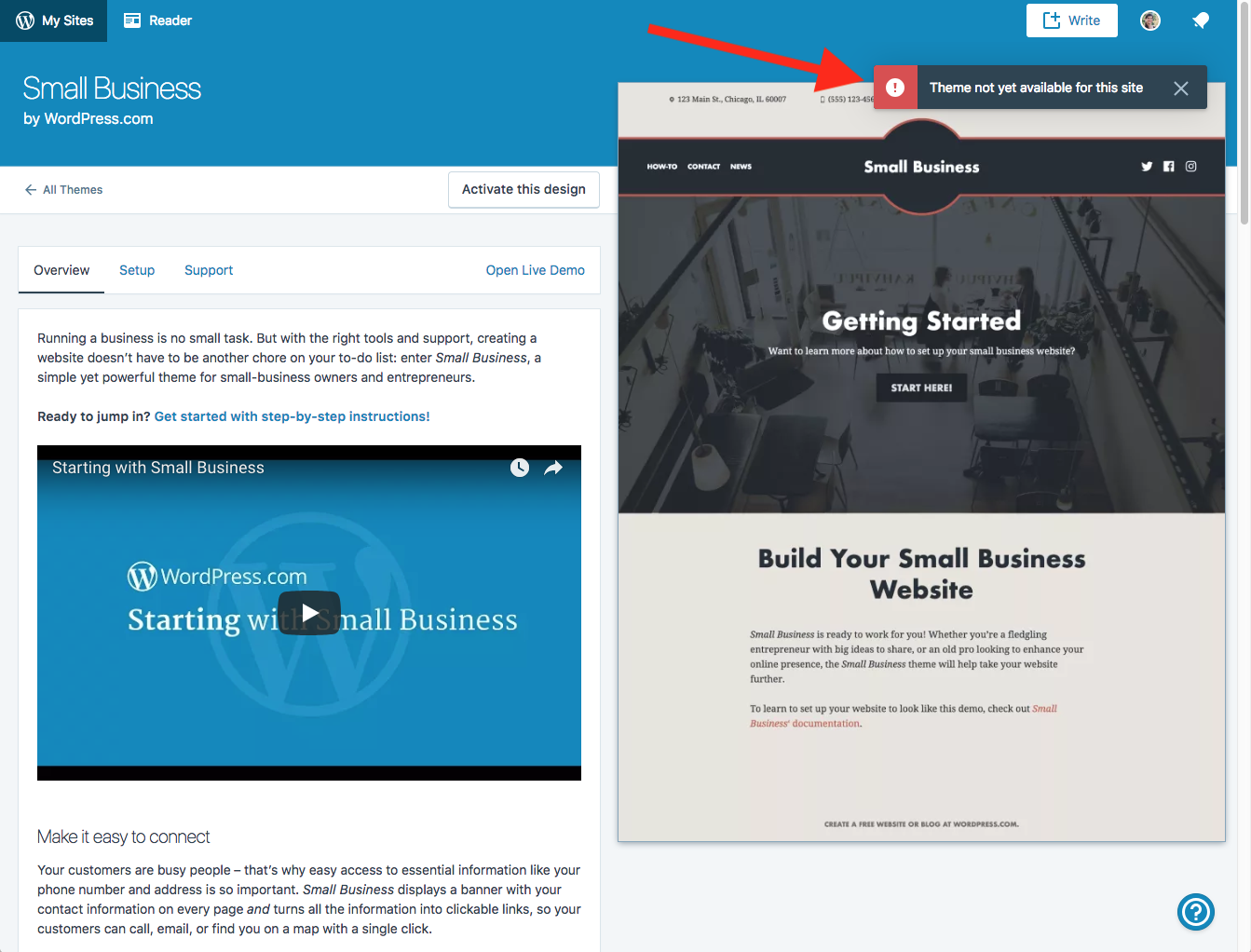
If I see the Small Business banner at the top of that page, and follow the "See the theme" button, I can open the theme details for that theme. Attempting to activate that theme results in a surprise error message:
rachelmcr
on 31 Aug 2018
The only place I do see an appropriate message is if I access https://wordpress.com/themes/upload/ directly and select my multisite (or visit the theme upload screen on another site that supports uploads, and then switching to my multisite). In that case, I see this message:

However, there's no similar messaging at https://wordpress.com/themes/ for my multisite.
rachelmcr
on 31 Aug 2018
Ok thank you for the analysis.
I'd say that in terms of "bug" then this is:
If I see the Small Business banner at the top of that page, and follow the "See the theme" button, I can open the theme details for that theme. Attempting to activate that theme results in a surprise error message:
The rest is part of implementing the feature. I'd then probably not spit this issue until someone gets to work on it — either way.
I'll add the "Enhancement" tag tho, as this issue covers both the Bug and the Feature Request.
folletto
on 31 Aug 2018
Related issues
 lamosty
·
3Comments
lamosty
·
3Comments
 ehg
·
3Comments
ehg
·
3Comments
 vparkhere
·
3Comments
vparkhere
·
3Comments
 ghost
·
3Comments
ghost
·
3Comments
 samouri
·
3Comments
samouri
·
3Comments
Most helpful comment
Yes sorry, I meant the site picker for themes, the dialog that appears on All Sites → Themes when any site action is performed. :)
All sensible solutions. I think the ideal one if there was enough time is to match the access controls and provide the level of functionality they can access.
The bug there is that the sites shouldn't show up as we don't support the feature yet.
The solution however is along the lines you outlined.
It's currently not in the roadmap for themes tho.