Wordpress-seo: Cannot enter 'o', 'p', 's' and 'h' characters with Divi active and Yoast SEO 7.7
Original report: https://wordpress.org/support/topic/divi-theme-conflict-2/
When Divi and Yoast SEO 7.7 are active, the characters 'o', 'p' and 'h' cannot be used as there are certain shortcodes created by Divi that are getting triggered.
To reproduce, activate Divi and activate Yoast SEO 7.7 Create a new page and click 'Use the divi builder'.

Edit the snippet preview and use a word or character involving the 'o', 'p', 's' or 'h'. See that either no character is being entered, or a popup appears.
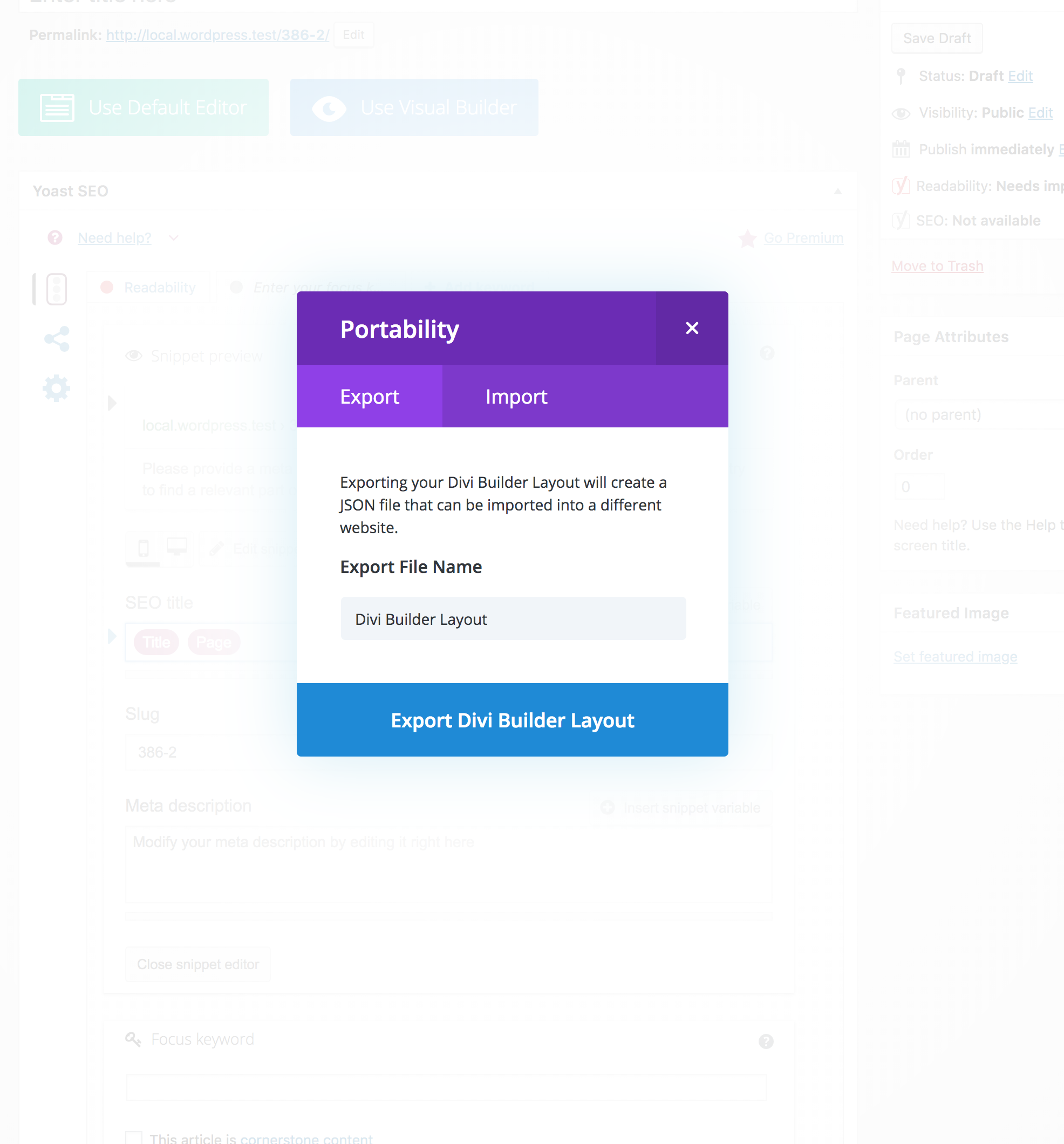
When the 'h' or 's' is entered, nothing happens. When the 'p' is entered, below popup is shown.
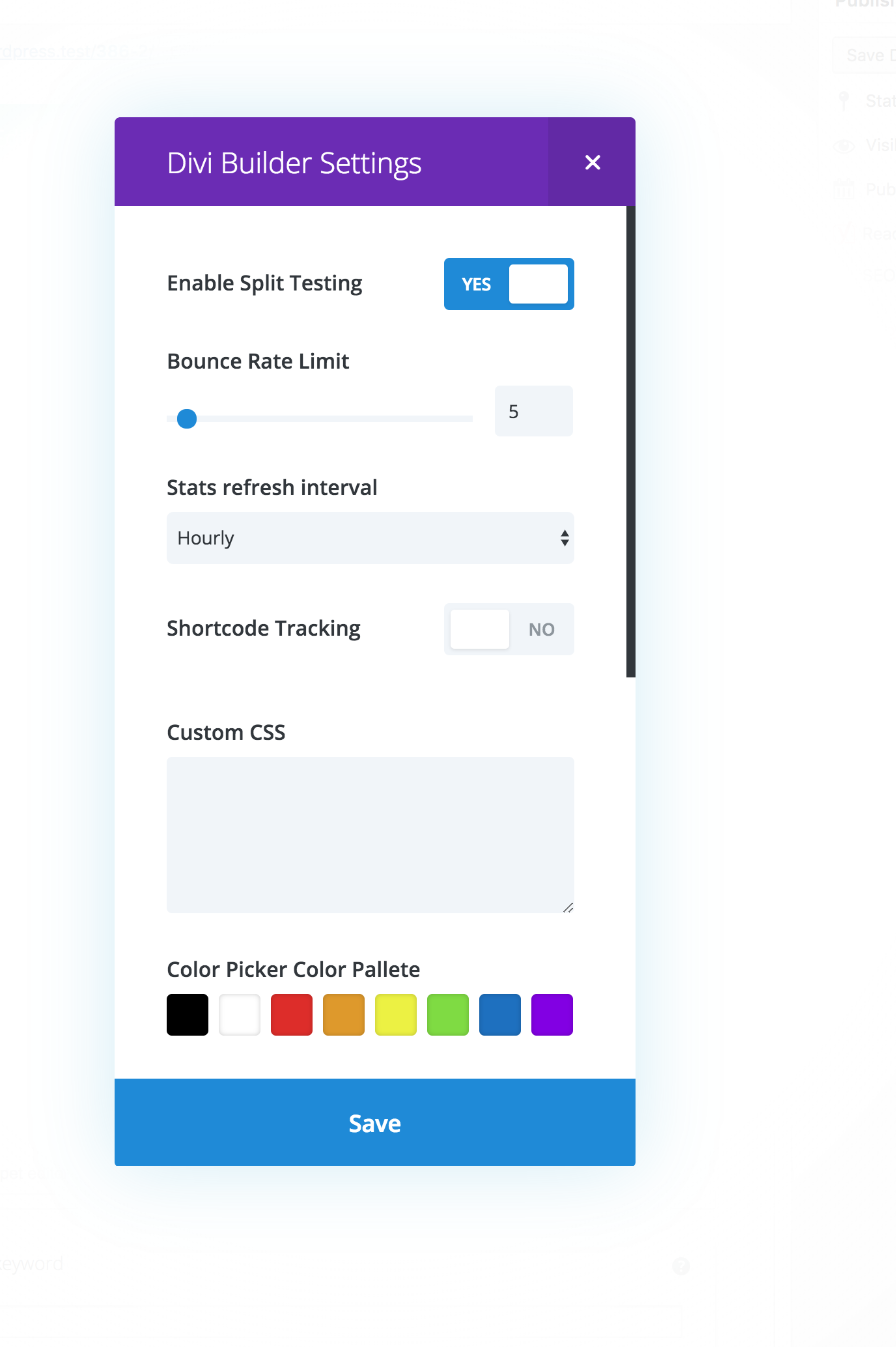
When the o is entered, the divi builder settings show up.
I've contacted our contact person for Divi - Dustin ( @lots0logs ) on Slack.
 CarolineGeven
All 7 comments
I've investigated the issue and suspect the conflict stems from the introduction of Draft.js editors in our plugin. Draft.js editors are not <input>s but <div>s. It looks like Divi Builder listens for "h", "o", "p" and "s" keypresses, and 'fires' the shortcut event (opening a pop-up etc.) when those keypresses are done when the focus is not on an <input>.
 IreneStr
on 26 Jun 2018
IreneStr
on 26 Jun 2018
The people from Divi (Elegant Themes) are currently investigating this issue. There's no confirmation yet, but it looks like this issue lies within Divi.
CarolineGeven
on 26 Jun 2018
I can confirm that this issue lies with Divi. We are working on it and expect to release a fix later this week.
 lots0logs
on 26 Jun 2018
lots0logs
on 26 Jun 2018
Please inform the customer of conversation # 394466 when this conversation has been closed.
 mayada-ibrahim
on 26 Jun 2018
mayada-ibrahim
on 26 Jun 2018
Please inform the customer of conversation # 394486 when this conversation has been closed.
mayada-ibrahim
on 26 Jun 2018
This should be fixed with the newest Divi update version 3.8.1, see their changelog: https://divinotes.com/divi-changelog/.
Official Divi changelog here: https://www.elegantthemes.com/api/changelog/divi.txt
Therefore, I'm closing this one.
 benvaassen
on 27 Jun 2018
benvaassen
on 27 Jun 2018
This same problem is happening with me. And I have the lastest versions of Divi and WP. Any answers?
 SkyeLogan08
on 4 Sep 2019
SkyeLogan08
on 4 Sep 2019
Related issues
 isaumya
·
4Comments
isaumya
·
4Comments
 cristopherrosenberg
·
3Comments
cristopherrosenberg
·
3Comments
 andizer
·
3Comments
andizer
·
3Comments
 schurig
·
5Comments
schurig
·
5Comments
 szepeviktor
·
6Comments
szepeviktor
·
6Comments
Most helpful comment
I can confirm that this issue lies with Divi. We are working on it and expect to release a fix later this week.