Wordpress-seo: Yoast SEO blocks Relevanssi searches in admin article views
- [x] I've read and understood the contribution guidelines.
- [x] I've searched for any related issues and avoided creating a duplicate issue.
Please give us a description of what happened.
With both Yoast SEO and Relevanssi installed and active, a post search in the admin dashboard finds no results. Searching for pages works. If I deactivate either Yoast SEO or Relevanssi, the search works as usual.
Please describe what you expected to happen and why.
I would expect to see search results matching the search terms. I've examined this from Relevanssi's end, and Yoast SEO is not affecting the Relevanssi search parameters in any way. Relevanssi runs the search as usual and in the end of the Relevanssi process, the correct search results are passed back to WordPress.
I've located the problem to the set_count_objects() function in /admin/links/class-link-columns.php. There's this line:
$posts = $wp_query->get_posts();
This get_posts() zaps away the results Relevanssi has found and instead replaces it with an empty set of posts.
If you can do this instead of the get_posts(), everything works fine:
$posts = $wp_query->posts;
This seems to work just fine with or without Relevanssi. Is there a reason you use get_posts() instead of just using the existing posts array?
How can we reproduce this behavior?
- Install Yoast SEO and Relevanssi.
- Build the index for Relevanssi, and enable Relevanssi for admin searches.
- Try searching for a post in the admin Articles page: nothing found.
Technical info
- WordPress version: 4.8
- Yoast SEO version: 5.0.2
- Relevant plugins in case of a bug: Relevanssi 3.5.11.1
 msaari
All 23 comments
Please inform the customer of conversation # 208880 when this conversation has been closed.
 amboutwe
on 18 Jul 2017
amboutwe
on 18 Jul 2017
I can confirm this bug.
 tleen
on 19 Jul 2017
tleen
on 19 Jul 2017
Hello,
do you have any news about solving this problem?
 WGlenat
on 12 Sep 2017
WGlenat
on 12 Sep 2017
I also ran into this issue. Disabling "Text link counter" in the Yoast SEO options seems to be a workaroud.
 rosshanney
on 2 Oct 2017
rosshanney
on 2 Oct 2017
I confirm, thank you
WGlenat
on 2 Oct 2017
@rosshanney the fix you suggested isn't working for me. Did you make any other changes?
 saraell
on 5 Dec 2017
saraell
on 5 Dec 2017
@saraell No, that's all I did. I've just tested switching it on and off again, and it definitely still seems to do the trick for me. I'm still on Relevanssi 3.6.x, though - not 4.0.x.
rosshanney
on 5 Dec 2017
Thank you, @rosshanney! That's probably my problem. I'm running Relevanssi 4.0.2.
saraell
on 5 Dec 2017
I can confirm that disabling "Text link counter" will fix this issue both in Relevanssi 4.0.2 and Relevanssi Premium 2.0.2.
msaari
on 7 Dec 2017
Thank you for reporting this bug. Sorry for the late reply. This issue is still relevant with Yoast SEO 6.1.1.
It's marked as backlog, so it appears in the to-do-list of our development team.
 benvaassen
on 19 Jan 2018
benvaassen
on 19 Jan 2018
User reports just clicking the search button works BUT if you enter something to search it fails.
However, Relevanssi has a link here for a filter to use if you are using Local SEO: https://www.relevanssi.com/knowledge-base/yoast-local-seo-compatibility-issues/
 Pcosta88
on 20 Feb 2018
Pcosta88
on 20 Feb 2018
Please inform the customer of conversation # 309021 when this conversation has been closed.
Pcosta88
on 20 Feb 2018
@Pcosta88 That filter has nothing do with Yoast SEO; it's only for Yoast Local SEO. Still the only way to fix right now is to disable Text link counter.
msaari
on 20 Feb 2018
Confirming this bug. @msaari has proposed a simple solution over 1.5 years ago. Please fix!
 locomo
on 10 Mar 2019
locomo
on 10 Mar 2019
I can also confirm this bug and disabling "Text link counter" feature solves the issue.
 TeemuSuoranta
on 8 Apr 2019
TeemuSuoranta
on 8 Apr 2019
as of version 11.6 still running into this issue
 justinkmotion
on 18 Jul 2019
justinkmotion
on 18 Jul 2019
I might be missing something here. I am running the latest Yoast and Relevanssi plugins but I can't reproduce this issue.
Following the steps from the original post:
- I have built the relevanssi index
- I have checked
Use Relevanssi for admin searches.in Relevanssi settings -> Searching
Both on Dashboard -> Admin search and Posts -> searchbar upper right I can search and find the correct results.
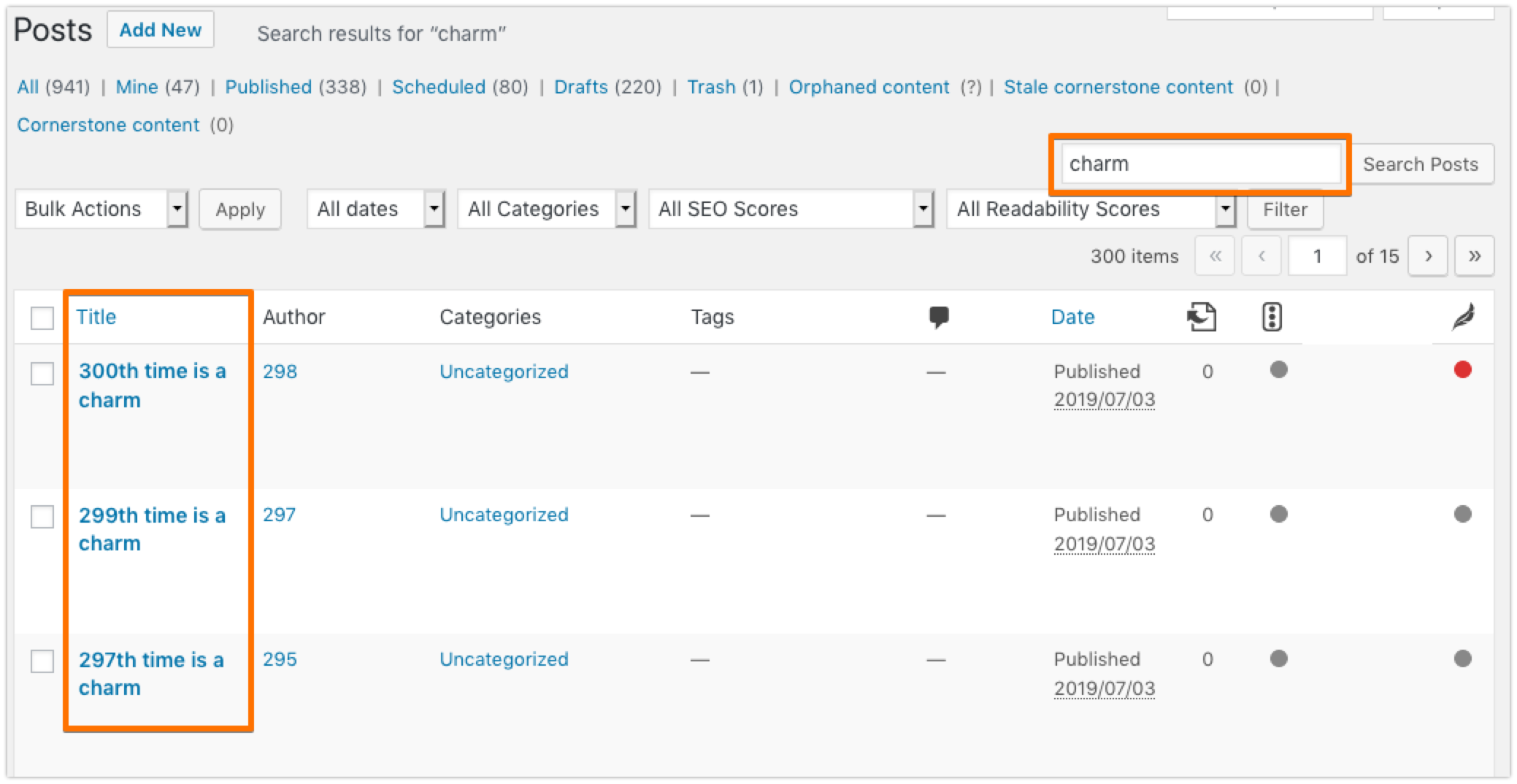
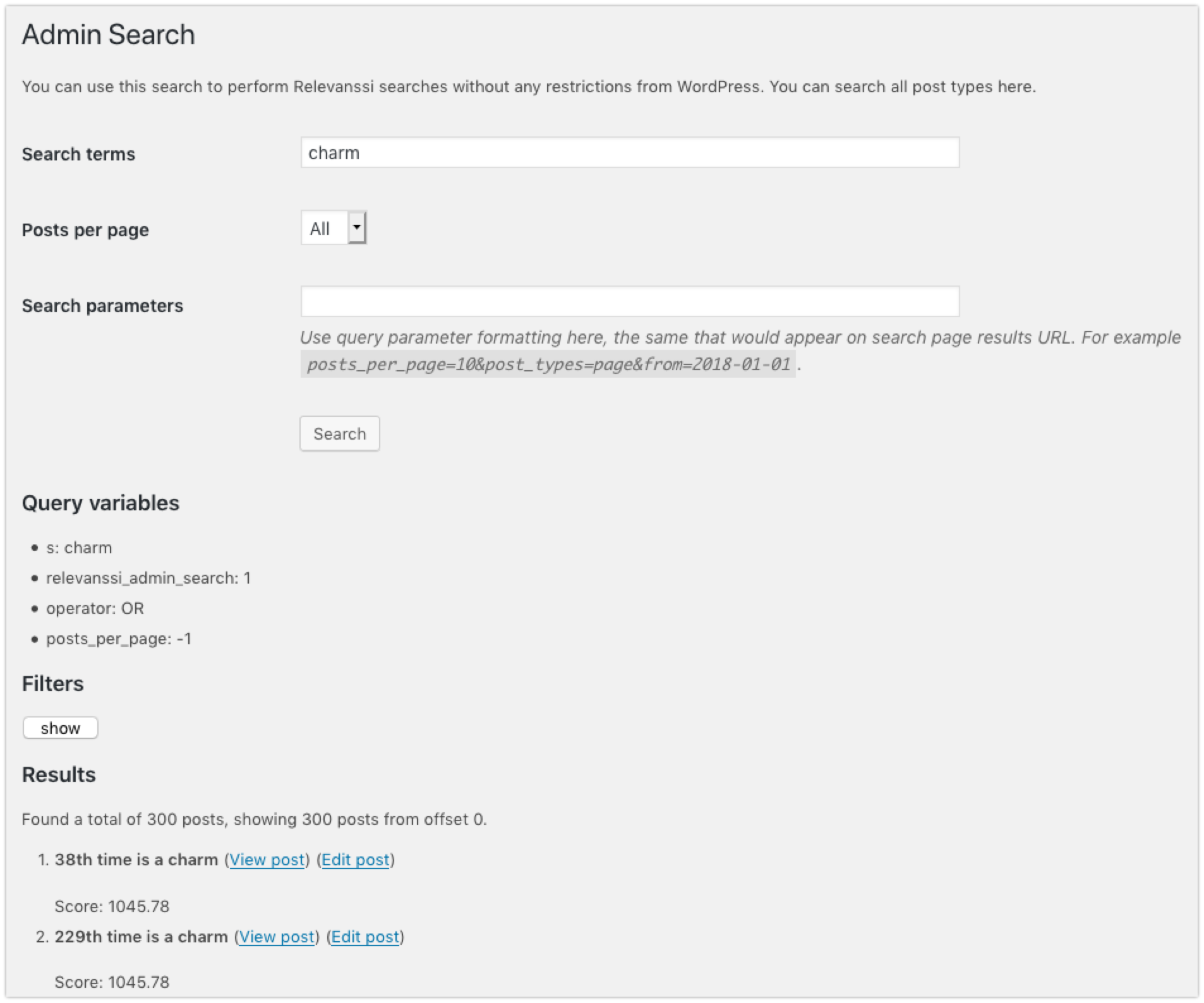
Who can inform me on what I'm missing here?
 Djennez
on 22 Jul 2019
Djennez
on 22 Jul 2019
I can still confirm this is failing. If "Text Link Counter" is enabled in Yoast SEO, I find no results in the admin post search. If I disable "Text Link Counter", the search works. So @Djennez, make sure you have "Text Link Counter" enabled in Yoast SEO settings if you wish to reproduce the issue.
msaari
on 22 Jul 2019
@msaari thanks, I had the text link counter turned on so I don't know if that is the trigger. Which of my 2 screenshots is the bug referring to? Because that isn't completely clear to me yet.
Also, I was running a RC of 11.7. Can you replicate this issue if you're running on today's released 11.7 version?
Djennez
on 23 Jul 2019
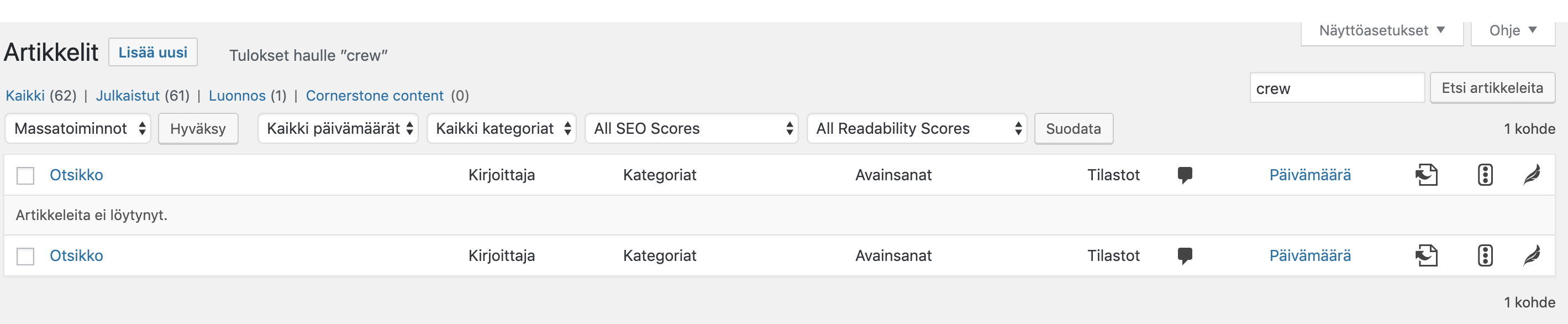
I just updated to 11.7, and still no results. If you are getting results, then there's probably something else involved in your case – is it possible that the admin search you're seeing is not actually powered by Relevanssi? If you check with Query Monitor or something like that, are the Relevanssi queries running?
The bug is related to the WP default search; the Relevanssi admin search works and isn't affected by Yoast SEO in any way.
Here's the search with Text Link Counter on:
And here's the same search with Text Link Counter off:
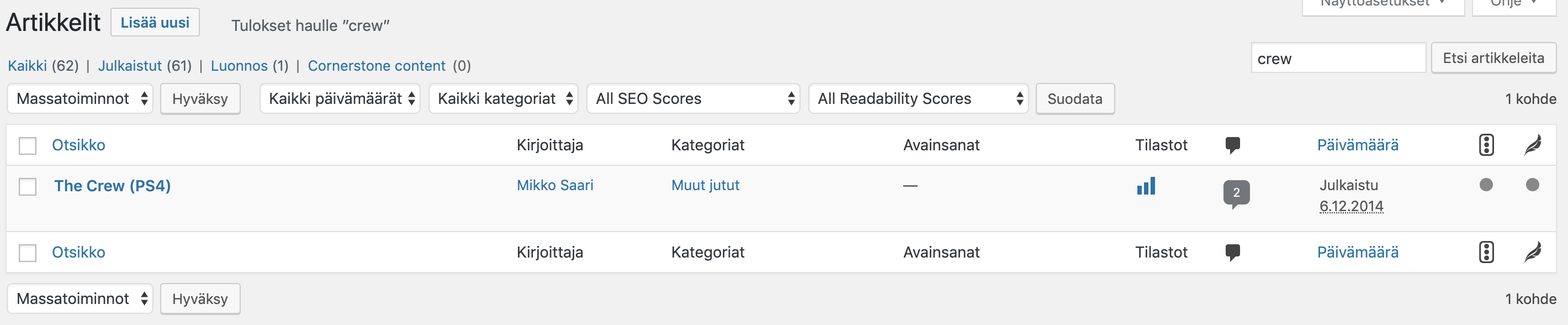
Looking at the current version, the set_count_objects() function is still the same as it was in the version 5, so the same solutions I proposed in my initial post is still valid.
msaari
on 23 Jul 2019
This was causing me headaches... I was unable to reproduce the issue but I was working with Premium. Then I switched to the free version, but on trunk. Still unable to reproduce. Then I switched to 11.7, the release version, and then the problem appeared...
Turns out that a community PR from a few weeks back, which is scheduled to be released in 11.8, fixes this issue. That change was already in trunk when I tried to reproduce the issue this morning so the problem did not appear.
Long story short, this problem seems to be fixed when you update to 11.8 in 2 weeks time :)
Djennez
on 23 Jul 2019
Very good, thanks!
msaari
on 23 Jul 2019
I can now confirm version 11.8 of WordPress SEO fixes this issue.
msaari
on 13 Aug 2019
Related issues
 moorscode
·
6Comments
moorscode
·
6Comments
 Chouby
·
4Comments
Chouby
·
4Comments
 ind88
·
6Comments
ind88
·
6Comments
 danieltj27
·
6Comments
danieltj27
·
6Comments
 schurig
·
5Comments
schurig
·
5Comments
Most helpful comment
Thank you for reporting this bug. Sorry for the late reply. This issue is still relevant with Yoast SEO 6.1.1.
It's marked as backlog, so it appears in the to-do-list of our development team.