Wordpress-ios: Site creation preview shows cut-off site header
Expected behavior
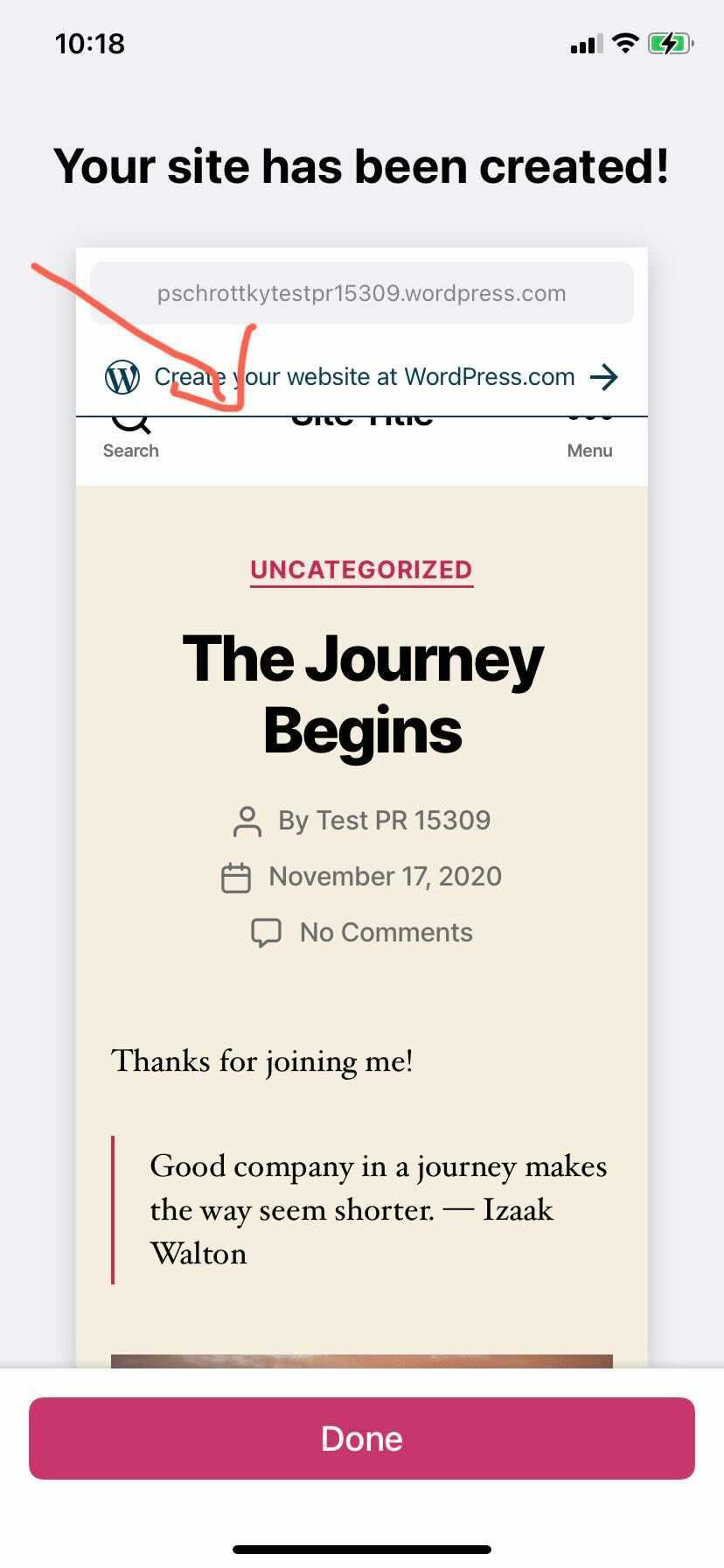
The preview of a newly created site shouldn't have cut-off sections.
Actual behavior
After creating a site in the app, the site preview is shown but the top of the site is cut-off.
|  |
|
| - |
Steps to reproduce the behavior
- Start the "Create WordPress.com site" wizard (either after the creation of a new WP.com account or from the site list when logged in)
- Create a Blank Site (although this issue might be present for other types of sites)
- On the "Your site has been created!" screen, notice that the top of the preview is cut-off
Tested on iPhone 11, iOS 14, WPiOS 16.0
Additional info
This issue is also present on WPAndroid https://github.com/wordpress-mobile/WordPress-Android/issues/13410
 guarani
All 2 comments
Noting this should be fixed with a combination of https://github.com/wordpress-mobile/WordPress-iOS/pull/15303 and internal reference D53196-code (background: pbMoDN-1A9-p2#comment-3222). Props @chipsnyder @enejb. 🎉
 designsimply
on 30 Nov 2020
designsimply
on 30 Nov 2020
❤1
There is some code clean up that might be able to happen thanks to these changes. Spun up a new issue to track the investigation I would like todo in order to remove those items:
https://github.com/wordpress-mobile/WordPress-iOS/issues/15411
 chipsnyder
on 30 Nov 2020
chipsnyder
on 30 Nov 2020
❤1
👍1
Was this page helpful?
0 / 5 - 0 ratings
Related issues
 rclations
·
3Comments
rclations
·
3Comments
 jkmassel
·
3Comments
designsimply
·
3Comments
jkmassel
·
3Comments
designsimply
·
3Comments
 ScoutHarris
·
3Comments
designsimply
·
3Comments
ScoutHarris
·
3Comments
designsimply
·
3Comments
Most helpful comment
There is some code clean up that might be able to happen thanks to these changes. Spun up a new issue to track the investigation I would like todo in order to remove those items:
https://github.com/wordpress-mobile/WordPress-iOS/issues/15411