Wordpress-ios: [iPad] Initial states for split view panes don't display correctly
When logging into the app fresh on an iPad, there are multiple places where the initial state of the split views require optimization:
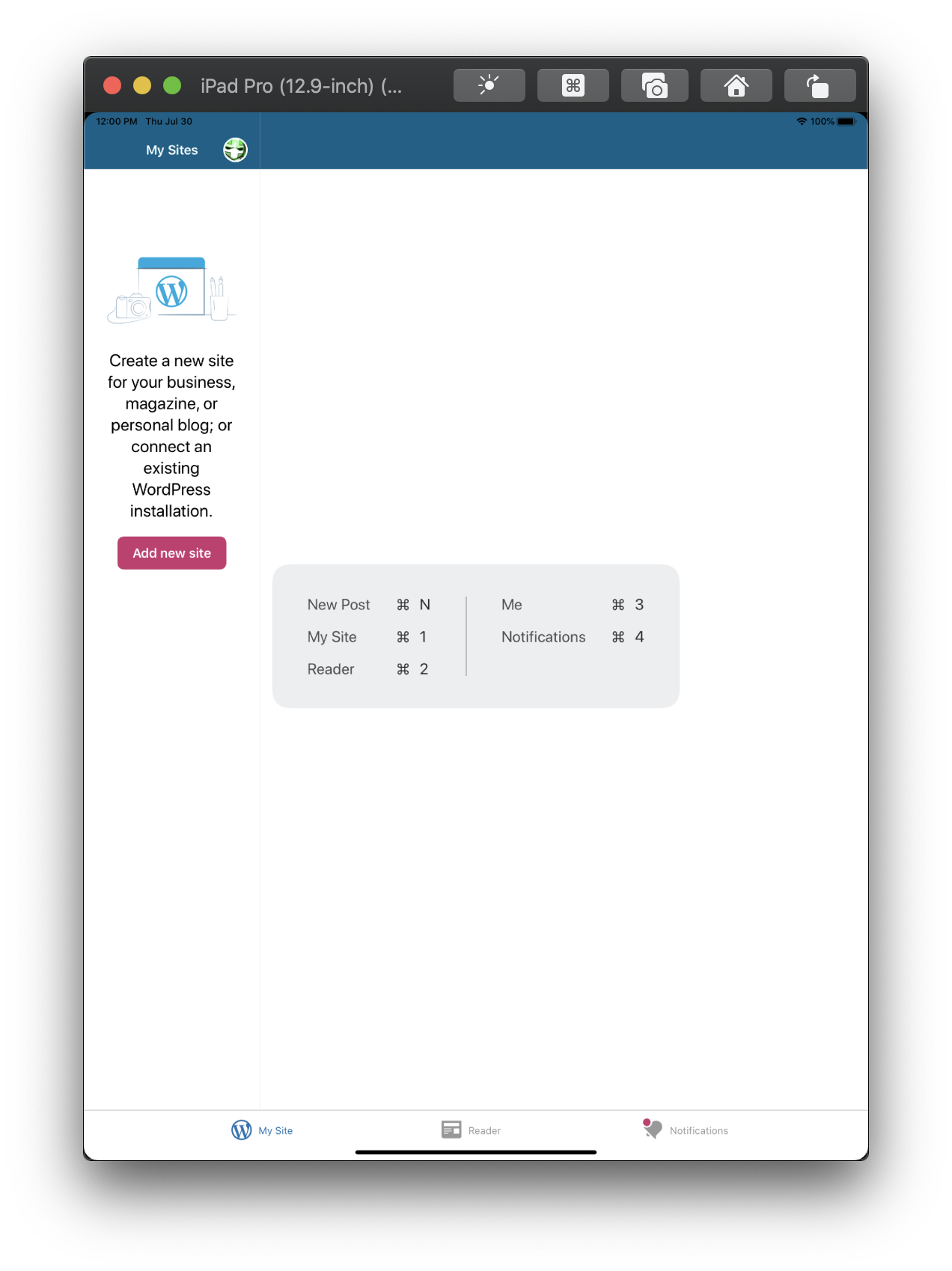
- My Sites: When no sites are present, no results view is shown in a small left pane.
- My Sites: When no sites are present, right pane background doesn't fill space (this can be fixed by resolving the above issue to fill the space with the no results view)
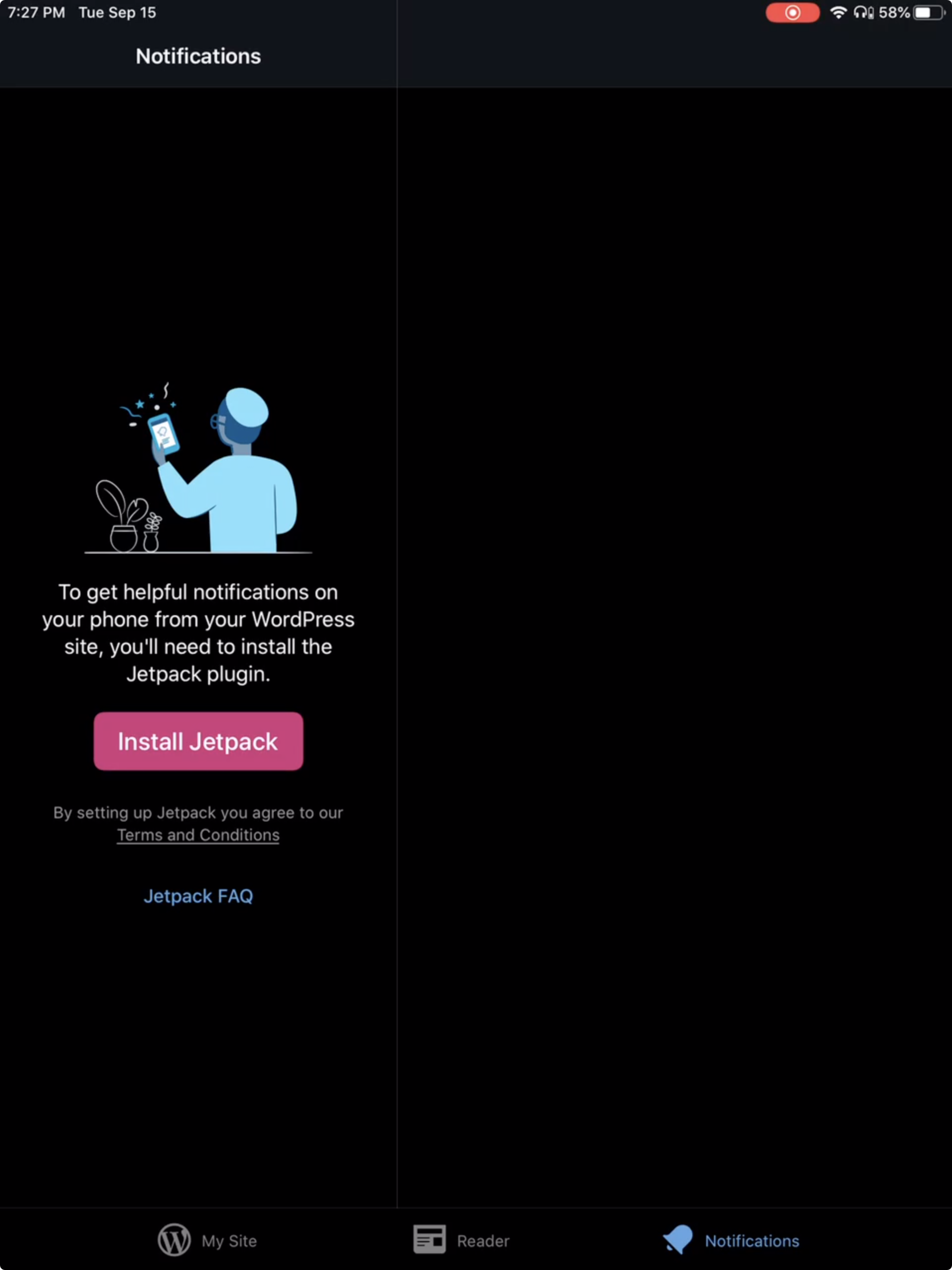
- Notifications: For a Jetpack site, the Jetpack prompt displays in a small left pane.
- Notifications: When no notifications are present, no results view is shown in a small left pane and the right pane shows gray.
Original issue
After creating a new account without adding or creating a site, this is how the "My Sites" tab looks like.
 diegoreymendez
All 14 comments
Fyi @frosty, @rachelmcr
diegoreymendez
on 30 Jul 2020
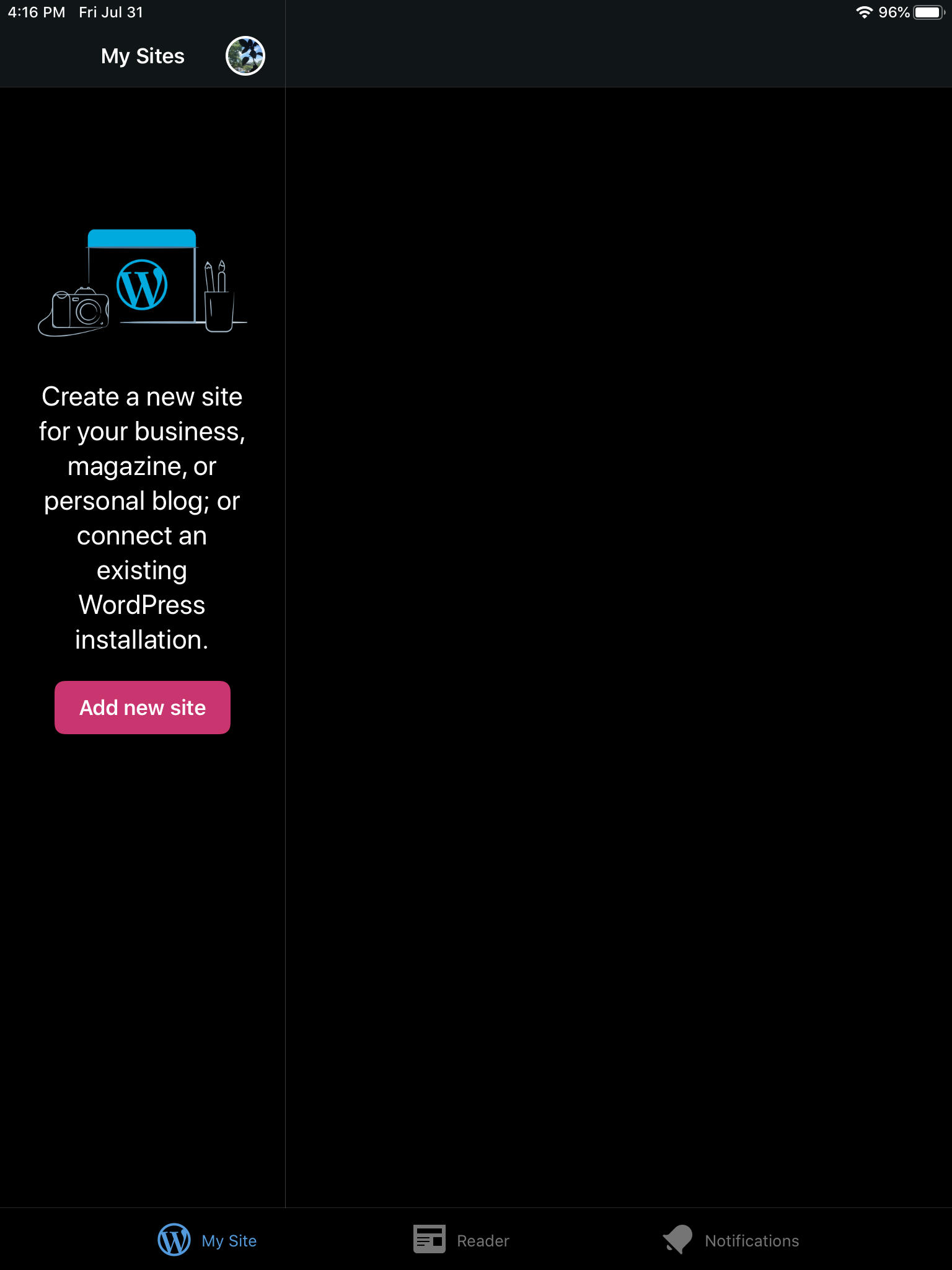
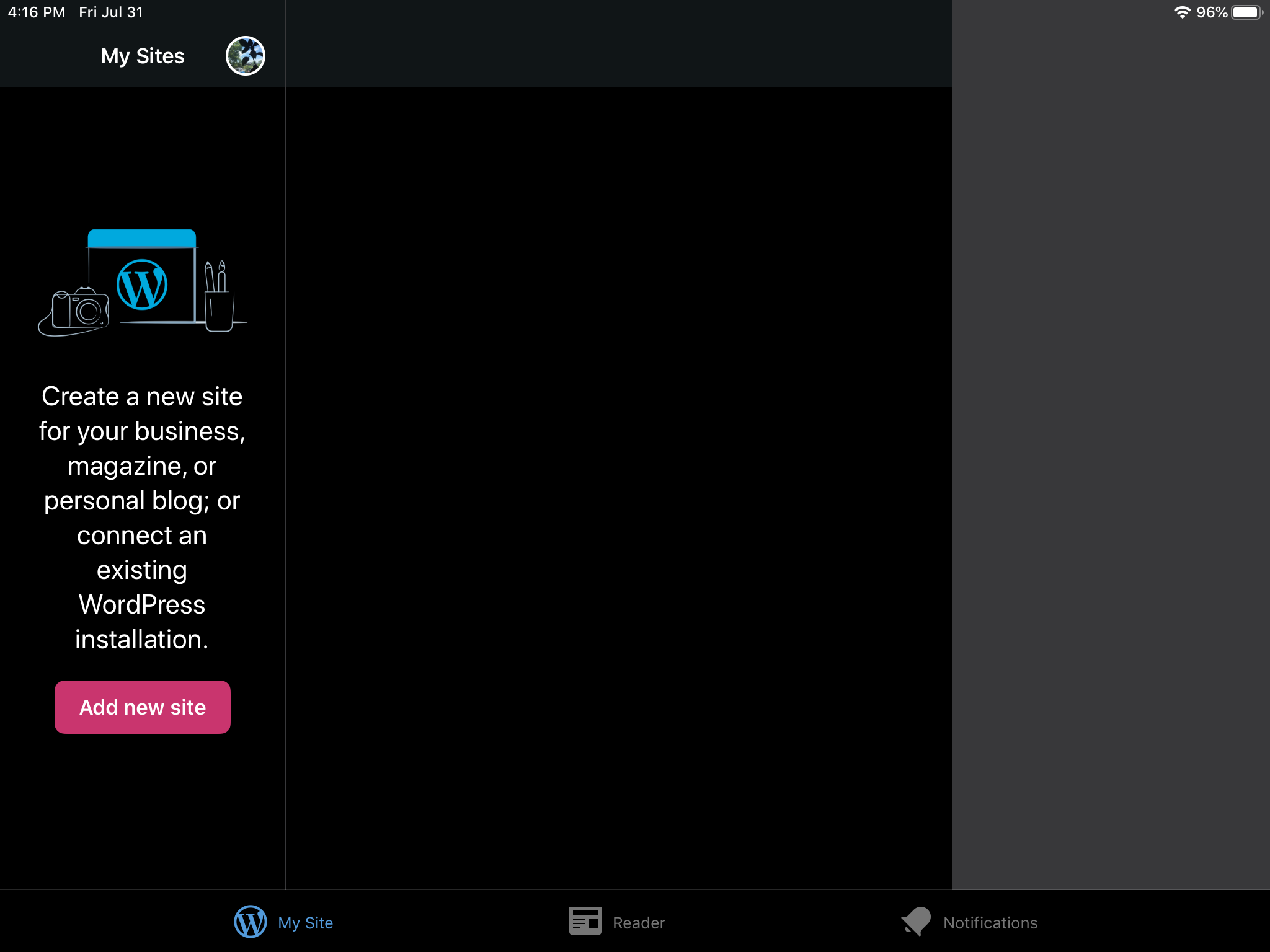
Tested and confirmed that the My Sites screen on iPad for an account with no sites displays the "Add new site" prompt in the sidebar on the left which looks a bit odd on iPad screens.
Create a new site for your business, magazine, or personal blog; or connect an existing WordPress installation.
Add new site
Portrait|Landscape
---|---
 |
|
Tested with WPiOS 15.4.0.1 TestFlight beta on iPad Mini 4 (WiFi) (iPad5,1) iPadOS 13.6.
 designsimply
on 1 Aug 2020
designsimply
on 1 Aug 2020
Thanks @designsimply and apologies I didn't loop you in!
diegoreymendez
on 3 Aug 2020
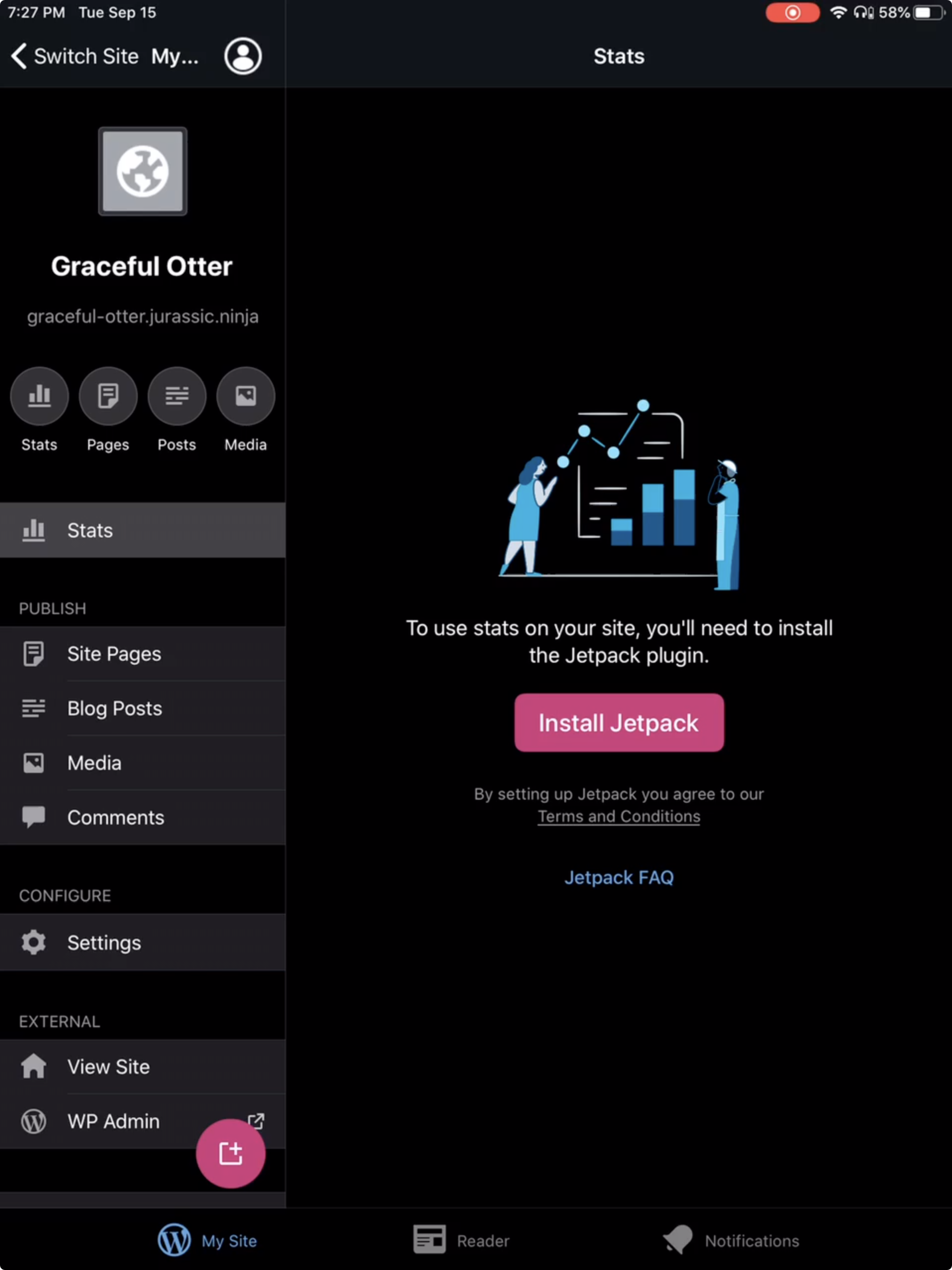
While beta testing the Unified Login & Signup call for testing with WPiOS 15.7.0.1, I noticed that the Notifications > Install Jetpack prompt also displays small and to the left in contrast to a similar prompt in Stats where it's shown on the right.
"Install Jetpack" prompt in Notifications|"Install Jetpack" prompt in Stats
---|---
 |
|
Tested with WPiOS 15.7.0.1 TestFlight beta on iPad Mini 4 (WiFi) (iPad5,1) iPadOS 13.6.1.
(internal reference: pbMoDN-15R-p2#comment-2389)
designsimply
on 16 Sep 2020
Updated title to reflect that this covers multiple issues.
 frosty
on 22 Sep 2020
frosty
on 22 Sep 2020
Notifications: on initial login with no notifications present, initial content is shown in small left pane. Content is offset down for some reason, and the right pane just shows gray.

frosty
on 22 Sep 2020
@osullivanchris @frosty -
Regarding the layout when there are no sites:
Technically, this isn't broken - it's always been this way*. That is, the NRV displayed in the left pane with an empty right pane because there are no site details to show. Since there's nothing to "fix", I'm not sure what we want to show here. The no results view is displayed in the left pane because there are no site details to display. If we move the NRV to the right pane, what do we show in the left?
*Except for the NRV being off center vertically. That's is an issue, but unrelated to this.
Update:
This applies to Notifications as well.
- Notifications: For a Jetpack site, the Jetpack prompt displays in a small left pane.
- Notifications: When no notifications are present, no results view is shown in a small left pane and the right pane shows gray.
The left pane shows the list of Notifications, the right shows notification details.
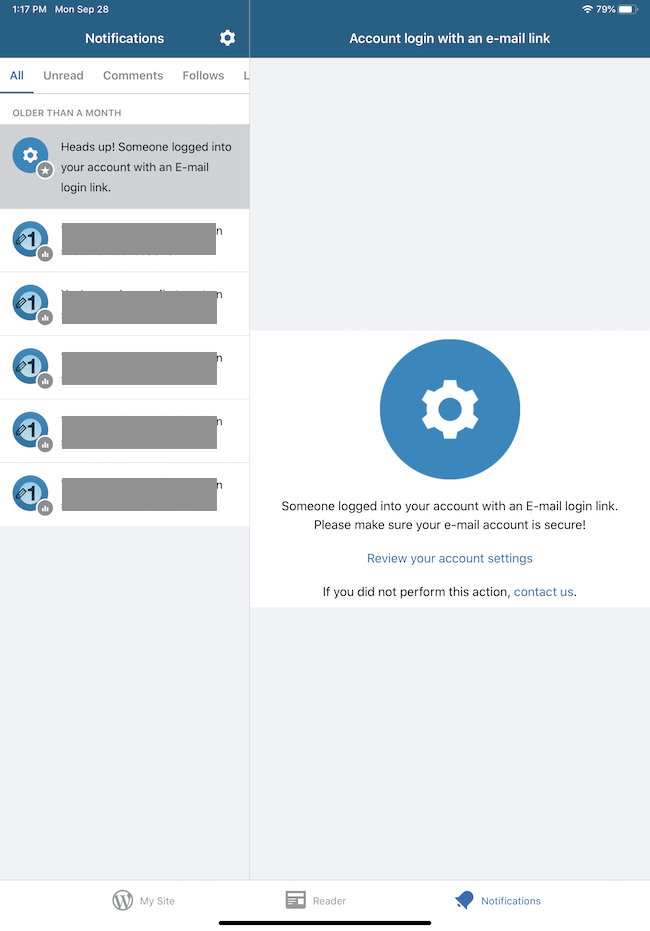
When there are no Notifications to show, the NRV is displayed in the left pane with an empty right pane (because there are no details to show). Same question applies - if we move the NRV to the right pane, what is displayed on the left?
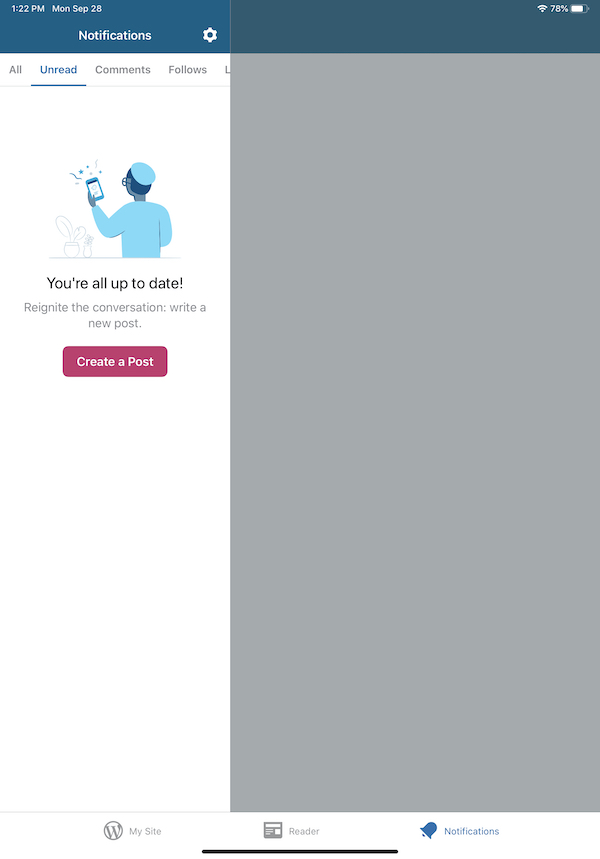
 ScoutHarris
on 28 Sep 2020
ScoutHarris
on 28 Sep 2020
Thanks for clarifying, @ScoutHarris. I _thought_ that previously if there were no sites, we would display a single full-width view containing the no results view. I think I looked into this and there was still code to adjust the width, but it didn't seem to be having any effect any more. I think notifications could potentially be the same – display it full width if there are no notifications to select.
That said, our split view code is now very much in the realm of 'here be dragons' (and I wrote it! 👀), so this may be easier said than done...
frosty
on 28 Sep 2020
To recap a Slack convo with @frosty -
- The My Sites NRV is in fact supposed to be full width when there are no sites. It's just been incorrectly split for quite some time. Thanks @frosty for pointing me in the right direction.
- Notifications is doing what it's supposed to (i.e. showing the NRV on the left and nothing on the right), so there is nothing to fix there. Except for the grey dimmed view. That's not supposed appear on the right side.
- We might want to consider showing _something_ in the right pane when a filter is selected that has no Notifications, but that could be a later enhancement with designer input.
ScoutHarris
on 28 Sep 2020
- I agree with @ScoutHarris that what's happening actually makes sense if you just carry our iPhone -> iPad behaviour to its logical conclusion.
- But I also agree with @frosty that making an additional piece of logic to display the empty view as full screen rather than split view makes sense, and is desirable. If we can put that exception back in, I think its good.
- We could do the same thing in notifications. But I think its probably more complicated. As some tabs within notifications could have empty states, and others could have content. So we probably can't do this generalised full-width empty state.
- Perhaps in notifications, if we are showing empty state in the left panel, we could show some small piece of text on the right (effectively saying 'content will appear here when you have notifications') so that the user knows its empty rather than broken/not loading. This could also be an approach for the My Site empty state, if the logic is too tricky and dragon-like
 osullivanchris
on 29 Sep 2020
osullivanchris
on 29 Sep 2020
Noting https://github.com/wordpress-mobile/WordPress-iOS/issues/15019 - No Sites view: view disappears when rotating on iPhone with split view.
It's not an iPad issue, but it is a split view issue.
ScoutHarris
on 30 Sep 2020
Hey @frosty .
I looked at the My Sites NRV for the better part of 3 days, and I cannot figure out why it's not full width. From everything I've read, it should be working. But for some reason, the width is "stuck" at whatever it was initialized at and refuses to change. For example:
- It is currently initialized as narrow. It then tries to change to full when the NRV is displayed, but the width is still narrow.
- I initialized it as full width, and tried to change it to narrow afterwards. The width was still full.
- I initialized it as default width, and tried to change it to full afterwards. The width was still default.
I did notice a couple of other issues during my adventure.
- When the NRV is full width, it is now covered by the
emptyViewControllerset in Blog List'sinitialDetailViewControllerForSplitViewso it cannot be seen anyway. I worked around/fixed this by returningnilinstead of an empty VC (setting no detail VC). I haven't submitted a fix for this since I can't get it to show full width correctly. I do think this is at least partially responsible for the issue I noted above (https://github.com/wordpress-mobile/WordPress-iOS/issues/15019 No Sites view: view disappears when rotating on iPhone with split view). - When the My Sites NRV is displayed, the view is no longer updating on rotation. Which is the cause of the grey area on the right side in landscape (as seen in @designsimply's comment above).
At this point, I'm stumped on the width problem. If curiosity gets the better of you, feel free to take a look. But for now, I'm going to move on and look at other issues to maybe have _some_ success.
ScoutHarris
on 1 Oct 2020
Another "not iPad but split view" issue:
https://github.com/wordpress-mobile/WordPress-iOS/issues/15067 - Notifications > Jetpack install prompt: view disappears on rotation
ScoutHarris
on 7 Oct 2020
This is to summarize the state of this issue after my poking around.
The root issue still remains, that is when an empty view is displayed that is meant to be full width, it is not. This includes:
- My Sites > no sites.
- Notifications > Jetpack install prompt.
- Notifications > no notifications _at all_.
If you have some Notifications, selecting a filter that has no notifications will display the 'No notifications' message in the left pane. This is correct behavior.
I was unable to determine the root cause of full width not working. As noted in my comment, the column widths just don't update after initialization. To resolve other issues this was causing, I added a workaround to just not attempt full width. This should be removed when the root cause is resolved.
Remaining issues:
- When an empty view is displayed that is meant to be full width, it is not.
- Notifications > grey area at top after initial login: I believe this is caused by the enable notifications prompt in the header. I didn't have time to look into it, but it's not just an iPad issue. It's tracked here.
Resolved issues:
- No Sites view: view disappears when rotating. [#15019]
- Notifications > Jetpack install prompt: view disappears when rotating. [#15067]
- Notifications: Don't dim the detail view when the filtered NRV is displayed. [#15058]
- No Sites: fix view sizes on rotation. [#15081]
ScoutHarris
on 12 Oct 2020
Related issues
ScoutHarris
·
3Comments
designsimply
·
3Comments
 jkmassel
·
3Comments
frosty
·
3Comments
jkmassel
·
3Comments
frosty
·
3Comments
 wptester9845
·
3Comments
wptester9845
·
3Comments
Most helpful comment
Thanks @designsimply and apologies I didn't loop you in!