Wordpress-ios: Editor: Captions do not display for Images inserted from Media Library
Expected behavior
When you insert Images from the Media Library, and set a caption for them, the caption should show up in the Post when Previewed and Published.
Actual behavior
The captions do not show up in the post when Previewed and Published.
The caption for the Image inserted from the Media Library shows up in the Editor:
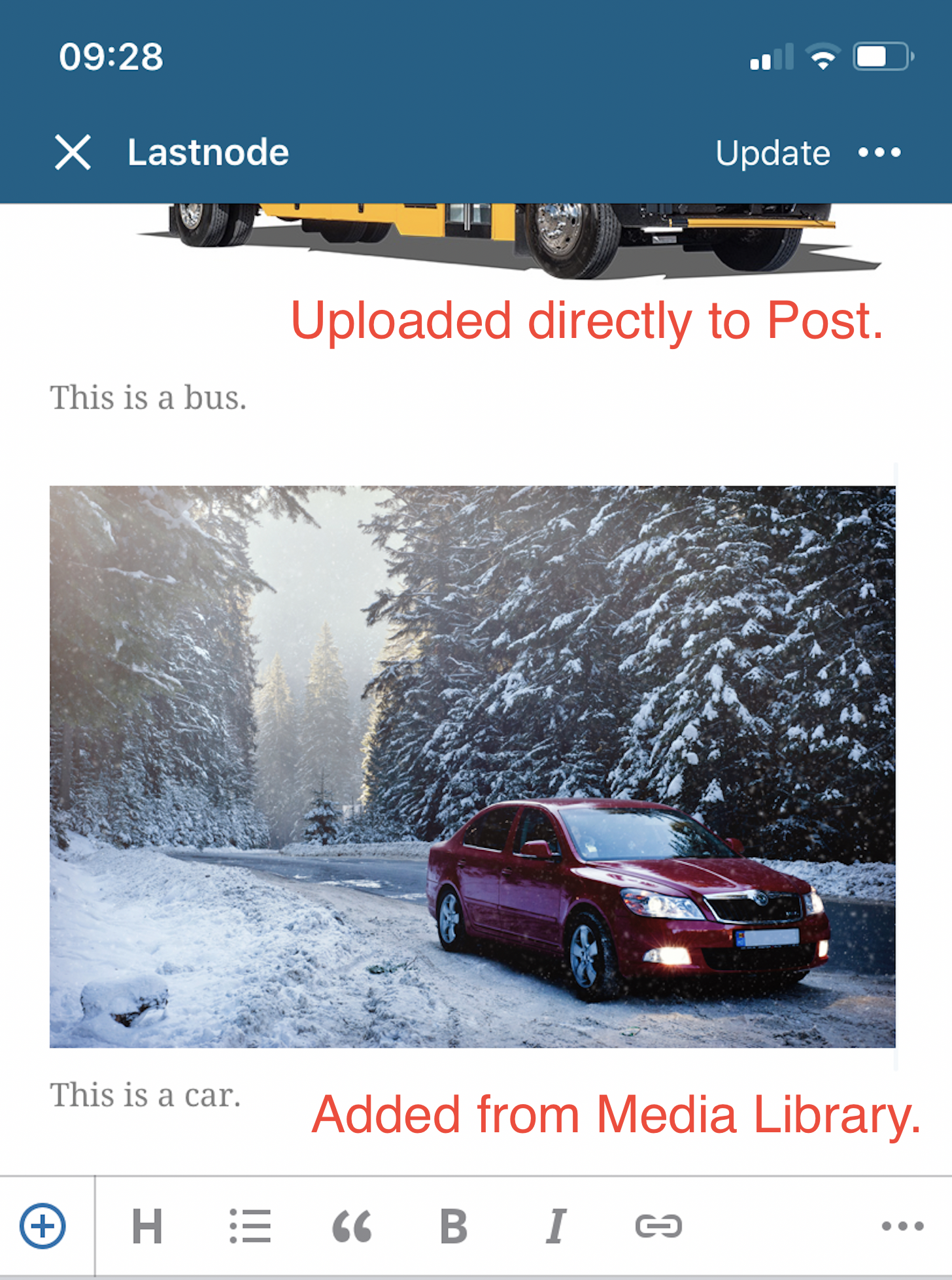
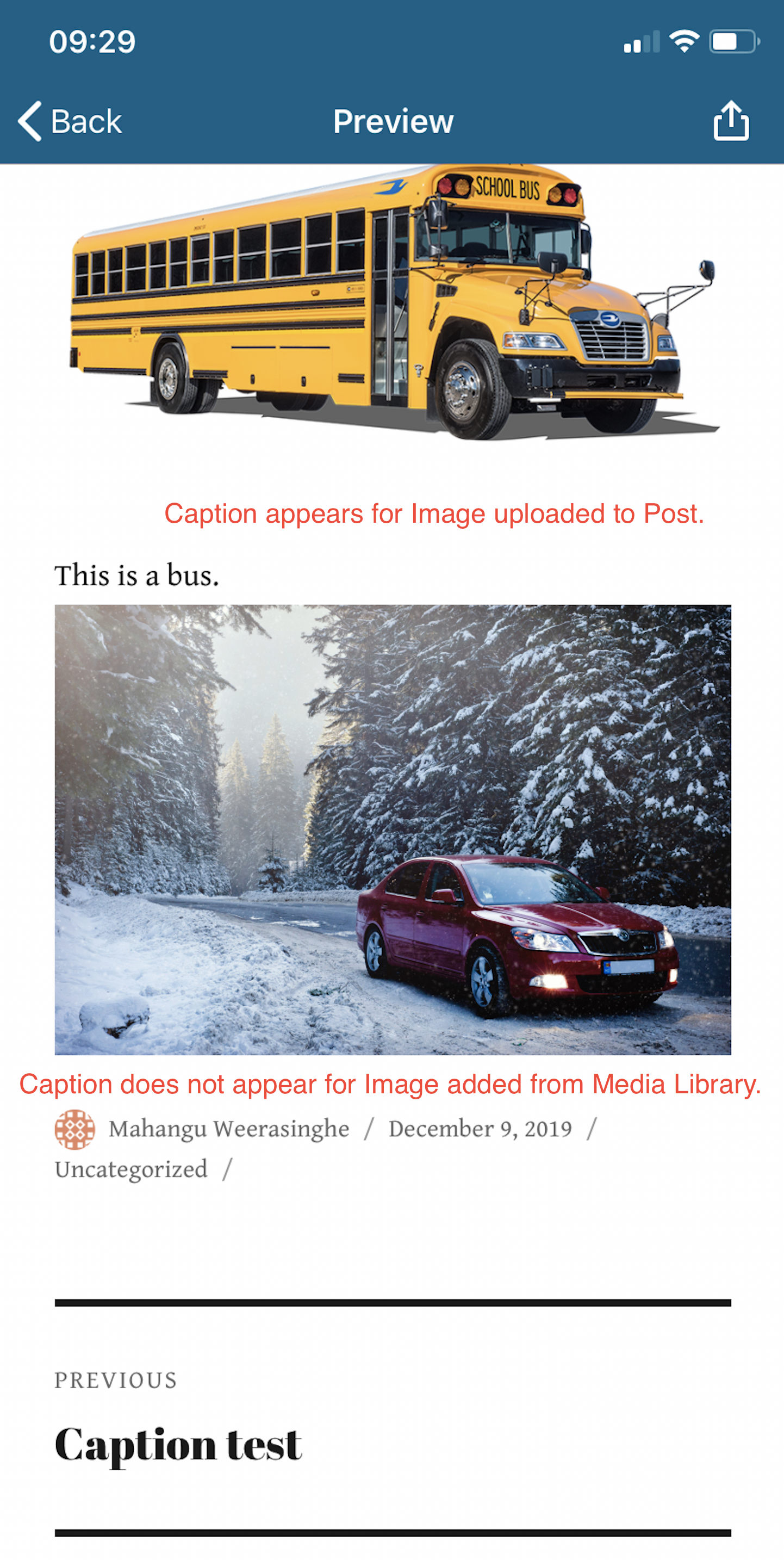
But not in the Preview:
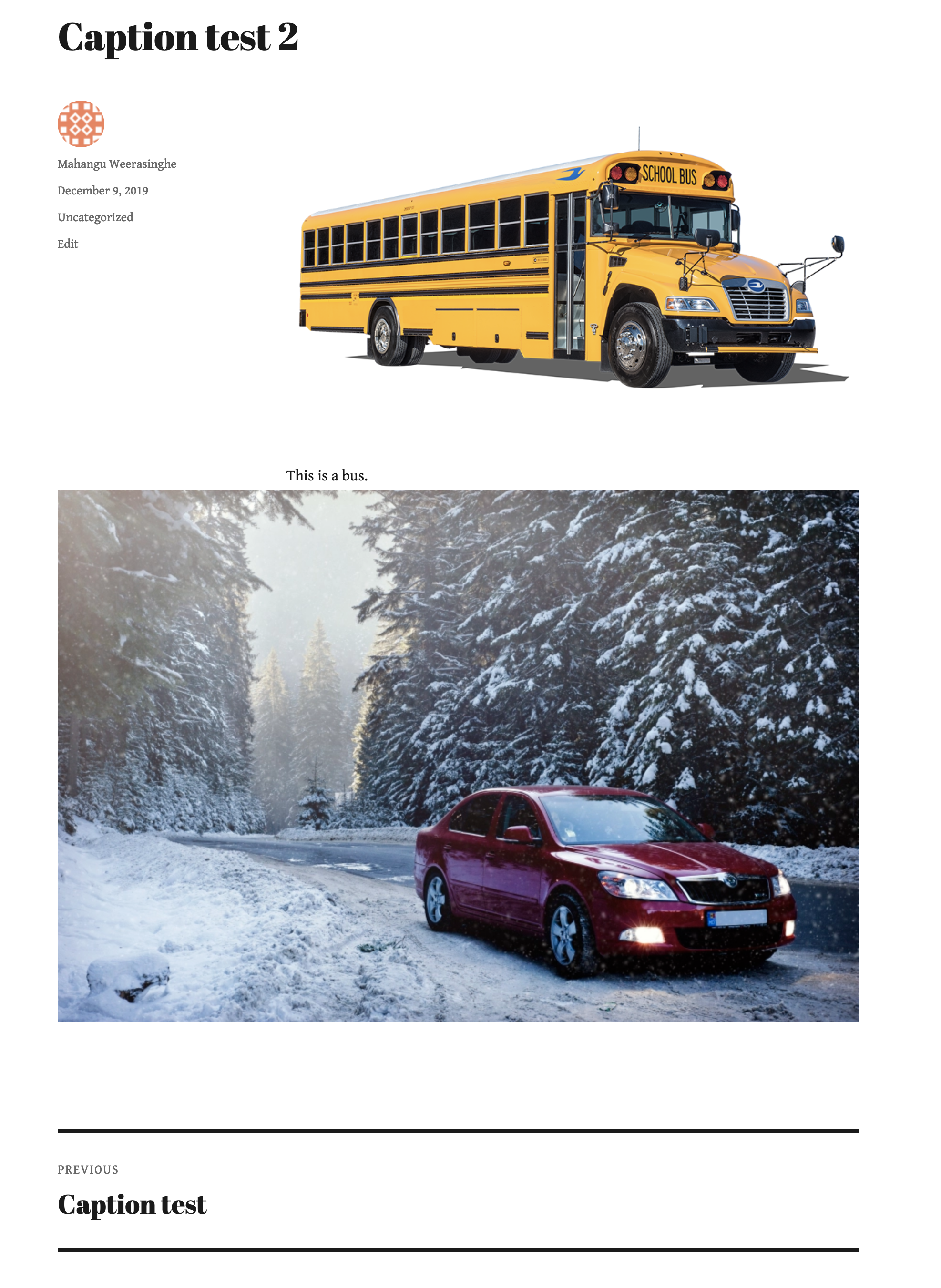
Or in the Published Post:
Steps to reproduce the behavior
1) Switch to Media LIbrary and upload a few Images
2) Create a new Post
3) In this post, insert images from the Media Library to the post and add caption. Observe that the caption shows up in the Editor.
4) Hit Preview, then Publish. Notice that the caption does not display in Preview or Published Post.
Tested on iPhone XR / iOS 13.2.3 / WordPress for iOS 13.7 / NOT using block editor
First tested by @melindahelt, and reported by a user in 2370166-zen and 2532609-zen. It could be related to #12582.
 mahangu
All 4 comments
While researching this, I found an earlier report from 2019-08-09:
I upload media with titles and captions. I then confirm there's the title and caption for each photo in the WordPress media section within the WordPress app. I go to post a draft in either block or classic mode and the photo has no caption. When I access the photo from within the draft post there's no caption listed in the info fields. When I leave the draft post and go back to Media, that info is indeed there. I'm so confused.
(internal references: 2262379-zen p4a5px-2qu-p2 cc @ChrissiePollock)
EDIT: actually, that's a separate issue, see https://github.com/wordpress-mobile/WordPress-iOS/issues/13063.
 designsimply
on 9 Dec 2019
designsimply
on 9 Dec 2019
Tested and confirmed that captions added to images in the Aztec editor on the iOS app don't show up in previews or the published post viewed on the front end. (46s)
When I add a caption to an image in the Aztec editor, the HTML source looks something like this:
[caption id=""]<img src="https://madefortesting190318.files.wordpress.com/2019/11/img_20191012_104210.jpg" class="size-full">Lots of plums[/caption]
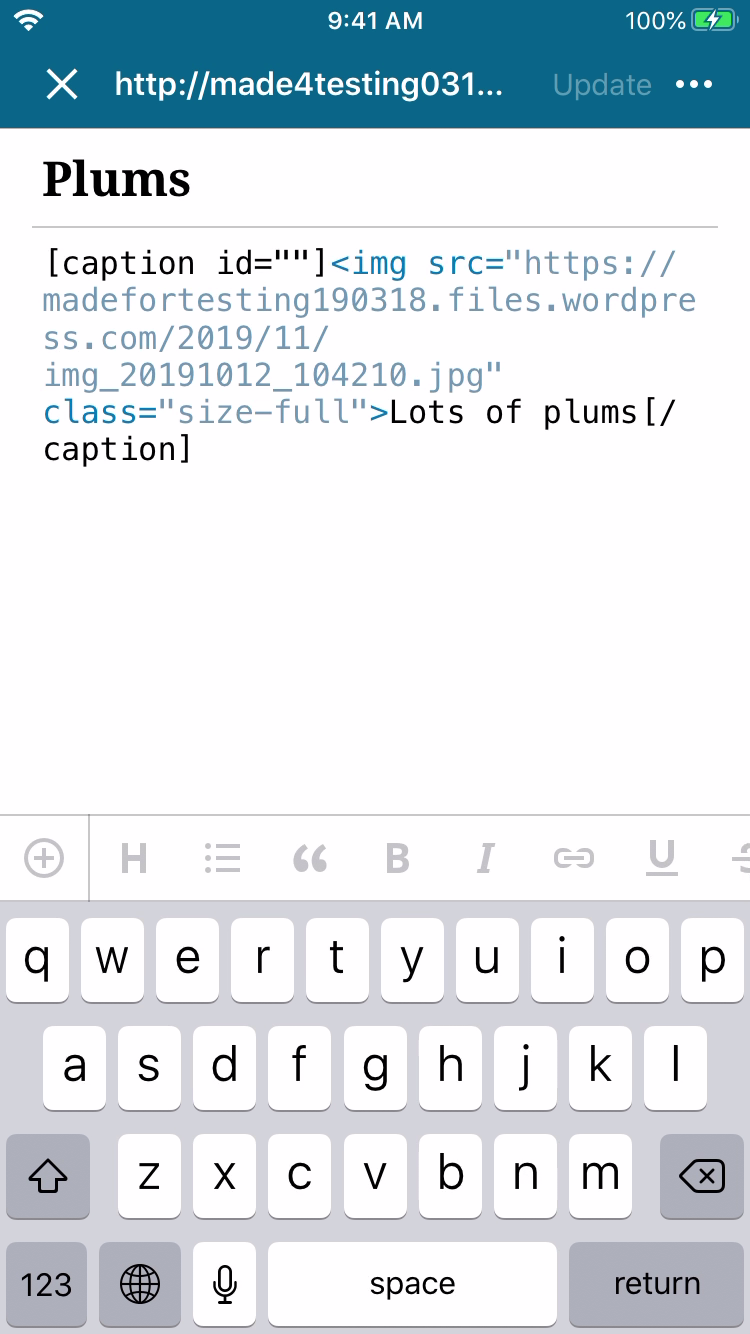
Tested with WPiOS 13.8.0.0 TestFlight beta on iPhone 6S iOS 13.2.3.
When I add a caption to an image using the classic editor on the web, the caption shows up normally and the HTML source looks something like this:
[caption id="attachment_450" align="alignnone" width="3931"]<img class="alignnone size-full wp-image-450" src="https://madefortesting190318.files.wordpress.com/2019/11/img_20191031_175455.jpg" alt="IMG_20191031_175455" width="3931" height="2948" /> Peppers[/caption]
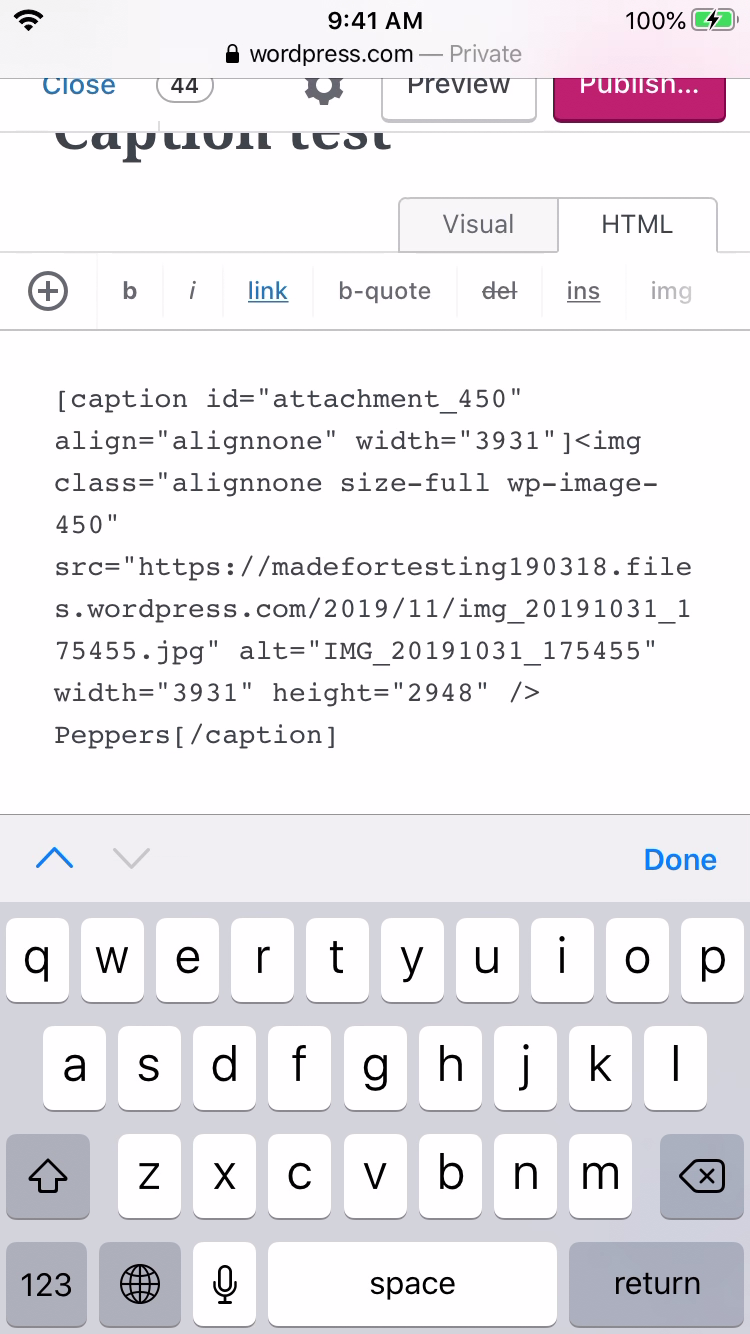
Tested with WPiOS 13.8.0.0 TestFlight beta on iPhone 6S iOS 13.2.3.
The caption shortcode meta data is missing when you add an image from the media library to a post using Aztec on the iOS app.
designsimply
on 9 Dec 2019
@mahangu , @designsimply I investigated the issue a bit and it seems like it aztec issue and better be filed under https://github.com/wordpress-mobile/AztecEditor-iOS
The log shows an error message: “Message: Tag figcaption invalid”
cc: @SergioEstevao
 yaelirub
on 16 Dec 2019
yaelirub
on 16 Dec 2019
Closing in favor of https://github.com/wordpress-mobile/AztecEditor-iOS/issues/1259. Thank you @mahangu and @yaelirub!
designsimply
on 4 Feb 2020
Related issues
 ScoutHarris
·
3Comments
designsimply
·
3Comments
ScoutHarris
·
3Comments
designsimply
·
3Comments
 mindgraffiti
·
3Comments
mindgraffiti
·
3Comments
 jleandroperez
·
3Comments
jleandroperez
·
3Comments
 kurzee
·
3Comments
kurzee
·
3Comments