Wordpress-ios: PNG images displayed as a grey box in reader posts on bad connectivity
Expected behavior
Post media will show up or show an indication that they were not loaded.
Actual behavior
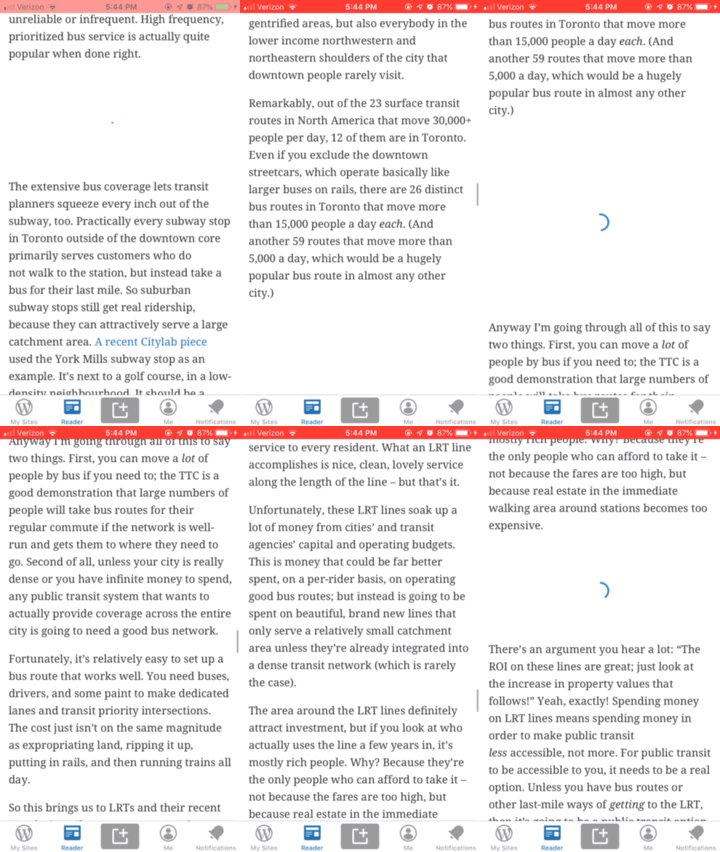
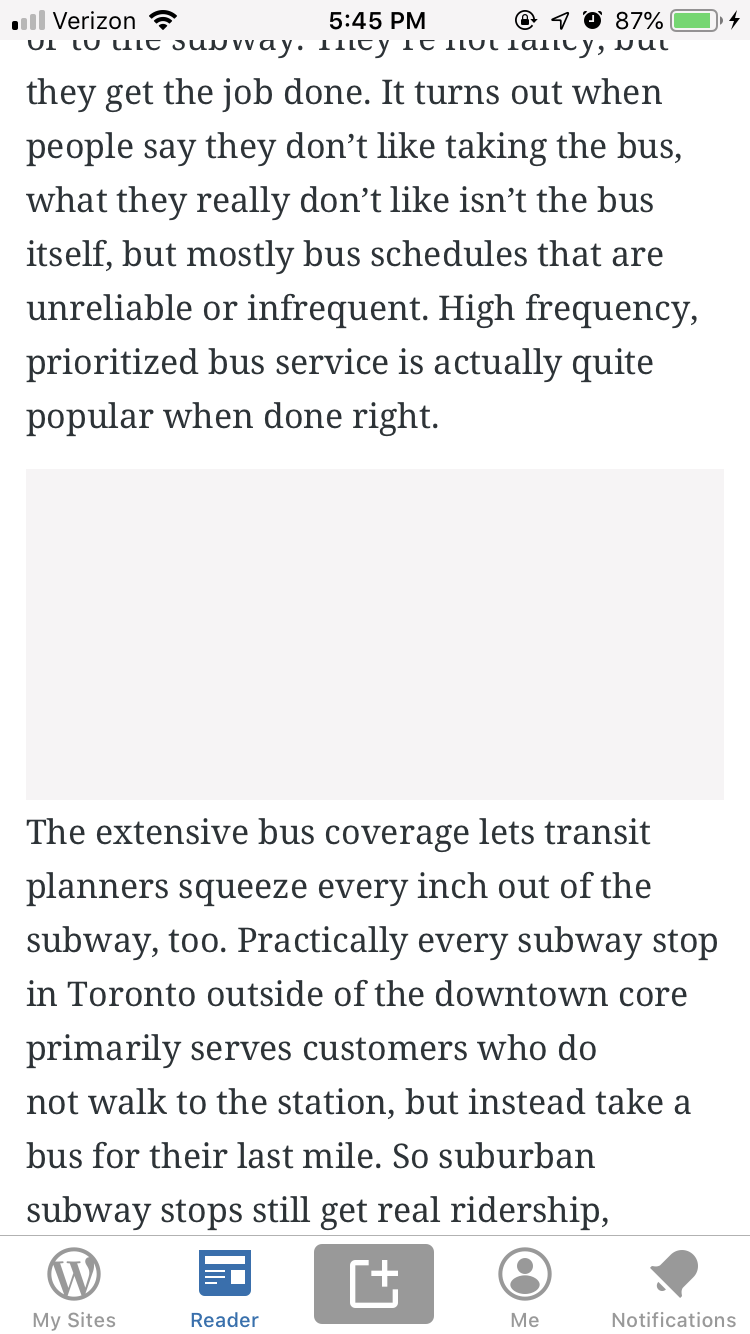
PNG images show up as grey boxes.
Steps to reproduce the behavior
- Enable link conditioning with "Very bad network"
- Go to Reader and open a post with PNG images.
- Scroll through the post and see a spinner instead of PNG images.
- Some of them will be updated to a grey box.
Tested on [device], iOS [version], WPiOS [version]
iPhone 7, iOS: 12.4.1 WPiOS: 13.2.1
Corresponding Android issue: https://github.com/wordpress-mobile/WordPress-Android/issues/10506
- Hat tip to the report by @m"
 yaelirub
All 15 comments
Could we show the user something like this if the image fails to load?


- Image is
gridicons-image-remove, 36pt - Text is
caption - 10pt of spacing between them
- Colors:
Gray-10/systemGray6(iOS 13) for the background,textSubtlefor the text and icon,primaryfor the link
 mattmiklic
on 19 Sep 2019
mattmiklic
on 19 Sep 2019
I like that approach☝️. @yaelirub can you create a corresponding item for WPAndroid and add both to your offline support project? This should be fairly easy to tackle and I would like to get them done asap.
 elibud
on 19 Sep 2019
elibud
on 19 Sep 2019
@guarani will be working on this.
 shiki
on 26 Sep 2019
shiki
on 26 Sep 2019
The matching Android issue suggests adding app-wide support for reloading failed images:
It'd be nice to tackle this as a small project and add support for "reload" to all images within the app.
I looked into how images are being loaded and found that on iOS we are using ImageLoader to encapsulate image/gif support, a progress view, and a reference to the UIImageView whose image is being loaded. On the particular screen mentioned in this issue, ReaderDetailViewController, images are displayed in a rich content view that works with the WPRichTextImage type. This type is basically a wrapper around ImageLoader and adds interaction support for handling taps on images.
I'm hesitant to suggest adding the logic for the retry button to ImageLoader itself because it doesn't currently handle interactions. Adding the logic to WPRichTextImage could work, but is specific to images in rich content views. Another approach could be to add retry logic to types that need it through a new protocol. A protocol extension would provide a default implementation of the retry logic.
There are secondary goals here such as that mentioned in the Android issue:
If we add this support we could also add support for preloading images only on wifi and require a tap to load an image on data plan in order to save users' data.
And:
- Auto-reloading of failed images while scrolling
- Caching for offline support
(part of the description provided by @shiki on Slack)
A couple of thoughts:
- I can see both the support for preloading images on wifi as well as caching images for offline support bundled together with the retry logic, but haven't dug deep here yet.
- Auto-reloading failed images while scrolling seems outside the realm of
ImageLoaderand so could be addressed separately. @shiki, is the ask here specific toReaderDetailViewControlleror does it include other screens such asReaderStreamViewController? - In my tests, it appears that all images (both onscreen and offscreen) are fetched upon navigation to a blog post. My guess is that posts don't normally contain too many images, so lazy loading during scrolling is not desirable here. What I would go for is a lazy _reloading_ where failed images are retried as they are scrolled onscreen (but are discarded if they go offscreen again).
 guarani
on 29 Sep 2019
guarani
on 29 Sep 2019
Responding to @guarani's https://github.com/wordpress-mobile/WordPress-iOS/issues/12517#issuecomment-536237819.
Very good investigation here! The details are much appreciated! It looks like you are on a great start.
I'm gonna try to break down what's being discussed here and respond accordingly.
Retry button (described in https://github.com/wordpress-mobile/WordPress-iOS/issues/12517#issuecomment-532935835)
Another approach could be to add retry logic to types that need it through a new protocol. A protocol extension would provide a default implementation of the retry logic.
This seems like it'll work. Can you point out which classes would need to implement this protocol?
Could you explain more what you mean by “logic”?
What about the UI? Where does it go? Also, I'm going to guess that we might want to implement this for other types as well like Youtube embeds and audio (https://github.com/wordpress-mobile/WordPress-iOS/issues/12578). We can consider Youtube embeds and audio to be out of scope for now but it's probably best to keep them in mind with our solution.
Auto-loading
My guess is that posts don't normally contain too many images, so lazy loading during scrolling is not desirable here.
I think there are posts that contains quite a few images here and there. And I believe it's not a good experience to load everything all at once, especially for users who are on data. However, changing this now will take our focus away from the primary goal, which is the _Retry button_. Let's not touch it.
What I would go for is a lazy reloading where failed images are retried as they are scrolled onscreen (but are discarded if they go offscreen again).
This would be great. It's not ideal to require our users to press that button all the time. Here is what I'm thinking:
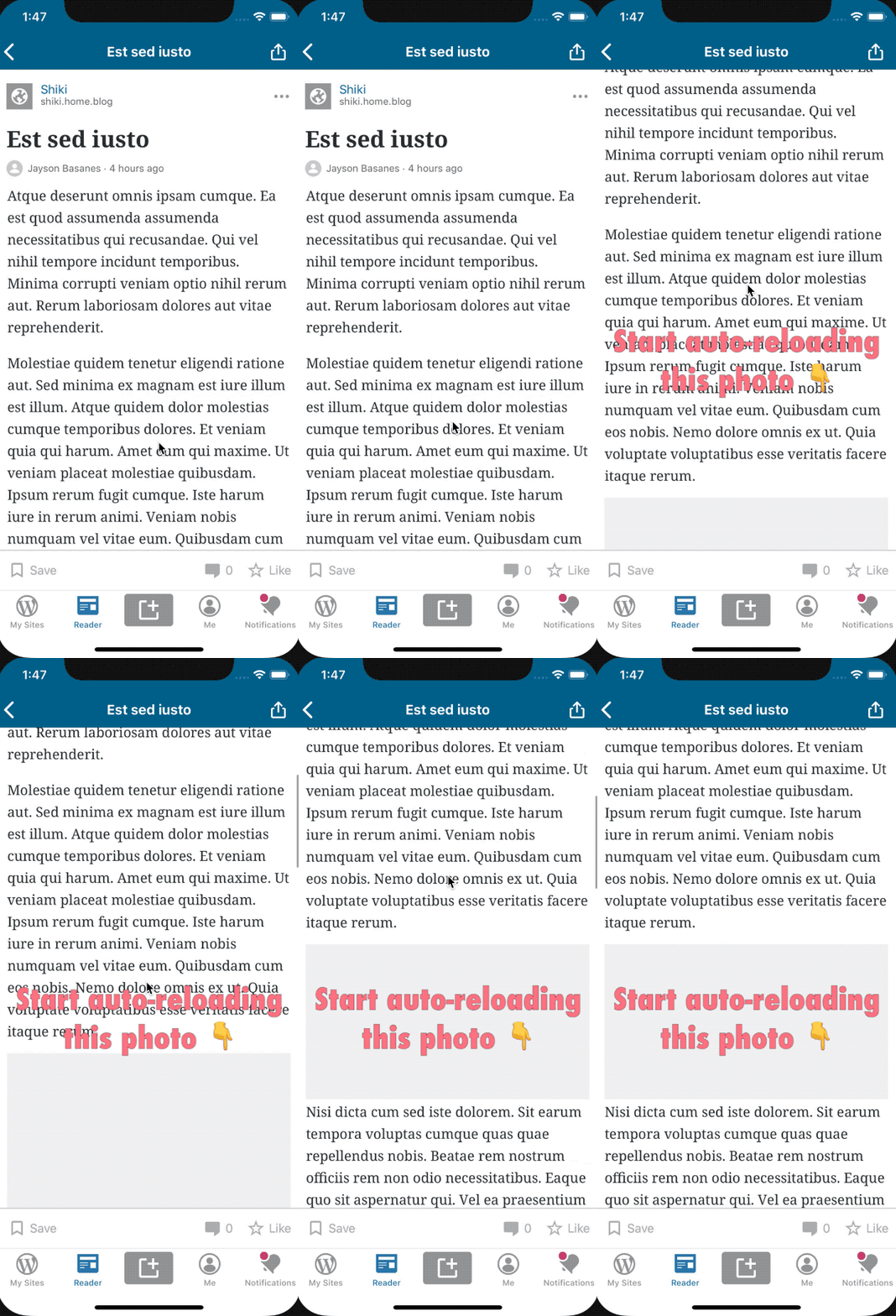
If the image fails, they can still press the _Retry_ button. @mattmiklic What do you think about this?
Caching for offline support
Looking more into the features available. It looks like there is some decent offline caching going on. Consider this scenario:
- Go online and navigate to the post. Make sure all images are loaded.
- Exit the post detail page.
- Go offline.
- Navigate again to the post. Notice that aside from the Youtube embeds, the images are still visible.
I looked at this a few days ago and I swear it wasn't working. 😬 But let me know if you think there are still some more we can do here, @guarani. If not, we can close this.
Others
There are secondary goals here such as that mentioned in the Android issue:
If we add this support we could also add support for preloading images only on wifi and require a tap to load an image on data plan in order to save users' data.
I thought more about this and I'm not quite sure if we'd want to do this right now. It seems like it'll lead to a bad experience. I feel like your idea of lazy loading is a better solution. But let's keep it out of scope. We can discuss this again later.
is the ask here specific to ReaderDetailViewController or does it include other screens such as ReaderStreamViewController?
Just for ReaderDetailViewController. I believe ReaderStreamViewController has quite a different architecture.
Questions
I'd like to hear your opinion about the feasibility of adding unit tests for the solution we'll be implementing.
shiki
on 30 Sep 2019
@mattmiklic, in https://github.com/wordpress-mobile/WordPress-iOS/issues/12517#issuecomment-532935835
Text is caption
I'm not seeing a caption style - would that be caption1 or caption2? I tested both however and they look too small compared to the 36pt image.
guarani
on 6 Oct 2019
Responding to @shiki's https://github.com/wordpress-mobile/WordPress-iOS/issues/12517#issuecomment-536728316.
Approaches Evaluated
First, I created a view to encapsulate the retry button and corresponding message, e.g. ReaderRetryFailedImageView. I went with a UIView subclass over a protocol based approach mentioned earlier as it ended up feeling more idiomatic considering the logic involved.
This view will display the UI shown in https://github.com/wordpress-mobile/WordPress-iOS/issues/12517#issuecomment-532935835. Below are the three options I looked at when constructing this view, and their support for multi-line copy, touch target (hit area) size, and general accessibility (tested with Xcode's accessibility auditor).
- A
UIButtonto display _"Image not loaded. Retry"_. Upsides: supports multi-line copy
(with some tweaks). Downsides: no built-in way to restrict the touch target to just the _"Retry"_ link, poor accessibility support (dynamic text not working and issues with auditor breaking layout). - A
UILabelto display _"Image not loaded. Retry"_. Upsides: again, supports multi-line copy (with some tweaks). Downsides: difficult to implement link tap action and/or poor accessibility due to small touch target (determined by line height or label height, whichever is greater). - A
UITextViewto display _"Image not loaded. Retry"_ with the _"Retry"_ portion attributed as a link. Upsides: Great touch target support (iOS takes care of ensuring that the link touch target is large enough to be hit easily), great multi-line support. Downsides: Difficult to disable text selection while allowing links to be tapped.
The best option appears to be the UITextView as the downside is relatively minor and there are possible workarounds.
Retry Logic
What I've done so far is add the retry logic at the WPRichTextImage level, which covers images (img tags) in posts, but excludes other attachment types (YouTube videos, iframes, raw HTML embeds, etc). Here's what the retry logic looks like:
- When the user navigates to a post, a network request is made for each of the post's images (one
WPRichTextImagefor each image). What is added here now is a closure that save the request (before it is fired) in case the image fails to load and needs to be re-requested. - When an image download does fail, ensure that the loading indicator (
CircularProgressView) stops animating. - Add a
ReaderRetryFailedImageViewas a subview ofWPRichTextImagecovering 100% of its area. - When the retry button is tapped, remove
ReaderRetryFailedImageViewfromWPRichTextImageand restart the loading indicator animation. - If the image fails again, go to Step 2, otherwise ensure that the loading indicator stop and the image is revealed.
Recap
- Since there is already some caching going on, that will be left out of scope - as per offline discussion with @shiki
- Lazy loading will be split into a separate PR (covered by this same issue) - again as per offline discussion with @shiki
- Unit tests: We could mock the image request in a test with an error response, and assert that
ReaderRetryFailedImageViewis added as a subview ofWPRichTextImage. A tap on the retry button could also be injected, and we could assert thatReaderRetryFailedImageViewis removed. UI tests could also work here - simulating a bad network could be difficult though.
Issue Uncovered
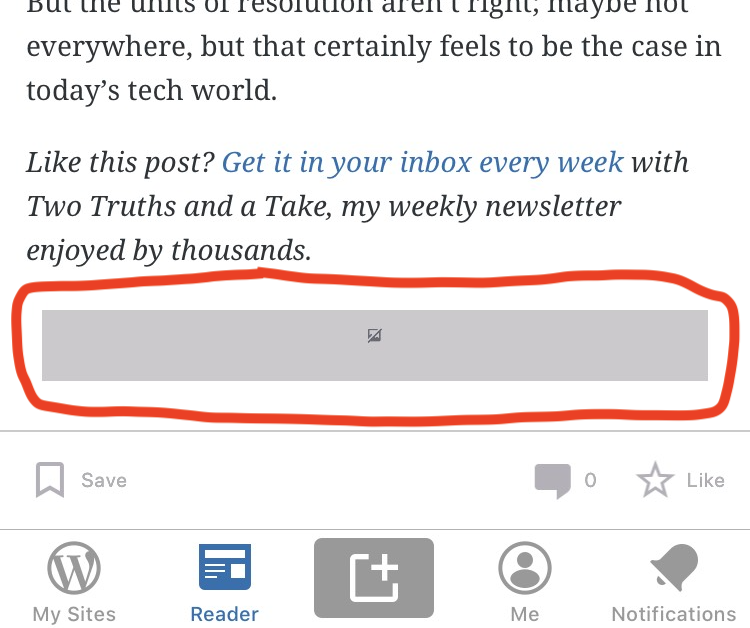
Finally, I came across a post image of very small height such that the retry UI didn't fit (see image below). This is because the current behavior of the app is to use the image's size (which is known beforehand) to set the dimensions of the gray loading area.
A solution is to use a standard height for the retry view (which will be adjusted to the image's height once downloaded) - the size depicted in the design could be used for all images, no matter what their size. Any thoughts on this approach @mattmiklic and @shiki ? WPTextAttachment is likely where code changes will need to be made to let this happen.
guarani
on 6 Oct 2019
I'm not seeing a
captionstyle - would that becaption1orcaption2? I tested both however and they look too small compared to the 36pt image.
Sorry for the confusion -- that's actually the callout style; I confused them when I wrote my comment. So it should be 16pt (the image above is @ 2x).
mattmiklic
on 7 Oct 2019
Thanks @mattmiklic, no problem. Wanted to ask too, is that 15pt margin (looks black in dark mode, white in normal mode) part of the design?
guarani
on 9 Oct 2019
Thanks @mattmiklic, no problem. Wanted to ask too, is that 15pt margin (looks black in dark mode, white in normal mode) part of the design?
It should be the same left/right margin that's already applied to images in the content of the post. I noticed the bottom margin in the original issue's screenshot didn't match the others, so it would be nice if we could make it consistent on all sides of the image (or this error/placeholder if it appears).
mattmiklic
on 9 Oct 2019
Responding to @guarani's https://github.com/wordpress-mobile/WordPress-iOS/issues/12517#issuecomment-538780262
Below are the three options I looked at when constructing this view, and their support for multi-line copy, touch target (hit area) size, and general accessibility (tested with Xcode's accessibility auditor).
I didn't realize that this was really tricky. My bad for not foreseeing it. I asked @mattmiklic in https://github.com/wordpress-mobile/WordPress-iOS/pull/12634#issuecomment-540055475 if it's possible to make it so that the touch area is the whole block.
Finally, I came across a post image of very small height such that the retry UI didn't fit
Good find! I wonder if we should also limit the height of the box in case the image is really really long. I'll let @mattmiklic weigh in on this.
For everything else, I commented on the PR itself. But let me know if I missed anything.
shiki
on 9 Oct 2019
Good find! I wonder if we should also limit the height of the box in case the image is really really long. I'll let @mattmiklic weigh in on this.
I'd be fine with setting a minimum and maximum height for the retry UI if that's not too complex to implement in code. Alternatively, I'd be fine with dropping the icon and just showing the text if the retry area background is too short to fit both.
mattmiklic
on 9 Oct 2019
It should be the same left/right margin that's already applied to images in the content of the post.
Thanks, gotcha @mattmiklic 👌
I noticed the bottom margin in the original issue's screenshot didn't match the others, so it would be nice if we could make it consistent on all sides of the image (or this error/placeholder if it appears).
I agree that there appears to be a little less bottom margin than top margin. I'll check the level of effort here and go ahead and fix if it's straightforward.
I didn't realize that this was really tricky. My bad for not foreseeing it. I asked @mattmiklic in #12634 (comment) if it's possible to make it so that the touch area is the whole block.
I should've raised this earlier, too - not to worry.
We have the green light for the change to the touch area in https://github.com/wordpress-mobile/WordPress-iOS/pull/12634#issuecomment-540086869 - thanks @mattmiklic!
I'd be fine with setting a minimum and maximum height for the retry UI if that's not too complex to implement in code. Alternatively, I'd be fine with dropping the icon and just showing the text if the retry area background is too short to fit both.
I noticed that the max height of the image area is currently restricted to the screen height (there appears to be no minimum height). Building on @mattmiklic's comment above, I think a good option here would be to ensure that the image-area/retry-view maintains a fixed aspect ratio of 2:1 (as per design) while loading, and adapts to the image aspect ratio (as it currently does) when an image is downloaded. I'll go ahead with this change, just let me know if anything else needs attention.
Thanks @shiki and @mattmiklic!
guarani
on 10 Oct 2019
I'm un-assigning myself from this to allow anyone else to pick it up if needed.
guarani
on 24 Aug 2020
@yaelirub is this still an issue?
 bummytime
on 23 Sep 2020
bummytime
on 23 Sep 2020
Related issues
 ScoutHarris
·
3Comments
ScoutHarris
·
3Comments
 rclations
·
3Comments
rclations
·
3Comments
 marekhrabe
·
3Comments
marekhrabe
·
3Comments
 mindgraffiti
·
3Comments
mindgraffiti
·
3Comments
 designsimply
·
3Comments
designsimply
·
3Comments
Most helpful comment
@guarani will be working on this.