Wordpress-ios: Title doesn't present Paste option if text is cut/copied from main editor field
Expected behavior
- Cut/Copy some chunk of text from the main editor field
- Tap and hold in the Title field
- iOS presents contextual option to paste
Actual behavior
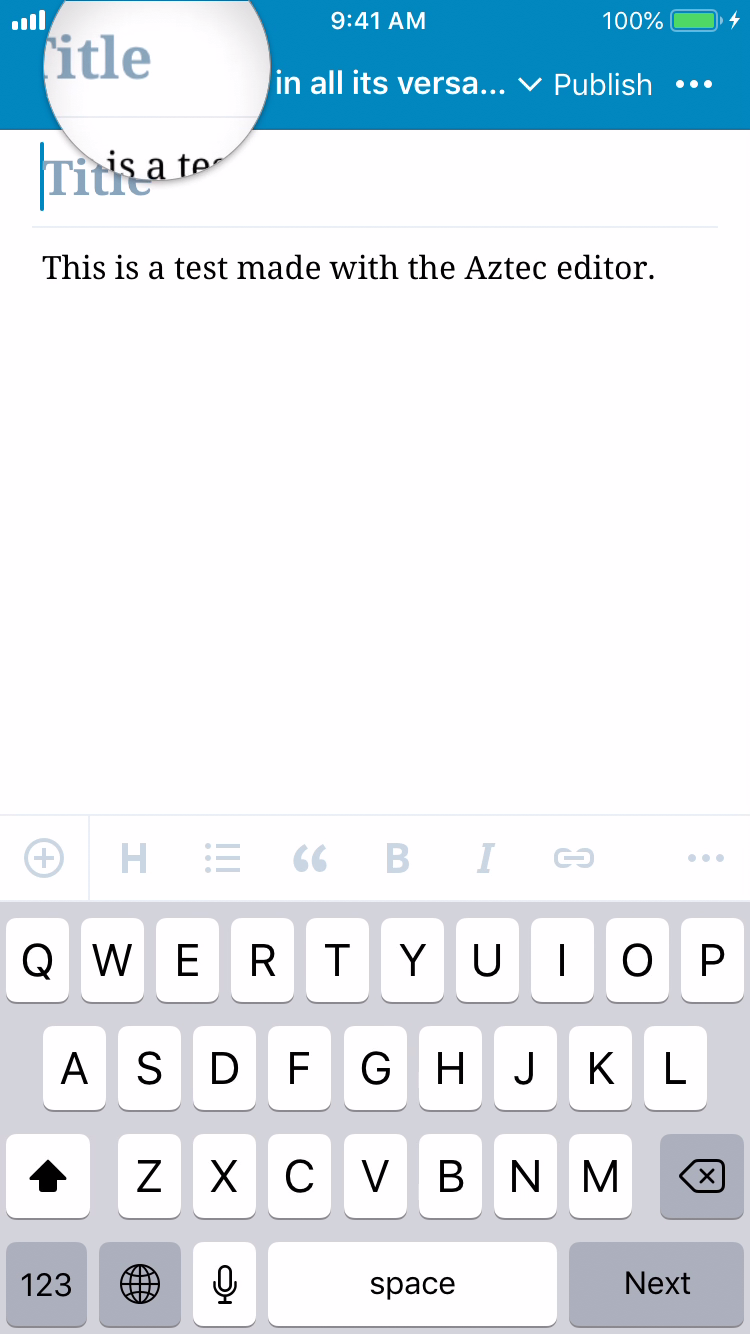
At Step 3, iOS show the magnifier, but never presents Paste
The field behaves normally if the text is copied from eg. Safari. This is only regarding text that originates from the main WPiOS field.
But while we're here, it seems like text copied from the WPiOS main field won't paste into other apps either. So, copy something from the editor, switch to Safari, and you get similar broken tap/hold behavior as above.
Tested on two separate devices(iPhones 7 & 8plus) both running iOS 12.2 and WPiOS 12.3
This seems to have been introduced in 12.3, as it was only days ago that I started a new workflow that had me doing this specific procedure repeatedly.
 su
su
All 4 comments
Tested and confirmed that I cannot paste from the content area into the title area using the Aztec (default) editor using both WPiOS 12.3 (latest release) and WP Internal 12.4.0.20190506 (latest beta) on iPhone 6S iOS 12.2. (53s)
 designsimply
on 10 May 2019
designsimply
on 10 May 2019
Also reproduced in iPhone SE, (iOS 12.2) running WPiOS 12.3 (latest release).
Pasting text copied from Notes into Title field works in Block and Aztec editors. Pasting text copied from the content area into Title field doesn't work as expected.
In Aztec (switched via ... menu), I get Select and Select All options, but no Paste.
In Block (default), I get Select, Select All > and Paste without Formatting. Paste without Formatting works.
Also on iPhone SE, (iOS 12.2) running WP Internal 12.4.0.20190506 (latest beta), with slightly different results:
Pasting text copied from Notes into Title field works in Aztec editor.
Pasting text copied from Notes into Title field gives me trouble in the Block editor. In Block (default), I get Select, Select All, Paste > and Paste without Formatting. Paste without Formatting works. Tapping Paste does nothing.
Pasting text copied from the content area doesn't work as expected.
In Aztec (switched via ... menu), I get Select and Select All options, but no Paste.
In Block (default), I get Select, Select All > and Paste without Formatting. Paste without Formatting works.
2041349-zen
 thehenrybyrd
on 19 May 2019
thehenrybyrd
on 19 May 2019
This behavior is no longer occurring, presumably as a result of the work done in the cases linked above, now closed. So closing this one.
su
on 15 Jun 2019
Thank you for the follow-up @su!
Noting this was likely fixed in https://github.com/wordpress-mobile/gutenberg-mobile/pull/1123. 👍
designsimply
on 2 Aug 2019
Related issues
 ScoutHarris
·
3Comments
ScoutHarris
·
3Comments
 jleandroperez
·
3Comments
designsimply
·
3Comments
jleandroperez
·
3Comments
designsimply
·
3Comments
 iamthomasbishop
·
3Comments
designsimply
·
3Comments
iamthomasbishop
·
3Comments
designsimply
·
3Comments