Wordpress-ios: Tables don't appear in Reader
When a table is included in a post, the content is hidden in the Reader:


The table content appears in the preview, but doesn't appear at all when opening the whole post. I couldn't replicate this in the Reader on a desktop, so I'm guessing it's an iOS issue, but please do point me in the right direction if that's not the case!
Steps to reproduce the behavior
- Create a new post that includes a table (either manually via HTML or via Gutenberg in wp-admin).
- View post in the Reader on iOS app.
- Table is missing!
Tested on [device], iOS [version], WPiOS [version]
Tested on an iPhone X running iOS 12.0, WPiOS 10.9
 sarahmonster
All 11 comments
@diegoreymendez pointed out that there's a technical limitation preventing more support for tables in the Reader:
[...] the reader uses
NSAttributedStringto render, which offers no public mechanism in iOS to render tables.
@aerych noted that we could do something fancy:
[...] extract the table mark up and shove it into a webview that was use as a text attachment
But tables are relatively uncommon in the Reader and so it may not justify the effort involved.
This also caught my eye because I have been publishing a lot of posts recently with tables in them. So far they are all showing up in the Reader (at least on my iPhone XS running iOS 12.0.1). In my case I copied the table content from a Google Sheet and pasted it in — perhaps some of the extra markup from that process makes a difference?
 rachelmcr
on 24 Oct 2018
rachelmcr
on 24 Oct 2018
perhaps some of the extra markup from that process makes a difference
Sorta. The way I remember it from when we were experimenting with what markup was supported is while NSAttributedString has nothing that let's you manually create a table, the built in HTML parser will recognize a table tag and attempt to do something meaningful with the content. Passing a simple table might end up rendering an approximation of columns but finer details -- percentage/fixed width/height, borders, padding, spacing, etc. -- are lost and I don't recall any of the table oriented CSS rules being respected.
 aerych
on 24 Oct 2018
aerych
on 24 Oct 2018
I did a bit more testing, and it turns out that my posts with tables only work because the table is the last thing in the post. If there's content after the table, it doesn't show up in the Reader.
rachelmcr
on 25 Oct 2018
Did a small bit of investigation (thanks for the test post Rachel!)
When I inspect the NSAttributedString generated from the markup in the sample post I can see there is text formatted with a NSTextTableBlock attribute. I don't recall seeing this before (something added in iOS 11 or 12?) but its private API so not much more we can do with it at this point. Bummer. On the plus side, it looks like table support has improved even if its hidden behind private API.
Regarding the table disappearing. That was rather curious so I took a closer look. Because tables have been problematic in the past we have some code to remove them from the post content. It looks like the regex for finding table tags might be missing the table when its at the end of the content and that's why it was visible (oddly, that was a bug!).
Given that table support seems better than it was we might try allowing them. The experience would depend on the size of the table and its content and might not be great in some cases. Thoughts?
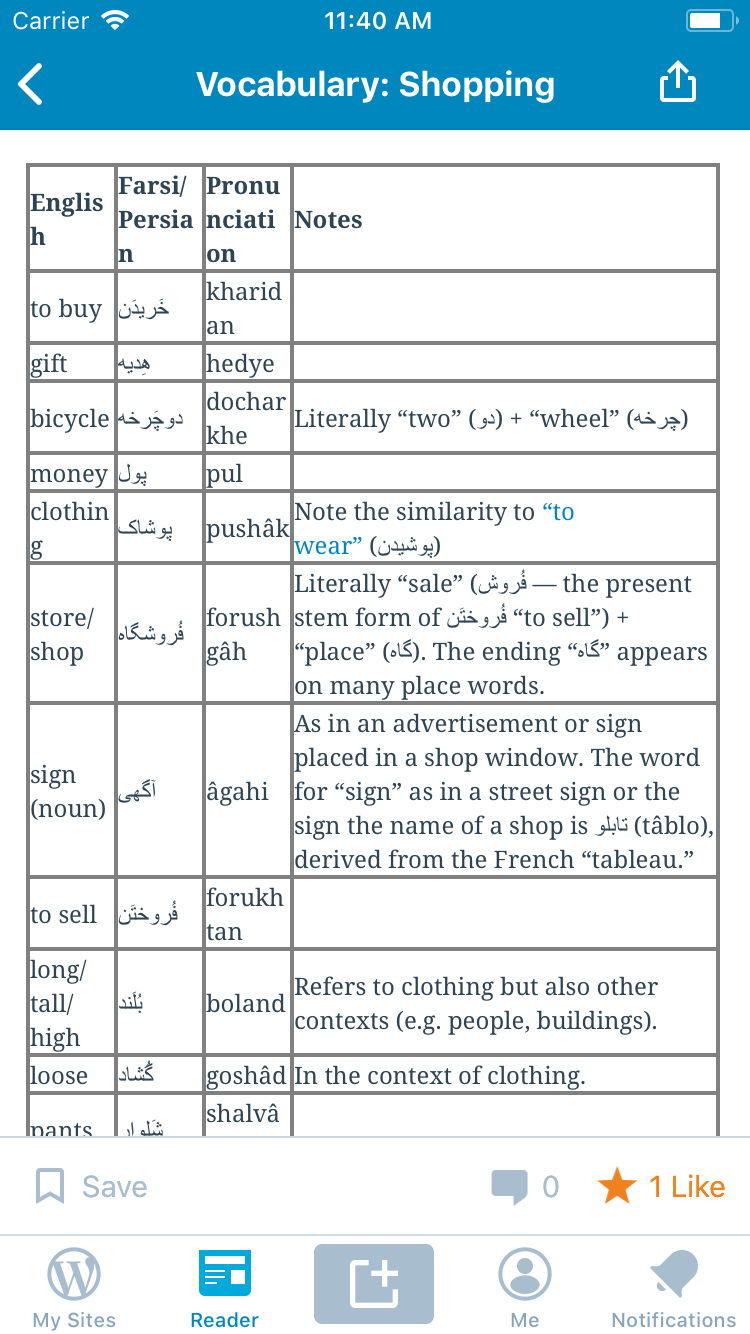
aerych
on 26 Oct 2018
It's possible that, post-Gutenberg, the usage of tables in posts may increase due to it suddenly being much easier (and native to the editor) to use them. It's actually in the top 10 most frequently-used blocks, according to the data we currently have on hand: https://codepen.io/sarahmonster/pen/bmzzyJ
sarahmonster
on 30 Oct 2018
To test this, I created a post with a simple table containing two rows and two columns.

Next I opened the Reader using WP Internal 12.2.0.20190412 on iPhone 6S iOS 12.2:

I tapped on the post title first and got this view:

Then I tapped on the "Visit" link at the bottom left of the card and got this view:
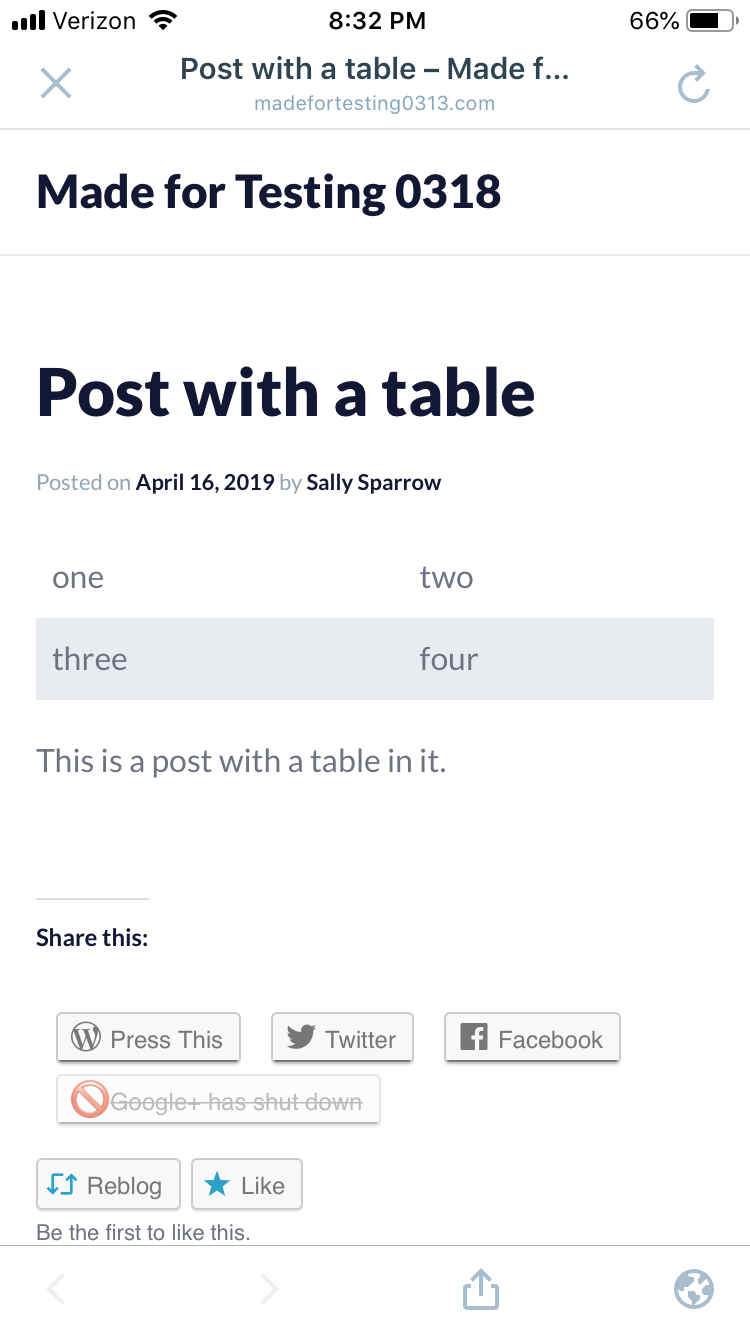
So I can see that while tables do appear in blog posts viewed via the Reader in the WPiOS app, they may not work correctly in the Webview while they do appear to work properly in the in-app browser view.
 designsimply
on 16 Apr 2019
designsimply
on 16 Apr 2019
I removed the webviews label since the reader doesn't rely on a webview for html (with certain exceptions like video tags).
I dug into this a bit yesterday and noticed that in the sample post, if I insert some text above the table the missing two reappears, but the table borders do not. I thought it might be something related to the <tbody></tbody> tags but if I remove those the table borders are still absent. I'll poke at it some more but I'm not too optimistic we can reproduce the table the way its shown on the web without significant effort. I'd be happy just to get the borders to be visible consistently.
aerych
on 25 Apr 2019
Findings:
- If the table is the first element of the document then the first row only shows the first cell. It seems this is resolved if any other content, even an empty paragraph, precedes the table.
Row backgrounds/stripes are not respected.
Table borders require the
border="1"parameter to be specified.cellpaddingandcellspacingalso seem to be respected to some degree. It makes sense to me that NSAttributedString's HTML document parser would recognize this as its basic (tho now deprecated) markup.
I'd like to wrap this one up, so, decisions:
We can have tables or not.
If we have tables we can have borders or not.
Thoughts?
Would love a design eye to weigh in as well.
aerych
on 25 Apr 2019
I tested this today and found that tables appeared in WPiOS Reader in my tests using WPiOS 14.7.0.2.
WPiOS Reader | Safari view for comparison
---|---
 |
|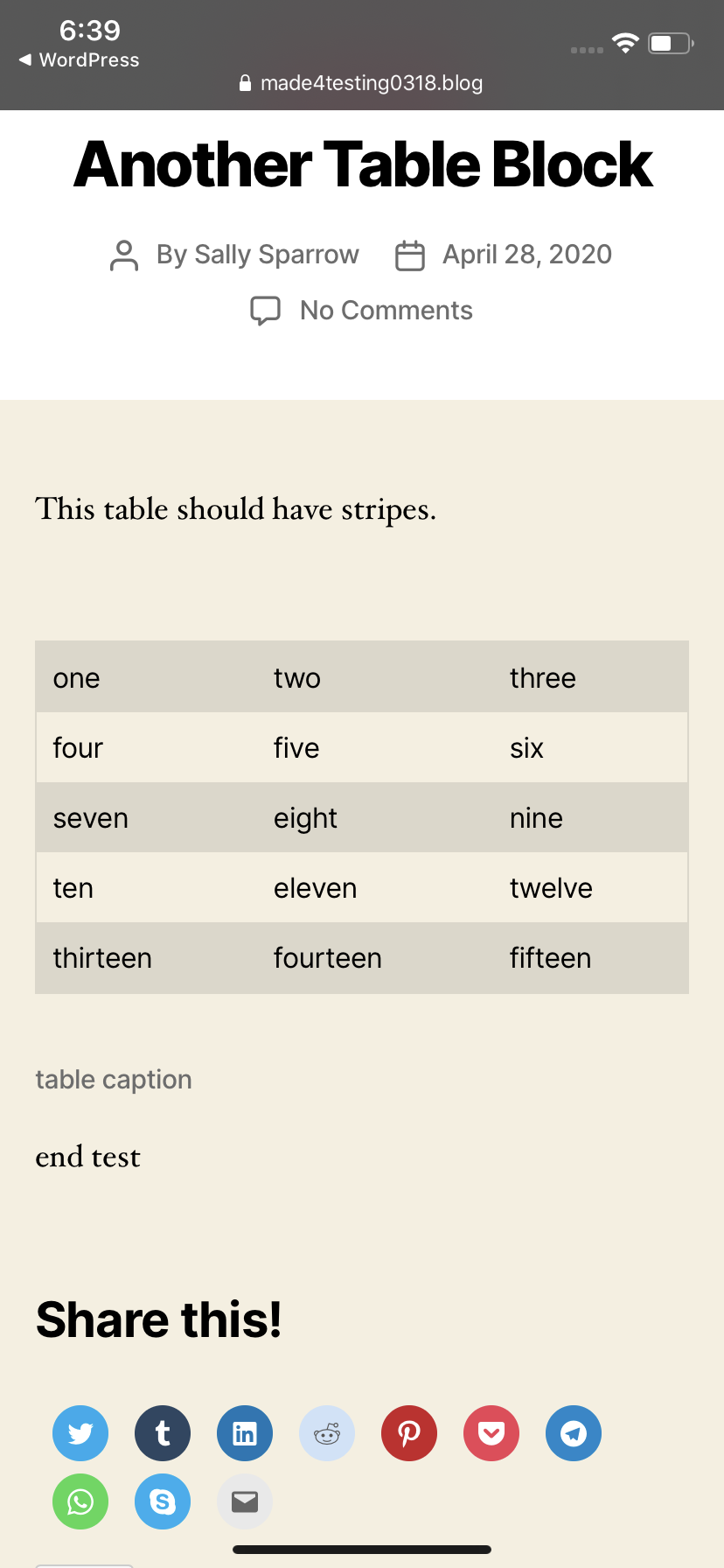
Tested with WPiOS 14.7.0.2 TestFlight beta on iPhone 11 iOS 13.4.1.
There are still a few questions. cc @mbshakti
- [ ] Should table background/stripes be respected in the Reader?
- [ ] Should table borders be respected in the Reader?
- [ ] How should table captions be styled, including spacing?
designsimply
on 29 Apr 2020
@aerych I noticed https://developer.mozilla.org/en-US/docs/Web/HTML/Element/table says border is a deprecated attribute—so I want to remove it from the questions above, sound good?
designsimply
on 29 Apr 2020
so I want to remove it from the questions above, sound good
Maybe? Even if the current standard had deprecated the border attribute, it might still be considered valid syntax... it just depend on the version of HTML that Apple is using internally when parsing HTML into an NSAttributedString.
I think whether an attribute is depreciated is less important than whether it's something that's still supported and useful to get the visual presentation we want.
aerych
on 29 Apr 2020
Related issues
 jkmassel
·
3Comments
jkmassel
·
3Comments
 wptester9845
·
3Comments
wptester9845
·
3Comments
 SiobhyB
·
3Comments
SiobhyB
·
3Comments
 mindgraffiti
·
3Comments
designsimply
·
3Comments
mindgraffiti
·
3Comments
designsimply
·
3Comments
Most helpful comment
It's possible that, post-Gutenberg, the usage of tables in posts may increase due to it suddenly being much easier (and native to the editor) to use them. It's actually in the top 10 most frequently-used blocks, according to the data we currently have on hand: https://codepen.io/sarahmonster/pen/bmzzyJ