Wordpress-ios: Improve preview of posts
Preview appeared to just be like a plain text HTML rendering, very close to the WYSIWYG. We seem to have regressed here in terms of showing the preview on the actual site, and behind the calypso model of allowing the preview at different sizes.
@diegoreymendez investigated and there doesn't seem the be a publicly documented way to do this. That said, Calypso on the web is doing it, so it is possible.
 kwonye
All 15 comments
I'm removing myself from this assignment for now since I can't tackle it for the time being. Please let me know if this is still a priority issue @kwonye.
/ccing @astralbodies (fyi)
 diegoreymendez
on 20 Jul 2016
diegoreymendez
on 20 Jul 2016
I was looking at calypso while working on #5693, and I discovered a new-ish autosaves endpoint to preview changes to already published posts. I think we're at a point in the APIs that we could get real previews show for everything except updates to published posts on non-Jetpack self hosted.
It will take a bit of work but IMO it's worth it 😄
 koke
on 21 Feb 2017
koke
on 21 Feb 2017
@koke you rock, thanks for finding this and wading through the issues!
@rachelmcr @hoverduck @maxme what do you both think about this as a broken window? I know Matt has complained about it to me from almost a year ago.
kwonye
on 22 Feb 2017
Yep, I'd agree that any case where we can't display an actual site preview feels like a broken window. If there are cases where a preview on the site isn't feasible, we could think about whether offering the preview at all is helpful or how to manage expectations about what we can display.
I also found this issue that looks like it's essentially the same: https://github.com/wordpress-mobile/WordPress-iOS/issues/5579
 rachelmcr
on 22 Feb 2017
rachelmcr
on 22 Feb 2017
+1 to this — the preview seems broken before you've saved a post as a draft (testing with WordPress for iOS app version 8.0.2.20170802, iPad Pro).
Both the design, and in this case a missing image (which appears after I save the draft).
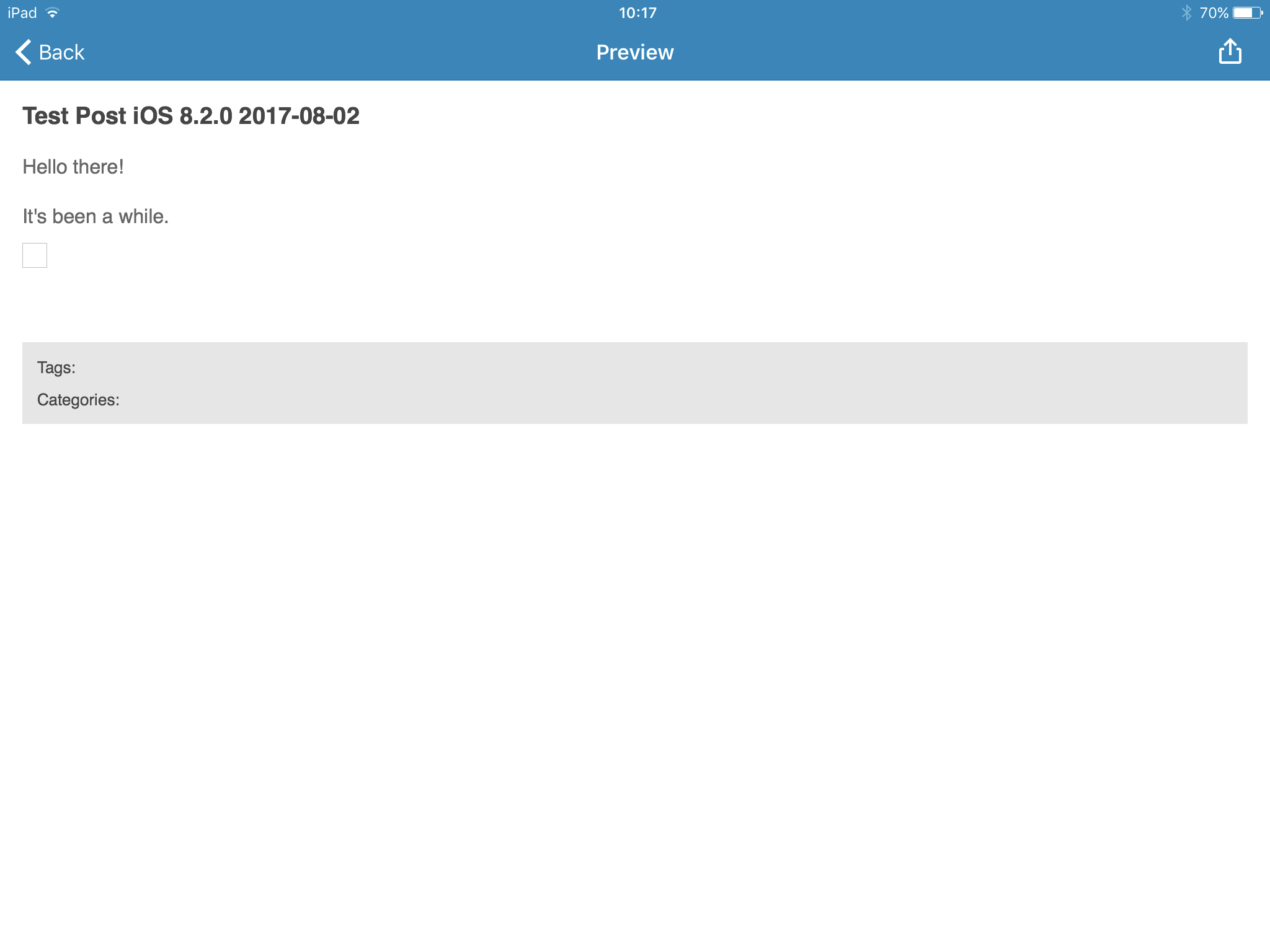
 lancewillett
on 3 Aug 2017
lancewillett
on 3 Aug 2017
Thanks for the heads up @koke (and for the help from @maxme in checking out the autosave implementation of Calypso).
This issue depends on #7809. After autosave is implemented, we should evaluate how the app should handle these scenarios (/cc @iamthomasbishop):
- Self hosted doesn't have auto-save, so a preview option would rely on the user saving the post first. This would imply some additional UI probably.
- The preview option will require a network connection to show the actual posts. What happens when there's no connection?
- Shall we hide the option entirely if there's no connection? Shall we show some extra UI elements?
diegoreymendez
on 17 Sep 2017
Adding the aztec tag since this issue is important for it.
diegoreymendez
on 17 Sep 2017
When I was looking at previews, I left all my findings in a comment here: https://github.com/wordpress-mobile/WordPress-iOS/issues/5693#issuecomment-281732824
What happens when there's no connection?
I'd say just try, show a clear error, and allow for an option to retry.
koke
on 17 Sep 2017
I'd say just try, show a clear error, and allow for an option to retry.
Even though there's more than way to see it, it'd be possible for us to differentiate two scenarios:
- If we can detect there's no connectivity.
- If we can't.
For the first case I was thinking that it could be good to grey out the option, and add some kind of inline indication that it won't work without a connection.
Even "Needs a connection" in red would be enough for it.
Just my two cents, but "inline error signaling" and in general trying to avoid popups would be sweet for the app.
diegoreymendez
on 17 Sep 2017
If we can detect there's no connectivity
I learned this not long ago, but reachability is not meant for that.
Do not use Reachability to determine if the original request should be sent. You can use Reachability to determine when a request should be automatically retried.
https://github.com/AFNetworking/AFNetworking#network-reachability-manager
koke
on 17 Sep 2017
I had trouble with previewing a post again today after creating a post to schedule:
- Create a new post in the app.
- Add content to the post.
- In the post options, change the publish date.
- Preview the post.
Since I didn't save the post as a draft first, I could only get the half-baked offline preview of my post. I had to actually tap the Schedule button to schedule it on my site before I could get a real, on-site preview — this is anxiety-inducing for me, as I only like to schedule posts once they feel ready to publish. (Even changing the post status to Draft at this point didn't give me the option to save the draft so I could preview it.)
rachelmcr
on 17 Jan 2018
I think @diegoreymendez was recently looking at autosaves, what’s the state of that?
koke
on 18 Jan 2018
@koke - I ended up scrapping my work because I was trying to use it for a completely different purpose (ie: autosaving across devices), and it wasn't really well suited for that.
Should've kept at least the endpoint call for previews, but it honestly slipped my mind. Reimplementing the call should be easy though... the "hard" part being figuring out when it needs to be called.
diegoreymendez
on 18 Jan 2018
We will be working in auto saving posts in the next couple of months.
 elibud
on 5 Mar 2018
elibud
on 5 Mar 2018
There were a bunch of similar issues related to previews, I did some cleanup and created a master issue with specific steps. Closing this in favor of #9282.
koke
on 7 May 2018
Related issues
 designsimply
·
3Comments
designsimply
·
3Comments
designsimply
·
3Comments
designsimply
·
3Comments
designsimply
·
3Comments
designsimply
·
3Comments
 wptester9845
·
3Comments
wptester9845
·
3Comments
wptester9845
·
3Comments
wptester9845
·
3Comments