Wordpress-android: Site creation preview shows cut-off site header
Expected behavior
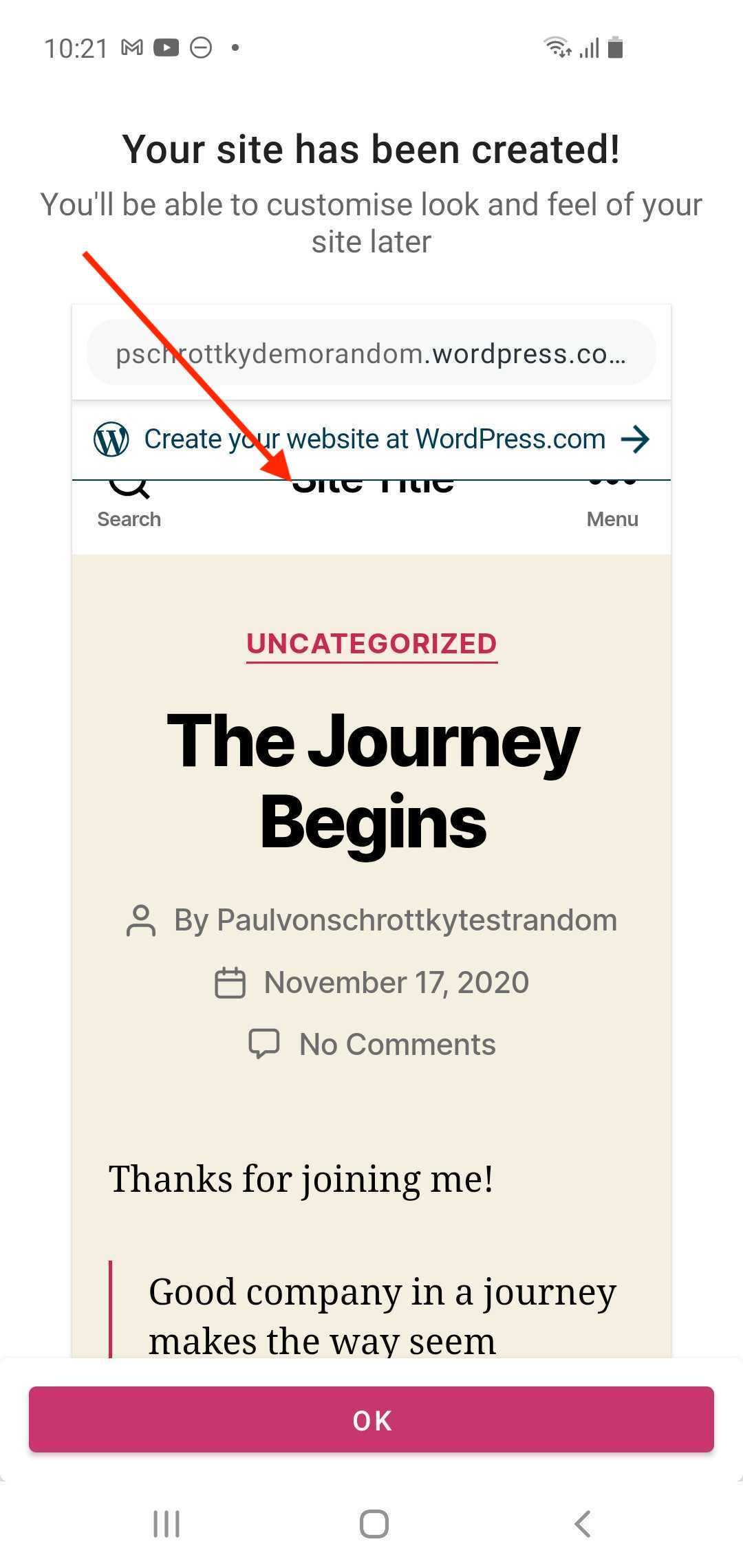
The preview of a newly created site shouldn't have cut-off sections.
Actual behavior
After creating a site in the app, the site preview is shown but the top of the site is cut-off.
|  |
|
| - |
Steps to reproduce the behavior
- Start the "Create WordPress.com site" wizard (either after the creation of a new WP.com account or from the site list when logged in)
- Create a Blank Site (although this issue might be present for other types of sites)
- On the "Your site has been created!" screen, notice that the top of the preview is cut-off
Tested on Samsung S10, Android 10, WPAndroid 16.0
Additional info
This issue is also present on WPiOS https://github.com/wordpress-mobile/WordPress-iOS/issues/15313
 guarani
All 9 comments
Not directly related, but the subdomain is not readable in dark mode on the site creation preview screen and it would be cool for anyone working on this issue to see if that one can be fixed at the same time.
 designsimply
on 17 Nov 2020
designsimply
on 17 Nov 2020
Noting that the "Create your website" banner showing in this view isn't expected during site creation and @enejb has submitted a PR on the WP.com side to fix it.
(internal reference: D53196-code, pbMoDN-1A9-p2#comment-3222)
designsimply
on 24 Nov 2020
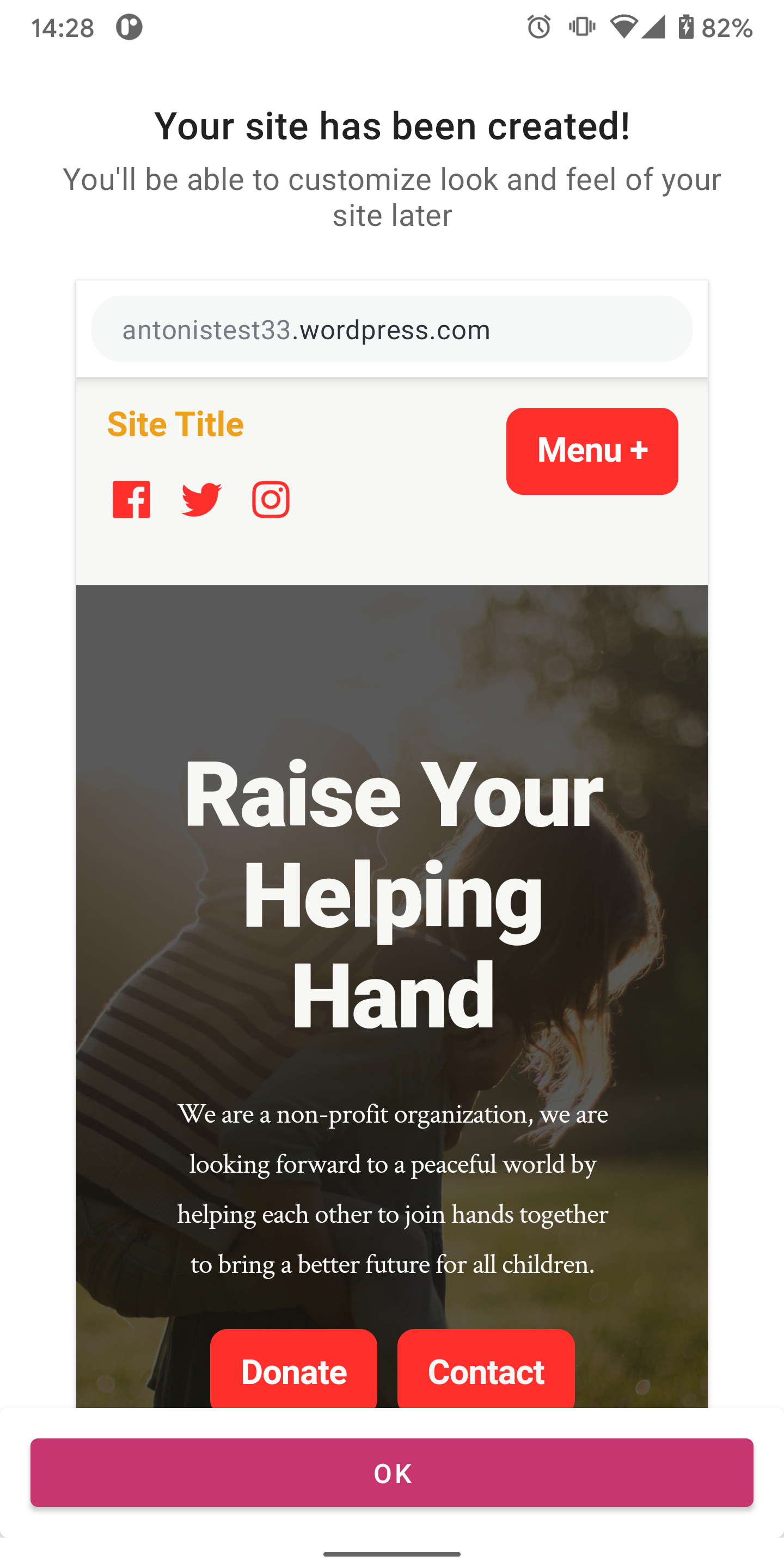
This seems to be resolved now
 antonis
on 24 Nov 2020
antonis
on 24 Nov 2020
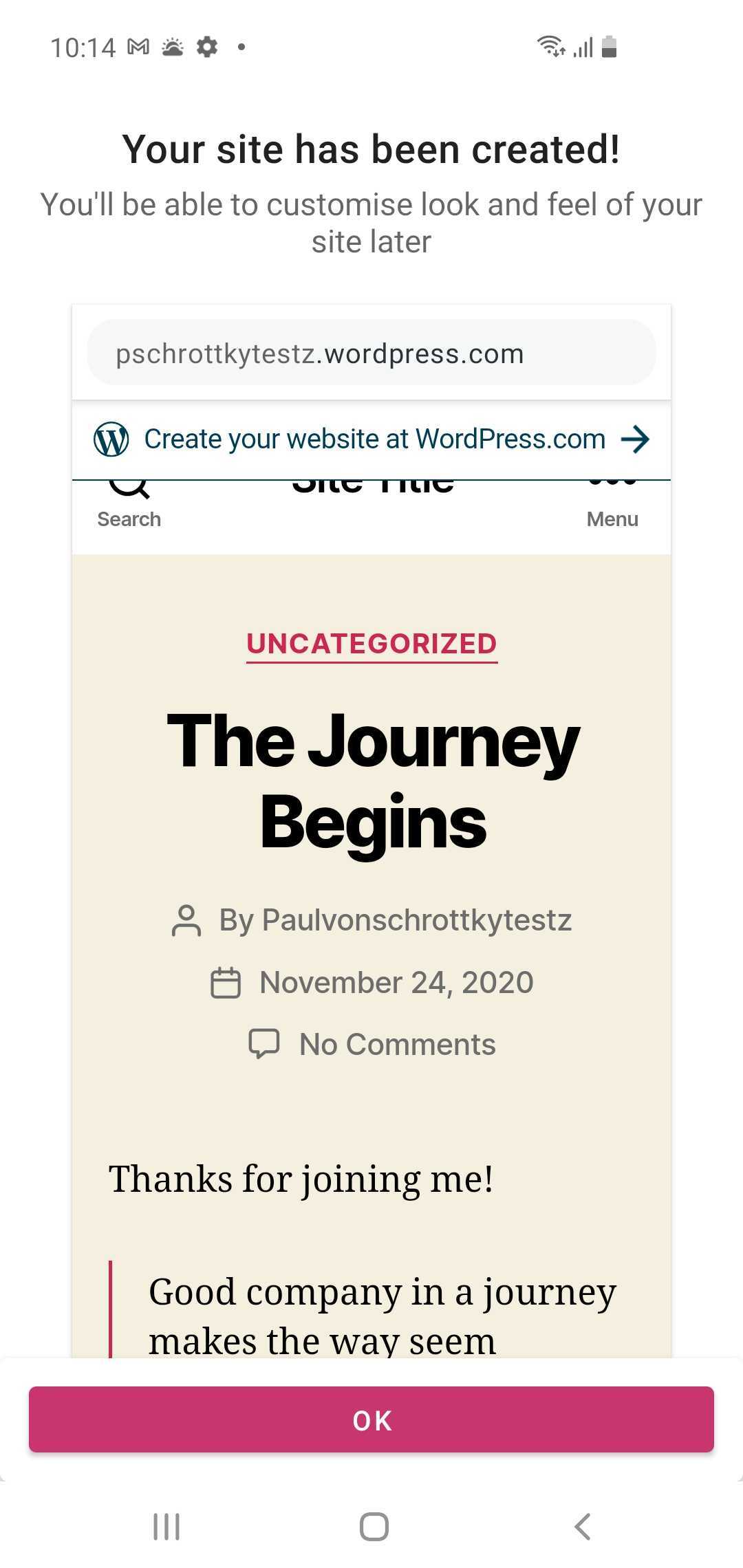
Hi @antonis, I'm still seeing the "Create your website" banner in Play Store WPAndroid v16.1 when creating a new site, and the internal patch for WP.com side mentioned in https://github.com/wordpress-mobile/WordPress-Android/issues/13410#issuecomment-732507376 is still open. Which version did you see this resolved in?
|  |
|
| - |
If this is resolved, we should be able to close https://github.com/wordpress-mobile/WordPress-iOS/issues/15313 as well.
guarani
on 24 Nov 2020
Hello @guarani 👋
This is solved on the client by adding the wordpress user-agent in the preview webview. This was done as a minor fix on the clients as part of:
- Android: https://github.com/wordpress-mobile/WordPress-Android/pull/13409
- iOS: https://github.com/wordpress-mobile/WordPress-iOS/pull/15303
This should be merged soon and be available in 16.3
Reopening the issue till this is done.
antonis
on 24 Nov 2020
Hi @antonis 👋 I hadn't realized this was being fixed in the apps themselves, thanks for clarifying!
I'm curious if that means that the fix @enejb is doing (mentioned in https://github.com/wordpress-mobile/WordPress-Android/issues/13410#issuecomment-732507376) is addressing a different issue, or if it's no longer needed.
guarani
on 24 Nov 2020
@guarani My understanding is that a fix was needed in both the server and the clients for this to work. I'll leave this open and recheck.
antonis
on 24 Nov 2020
@guarani My understanding is that a fix was needed in both the server and the clients for this to work. I'll leave this open and recheck.
I see, thanks again @antonis!
guarani
on 24 Nov 2020
We just shipped a PR that addresses this issue from the backend. @antonis and @chipsnyder As I understand it was addressed on the client side as well.
I am closing this issue for now but feel free to open it again in case. I misunderstood and there is more work to be done.
 enejb
on 25 Nov 2020
enejb
on 25 Nov 2020
Related issues
guarani
·
3Comments
 jtreanor
·
3Comments
jtreanor
·
3Comments
 nbradbury
·
3Comments
nbradbury
·
3Comments
 jkmassel
·
3Comments
jkmassel
·
3Comments
 maxme
·
3Comments
maxme
·
3Comments
Most helpful comment
We just shipped a PR that addresses this issue from the backend. @antonis and @chipsnyder As I understand it was addressed on the client side as well.
I am closing this issue for now but feel free to open it again in case. I misunderstood and there is more work to be done.