Wordpress-android: Can't change display name during signup
On the signup screen after email confirmation there are 3 fields: Display name, Username and Password
It's impossible to update the display name and the password at the same time (I'm not sure if it's a local check or an API limitation).
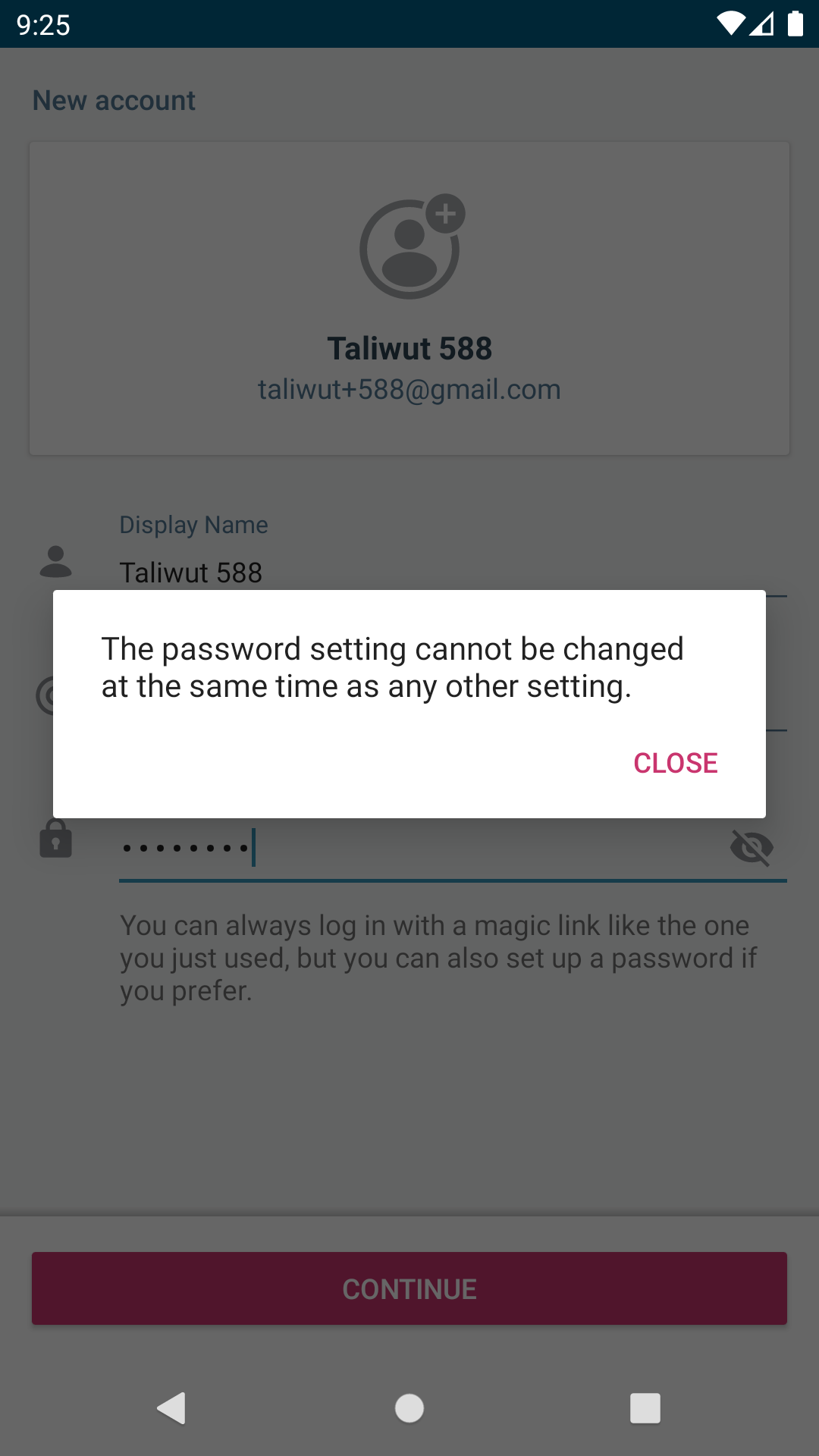
Steps to reproduce the behavior
- Signup by email address in wpandroid
- Confirm email address, click in "Sign up to WordPress.com" in the received email.
- Update the display name, fill the password field and tap "Continue"
- Get the "The password setting cannot be changed at the same time as any other setting dialog. 💥
Tested on WPAndroid 13.5
 maxme
maxme
All 3 comments
Is there any way to reproduce this behavior with a development build?
I'm asking this because the OAuth2 Authentication section of the README states that:
credentials created with our WordPress.com applications manager allow login only and not signup
Edit: Just thought of a naive way of doing that: starting the signup using a production version of the app and then opening up the "magic link" in a second device using a development version of the app. This is not practical at all, but I'm gonna give it shot later and see if it works. Either way, I'm still open for other suggestions.
Edit 2: After looking into the code I figured I can just force the app to show the SignupEpilogueActivity after initialization. That should help with debugging for now.
Edit 3: @maxme just provided me some OAuth credentials that I can use to test the signup flow.
 renanferrari
on 29 Nov 2019
renanferrari
on 29 Nov 2019
renanferrari
on 29 Nov 2019
renanferrari
on 29 Nov 2019
 hypest
on 2 Dec 2019
hypest
on 2 Dec 2019
Related issues
 melek
·
3Comments
melek
·
3Comments
 jkmassel
·
3Comments
maxme
·
3Comments
jkmassel
·
3Comments
maxme
·
3Comments
 wptester9845
·
3Comments
wptester9845
·
3Comments
 jd-alexander
·
3Comments
jd-alexander
·
3Comments
Most helpful comment