Wordpress-android: Media files are sometimes uploaded with path to local storage
Expected behavior
When I attach a media file to a post, the post won't get uploaded until the image gets uploaded and the local path to the image is replaced with url.
Actual behavior
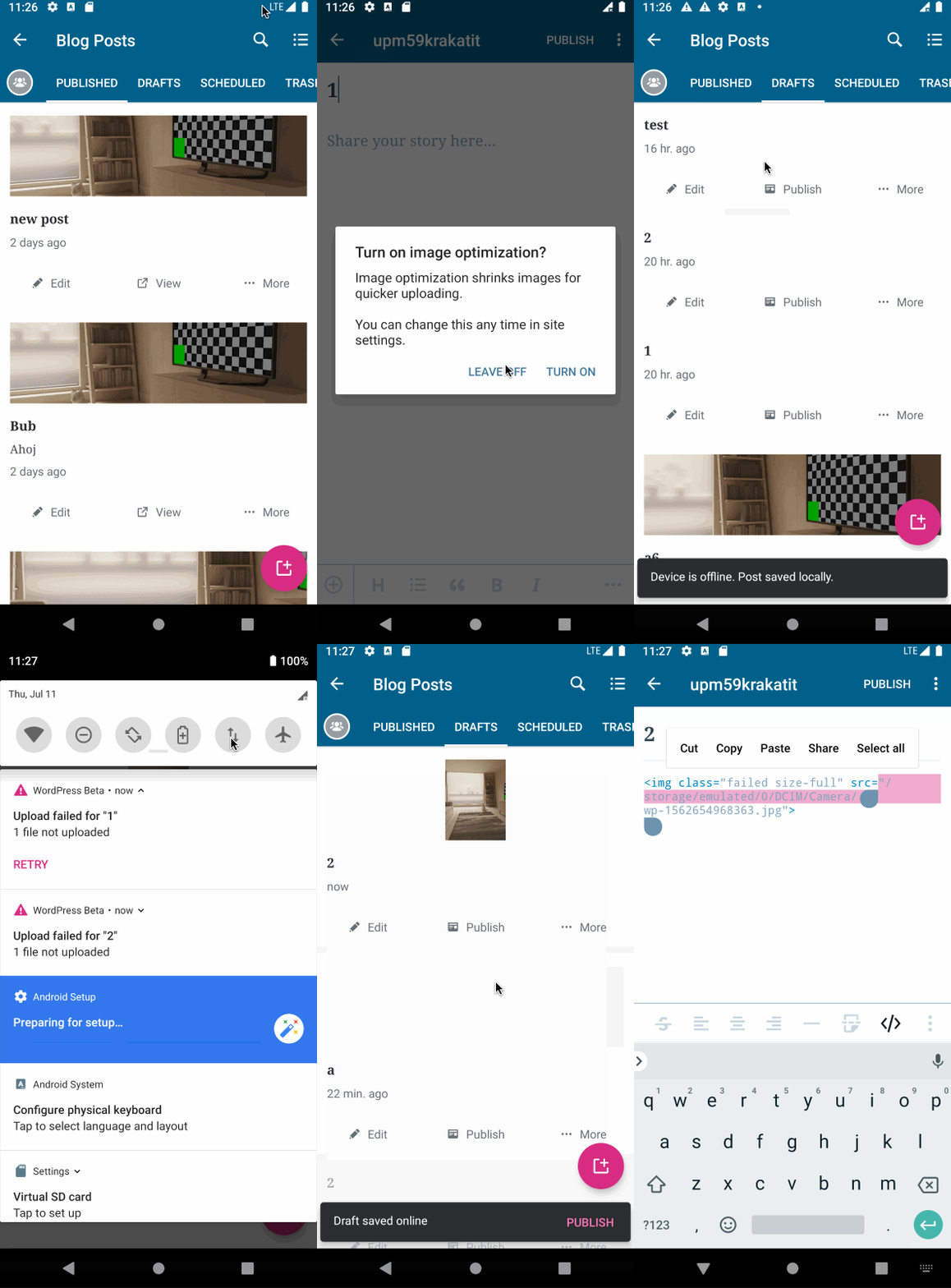
When I attach a media file to a post, the post gets sometimes uploaded even though its content still contains local path to the image.
Steps to reproduce the behavior
- Turn on airplane mode
- Create a draft and add an image into the content
- Click on Back
- Create another draft and add the same image into the content
- Click on back
- Turn off the airplane mode
- Wait until the uploads completes
- Open the second post
- Switch to HTML mode
- Notice the post contains a path to the local storage
Another scenario which might result in a post with local path being uploaded to the server got fixed here https://github.com/wordpress-mobile/WordPress-Android/pull/10079#issuecomment-510037492
 malinajirka
All 12 comments
The issue was partially fixed in https://github.com/wordpress-mobile/WordPress-Android/pull/10204 so it's not easily reproducible anymore. However, posts with a path to a local storage are still being uploaded to the server sometimes.
malinajirka
on 12 Jul 2019
I think this issue might have already been fixed and I believe we shouldn't investigate it until we are able to reproduce it or we are at least sure it's still happening in 13.8 and above.
malinajirka
on 29 Nov 2019
I think this issue might have already been fixed and I believe we shouldn't investigate it until we are able to reproduce it or we are at least sure it's still happening in 13.8 and above.
Haven't been able to reproduce this myself, I think we can close and only reopen in the future if we find it's happening again 👍
 mzorz
on 28 Dec 2019
mzorz
on 28 Dec 2019
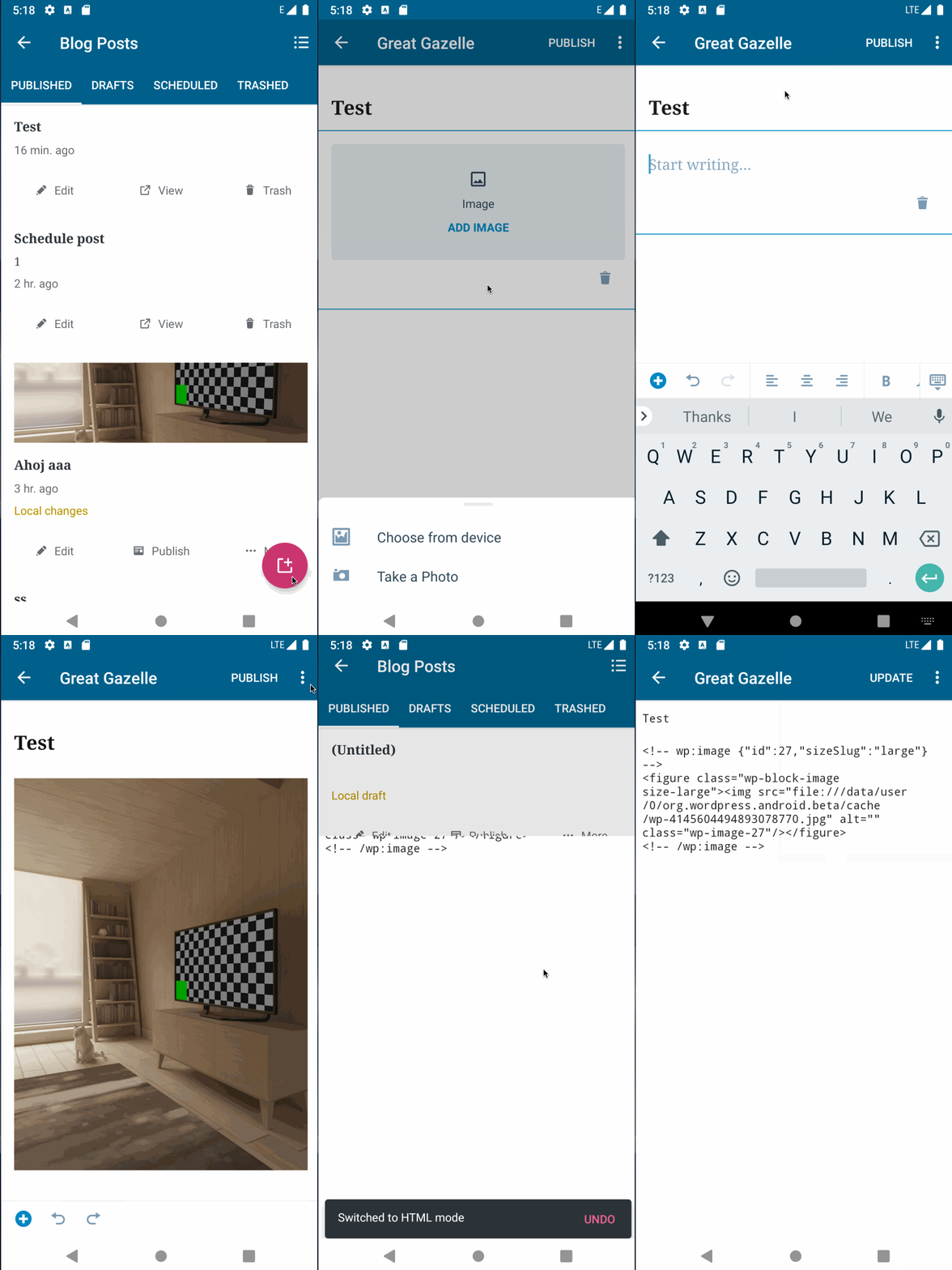
I have been able to reproduce yet another scenario when this bug occurs.
- Create a new post (in gutenberg)
- Add an image and remove it before the upload completes
- Wait for the upload to finish
- Click on Undo
- Click on publish
- Open the post and switch to html
- Notice the image contains a local path
It might be semi-related to https://github.com/wordpress-mobile/WordPress-Android/issues/11039#issuecomment-571073927
malinajirka
on 6 Jan 2020
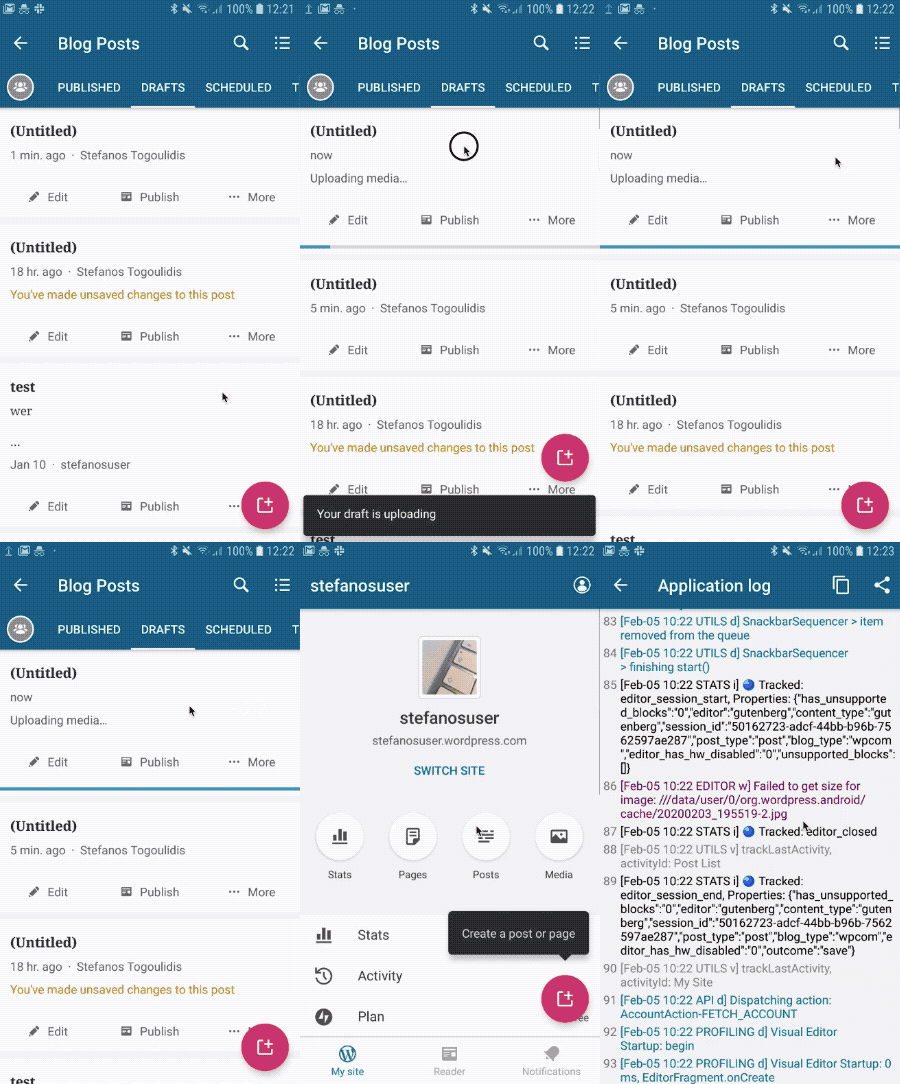
Tried out v14.1-rc-2 (from PlayStore) and seeing the same issue with local path to image staying there in the post content. Here are the steps that consistently replicate the issue for me:
- Create a new block post
- Add an image block and choose an image from the device
- Upload starts but, get out of the post
- While still uploading, get into the (draft) post
- Exit again while still uploading
- Wait for upload to finish while you are on the post list
- Get into the post
8.Image is not showing in the block and getting a WARN: Failed to get size for image: ///data/user/0/org.wordpress.android.beta/cache/… message in the app log
GIF:
Device: Samsung Galaxy S7Edge, Android version 8.0
 hypest
on 5 Feb 2020
hypest
on 5 Feb 2020
@hypest I've found the cause of the issue you described.
This is the post content
<!-- wp:image {"id":16,"sizeSlug":"large"} -->
<figure class="wp-block-image size-large"><img src="file:///data/user/0/org.wordpress.android/cache/wp-112678977001080317373.jpg" alt="" class="wp-image-16"/></figure>
<!-- /wp:image -->
This is the "matcher"
"<!-- wp:image {\"id\":16} -->"
The post content contains "sizeSlug":"large" which the matcher doesn't expect -> isMediaInGutenbergPostBody returns false and CleanUpMediaToPostAssociationUseCase removes the association of the post to the media item.
Is the sizeSlug expected there? Can we expect some other attributes in the wp:image section?
malinajirka
on 5 Feb 2020
@designsimply We might want to consider putting this to the top of the groundskeeping priority list. We have two different scenarios with reliable steps for reproducing the issue. I think at least one of the scenarios should be relatively easy to fix.
malinajirka
on 5 Feb 2020
Is the sizeSlug expected there? Can we expect some other attributes in the wp:image section?
Aha, good job pinning this down @malinajirka ! Yes, we should expect more attributes there and in any order. Example: <!-- wp:image {"align":"full","id":97629,"sizeSlug":"large"} -->
hypest
on 5 Feb 2020
Awesome job finding the culprit @malinajirka ! 👏
mzorz
on 6 Feb 2020
@malinajirka, we've been seeing more of these issues pop up in the mobile queue. For example, in 2730889-zen and then 2727375-zen. At least one of these users was using the Aztec editor, not Gutenberg. As this GH issue appears to be specific to Gutenberg, I wanted to double-check whether you think the upcoming fix will address the problem in Aztec too. Do you think this warrants a second GH issue?
 SiobhyB
on 27 Feb 2020
SiobhyB
on 27 Feb 2020
@SiobhyB The recent fix won't affect Aztec at all 😞. This ticket has already at least 3 different "unrelated" steps for reproduction. I'd suggest creating a new issue so it's clearer. Thank you!
malinajirka
on 27 Feb 2020
@malinajirka, thank you! I've created a new report at https://github.com/wordpress-mobile/WordPress-Android/issues/11397.
SiobhyB
on 28 Feb 2020
Related issues
 jkmassel
·
3Comments
jkmassel
·
3Comments
 designsimply
·
3Comments
mzorz
·
3Comments
designsimply
·
3Comments
malinajirka
·
3Comments
designsimply
·
3Comments
mzorz
·
3Comments
designsimply
·
3Comments
malinajirka
·
3Comments