Woocommerce-services: Blank shipping label generated on MacOS Safari (works on Chrome)
I purchased a USPS First Class International stamp (US to Russia) for an order on my store using Safari on MacOS Big Sur. The PDF sent to me was blank. Totally empty.

I opened Google Chrome on the same machine and was able to "reprint" and get a proper (non-empty) label.
 allendav
All 24 comments
OMG, that Print dialog must be the buggiest piece of code I have ever written. (Not really "buggy", it just breaks like every year).
I would assume it has something to do with the new Safari "Privacy Protections", since we're dealing with an <iframe>?
cc/ @harriswong for visibility.
Reported by a user in 3593750-zd-woothemes
 DanReyLop
on 22 Dec 2020
DanReyLop
on 22 Dec 2020
Thanks for the ping! I recently worked on a similar iOS printing issue and it may be related.
 harriswong
on 4 Jan 2021
harriswong
on 4 Jan 2021
Received another report of this via 5306808-hc. Confirmed they were using MacOS/Safari and suggested Chrome as a workaround.
 shaunkuschel
on 5 Jan 2021
shaunkuschel
on 5 Jan 2021
One more report just now. 26804580-hc
 billrobbins
on 5 Jan 2021
billrobbins
on 5 Jan 2021
Received a report from it over HC-22596070. they were using Safari/Mac OS X. I recommended Chrome as a workaround.
 apenasjoao
on 14 Jan 2021
apenasjoao
on 14 Jan 2021
Another report in 27288222-hc
billrobbins
on 16 Feb 2021
Another report on https://wordpress.org/support/topic/blank-label-when-printing/
 frosso
on 9 Mar 2021
frosso
on 9 Mar 2021
Since this seems like a recurring issue, could a potential solution be to at least warn Safari users in the UI somewhere that labels may not print? I know it would have saved me 45 minutes of searching and having to refund 2 labels.
 stickel
on 22 Apr 2021
stickel
on 22 Apr 2021
This has also been reported in 3928695-zen
 igotdes
on 23 Apr 2021
igotdes
on 23 Apr 2021
Also reported here: https://wordpress.org/support/topic/cant-print-shipping-labels-from-safari/
Additional details from the user:
When I click purchase and the label pops up to print, it is completely blank (all black). I have to click cancel. Then scroll down to the label tracking and reprint label again and then it pops up, but is now also blank (all white). The reprint in Safari workaround worked prior to the last OS X update.
 jessLundie
on 1 May 2021
jessLundie
on 1 May 2021
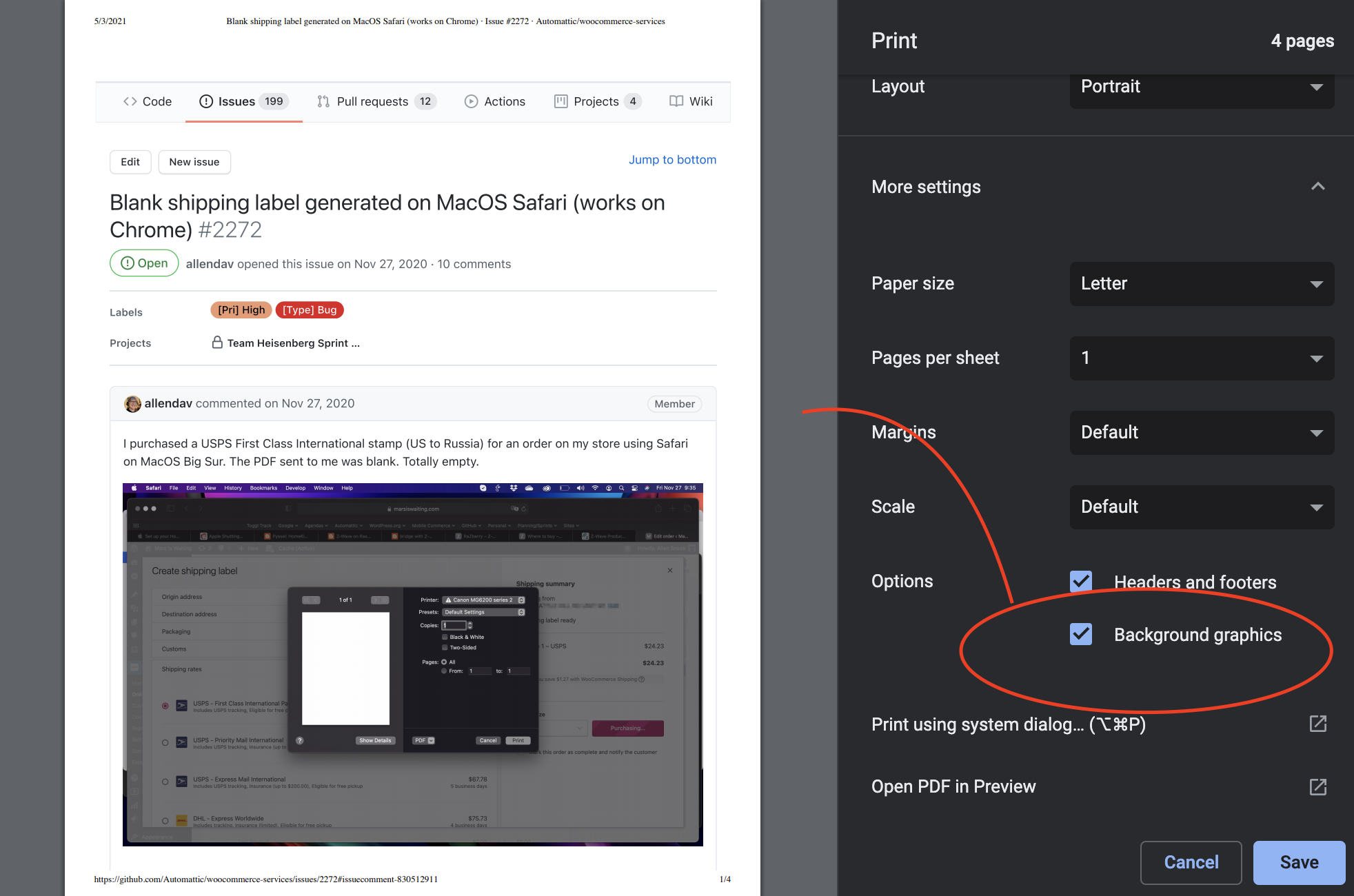
Curious if the "Background graphics" checkbox would fix the issue?
harriswong
on 3 May 2021
reported in 28676866-hc
@harriswong user reported they did not have the option to show background graphics when printing from Safari
In Firefox, the label was tiny, about 25% of normal size.
Worked for them in Chrome.
 stephhjacq
on 6 May 2021
stephhjacq
on 6 May 2021
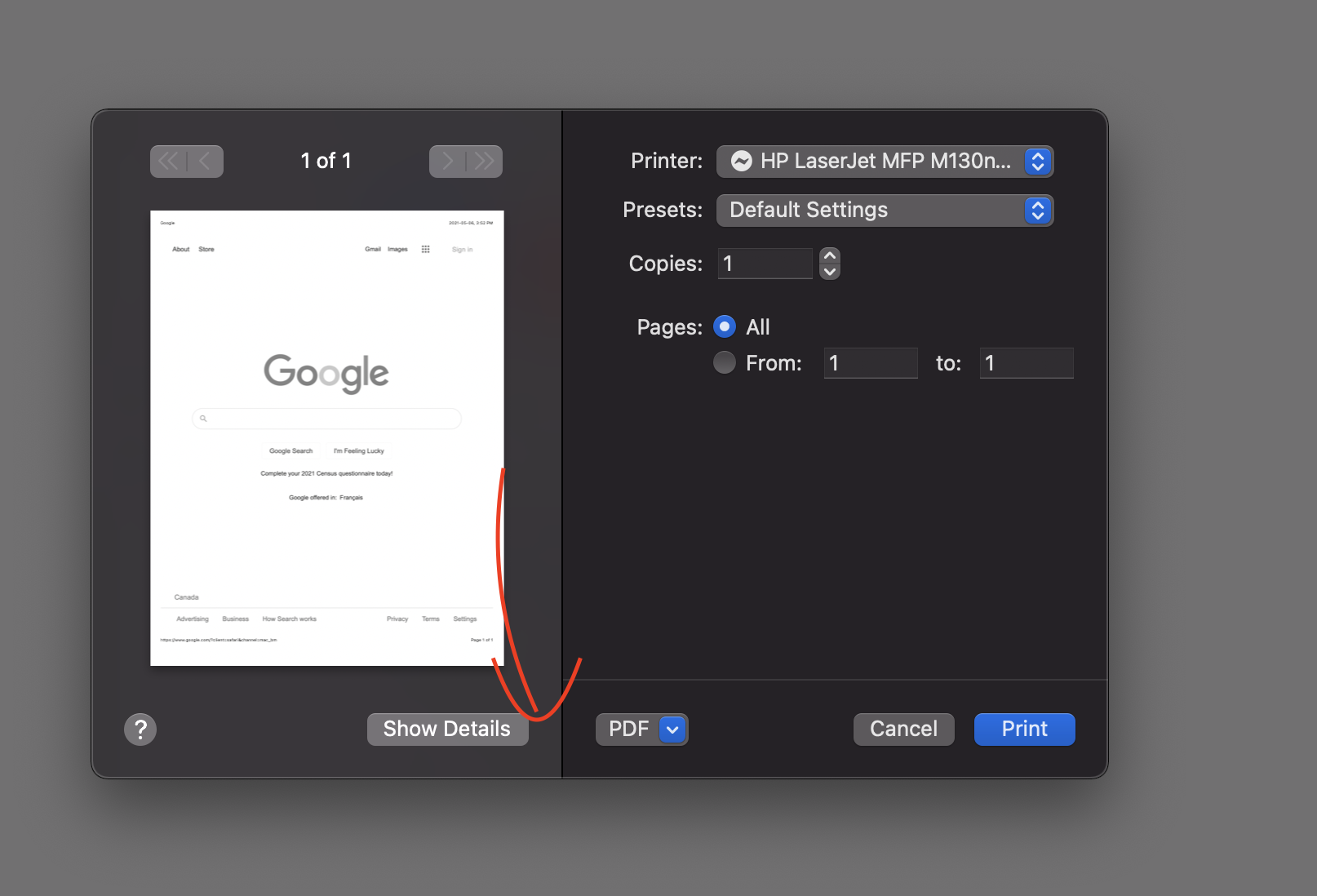
Thanks! For Safari, they may need to click the "Show Details" button:
Then the option should show up on the right:
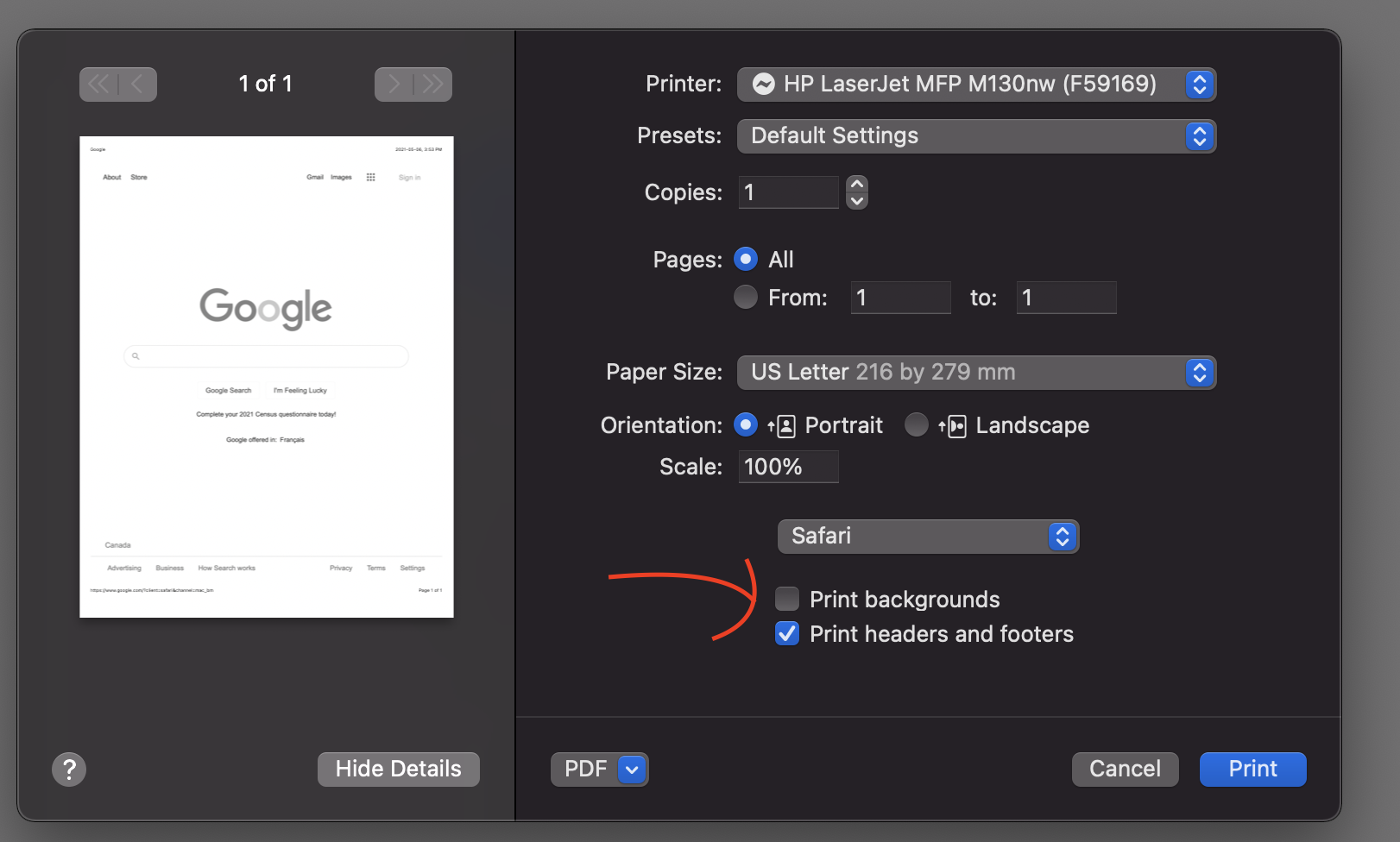
My Safari is 14.1
harriswong
on 6 May 2021
Also in 29445420-hc. I'm guessing it must be a Safari version thing, but I didn't collect the version number in chat. My user was able to click the "Show Details" button, but then did not have that "Safari" option in that Details dropdown, so the _Print Backgrounds_ setting wasn't available.
jessLundie
on 7 May 2021
@harriswong @stephhjacq I can confirm in my situation anyway (Safari 14.0.3) there is no option to "print backgrounds" for the shipping label PDF (Show Details is always checked when I print). It is available when trying to print websites, but that's not helpful in this situation as PDFs don't have backgrounds.
stickel
on 7 May 2021
I got another report in 3974730-zen. Switching to Chrome from Safari worked for them too.
 Agepeuve
on 10 May 2021
Agepeuve
on 10 May 2021
Another one 3997620-zen
 sukafia
on 18 May 2021
sukafia
on 18 May 2021
Another one 11989067-hc
 zhollenbeak
on 20 May 2021
zhollenbeak
on 20 May 2021
Another one 4000638-zen
zhollenbeak
on 22 May 2021
Reported in #4016316-zen. Switching to Firefox helped.
igotdes
on 27 May 2021
Another report in 4022003-zen
stephhjacq
on 27 May 2021
One more confirmation that this bug exists, on two different Macbooks running Big Sur.
 rcharbon
on 28 May 2021
rcharbon
on 28 May 2021
I've had another report of this within support ticket 4033764-zen
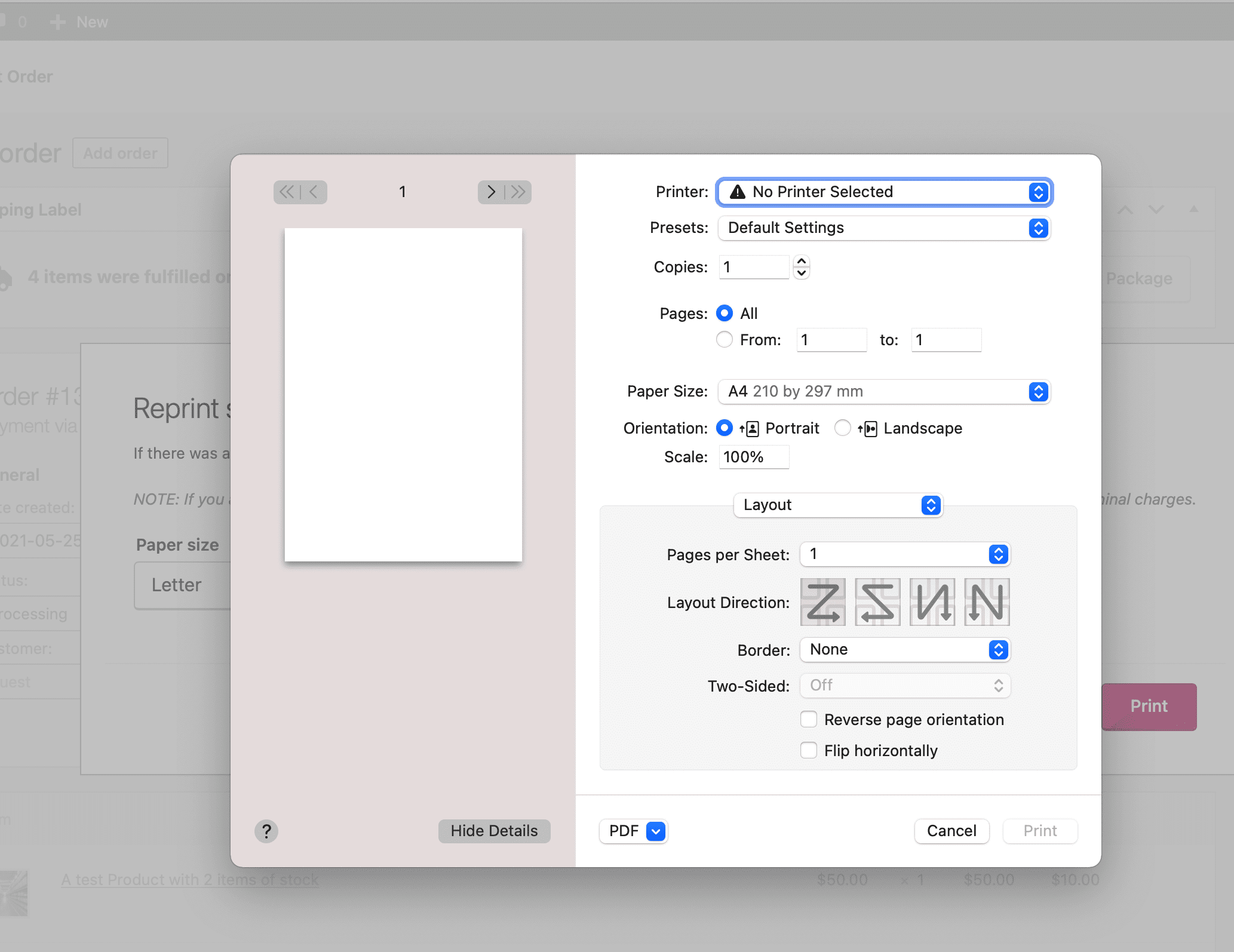
I also managed to replicate the behaviour on my own test installation.
WordPress v5.7.2
WooCommerce v5.3.0
WooCommerce Services ( Shipping & Tax ) v1.25.13
Google Chrome Version 91.0.4472.77
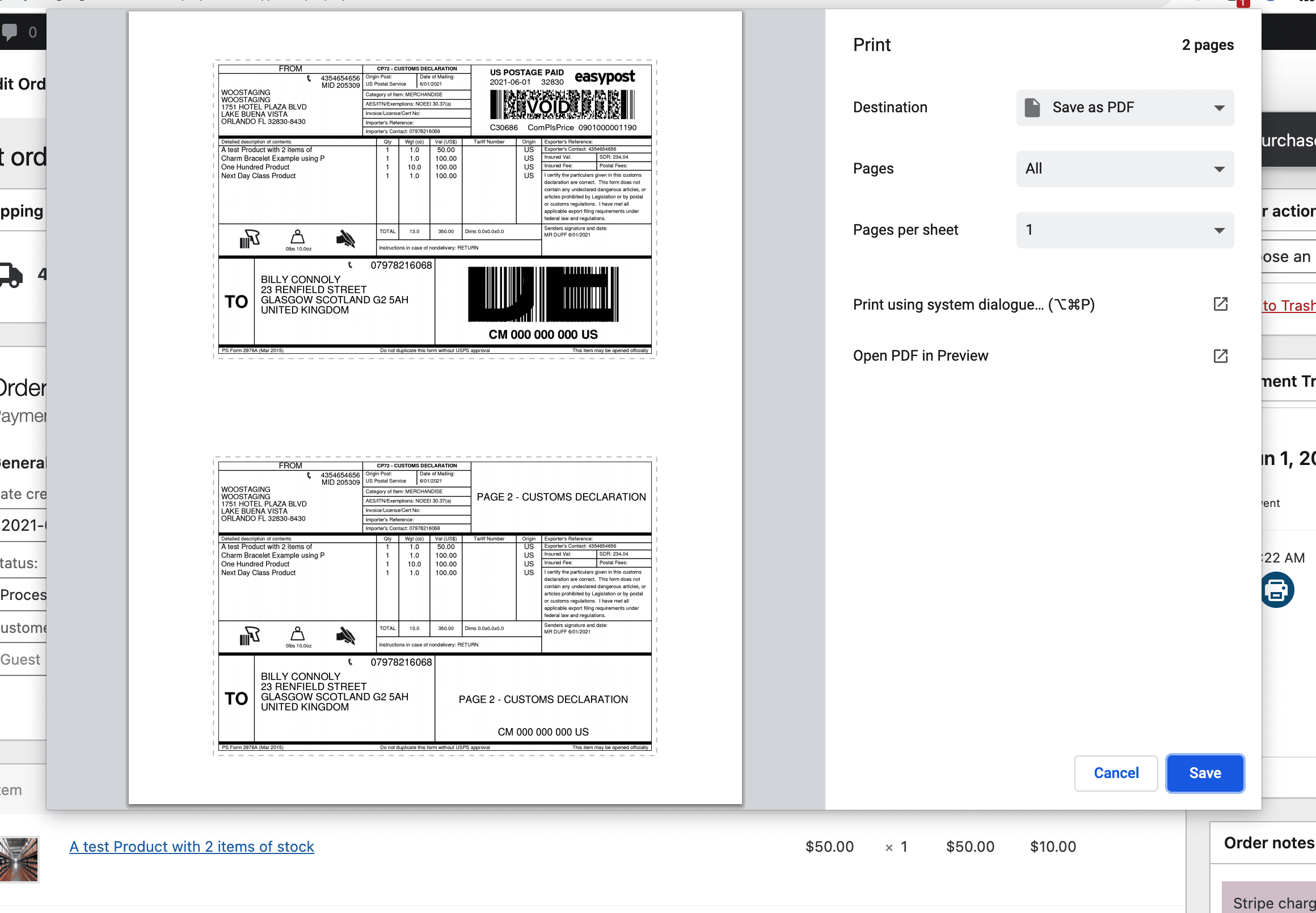
Safari Version 14.1 (16611.1.21.161.6)
 stuartduff
on 1 Jun 2021
stuartduff
on 1 Jun 2021
It seems like Safari doesn't support native print similar to the issue described here. Instead of loading the blob data to the print dialog, falls back to opening it on a new tab.
harriswong
on 1 Jun 2021
Related issues
 juliaamosova
·
3Comments
juliaamosova
·
3Comments
 budzanowski
·
4Comments
allendav
·
4Comments
budzanowski
·
4Comments
allendav
·
4Comments
 c-shultz
·
5Comments
DanReyLop
·
3Comments
c-shultz
·
5Comments
DanReyLop
·
3Comments
Most helpful comment
OMG, that Print dialog must be the buggiest piece of code I have ever written. (Not really "buggy", it just breaks like every year).
I would assume it has something to do with the new Safari "Privacy Protections", since we're dealing with an
<iframe>?cc/ @harriswong for visibility.
Reported by a user in 3593750-zd-woothemes