Woocommerce-ios: Plugins: Show plugin list in settings
The end goal is to synchronize plugins for a site and display them in the app via the settings module.
Requirements:
- Fetch site plugin list using the
wp/v2/pluginsendpoint. p91TBi-4ND-p2#comment-3883 - Store a site's plugin list.
- Create a view to display all synced ~sites~ plugins via the settings module.
- Make sure plugins are being kept in sync automatically.
- Allow to manually re-sync all plugins.
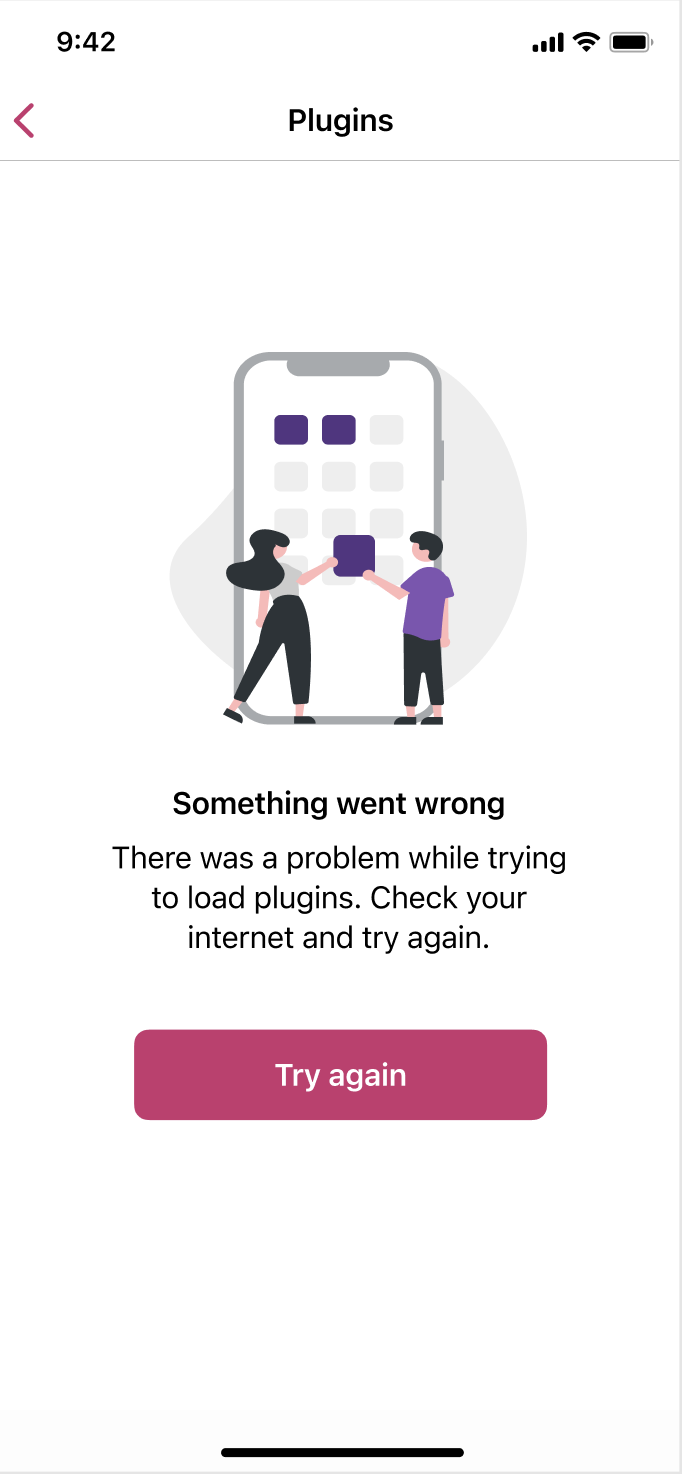
Settings | Plugin List | Error State
--- | --- | ---
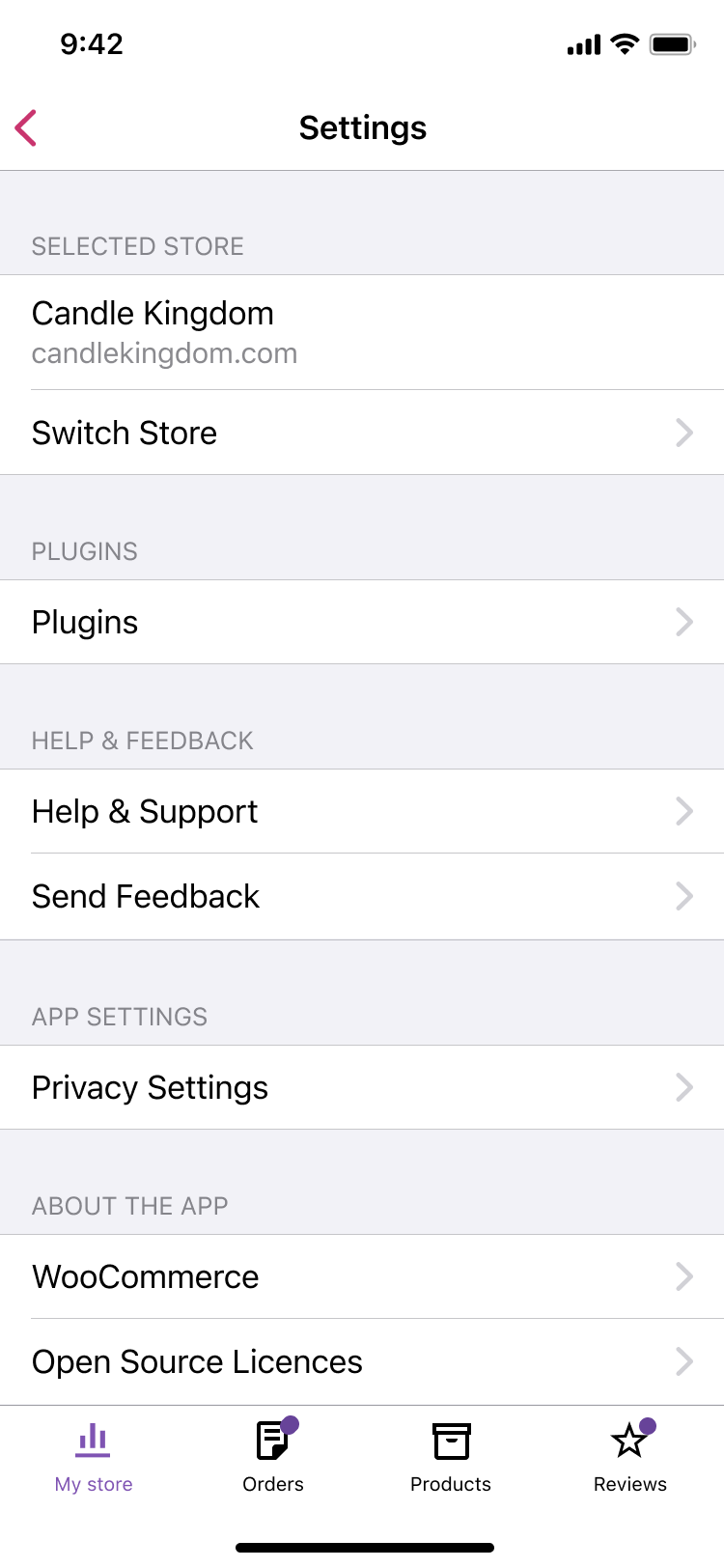 |
| 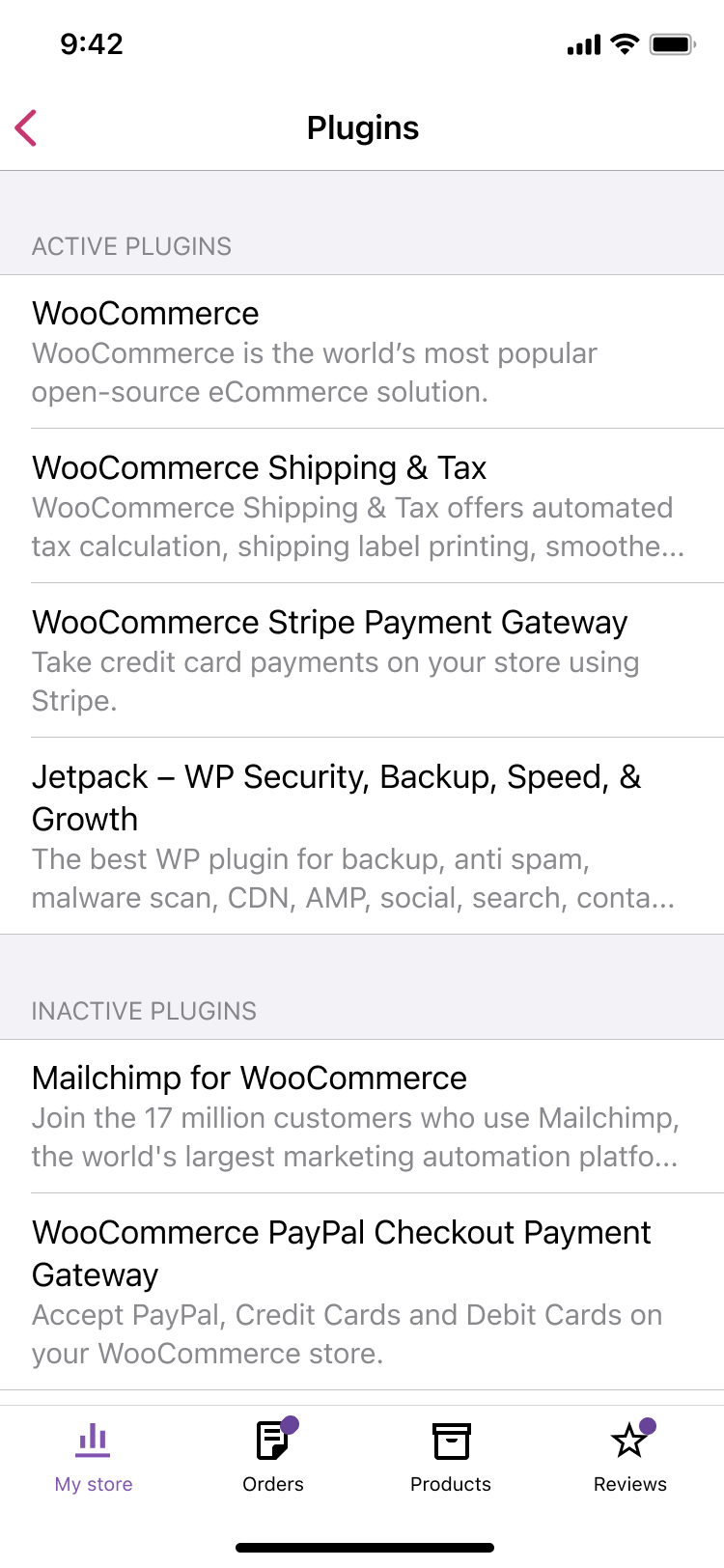 |
| 
Asset:
img-sign in-jetpack needed-light.pdf
img-sign in-jetpack needed-dark.pdf
Note: We can omit the + and the > CTA for now as that is outside the scope of this task.
 Ecarrion
All 11 comments
Hi @Ecarrion, I have one small question regarding one of the requirements - please help clarify:
Create a view to display all synced sites via the settings module.
I'm not sure the purpose of this feature. The "Switch Store" row can redirect users to their lists of stores (sites), and this screen seems to serve the purpose of showing synced sites. Do we really need another screen just to list the sites?
If I'm misunderstanding something here - please let me know too.
 itsmeichigo
on 30 Apr 2021
itsmeichigo
on 30 Apr 2021
Hey @itsmeichigo, good catch, that was a copy-paste mistake 😇
It should be:
Create a view to display all synced plugins via the settings module.
Does that make better sense?
Ecarrion
on 30 Apr 2021
Thanks, that's perfect! 🙂
itsmeichigo
on 30 Apr 2021
I have updated this issue with the following requirement.
Fetch site plugin list using the wc/v3/system_status endpoint. p91TBi-4ND-p2#comment-3883
Ecarrion
on 30 Apr 2021
@Ecarrion Are you sure we should use this endpoint? One thing missing in the WC endpoint is plugin description, which is necessary for display as per the mockup.
PS 1: I edited the comment. I found the inactive_plugins field in the response - my bad!
PS 2: If this issue needs discussion from more people in the team I'll gladly bring it to my trial planning P2 post!
itsmeichigo
on 30 Apr 2021
@itsmeichigo After discussions, I've updated the issue to continue using the wp/v2/plugins endpoint and to remove the icon from the plugin list.
Ecarrion
on 3 May 2021
@itsmeichigo I've updated the issue with the error state designs.
Ecarrion
on 4 May 2021
Thanks, @Ecarrion!
I think this issue can be broken down into these subtasks (along with my checklists):
- Update Storage layer:
- Add SitePlugin model
- Add unit test for migration
- Update MIGRATIONS.md
Add feature flag & merge to develop
Update Yosemite layer:
- Add PluginAction
- Add PluginStore & implement syncSitePlugins
Extend Storage plugin model to convert to and from Networking model
Update UI layer:
- Update DefaultStoresManager to sync plugins
- Update Settings screen for an entry point to the plugin list
- Add PluginListViewModel
- Add PluginListViewController
- Build SwiftUI refresh control (if possible)
@Ecarrion - can you please help me create separate issues for these subtasks?
itsmeichigo
on 4 May 2021
can you please help me create separate issues for these subtasks?
Sure!
Plugins: Update Storage layer #4112
Plugins: Update Yosemite layer #4113
Plugins: Update UI layer #4114
If you add a small comment on those Issues I can assign you to them!
Ecarrion
on 4 May 2021
Hey @itsmeichigo. Just to let you know that I've updated the main issue with dark mode assets.
Ecarrion
on 5 May 2021
Closing in favor of https://github.com/woocommerce/woocommerce-ios/issues/4276
Ecarrion
on 25 May 2021
Related issues
 stephhjacq
·
3Comments
stephhjacq
·
3Comments
 californiakat
·
5Comments
californiakat
·
5Comments
 allendav
·
3Comments
allendav
·
3Comments
 astralbodies
·
4Comments
astralbodies
·
4Comments
 jkmassel
·
4Comments
jkmassel
·
4Comments