Woocommerce-ios: Edit Product: update left alignment for table view cells
Some table view cells and headings aren't perfectly aligned with each other, and is noticeable in a few Edit Product screens:
screen | screenshot | issues
-- | -- | --
Edit Product | 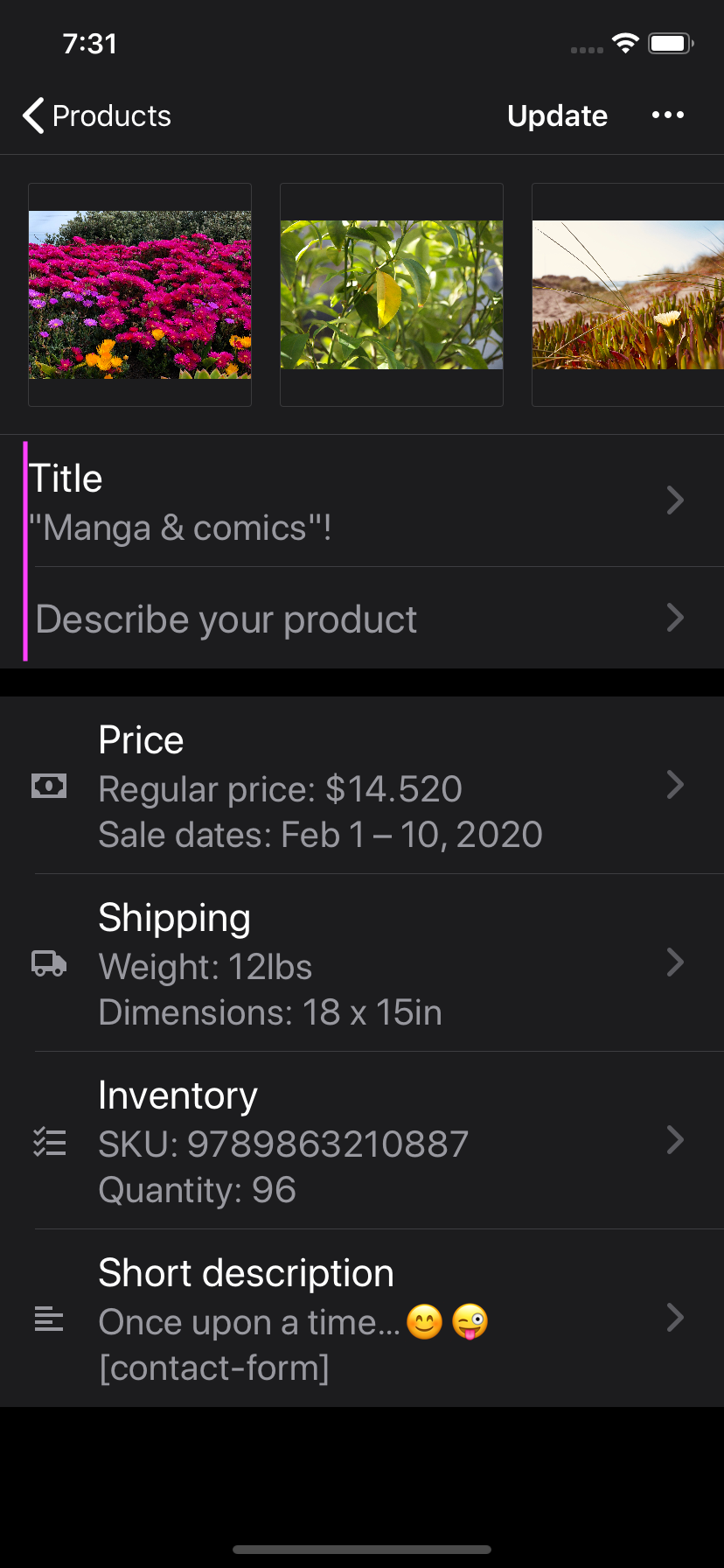 | the empty state cell's text isn't left aligned
inventory settings | 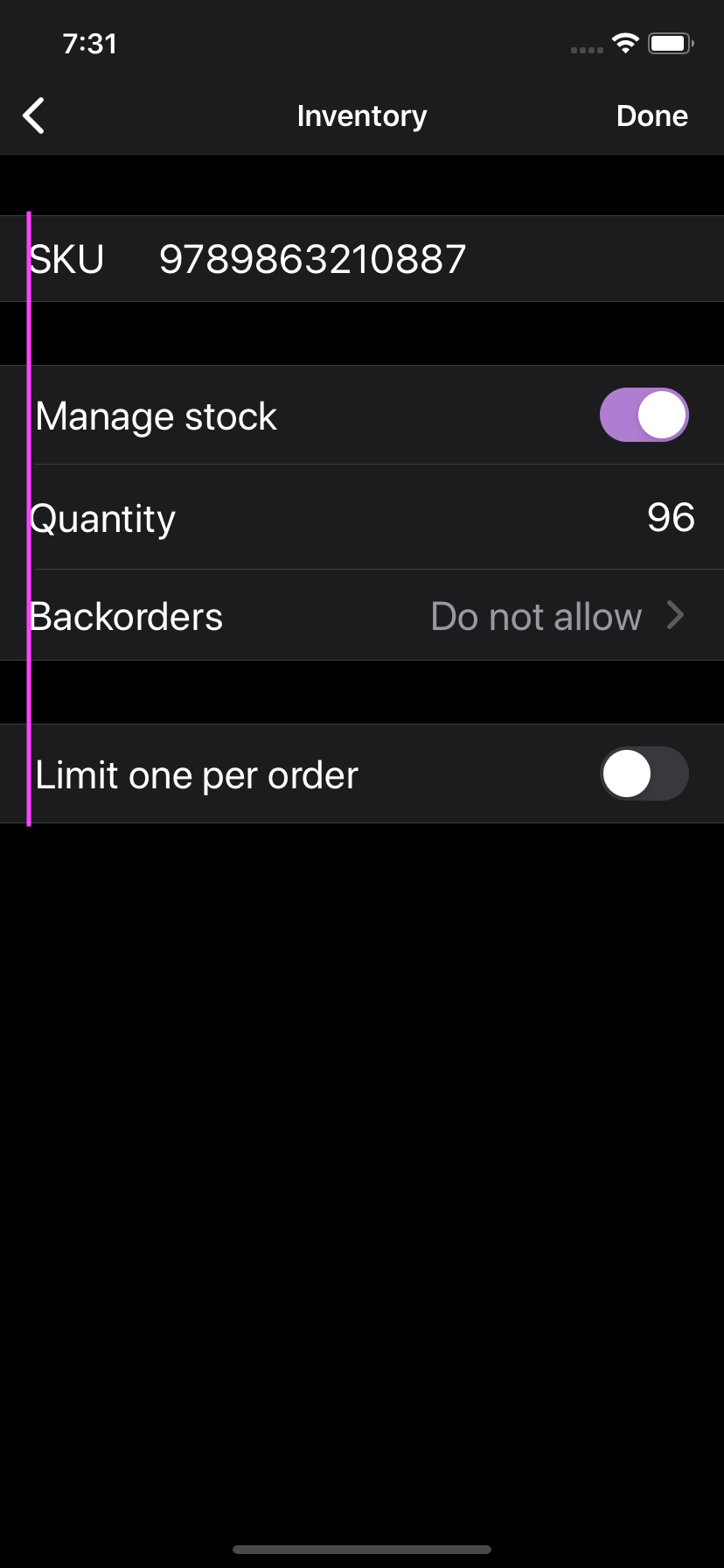 | the cells with a toggle ("Manage stock" and "Limit one per order") aren't left aligned with the rest of the cells
price settings | 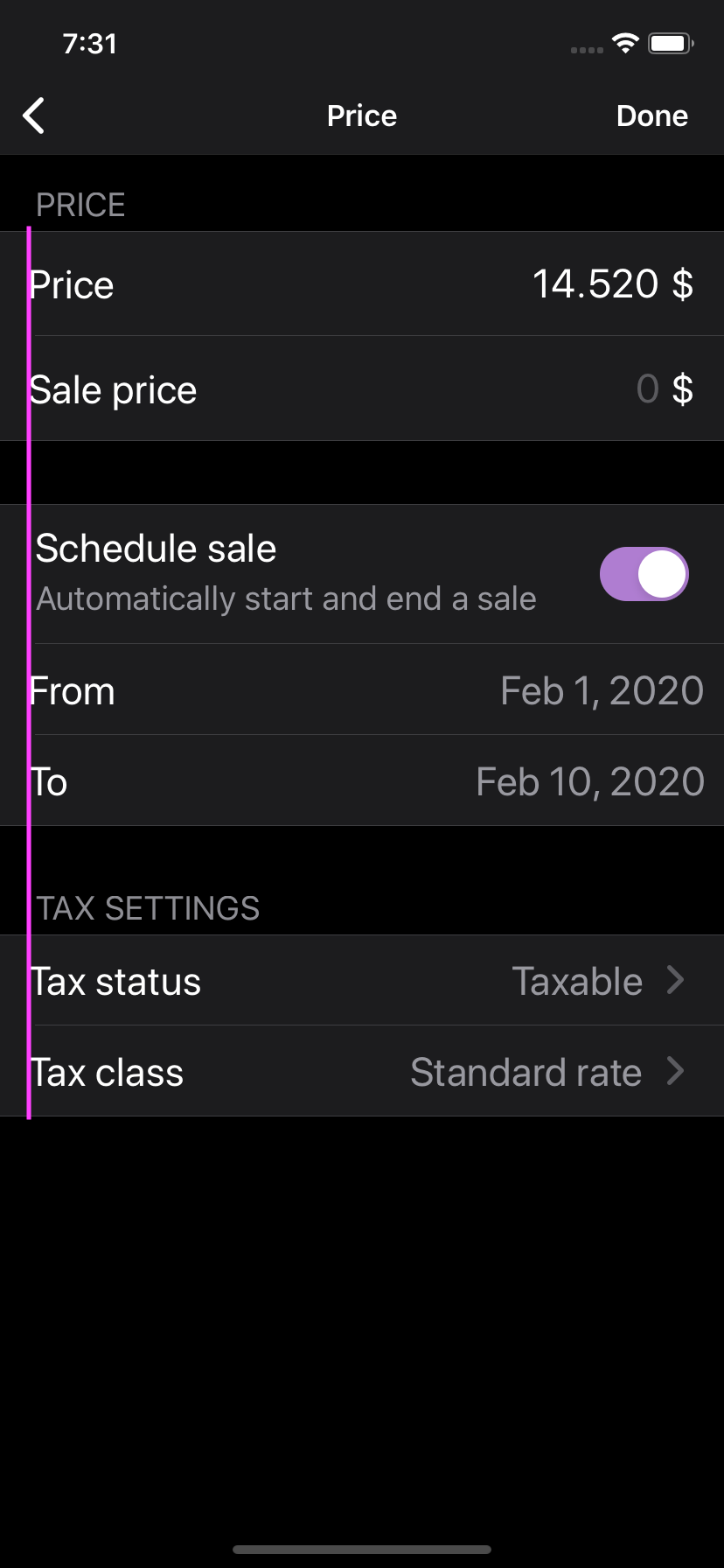 | the cells aren't left aligned with the section heading label (e.g. "TAX SETTINGS"), and the "Schedule date" cell isn't left aligned with the rest
It seems like the left alignment in the toggle cells is correct, since it aligns with the default section header and cell left inset.
 jaclync
All 9 comments
@Garance91540 do you think we should have 16px or 20px left spacing for all the cells, like the iOS default cell separator left inset (the separator lines between cells)? Right now we have a few cells with 16px left spacing (as in the Edit Products design), while some pre-existing cells have 20px spacing. If we think 16px looks better, we could also update the cell separator left inset for all the table views.
jaclync
on 11 Mar 2020
Hi @jaclync ! Thanks for catching this, let's update all left spacing to 16px!
 Garance91540
on 11 Mar 2020
Garance91540
on 11 Mar 2020
I have checked all these cases but it seems that they have already been corrected.
I'm going to close this issue 👍
 pmusolino
on 11 May 2020
pmusolino
on 11 May 2020
still seeing the misalignment issue in release 4.4, I don't think we've changed the left spacing for any cells yet. reopening the issue
jaclync
on 8 Jun 2020
We're freezing version 4.7 today, so I'm bumping this to 4.8. If you need this to be part of 4.7, please merge this PR into release/4.7 and DM me – I'll be happy to cut a new beta release!
 jkmassel
on 27 Jul 2020
jkmassel
on 27 Jul 2020
It looks like the cells that don't have 16px leading alignment (BasicTableViewCell and SwitchTableViewCell) are both still using strings and structs instead of Auto Layout. Their label's x position is set to 16px in their xib, but in reality the labels have 20px leading edge on iPhone 11 iOS 13.7 simulator.
I think it'd be great to update these two cells to use Auto Layout to be consistent with other cells. These two cells are used in many places in the app, let's make sure all the affected UI still look good.
jaclync
on 14 Oct 2020
@woocommerce/mobile-designers
While checking this issue I thought to check all cells that we use.
The result is that most of the cells are using system provided margins, which are usually 16 or 20 depending on the device. Other cells are using fixed 16pt margins defined in code.
My thought is because we already have quite some cells using system provided margins (for example order details screen), should I update other cells to use system margins and remove hardcoded values?
 eshurakov
on 22 Dec 2020
eshurakov
on 22 Dec 2020
My thought is because we already have quite some cells using system provided margins (for example order details screen), should I update other cells to use system margins and remove hardcoded values?
@eshurakov That sounds like a great idea to me, thanks! What do you think @Garance91540
 adamzelinski
on 22 Dec 2020
adamzelinski
on 22 Dec 2020
@eshurakov That sounds like a great idea to me, thanks! What do you think @Garance91540
SGTM!
Garance91540
on 23 Dec 2020
Related issues
 rachelmcr
·
4Comments
rachelmcr
·
4Comments
 kyleaparker
·
3Comments
kyleaparker
·
3Comments
 mindgraffiti
·
4Comments
mindgraffiti
·
4Comments
 californiakat
·
5Comments
jaclync
·
4Comments
californiakat
·
5Comments
jaclync
·
4Comments