Woocommerce-ios: Server Side: Change New Order push notification body for improved localization
Describe the bug
Ref. #620, Item 5.
- "%1$s placed a %2$s order from %3$s"
Issue: when the person placeholder is replaced with "someone", it can be translated differently. In the case of Japanese, username takes "さん (san)" (something similar to a title like Miss or Mr) AFTER the name, such as "Naoko san". But if "san" is added to "someone", it doesn't sound good.
Solution: Something like this works across languages if the verb changes depending on the object's sex: "%2$s order from %3$s (user: %2$s)". Also, it's ideal if a separate sentence such as "%2$s order from %3$s (user: unknown)" is set up. The last part about the unknown user may not be necessary in this case.
We use Someone instead of a username or First name Last Name because our push notification messages are affected by GDPR, and referring to Someone keeps us compliant.
This task requires changes to server-side code for push notifications. cc: @kyleaparker - is "$20.00 order from Bananza World" too terse?
To Reproduce
Steps to reproduce the behavior:
- On your store, make a new order.
- On your test device, check the Notifications tab for the New Order notification.
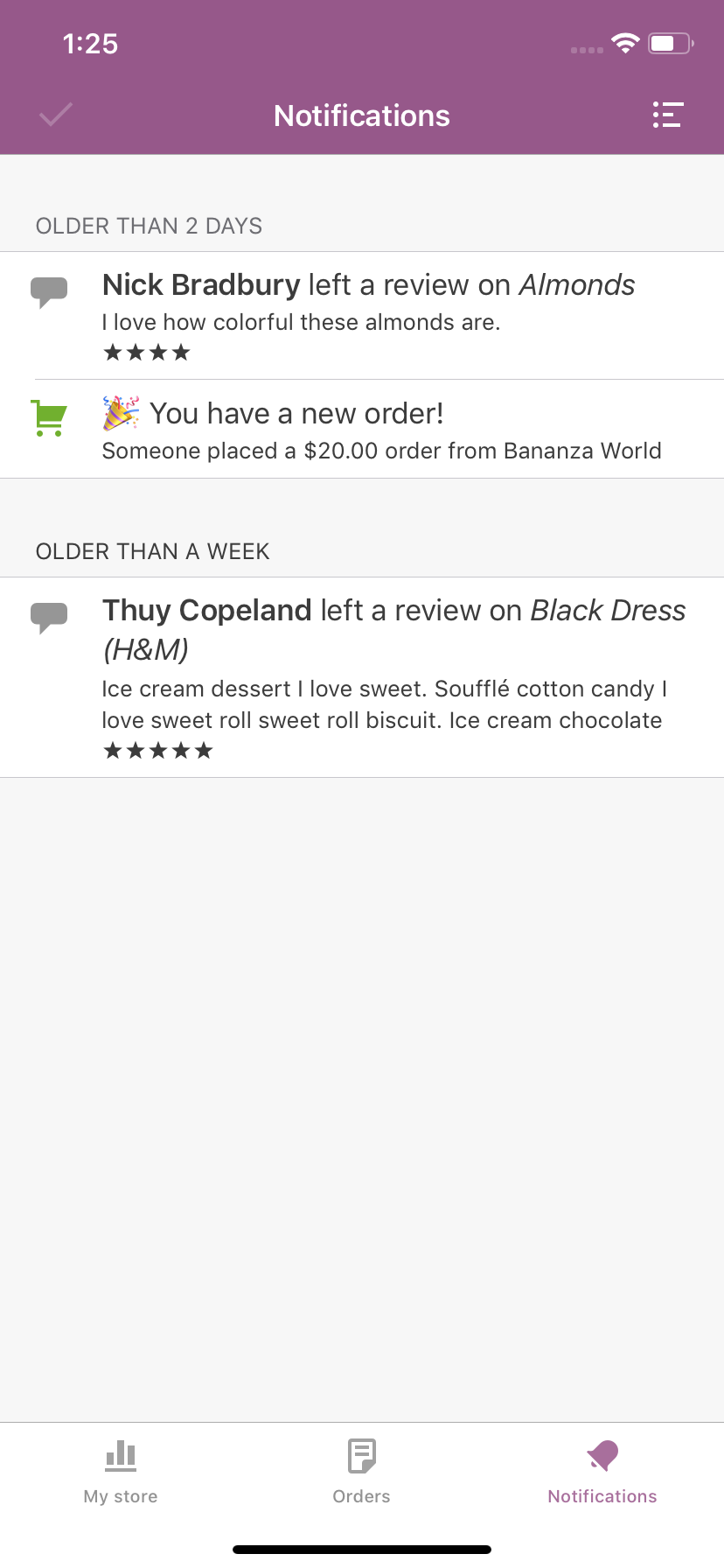
- The body of the push notification says "Someone placed a {order total} from {store name}"
Screenshots
This is what our current new order notification UI looks like:
Expected behavior
To improve internationalization, consider making the string more generic: "{order total} order from {store name}"
Isolating the problem (mark completed items with an [x]):
- [x] I have deactivated other plugins and confirmed this bug occurs when only WooCommerce plugin is active.
- [x] This bug happens with a default WordPress theme active, or Storefront.
- [x] I can reproduce this bug consistently using the steps above.
Mobile Environment
Please include:
- Device:
- iOS version:
- WooCommerce iOS version:
WordPress Environment
Copy and paste the system status report from **WooCommerce > System Status** in WordPress admin.
 mindgraffiti
All 2 comments
How about something like: "New Order for $20 on Bananza World"
 kyleaparker
on 1 Feb 2019
kyleaparker
on 1 Feb 2019
Phabricator review D25207 is pending
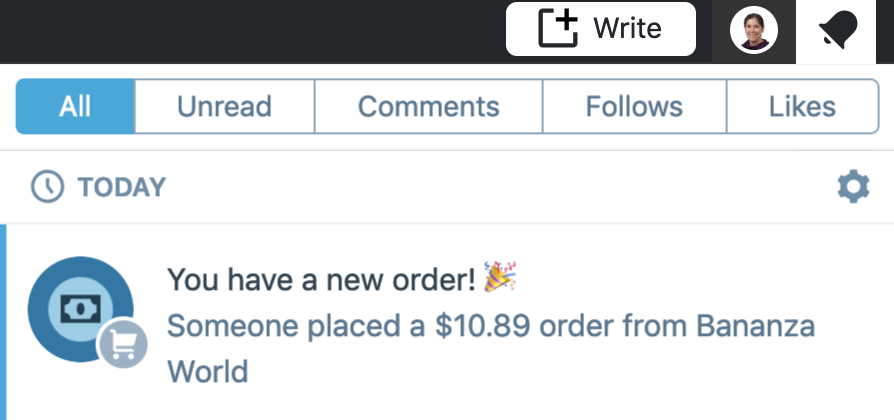
Masterbar notifications before server-side changes:
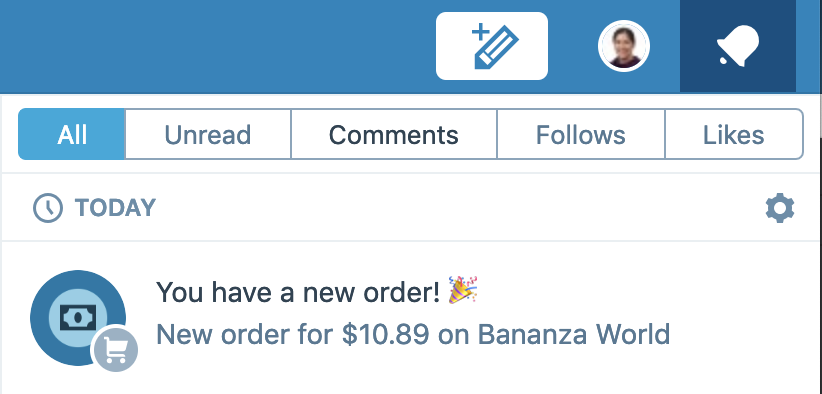
Masterbar notif after changes:
mindgraffiti
on 7 Mar 2019
Related issues
 rachelmcr
·
4Comments
rachelmcr
·
4Comments
 jkmassel
·
4Comments
jkmassel
·
4Comments
 jaclync
·
4Comments
jaclync
·
3Comments
jaclync
·
4Comments
jaclync
·
3Comments
 shiki
·
3Comments
shiki
·
3Comments
Most helpful comment
How about something like: "New Order for $20 on Bananza World"