Woocommerce-admin: [WC 4.5 RC3] Home Screen: `Set up tax` task doesn't get completed and the automated taxes don't get enabled if the user selects that option
Describe the bug
After completing OBW, on Home Screen, if the user selects the Set up tax task and then selects to enable automated taxes, the Set up tax task first gets marked as completed. But the automated taxes don't get enabled if you check Tax Settings and the Set up tax task gets undone when you get back to Home Screen.
To Reproduce
Steps to reproduce the behavior:
- Start OBW on the brand new site.
- Fill in the
Store Detailssection with the US address. - Select
Fashion, apparel, and accessoriesin the Industries section. - In the
Tell us about your businesssection, select checkbox next toInstall recommended free business featuresto install all the recommended plugins. - On Home Screen, select
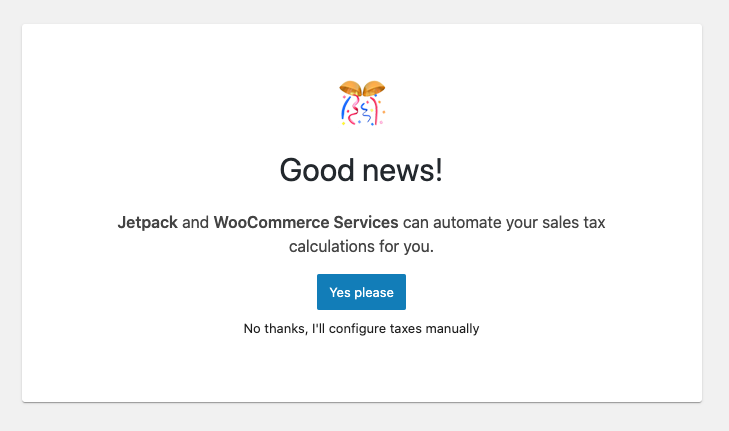
Set up taxtask. You will be presented with theGood News!popup - click onYes pleasebutton to enable automated taxes:
- Note the notice at the bottom letting you know that you have one fewer to-do items and also note that
Set up taxtask gets marked as completed. - Navigate to
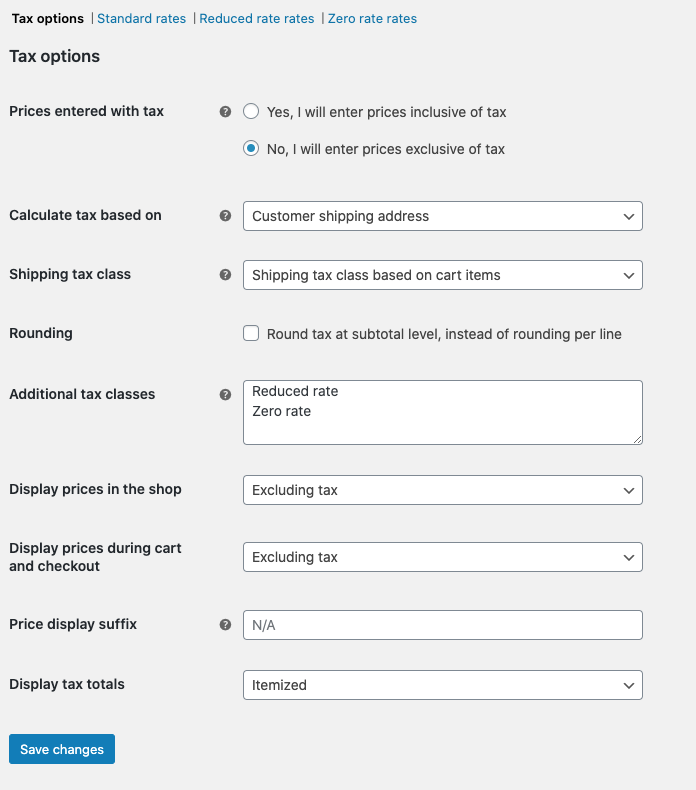
WooCommerce/Settings/Tax/Tax Optionsand see that automated taxes were not enabled as they were supposed to. Instead, you will see the following (regular tax settings):
- Navigate back to Home Screen and you will see that the
Set up taxtask is reverted back to not being done.
See gif below that showcases the behavior (replicated it 3 times on JN site):
https://recordit.co/lL1AoVUKOE
Expected behavior
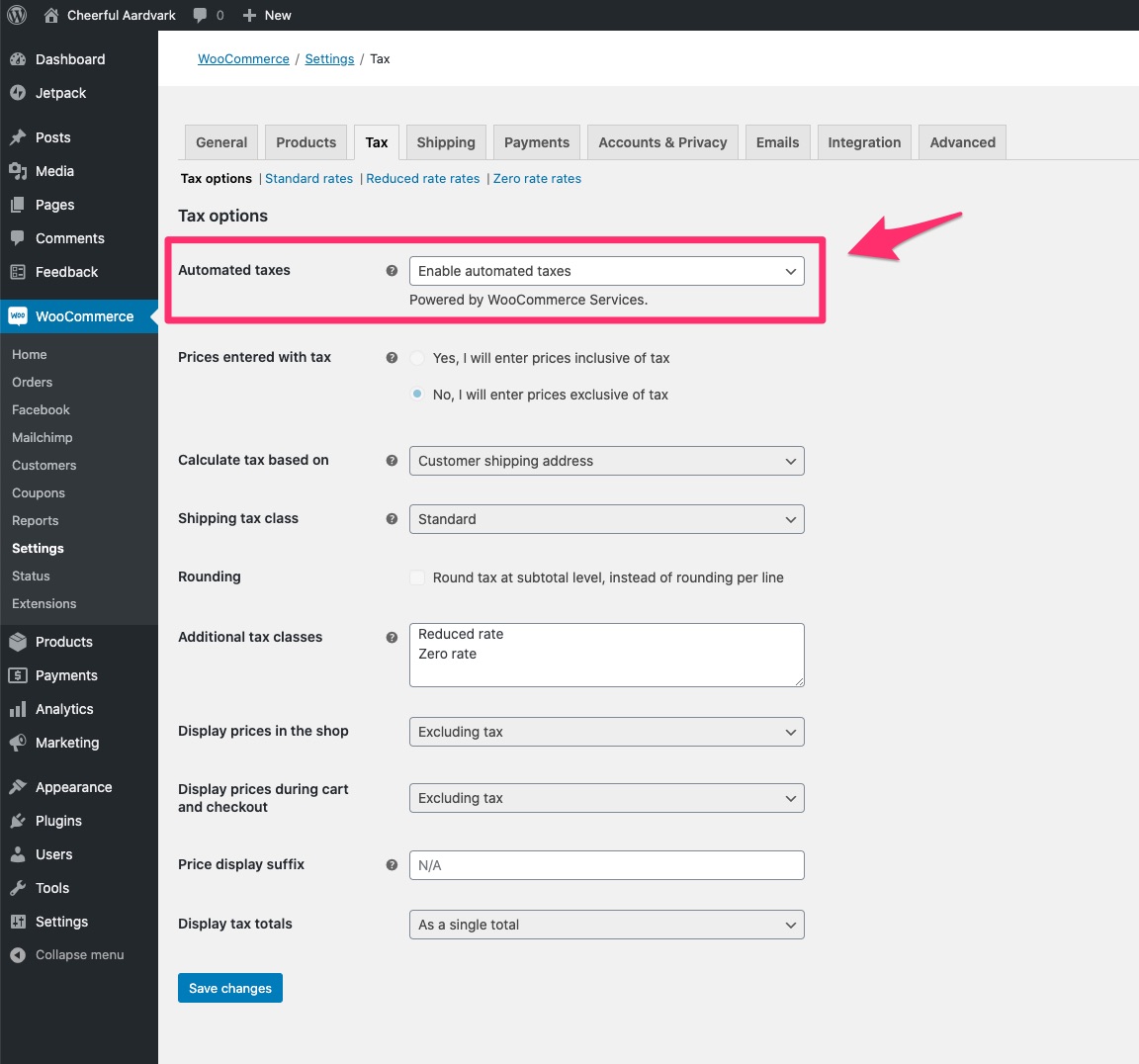
When navigated to WooCommerce/Settings/Tax/Tax Options in step 7, I expected to see that automated taxes have been enabled:
Screenshots
See above.
Desktop (please complete the following information):
- OS: macOS Catalina 10.15.6
- Browser: Chrome
- Version: Version 85.0.4183.83 (Official Build) (64-bit)
Additional context
N/A
 juliaamosova
All 5 comments
Confirmed this issue myself, and it only happens when using the bundled extension install. It seems that with the bundled extension flow, when the benefits page is skipped and we direct people to connect to Jetpack, WCS is somehow not connected after that process.
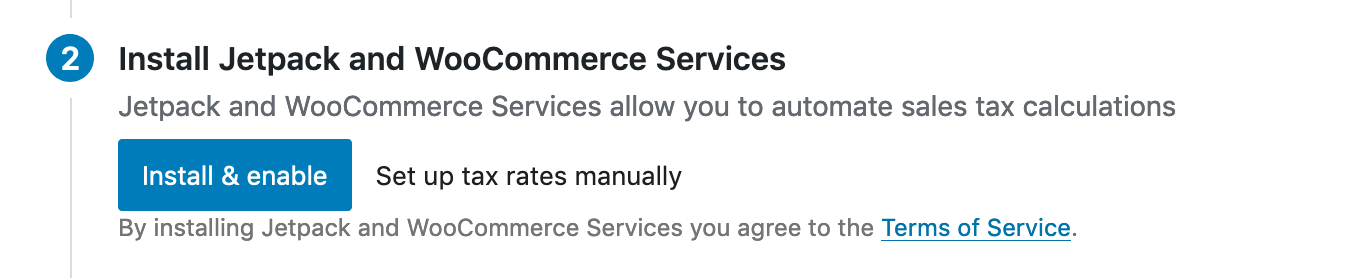
The behavior of the bundled install in 1.4/4.4 skips the benefits screen entirely, and the JP connect process, and instead on the tax step you are prompted to Install and Enable Jetpack & WCS:
after install
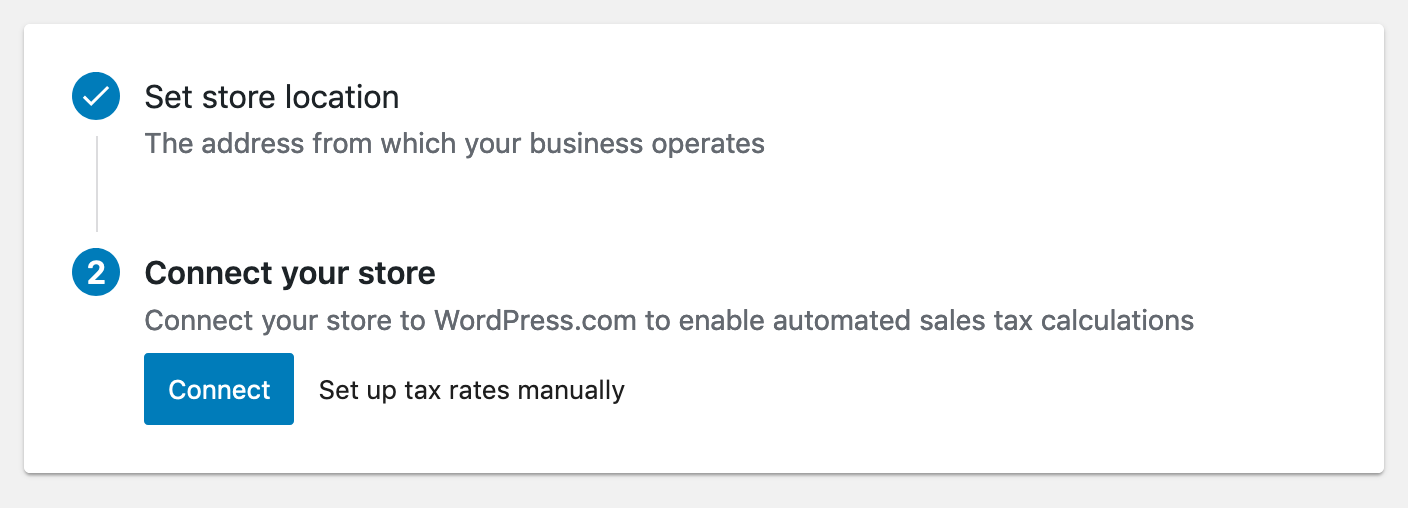
and the Jetpack connect screen:
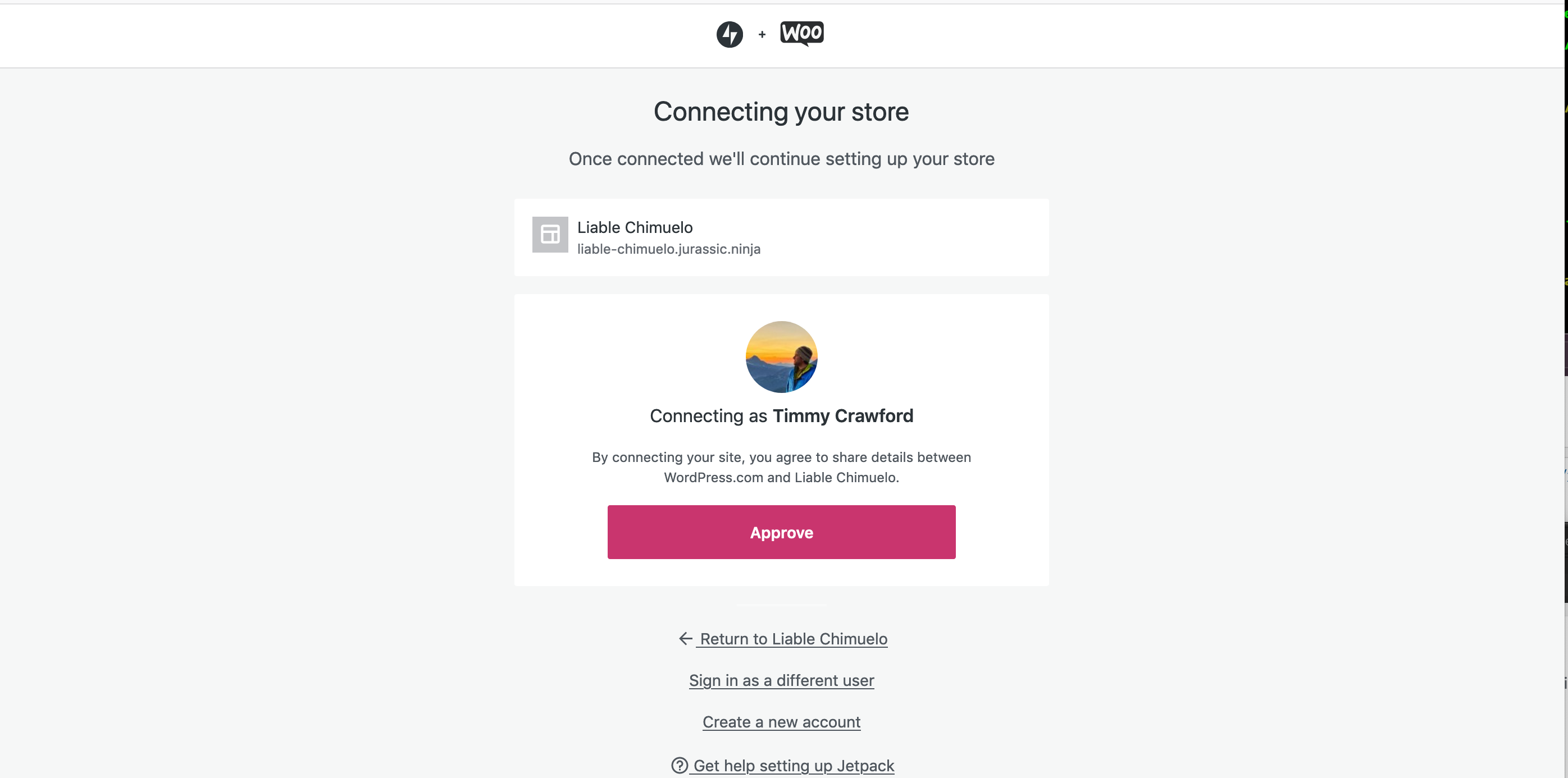
So this is definitely a regression since the last release. I don't know if we will have enough time to pursue a fix.
@pmcpinto - what was the outcome of the conversation around the bundled UI? Are we going to be making more changes here or continuing to use it?
One obvious fix is to disable the bundle UI in this release, while drastic, it does fix this flow.
 timmyc
on 3 Sep 2020
timmyc
on 3 Sep 2020
@timmyc , I haven't dug deeply on this, but one thing to check into is a long-ago added option that triggers the ToS accept for WCS: woocommerce_setup_jetpack_opted_in. wc-admin sets that in some flows. Is it still being set in the above flow?
The naming of that option doesn't make it clear, but that's one way that the ToS acceptance can be triggered for WCS: https://github.com/Automattic/woocommerce-services/blob/5fb693f816d44f1b6c63b591b4c846cf6062f01c/woocommerce-services.php#L502
 c-shultz
on 4 Sep 2020
c-shultz
on 4 Sep 2020
@pmcpinto - what was the outcome of the conversation around the bundled UI? Are we going to be making more changes here or continuing to use it?
@timmyc the results are positive, I'm going to P2 them today. We discussed an intermediate approach, where we also let folks deselect some of the options. I'll talk with Elizabeth to see if it's possible to create a mock-up of this, so it can be implemented in the upcoming cycle. We should keep the bundled UI for the time being.
 pmcpinto
on 4 Sep 2020
pmcpinto
on 4 Sep 2020
@c-shultz brilliant, I think that is absolutely it. We set that option on the benefits screen, but do not do the same when we "bundle install" the extensions.
So seems like we could add that little bit of logic to the bundle process, and this bug ( and the others related to it ) should be fixed up.
timmyc
on 4 Sep 2020
Okay possible fix up for review here: https://github.com/woocommerce/woocommerce-admin/pull/5101
timmyc
on 4 Sep 2020
Related issues
timmyc
·
4Comments
 dechov
·
3Comments
timmyc
·
4Comments
timmyc
·
3Comments
pmcpinto
·
4Comments
dechov
·
3Comments
timmyc
·
4Comments
timmyc
·
3Comments
pmcpinto
·
4Comments