Woocommerce-admin: Component: Dashboard Settings
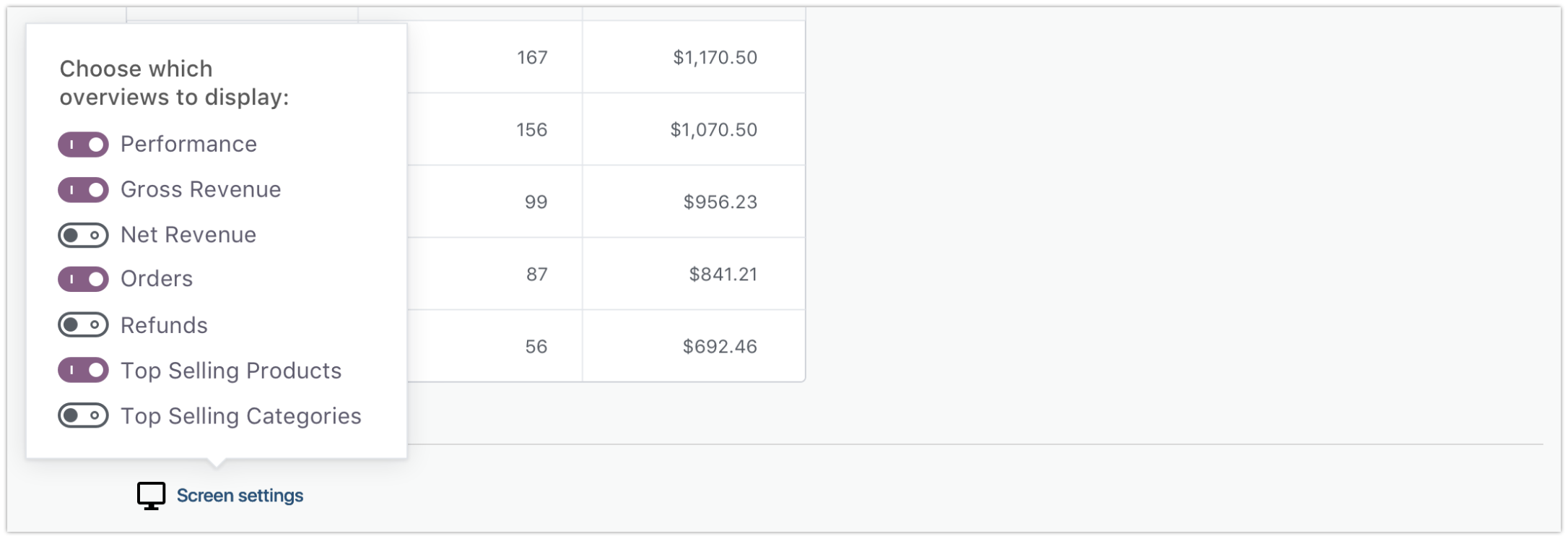
The latest sketch design has detailed the new "Screen Settings" interactions in further detail:

The Screen Settings button appears in the footer area below the dashboard blocks. When the button is clicked, an Ellipsis menu is shown that allows users to toggle the blocks shown on their dashboard:
For this enhancement - the following items are needed:
- A new component for the footer area of the Dashboard
- A component for Screen Settings, that when clicked exposes an Ellipsis menu
Eventually the selections in this menu will need to be persisted in some manner. In our hangout this week I brought up the notion of storing the selections as user options as they will need to be persisted between browsers/sessions. But we can tackle that in a future PR.
 timmyc
All 4 comments
I started working on this, but I have a design related issue with the popover.
As different blocks/overviews are toggled, the "screen settings" jumps around the screen (since the height of the content changes). The bubble however, doesn't update it's position and there doesn't seem to be an easy way to force it to update right now. It seems to update if the page scrolls, but it seems hacky to scroll around the page as you update widgets. I've attached a little video showing what I mean: https://cloudup.com/cgI8WyVlREN
Does anyone have any ideas here? Could we fix the position of this somewhere? Maybe the upper right corner where the classic wp-admin screen option button is? Or maybe the lower right hand corner?
cc @woocommerce/woo-core-design @timmyc
 justinshreve
on 6 Aug 2018
justinshreve
on 6 Aug 2018
Heya Justin - Can we try floating it right, opposite the date range picker?
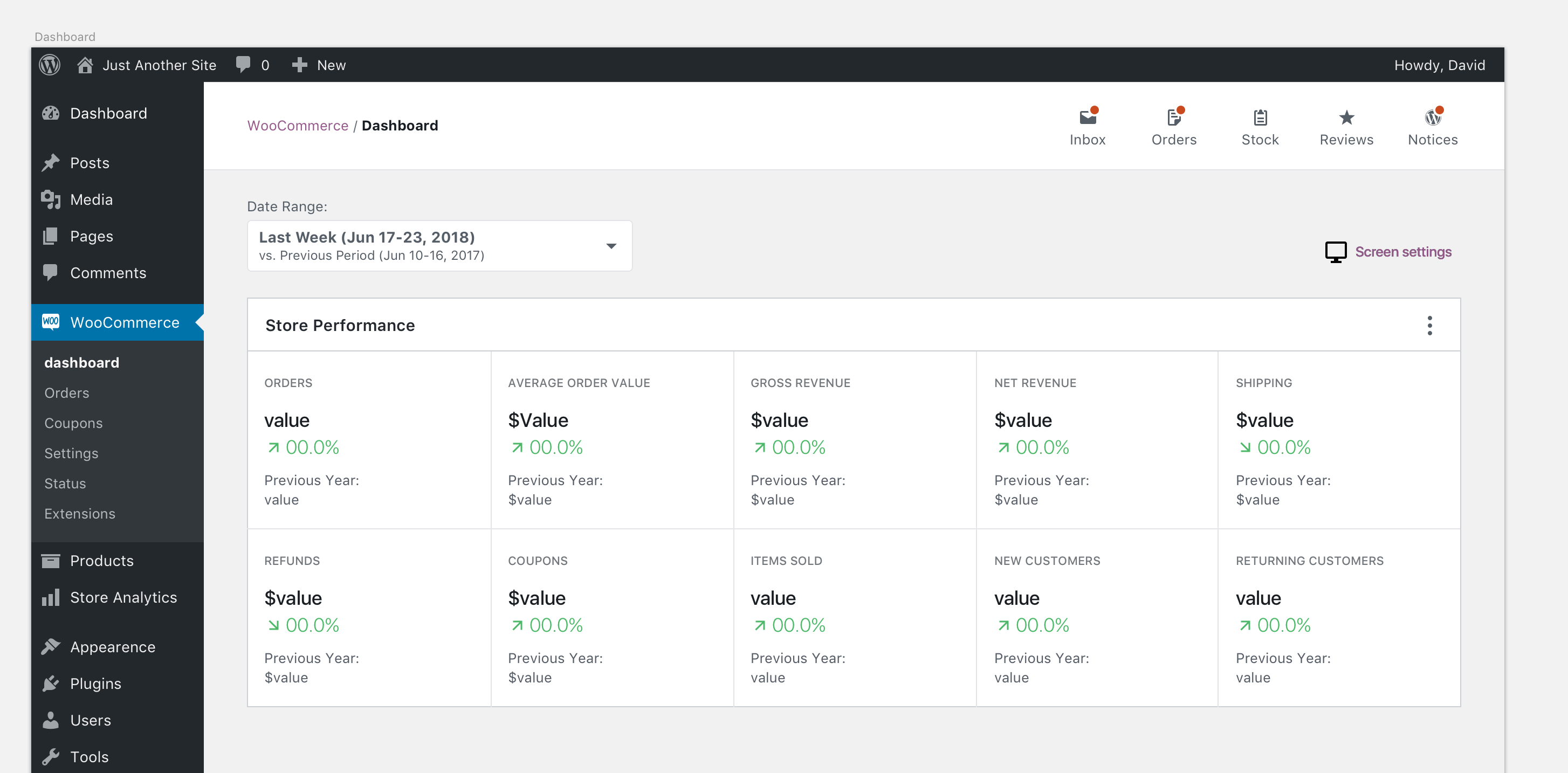
It could wrap under the date range picker at 782 or less.
If we have to contend with the other screen settings tabs (I don't see them in your video) we should probably re-name the button we're looking at "Dashboard Settings" to disambiguate it from the others.
 LevinMedia
on 6 Aug 2018
LevinMedia
on 6 Aug 2018
That should work perfectly! Thanks!
I don't think this will show up along side the other screen settings (since those are only on classic pages) -- so I think keeping the name is fine.
justinshreve
on 6 Aug 2018
@timmyc Per the design changes in p6riRB-3qG-p2, I think we should close this one out and create a few issues to implement the new behavior. There is more going on now then just show/hide. For example blocks can be reordered, we can have multiple instances of blocks, etc.
justinshreve
on 14 Aug 2018
Related issues
 dechov
·
3Comments
dechov
·
3Comments
 jeffstieler
·
3Comments
jeffstieler
·
3Comments
 zhongruige
·
3Comments
zhongruige
·
3Comments
 KZeni
·
4Comments
KZeni
·
4Comments
 joshuatf
·
3Comments
joshuatf
·
3Comments