Woocommerce-admin: Home Screen - Jetpack prompt displayed if user already has JP installed
Describe the bug
The prompt to install Jetpack is being displayed while I already have Jetpack installed and activated. In addition to that, I'm getting a weird message when I click to activate
To Reproduce
- Login in an existing store with WC 4.3 installed
- Go to WooCommerce > Settings > Advanced > Features and activate the Home Screen
- Go to the Home screen and see the Jetpack prompt
- Click "Activate Jetpack" and see the following message in the snackbar: The requested plugin Jetpack is not in the list of allowed plugins.
Expected behavior
I was expecting to see the Stats Overview section without the JP prompt because I already have it installed and activated.
Screenshots
https://www.loom.com/share/10a26faa75f74163a0af276a528a2d71
 pmcpinto
All 6 comments
I have replicated this for two stores.
My main site is already Jetpack connected but shows "Activate Jetpack" even when that WordPress user is the main JP connection. Clicking Activate results in the message that Pedro mentions.
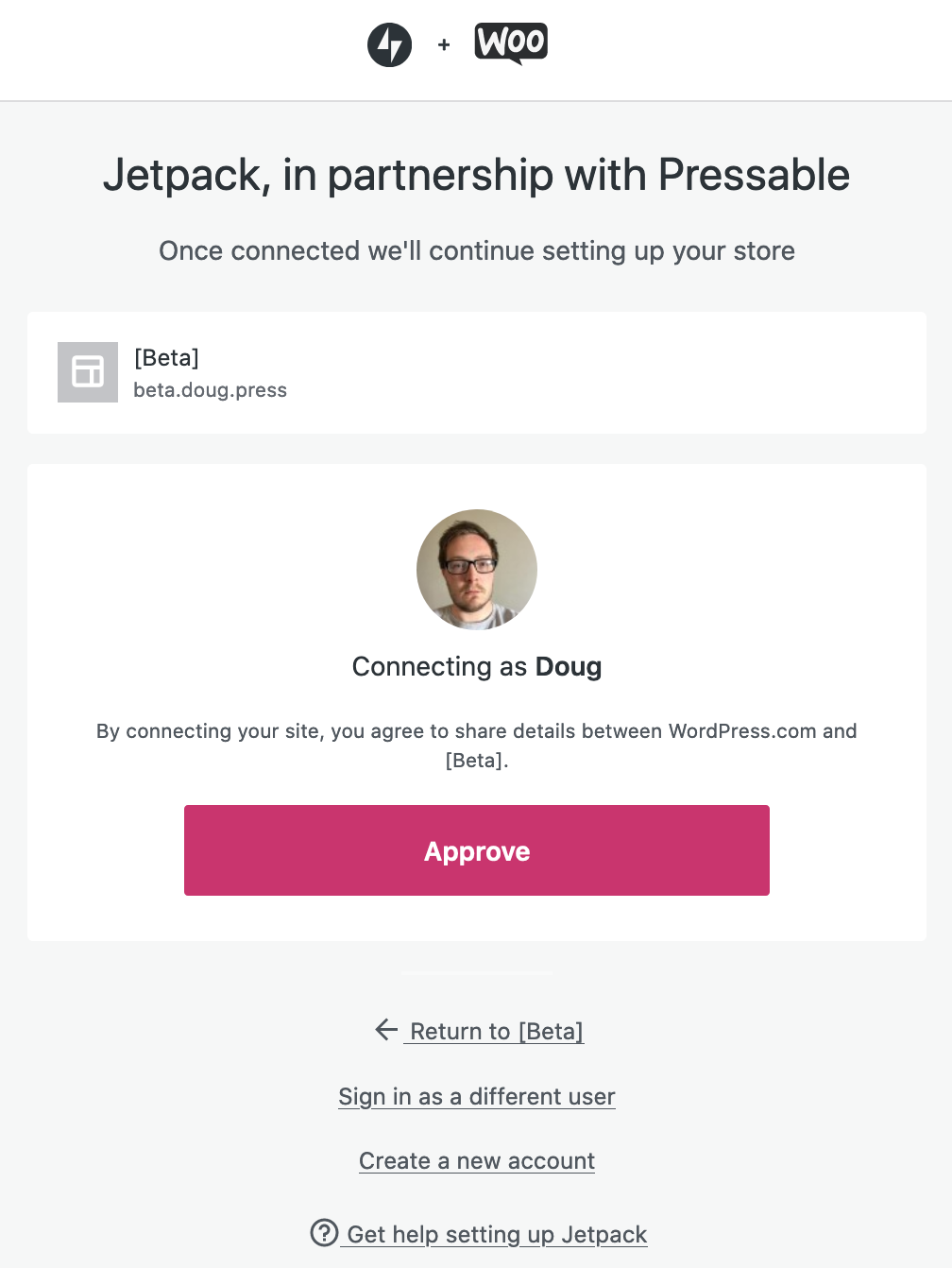
Second, to this, I activated the Jetpack on another site and "Activate Jetpack" changed to "Connect Jetpack" - is there a reason this extra step is needed, is there an authorization that is needed?
After clicking "Connect Jetpack", I got the generic message:
 dougaitken
on 14 Jul 2020
dougaitken
on 14 Jul 2020
Thanks Doug for checking this bug. Yep, AFAIK that step is required to approve the connection
pmcpinto
on 14 Jul 2020
I was unable to reproduce this locally and on a JN site.
On the JN site I:
- Installed and connected JP
- Installed WC 4.2.2
- Went through the setup wizard
- Upgraded to WC 4.3
- Enabled the home screen feature
- Did not see the Jetpack prompt in the Stats widget on the home screen
 jeffstieler
on 15 Jul 2020
jeffstieler
on 15 Jul 2020
@jeffstieler I'll send you through Slack the access to an existing site where I'm getting this issue.
pmcpinto
on 15 Jul 2020
Thanks for that @pmcpinto! I'm able to reproduce this now.
This occurs when onboarding is not enabled - either by turning off the feature, or by clicking "skip setup" on the core notice, or by clicking "not right now" on the full screen takeover.
jeffstieler
on 15 Jul 2020
Great. Thanks for taking care of this issue!
pmcpinto
on 16 Jul 2020
Related issues
 timmyc
·
4Comments
timmyc
·
3Comments
timmyc
·
4Comments
timmyc
·
3Comments
 zhongruige
·
3Comments
zhongruige
·
3Comments
 LevinMedia
·
3Comments
LevinMedia
·
3Comments
 JoshuaGoode
·
3Comments
JoshuaGoode
·
3Comments
Most helpful comment
I have replicated this for two stores.
My main site is already Jetpack connected but shows "Activate Jetpack" even when that WordPress user is the main JP connection. Clicking Activate results in the message that Pedro mentions.
Second, to this, I activated the Jetpack on another site and "Activate Jetpack" changed to "Connect Jetpack" - is there a reason this extra step is needed, is there an authorization that is needed?
After clicking "Connect Jetpack", I got the generic message: