Woocommerce-admin: [WC 4.3 RC1] Home Screen: Card to connect to woo.com account is still shown after connecting to woo.com
Describe the bug
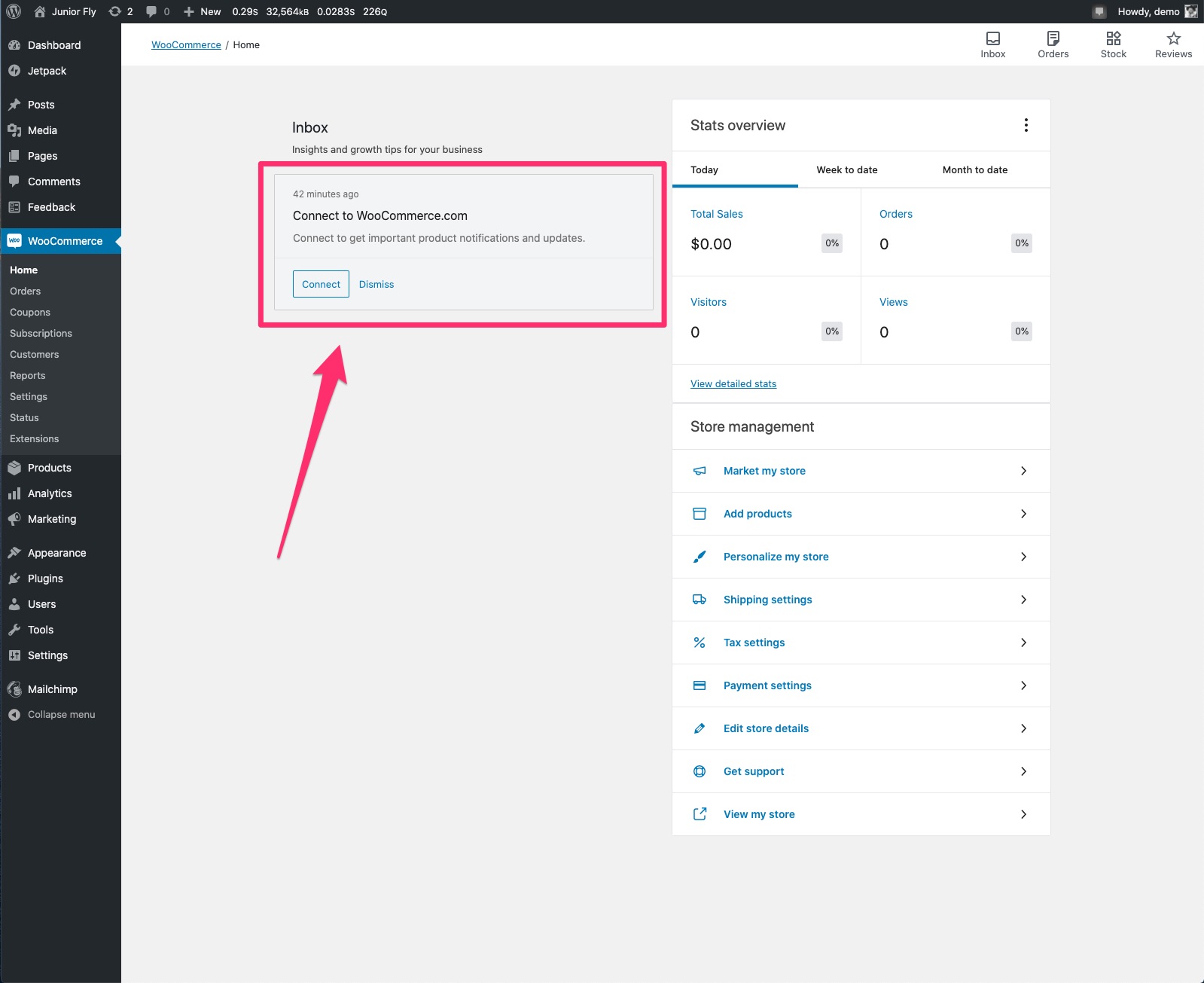
After connecting to woo.com account through Purchase & install extensions step, the card to connect to woo.com is still shown.
To Reproduce
Steps to reproduce the behavior:
- Complete onboarding on the fresh install. Make sure to select one of the paid extensions to be purchased during onboarding.
- In the
Finish setupsection - click onPurchase & install extensions- complete the flow and wait to be redirected back to the site. - Navigate to
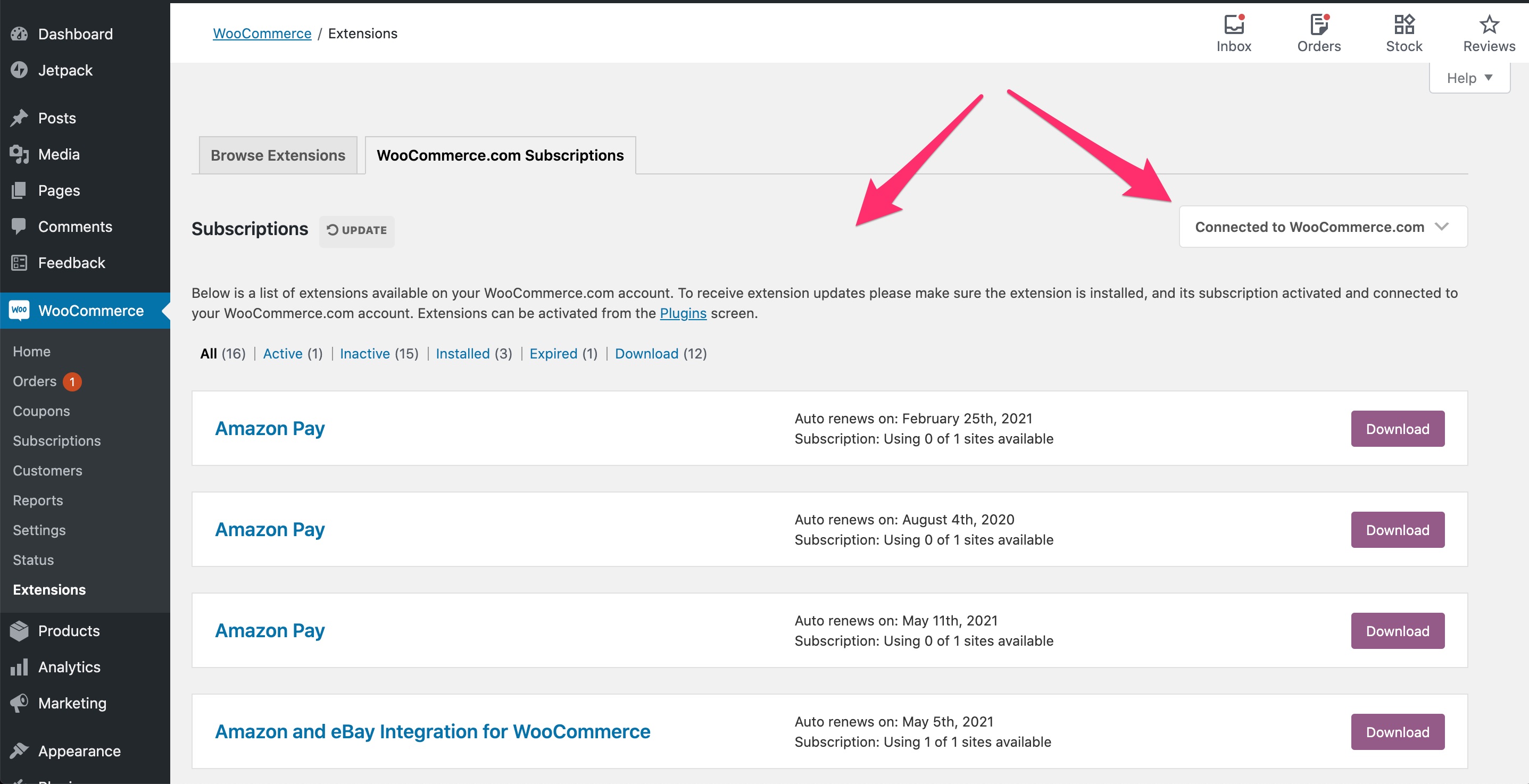
WooCommerce / Extensions / WooCommerce.com subscriptionsand confirm that you are connected to WooCommerce.com account:
- Navigate back to Home Screen and note that the card to connect to woo.com account is still shown:
Expected behavior
I expected the card to connect to woo.com on the Home Screen not to show up after completing the Purchase & install extensions step.
Screenshots
See above.
Desktop (please complete the following information):
- OS: macOS Catalina 10.15.5
- Browser: Chrome
- Version: 83.0.4103.106 (Official Build) (64-bit)
Additional context
N/A.
 juliaamosova
>All comments
Seems like the logic that calls WC_Admin_Notes_Woo_Subscriptions_Notes::remove_notes() may fall short somewhere. Since this logic already exists and should be a matter of finding the bug that causes this within update_option_woocommerce_helper_data, I'd estimate this as a 2 to allow time for testing the WCCOM connection.
Estimate: 2
 joshuatf
on 17 Aug 2020
joshuatf
on 17 Aug 2020
Related issues
 KZeni
·
4Comments
KZeni
·
4Comments
 jessepearson
·
4Comments
jessepearson
·
4Comments
 timmyc
·
4Comments
timmyc
·
4Comments
joshuatf
·
3Comments
timmyc
·
4Comments
timmyc
·
4Comments
joshuatf
·
3Comments
Most helpful comment
Seems like the logic that calls
WC_Admin_Notes_Woo_Subscriptions_Notes::remove_notes()may fall short somewhere. Since this logic already exists and should be a matter of finding the bug that causes this withinupdate_option_woocommerce_helper_data, I'd estimate this as a 2 to allow time for testing the WCCOM connection.Estimate: 2