Woocommerce-admin: French - Uppercase with accent not displayed in new dashbard
Dear,
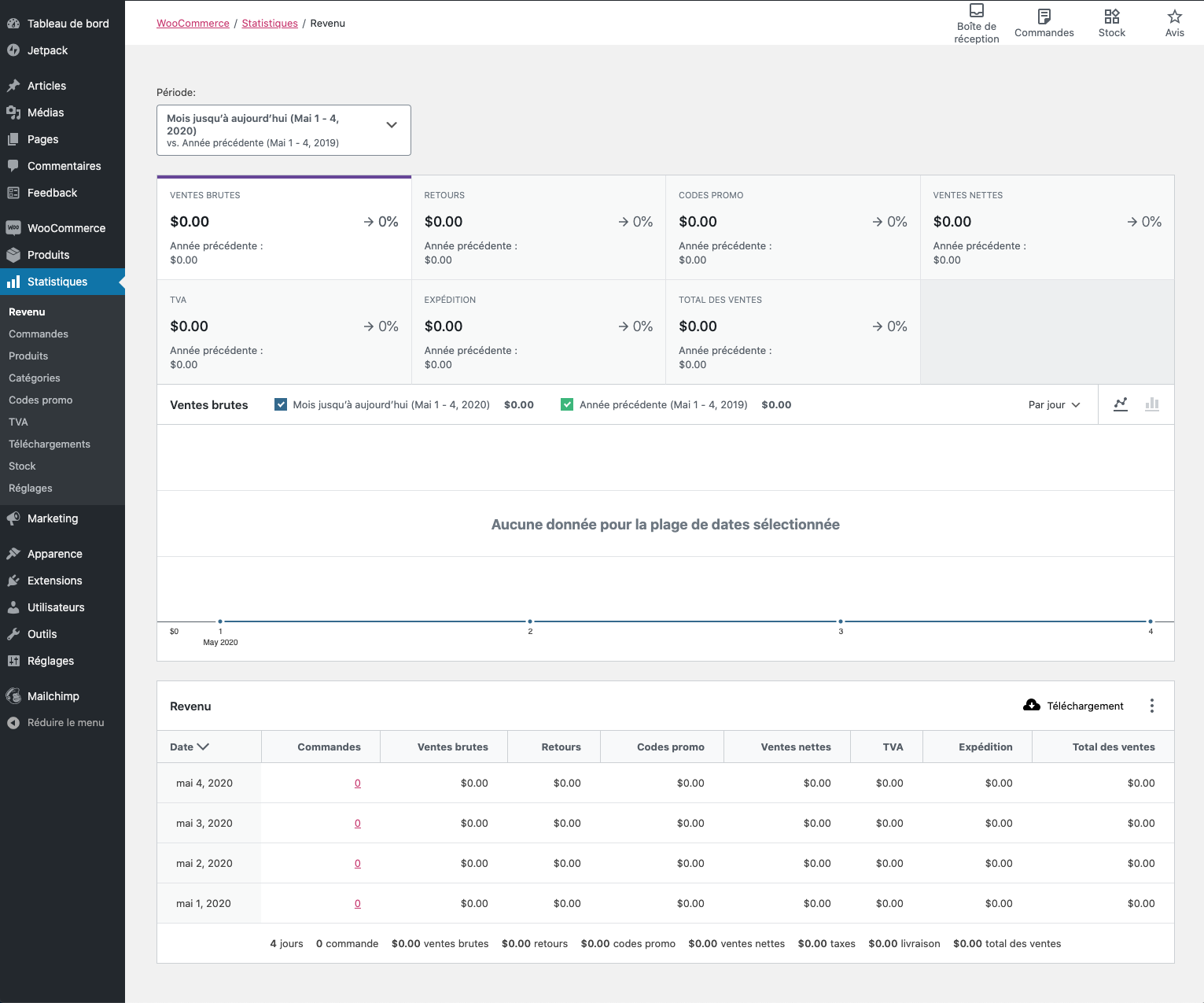
As you can see in the below image, some letters are missing in the French titles. Please fix this.
"COMMANDES AVEC RÉDUCTION"
"EXPÉDITION"
"TAXE D’EXPÉDITION"

 gevcen
All 9 comments
My understanding that this issue had been fixed in https://github.com/woocommerce/woocommerce/pull/26339 because I can see that everything renders as expected when testing WC 4.1 rc.3:
 juliaamosova
on 4 May 2020
juliaamosova
on 4 May 2020
No, it is not fixed. At least not in wooCommerce 4.1. The missing translations (which was another problem) are now shown correctly.
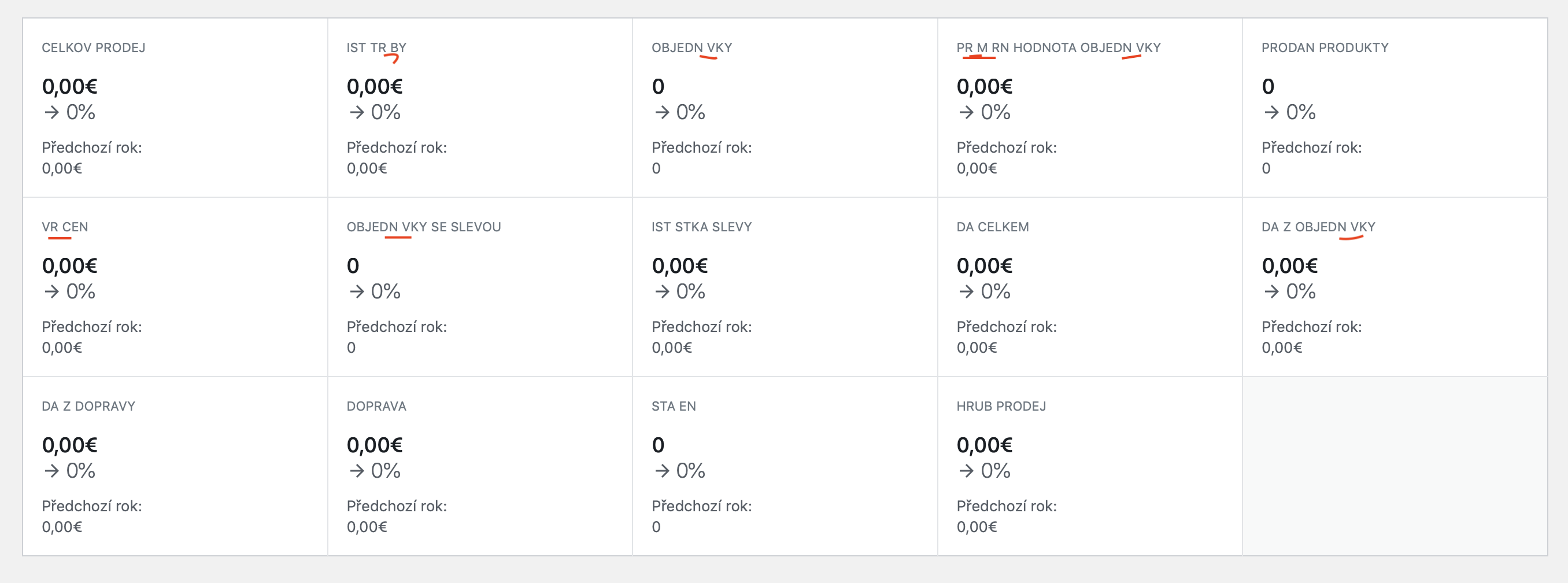
This one is another issue as described in https://github.com/woocommerce/woocommerce-admin/issues/4311 (at least for the Czech and Slovak language).
This issue seems to be connected to the font used in WooCommerce Admin. It needs to support latin-extended letters/glyphs like "ščťžáé". Only blank spaces are where these letters should be shown. I've tested it on Czech and Slovak languages.
 Savi-1
on 17 May 2020
Savi-1
on 17 May 2020
No, it is not fixed. At least not in wooCommerce 4.1. The missing translations (which was another problem) are now shown correctly.
This one is another issue as described in #4311 (at least for the Czech and Slovak language).
This issue seems to be connected to the font used in WooCommerce Admin. It needs to support latin-extended letters/glyphs like "ščťžáé". Only blank spaces are where these letters should be shown. I've tested it on Czech and Slovak languages.
The problem still persists in version 4.3.1.
 vvvamik
on 4 Aug 2020
vvvamik
on 4 Aug 2020
The Summary Numbers have been re-designed to be more akin to the rest of the WordPress core styling, and part of this move was to update the font in use here, and no longer use all capitals. As such, I feel this bug is no longer present so I'm going to close this out. If anyone on the issue thread here is still experiencing this issue with WooCommerce 4.4, please do reply back. Thanks!
 timmyc
on 25 Aug 2020
timmyc
on 25 Aug 2020
@timmyc In version 4.4.1. Unfortunately the problem still persists in the Czech language.

vvvamik
on 27 Aug 2020
@timmyc the same in Slovak language. There is problem with latin-extended special letters/glyphs like "ščťžáé". The font needs to change to support latin-ext
Savi-1
on 27 Aug 2020
@timmyc Update 4.6.1- in Czech language problem solved.
vvvamik
on 22 Oct 2020
@timmyc Update 4.6.1 - it's finally fixed in Slovak as well
Savi-1
on 22 Oct 2020
@vvvamik and @Savi-1 thanks for confirming the fix! I'll close this out now.
timmyc
on 22 Oct 2020
Related issues
timmyc
·
3Comments
 jeffstieler
·
3Comments
jeffstieler
·
3Comments
 jessepearson
·
4Comments
jessepearson
·
4Comments
 dechov
·
3Comments
timmyc
·
4Comments
dechov
·
3Comments
timmyc
·
4Comments