Woocommerce-admin: Onboarding: Jetpack and WC Services connection hiccups on GoDaddy
Describe the bug
Connecting to Jetpack & WC Services gives errors and takes some retries when running on GoDaddy managed hosting.
To Reproduce
Create a new site on GoDaddy hosting.
- Install WooCommerce & WC Beta tester, activate plugins and go via the new Onboarding wizard.
- When instructed to connect with Jetpack and WooCommerce Services, the OBW experience goes south.
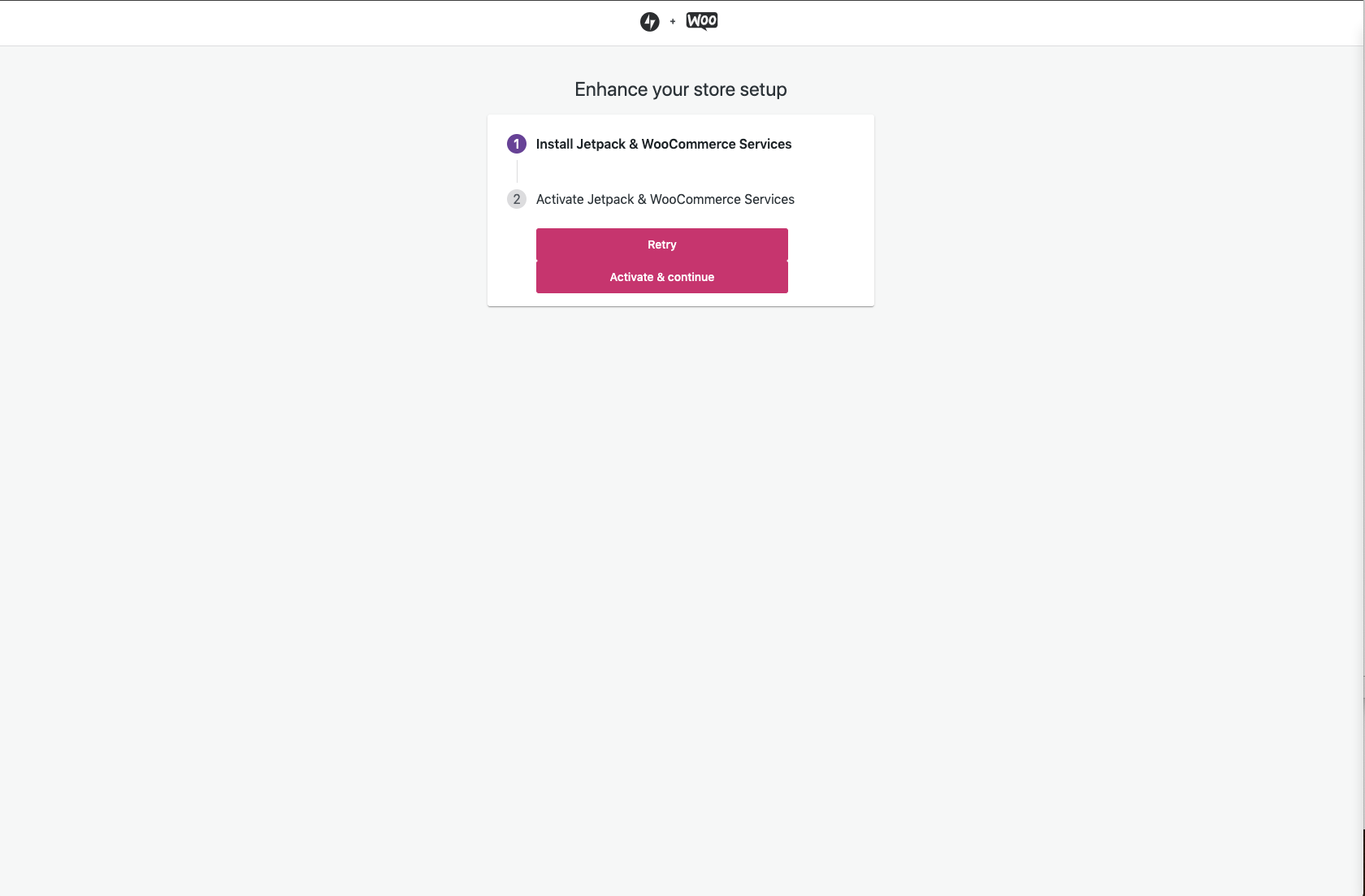
- After agreeing to connect, the screen ends up with this:
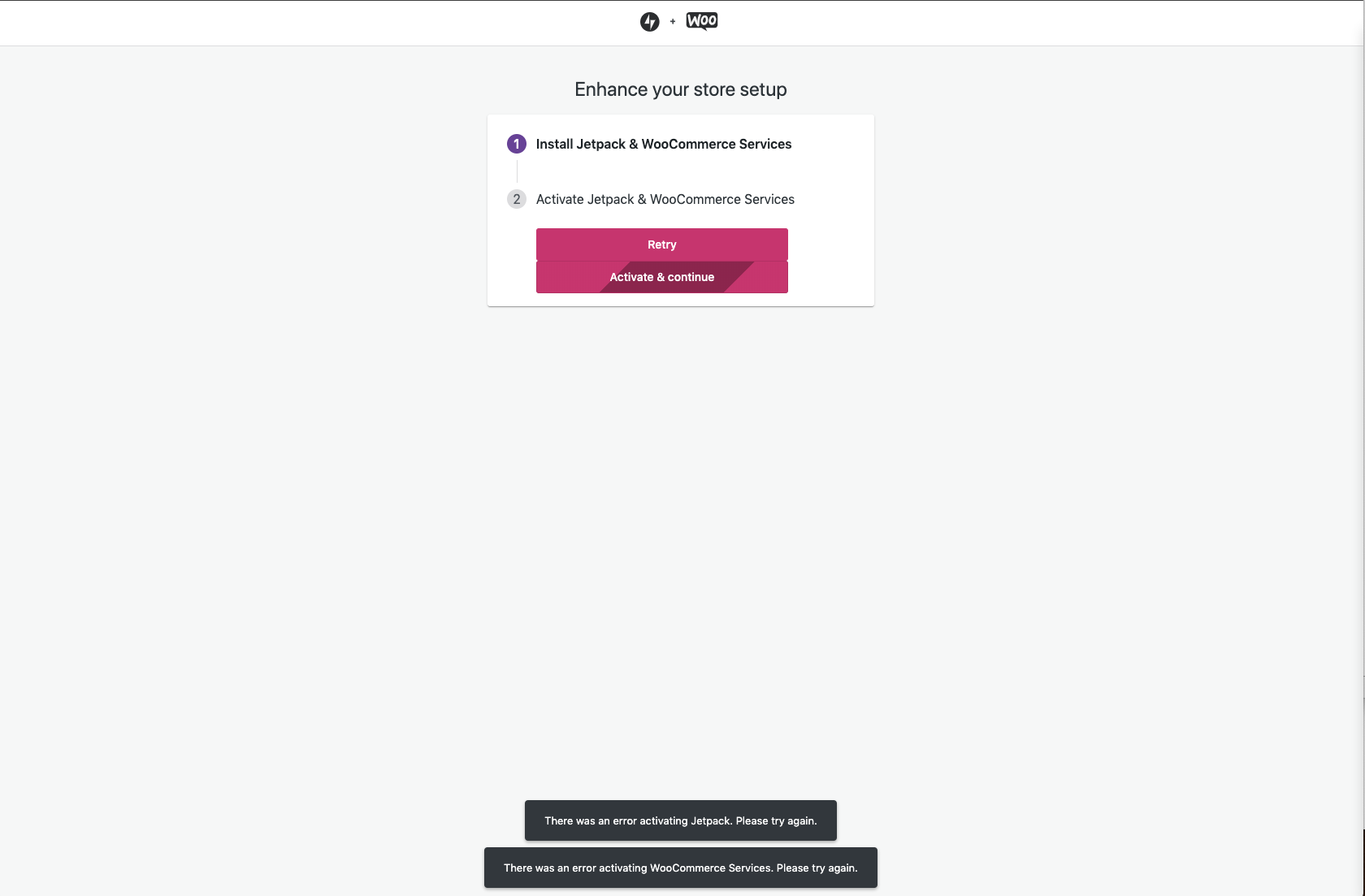
- Clicked on activate & continue, then got 2 errors:
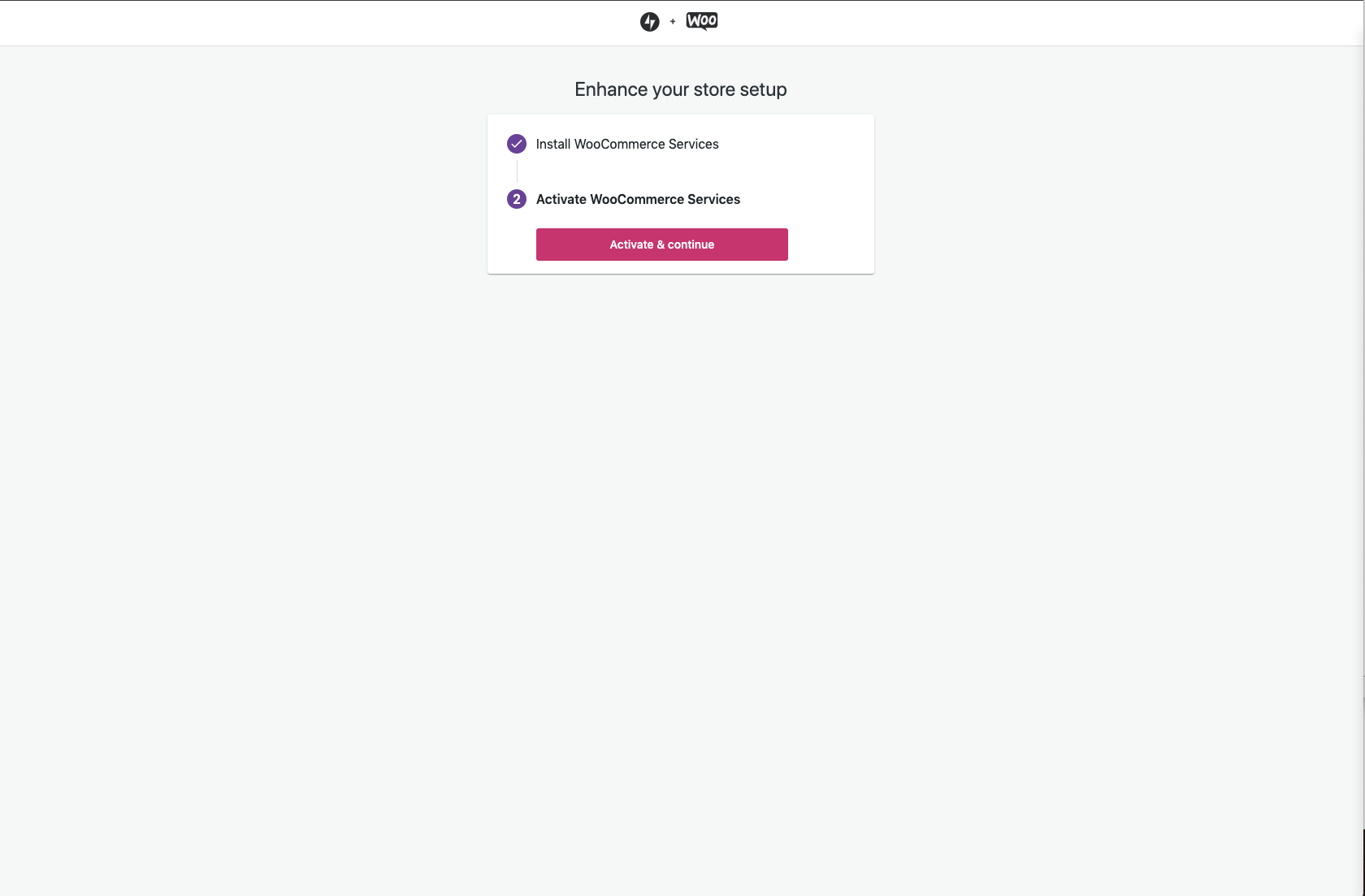
- Clicked on Retry, got asked to activate services again:
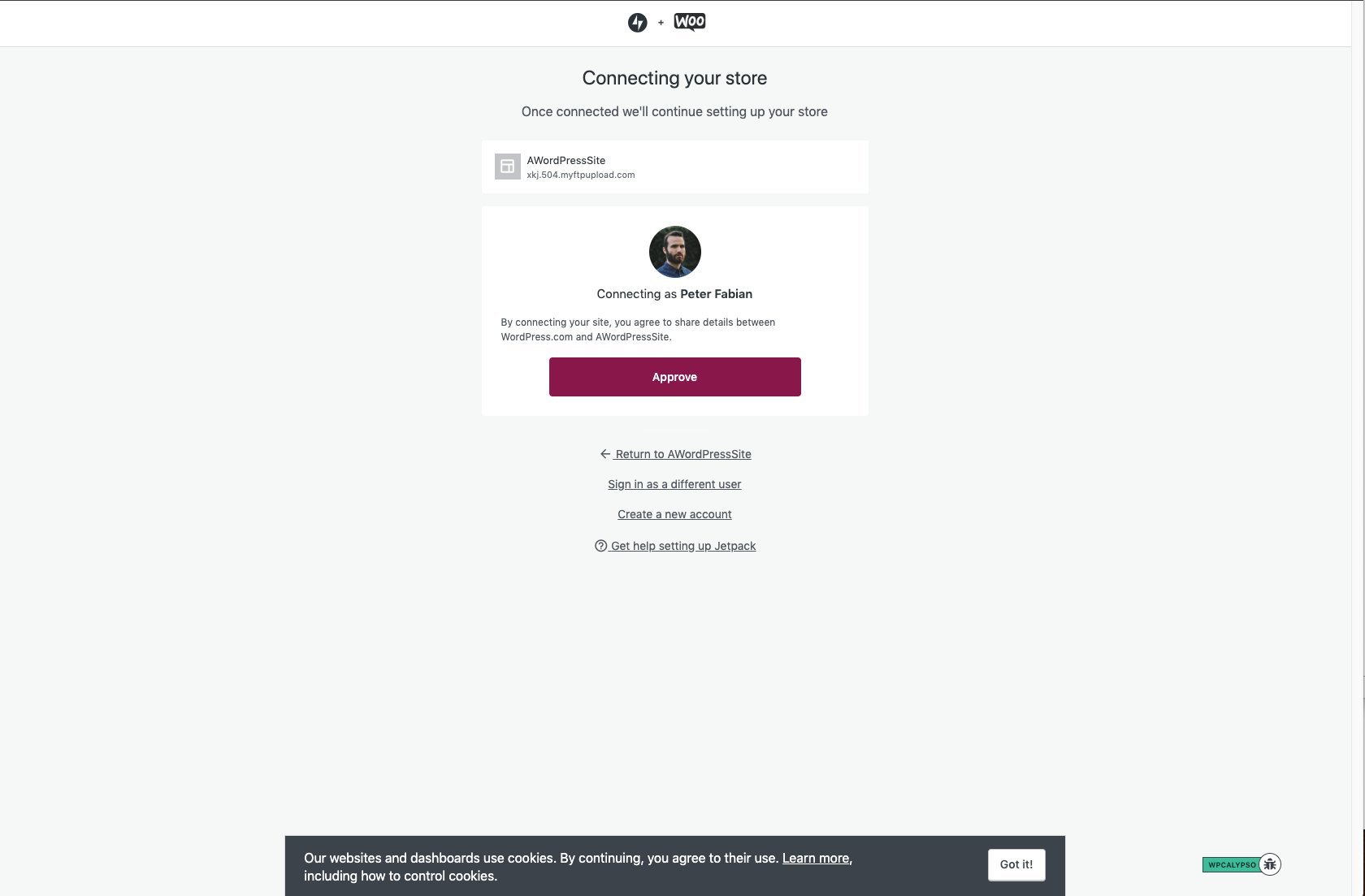
- After attempting to connect to Jetpack the first time, an error was shown briefly (haven't managed to take a screenshot quickly), got asked to connect again:
- Then I ended up in wp admin, not continued with setup wizard until I went to WC in wp admin, then was asked to fill in the address, etc, not sure if that's the correct workflow?
- After chosing the Storefront, there is no link to go back to site, which is a bit confusing, but probably already fixed by https://github.com/woocommerce/woocommerce-admin/issues/3463.
Expected behavior
Smooth(er) connection with Jetpack and WC Services.
Desktop (please complete the following information):
- OS: macOS Mojave 10.14.6
- Browser Chrome 78
Additional context
tested on xkj.504.myftpupload.com accessible via WC Test credentials, I can provide wp admin credentials if needed, but there are no errors in the log.
 peterfabian
All 7 comments
@peterfabian thanks for the report.
Looks like there are a couple of bugs that are happening here. The first of which appears related to #3470 - the failures happening on the install and activation of Jetpack/WCS - here is the error log being thrown on the GoDaddy test site:
2020-01-06T20:33:21+00:00 CRITICAL require_once(): Failed opening required '/var/www/wp-content/plugins/jetpack/_inc/lib/class.media.php' (include_path='.:/opt/remi/php72/root/usr/share/pear:/opt/remi/php72/root/usr/share/php:/usr/share/pear:/usr/share/php') in /var/www/wp-content/plugins/jetpack/class.jetpack.php on line 41
This manifests itself on the front-end in the failing API request and the retry being shown:

My theory at this point is the request to install the plugin succeeds but we are attempting to activate the plugin before everything is "fully installed". Like the zip hasn't fully extracted yet which is leading to the error seen above.
If you wait a bit between the plugin install, and the activation step, all seems to work fine - which makes me wonder if we add a sleep on the install step, or perhaps set a timeout in the JS code between the install and activation steps that might be a low-key hack on how to fix this.
The good news is, testing this on GoDaddy leads to the bug happening almost every time - so we might be able to use this test account to test some of these theories.
/cc @joshuatf
The other bug which I hit earlier today too was when the Jetpack connection process fails on the first attempt - so what Peter has in step 6 here. It appears that the calypso logic that retries this connection doesn't properly persist the redirect_uri url parameter, which results in being deposited on the Jetpack screen back in wp-admin. If so, we should open up a bug in calypso accordingly, and look into fixing that problem there.
 timmyc
on 6 Jan 2020
timmyc
on 6 Jan 2020
Spent a good chunk of the day testing this to not much avail. Here's what I found out:
- It usually fails when trying to install multiple plugins. Installing a single plugin or just activating didn't give me any trouble during testing.
- When re-testing by deleting plugins, you may need to wait a few minutes for the error to surface again. Attempting to run the plugin install right away works without error usually as noted by @timmyc
- After error logging, it looks like it fails because
Destination folder already exists.(even though this plugin is deleted and checking via FTP does not show any folders with this name). - I created a build that installs plugins sequentially to see if the overlap was creating write issues, but it had no affect on the errors.
- I created a build that reversed the order the plugins are installed. WCS is still the failing plugin even after switching, which might be a clue to what's happening.
 joshuatf
on 9 Jan 2020
joshuatf
on 9 Jan 2020
Thanks for all the research @joshuatf - seems like we are still chasing an elusive, hard to diagnose bug here. So interesting to see though that most of the failures you had were with WCS and not Jetpack - in my testing it was the other way around. I also think the more we re-use a test site, the more likely the destination folder already exists gets hit.
Just confirming with @peterfabian that we can delete the test site and start from scratch. That might be a good option to explore.
Alternatively we have the logging in place so we can get more data around how often this problem is being hit.
Ultimately, while not ideal, we have the following things working in our favor here:
- On other budget hosts I have tested ( dreamhost ), I never hit this problem
- Timing. If users are slower to hit the activate step or retry, this seems to help reduce the occurrence of the bug
- Retry flow works. Yes it isn't great we have to lean on it, but it works. I do think we should fix the bug in the fist screenshot where the "Retry" and the "Activate and Continue" actions are both being shown. If in a failure state, only "Retry" should appear. Does that sound reasonable to you @joshuatf ?
timmyc
on 9 Jan 2020
Feel free to delete the site I created (xkj.504.myftpupload.com) and/or create a new one, no problem.
peterfabian
on 9 Jan 2020
I've been trying to figure out why the Jetpack plugin wasn't installing for a few days now. I found this thread and had a long-winded "but why isn't it working" question.
I'm working with Godaddy shared hosting as well.
But apparently whatever changes y'all made were included in WooCommerce 3.9.3 released yesterday.
I updated WooCommerce and Jetpack installed and is working awesome. Thank you!
 frigginglorious
on 5 Mar 2020
frigginglorious
on 5 Mar 2020
Yup, 3.9.3 includes a couple of fixes for the latest Jetpack versions. Glad it fixed your problems!
peterfabian
on 5 Mar 2020
In all of my recent 4.0 testing I haven't encountered this again, so I'm closing this out.
timmyc
on 10 Mar 2020
Related issues
 Aljullu
·
3Comments
Aljullu
·
3Comments
 zhongruige
·
3Comments
zhongruige
·
3Comments
 jeffstieler
·
3Comments
jeffstieler
·
3Comments
 pmcpinto
·
3Comments
timmyc
·
4Comments
pmcpinto
·
3Comments
timmyc
·
4Comments