Hello, I'm running WLED on my NodeMcu esp-8266. At the start everything works fine but after a few minutes, it starts disconnecting and restarting over and over. After a few hours I can't connect over hassio or WLED App an Web. If I unplug it after that an plug it back in it is working again for a few minutes. I already tried updating and downgrading WLED and still the same problem. I don't think it's the Router (Fritz Box) fault because it's only a few meters away. I appreciate any ideas to fix the problem because without that problem WLED is perfect.
Hallo, ich habe WLED auf meinem NodeMcu esp-8266 laufen. Am Anfang funktioniert alles für ein paar minuten perfekt. Dann fängt es an das alle paar minuten der Chip online und dann wieder offline ist. Nach ca. eier Stunde ist er komplett offline und man kann nicht mehr zugreifen. Ich muss dann immer die Sicherung von meinem Zimmer raus machen kurz warten und dann wieder anmachen damit er kurz funktioniert. Ich habe bereits versucht ein Update und ein Downgrade der letzen paar versionen zu machen aber es war immer das gleiche Problem. Die Verbindung sollte eigentlich kein Problem sein denn der Router (Fritz Box) steht nur ein paar meter weg. Vielen Dank im vorraus auf Ideen das Problem zu lösen. WLED ist einfach super Vielen Dank dafür @Aircoookie <3
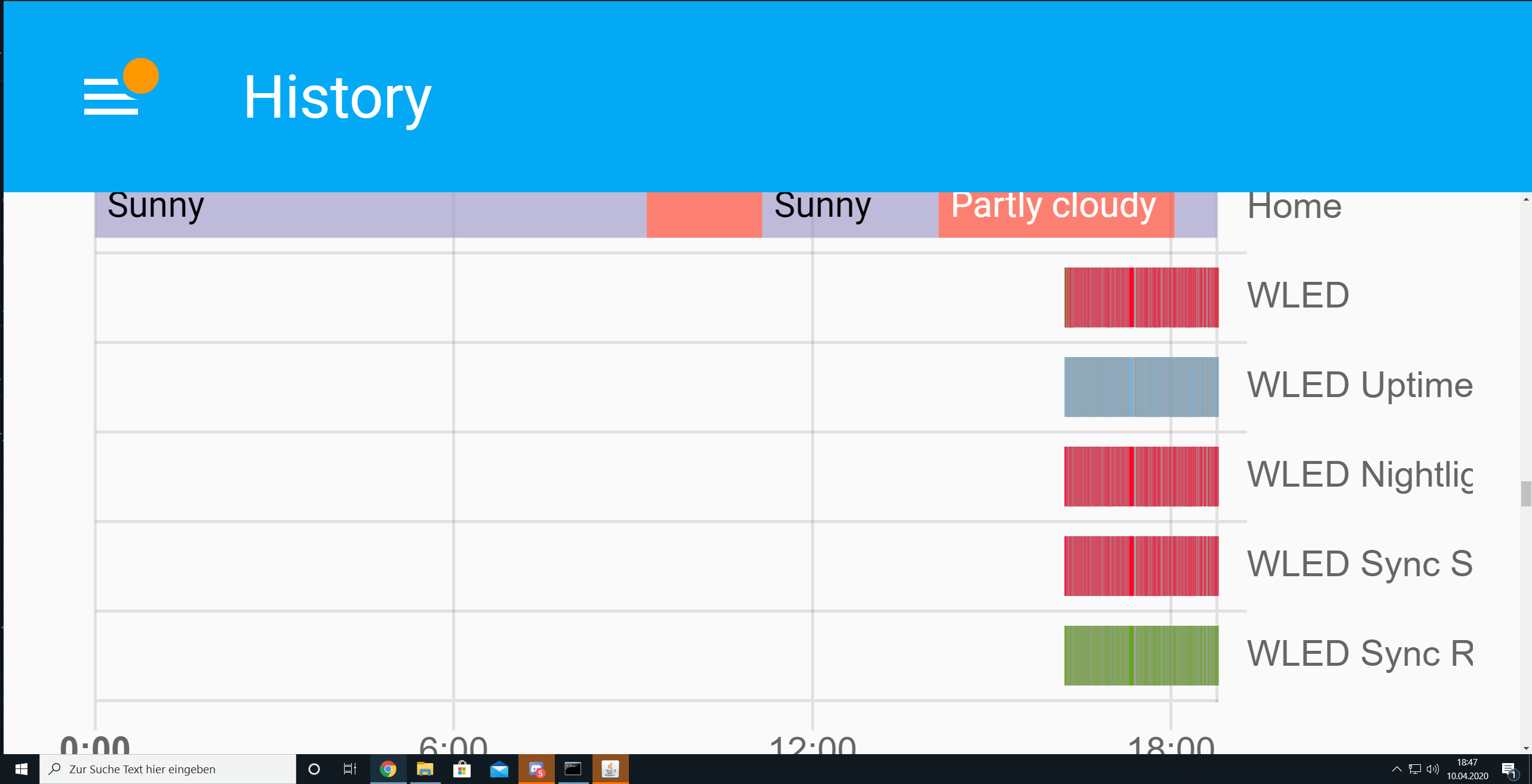
I attached the Image of the Hassio History tab because there it's visible with the reconnects.
Ich habe einen Anhang angehängt vom Hassio tab um die reconnects zu sehen bevor er komplett offline ist.
Grüße aus dem Schwabenland
Nick
 NickScheffel
All 20 comments
On what version HA are you on? Have you just started using WLED, or have you been using it fine for a couple of weeks/months and has this problems just started occurring? (i am intrigued WLED Sync Receive is 100% green)
 raoulteeuwen
on 10 Apr 2020
raoulteeuwen
on 10 Apr 2020
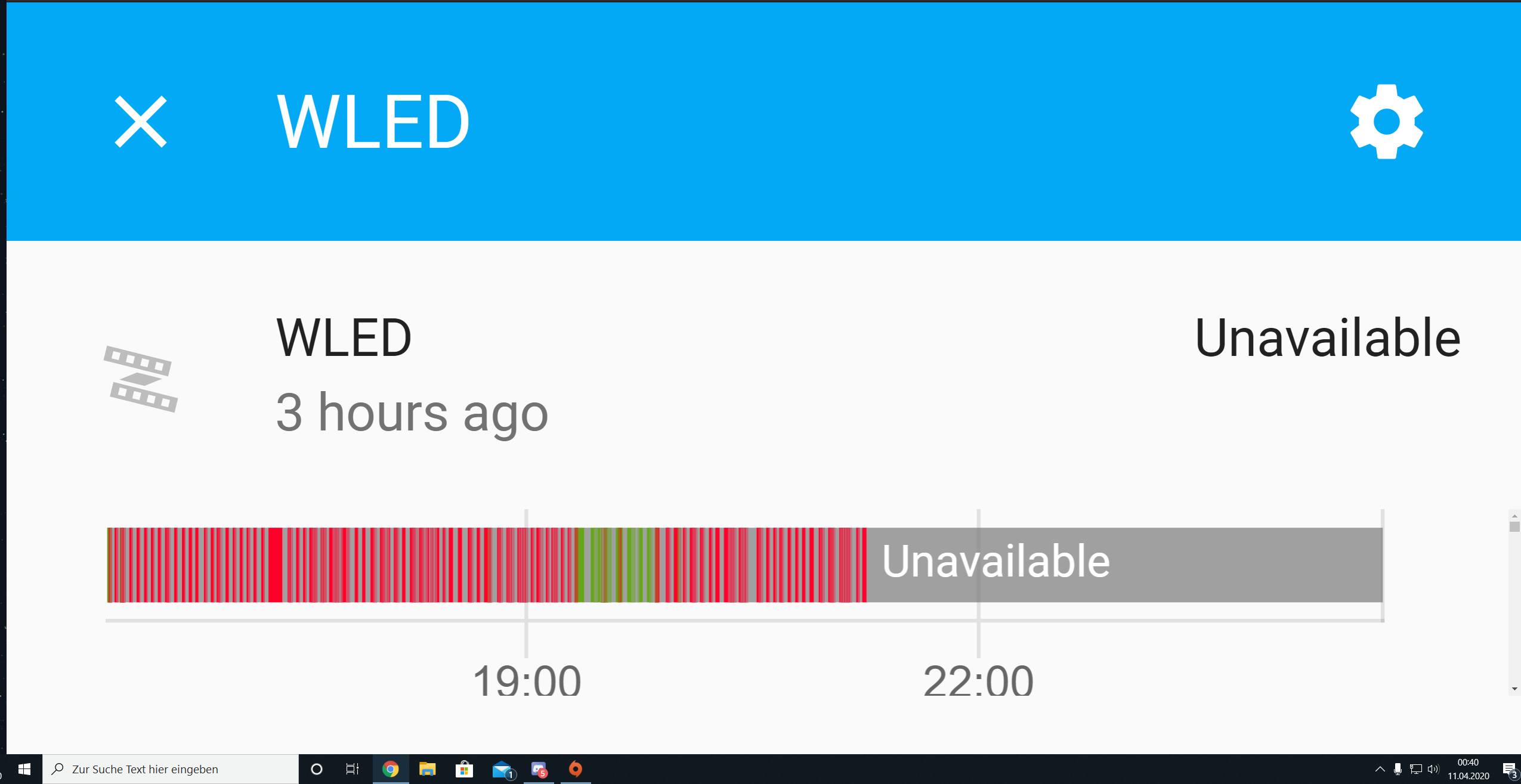
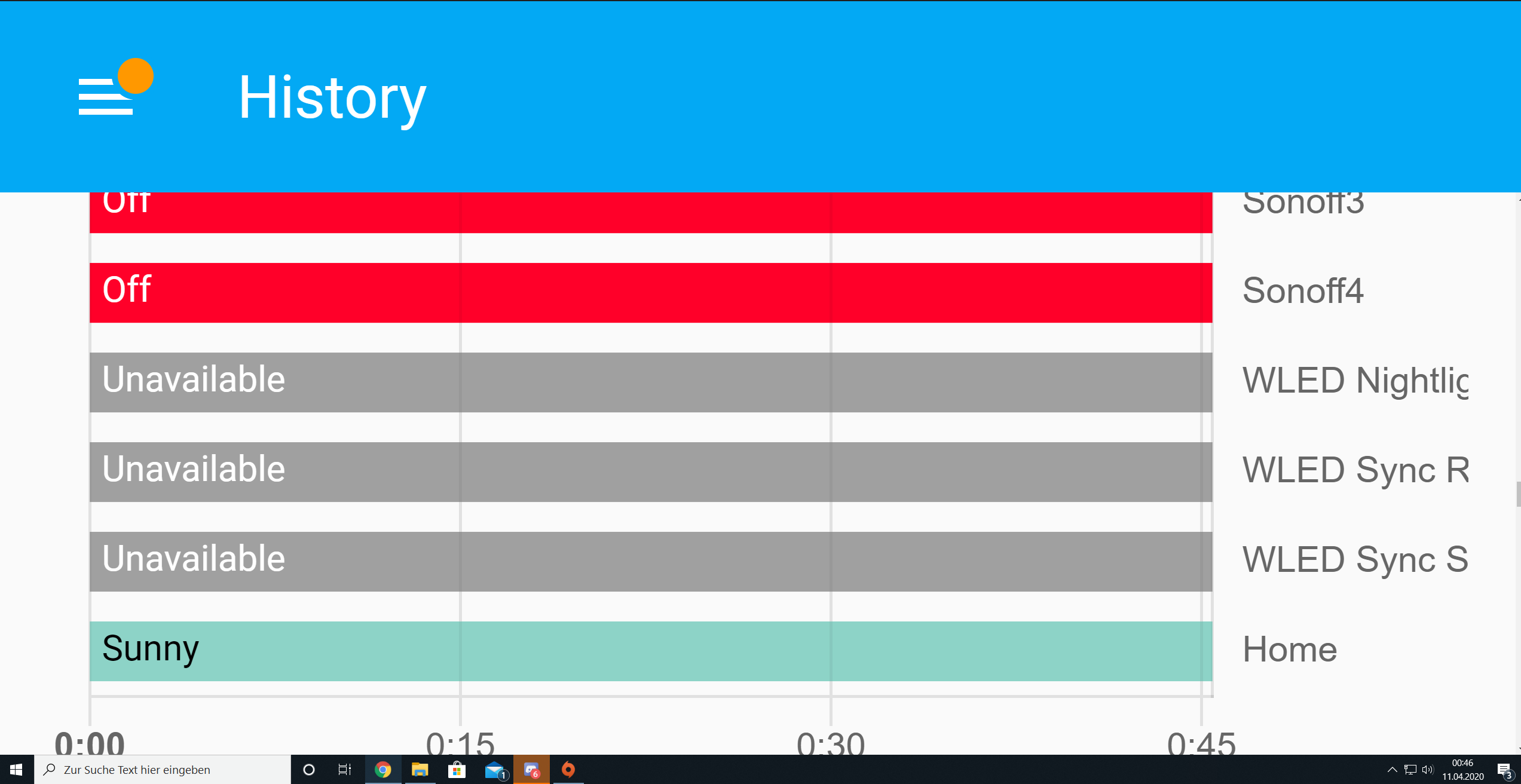
I'm using Hassio 0.106.6 but it's also not working with the App and the Url. I've used Mc Lighting before and switched to WLED since 5months now and it was always like that. I add the picture of the last hours there can you see that it's losing connection over and over until it completely shuts down.
NickScheffel
on 11 Apr 2020
I have the same problems here with a nodemcu running wled 0.9.1
 Dreamoffice
on 11 Apr 2020
Dreamoffice
on 11 Apr 2020
@NickScheffel just so i understand you correctly: you have using WLED for 5 months, and it has never worked properly. You always had these disconnects.
- Try switching off features in WLED, like mDNS, NTP, synching, Blynk, Hue etc to see whether that makes any difference
- What BIN exactly have you flashed? Did you try different BINs?
- How did you flash exactly?
- What router/AP do you have exactly?
- Could you try with another 8266 device and see whether that is more stable?
raoulteeuwen
on 11 Apr 2020
Just one thing.
Is WLED available via the WLED web interface when it is disconnected from HA?
 austwhite
on 11 Apr 2020
austwhite
on 11 Apr 2020
@raoulteeuwen Yeah that's right.
I will try that.
I flashed the ESP8266.bin and tried the ESP8266_1M_full.bin
I flashed with ESP Home Flasher and tried the OTA inside the interface
My Router is a Fritz Box Cable from Unity Media and a repeater using Mesh maybe that's the problem
I could but I soldered it inside my crown molding but if nothing else works I do that.
NickScheffel
on 11 Apr 2020
@austwhite No it's not available via HA, App and the Interface. Also the LEDs are flashing for a split of a second I guess that's always when they go offline for a bit.
NickScheffel
on 11 Apr 2020
@NickScheffel here is a binary of the current master. I improved the memory consumption a bit, maybe it works better:
https://drive.google.com/open?id=1Fm_KPY6pmlRu22wuupHjOx3Z2A4dOmV8
 Aircoookie
on 11 Apr 2020
Aircoookie
on 11 Apr 2020
@Aircoookie Thx I will try!
NickScheffel
on 11 Apr 2020
Still the same problem it is disconnecting every few minutes :(
NickScheffel
on 11 Apr 2020
How many LEDs do you run and on what power supply?
raoulteeuwen
on 11 Apr 2020
O, i have also read a couple of times "i suffered the same issue.fixed it changing router wireless channel ."
raoulteeuwen
on 11 Apr 2020
I run 500 LEDs on 2 separate power supplies both with 20A I think.
How do I change that?
Do I have to change it inside the WLED Interface by Access Point WiFi channel? If yes do I have to change anything inside my Router settings or HA?
Thx so much for helping!
NickScheffel
on 11 Apr 2020
A 20A psu should be able to power over 300 LEDs, so i assume that is not the problem either.
The 'Chanell 1' is something you configure on your router, in the wifi settings. Not sure, but maybe this helps: https://en.avm.de/service/fritzbox/fritzbox-7340/knowledge-base/publication/show/27_Wi-Fi-connection-drops-frequently/ ? In case you want to read more about channels, see for instance https://www.extremetech.com/computing/179344-how-to-boost-your-wifi-speed-by-choosing-the-right-channel .
raoulteeuwen
on 11 Apr 2020
In my Router it is set to use a Chanel automatically. I can set a channel manually for the 4.5 Ghz and for the 5 Ghz. So do I have to set my channel in my router manually?
NickScheffel
on 11 Apr 2020
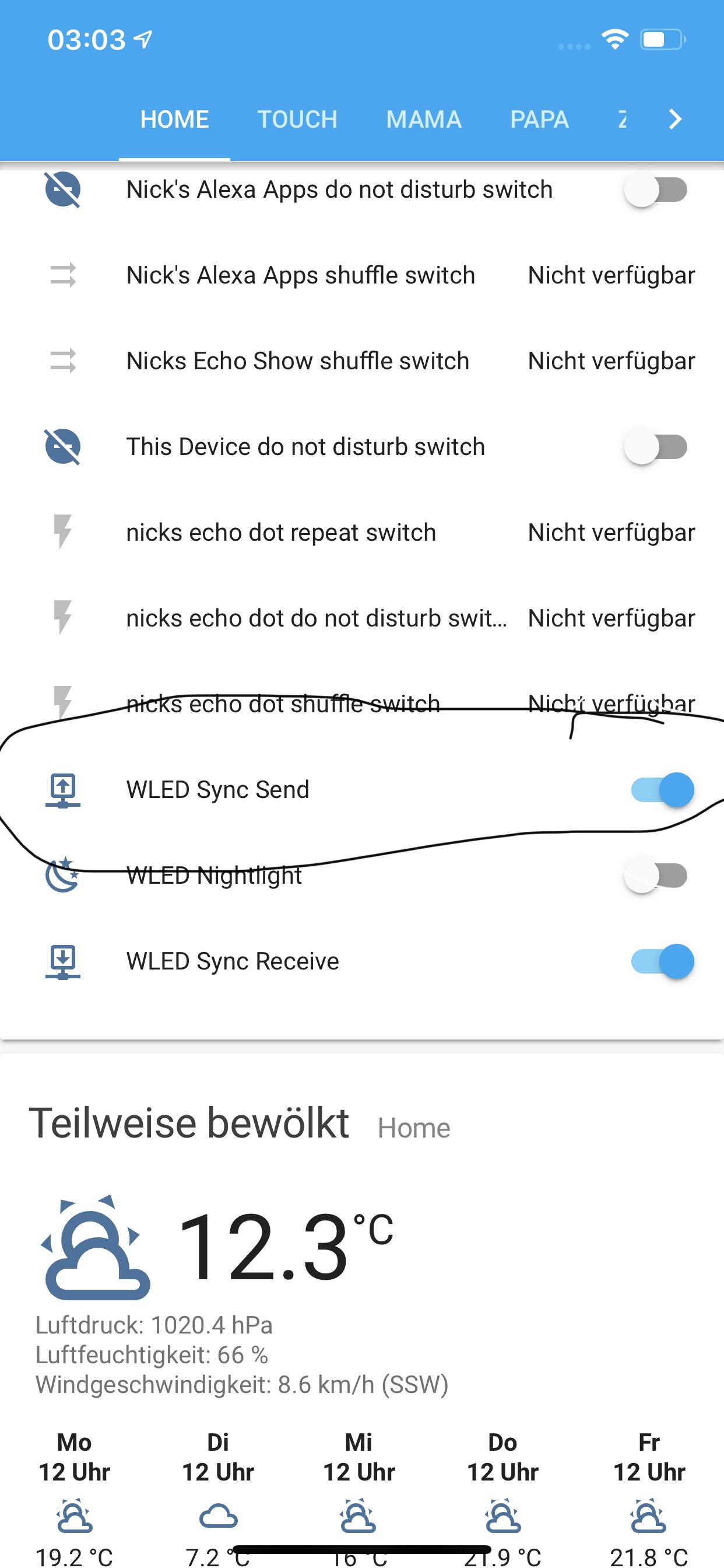
I just noticed I had WLED Sync Send off in HA should it be on? I‘ll try it over night an have a look if it‘s still working tommorow and how often it disconnected.
NickScheffel
on 12 Apr 2020
New versions of WLED have WiFi sleep built in. That will cause the apparent disconnecting. To turn it off open the WLED UI select config, select WiFi setup, tick disable WiFi sleep, select save & connect.
 TheOnlyMatty
on 12 Apr 2020
TheOnlyMatty
on 12 Apr 2020
In my Router it is set to use a Chanel automatically. I can set a channel manually for the 4.5 Ghz and for the 5 Ghz. So do I have to set my channel in my router manually?
A 8266 connects on the 2.4Ghz band. You should be able to select the settings of the 2.4Ghz wifi signal on your router and select the channel > if you can find it, try to set it to channel 1 and see whether that helps.
raoulteeuwen
on 12 Apr 2020
@TheOnlyMatty I had it off already.
NickScheffel
on 12 Apr 2020
Since I turned Sync Send on it seems to be working haven't had a disconnect since yesterday. Thanks for the help everybody!!!
NickScheffel
on 12 Apr 2020
Related issues
 MopheusDG
·
39Comments
MopheusDG
·
39Comments
 pradhyuman18
·
36Comments
pradhyuman18
·
36Comments
 raymiec
·
52Comments
raymiec
·
52Comments
 schroepfer
·
28Comments
schroepfer
·
28Comments
 coelner
·
67Comments
coelner
·
67Comments
Most helpful comment
New versions of WLED have WiFi sleep built in. That will cause the apparent disconnecting. To turn it off open the WLED UI select config, select WiFi setup, tick disable WiFi sleep, select save & connect.