Is it possible to include/combine all localization files (wxl files) as part of the MSI and to dynamically assign the language at runtime?
I looked at the CustomUIDialog sample project, but it seems that the LocalizationFile property can only include one language...
Thanks.
 Jean-Marc1
All 77 comments
I am not sure about MSI multi-culture support in general.
Please post here your findings if you discover that MSI does support it. So I can incorporate it in WixSharp.
 oleg-shilo
on 6 Nov 2019
oleg-shilo
on 6 Nov 2019
Not sure either :)
There is this link about the Wix Toolset: https://www.add-in-express.com/docs/wix-multi-language-setup.php
...which sets the different languages. E.g:
<Package Languages="1029,1031,1033,1049,3072" />
...but I'm not sure how the different wxl files get embedded into the MSI...
I'll try to dig a little further if time permits...
Jean-Marc1
on 6 Nov 2019
Hallo, i also interested in this one . Found only following Link :
https://stackoverflow.com/questions/2340605/is-it-possible-to-create-a-multilanguage-installer-using-wix
How do i transform file in Wix Toolset or Wix# ? What about https://www.firegiant.com/wix/tutorial/transforms/morphing-installers/
is it possible ?
 Torchok19081986
on 6 Nov 2019
Torchok19081986
on 6 Nov 2019
You can specify multiple languages as project.Language = "de-de";fr-fr and probably include multiple *.wxl files (e.g. as a candle command line args). But this will not necessarily lead to the "dynamic localization".
So far what I saw is that MSI allows you building msi(s) targeting specific language from the same codebase (something that WixSharp does already). Or embedding multiple *wxl files (never tried it yet with Wix#, used only one custom wxl). And then switching the UI language at startup based on msiexec.exe args. While it is not a dynamic switching may be it is what you are looking for.
oleg-shilo
on 7 Nov 2019
Hallo, @oleg-shilo. I would to know, if it possible in bootstraper. Wix Toolset in my link from above, says is it possible, but only in bootstrapper. I think this makes sense, because BA load msi before msi starts as instance above. Here should be possible to change language of msi with OS Languages or embeded mst Files in BA. I saw some installers, BA´s , where you can change Language of MSI Installer before it starts. Do you have some samples or BA with diffirent Languages or may be you can provide some code how to create mst- File and load it in MSI in Wix#.
Torchok19081986
on 7 Nov 2019
I have mark this issue as "Enhancement". It's not clear what can be done about it. At least at this stage.
A proper POC needs to be done:
- Embedding multiple wxl files (
BuildMsiCmdexperiments) - Switching language via msiexec args
- Switching languages via bootstrapper
Unfortunately I don't have the bandwidth for this activities right now so i am putting it on hold until better time. But it is definitely in the plan.
oleg-shilo
on 8 Nov 2019
I came across this link on CodeProject: https://www.codeproject.com/articles/103749/creating-a-localized-windows-installer-bootstrap-3
…very possibly a solution to integrate into Wix# ...
Jean-Marc1
on 21 Nov 2019
Yes it is pretty much covering what I nominated as POC's first two items. Thanks. It's a great guide for MSI localization.
Though bootstrapping is still an unanswered question. The article is describing a proprietary non-Wix bootstrapper: https://github.com/dotnetinstaller/dotnetinstaller.
Still might be an interesting alternative to Burn.
oleg-shilo
on 22 Nov 2019
I would like to share my knowledge.
MSI does not support multiple languages.
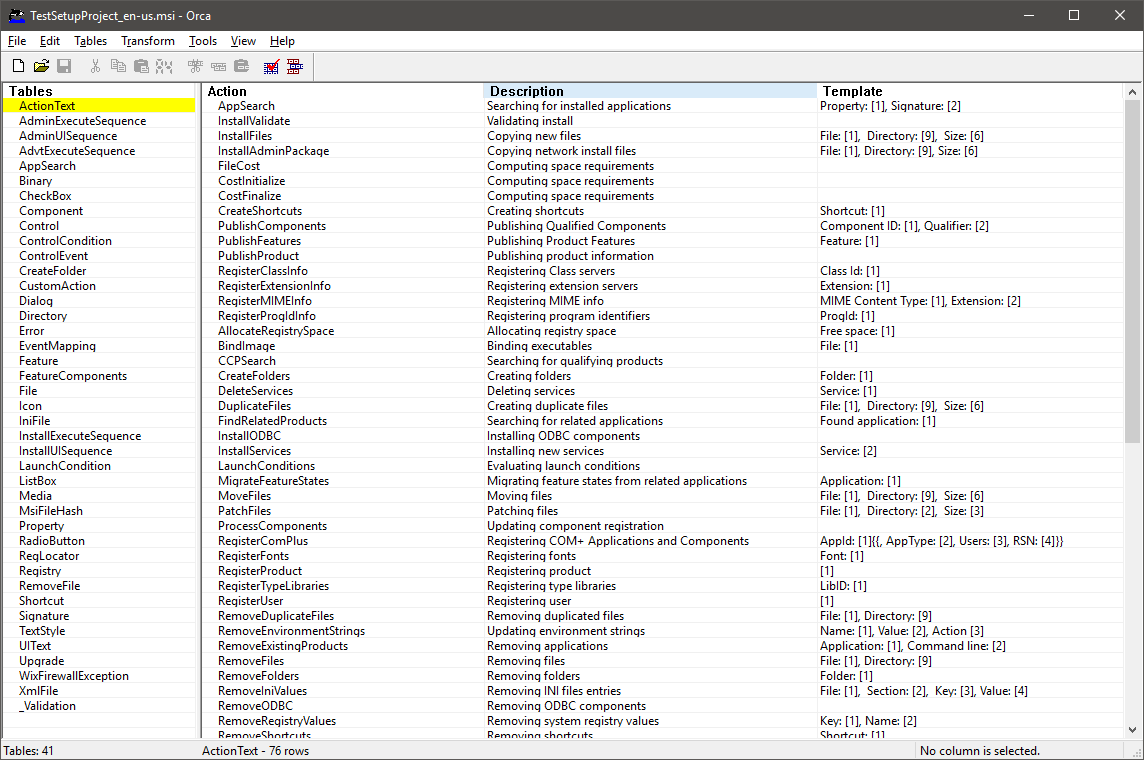
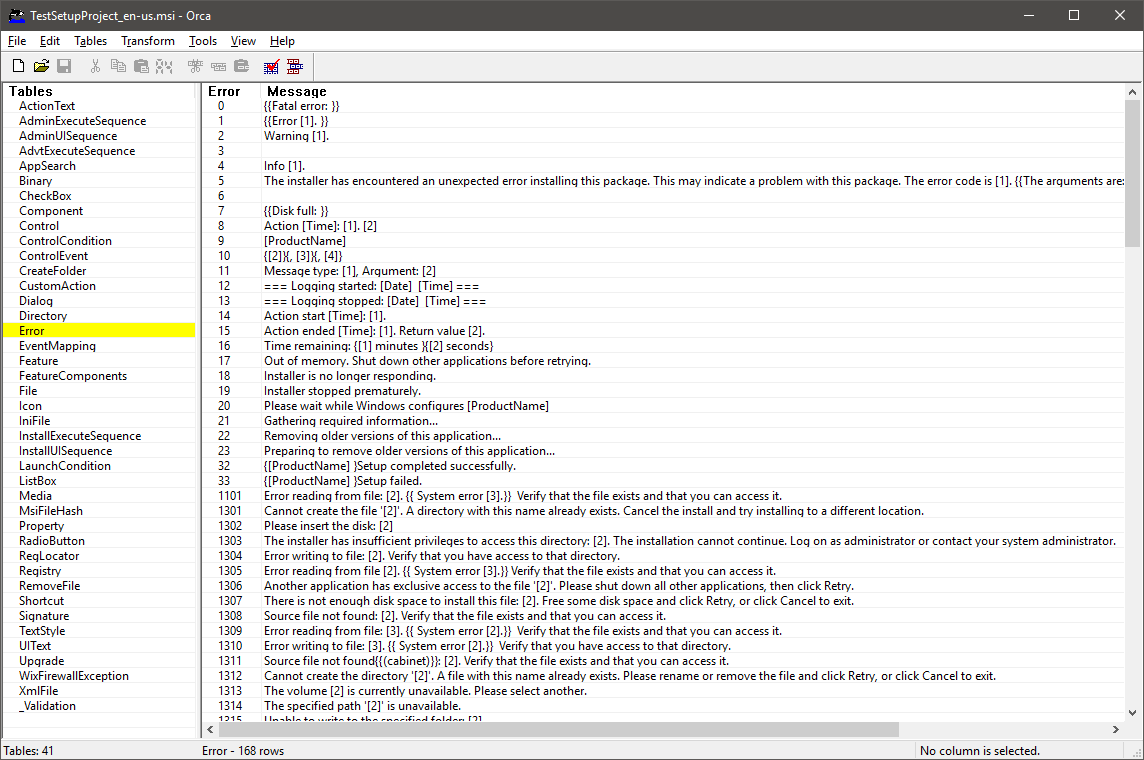
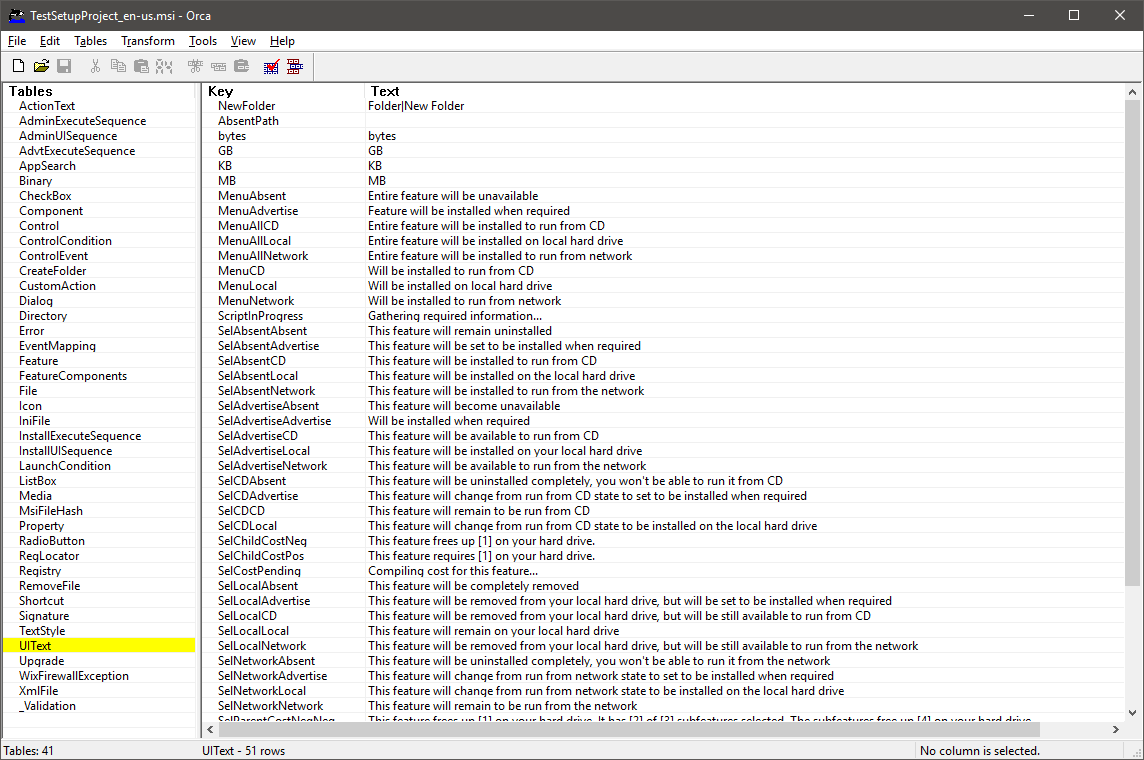
Localization files (.wxl) do not get into the installer in their pure form, at compile time, lines from these files are laid out in 3 main tables:
ActionText
Error
UiText
But there is an interesting thing as a transformation, its meaning is that 2 installers are taken, and all tables and each line in them are compared, and a file is created that contains all the differences between these two installers.
If the installers will differ only in the localization lines, then the transformation file will be a kind of localization file.
After creating the file, through Orca, you can see what it changes:
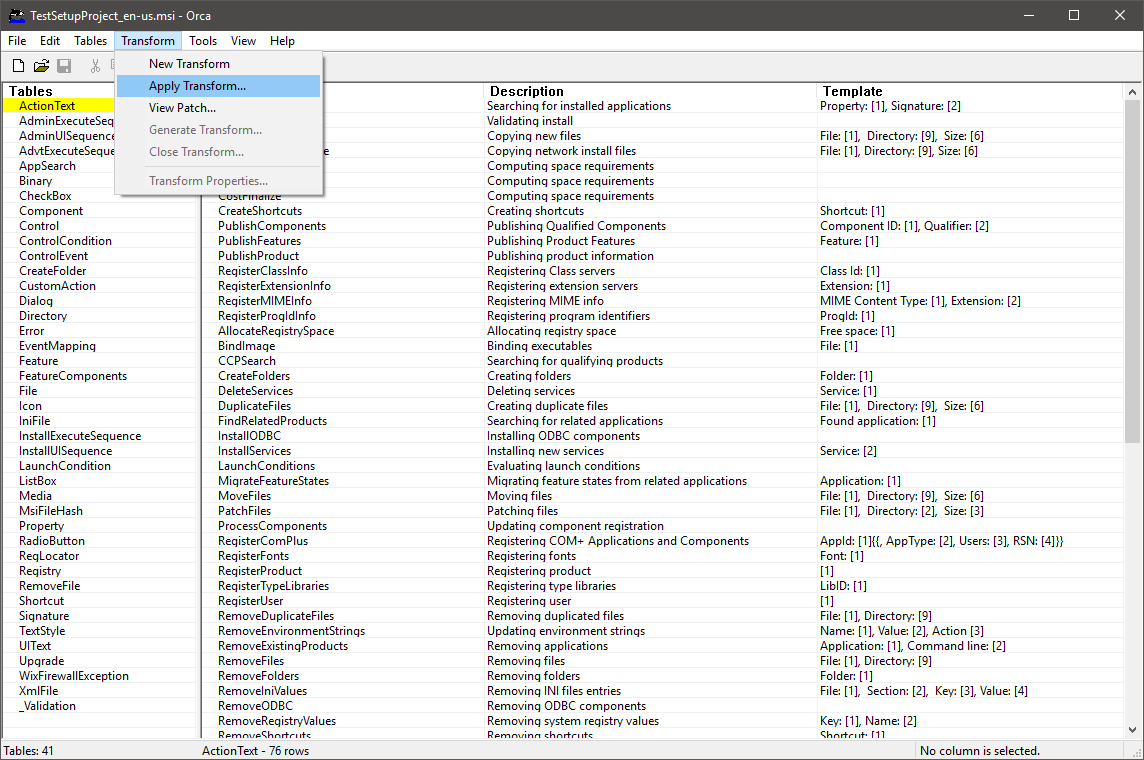
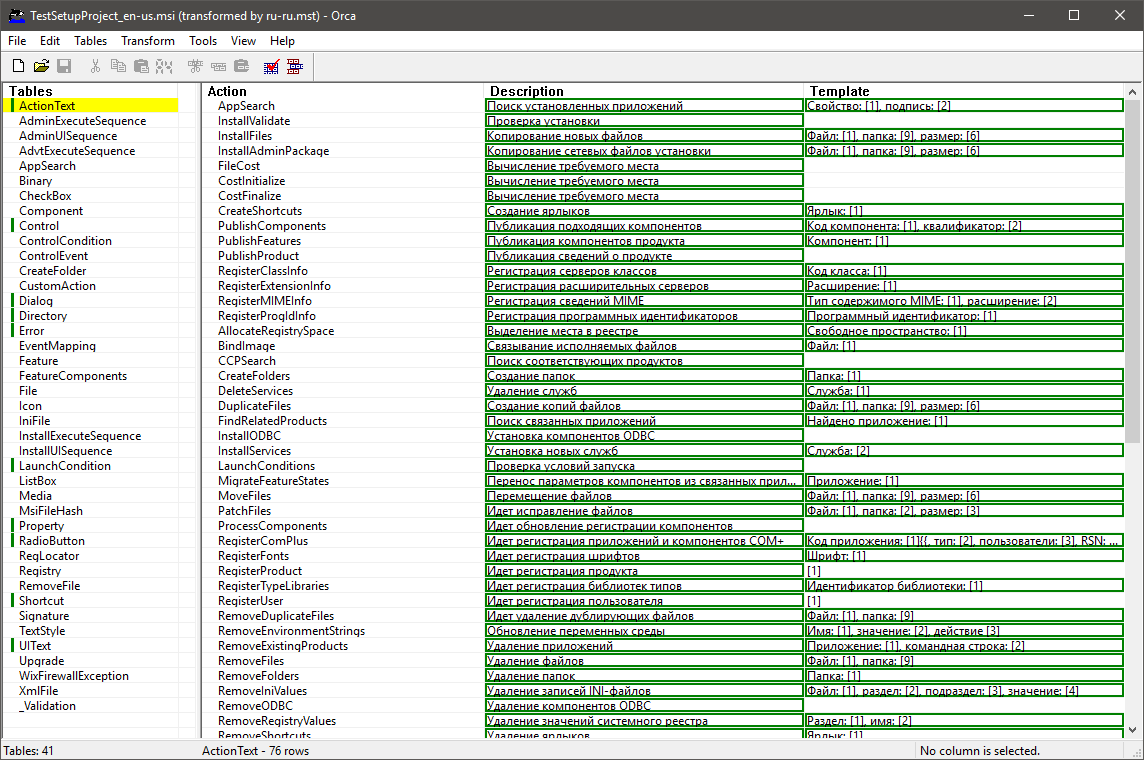
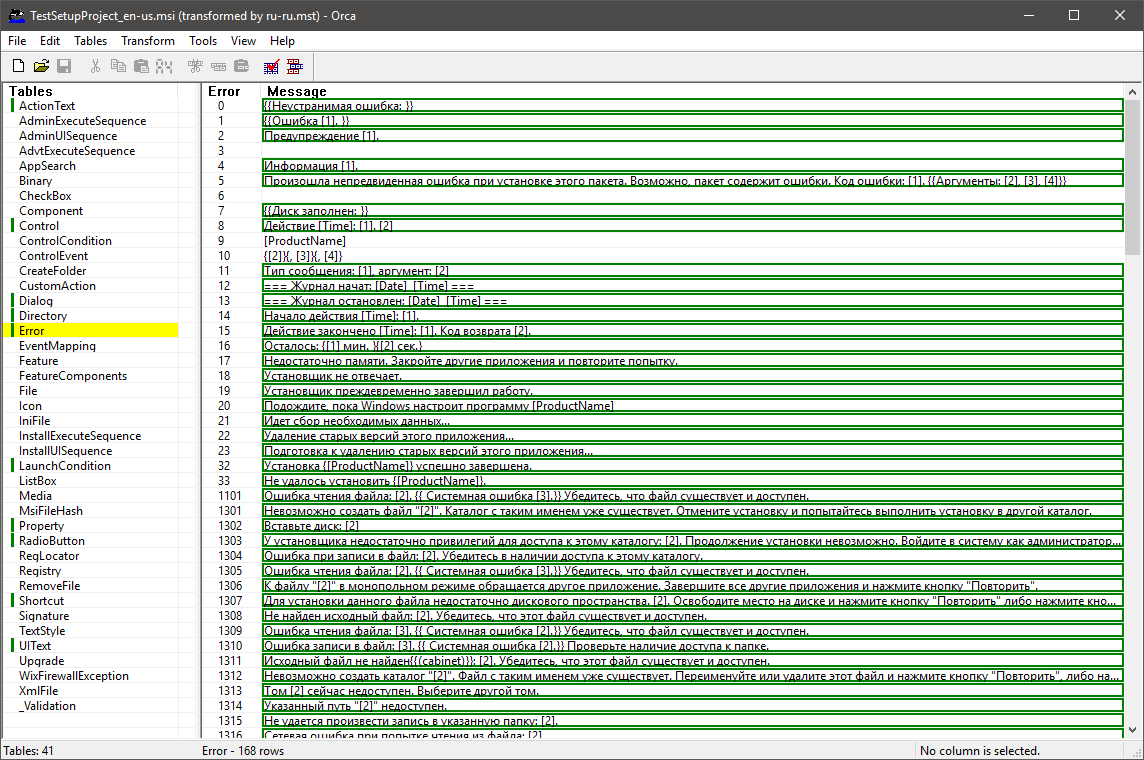
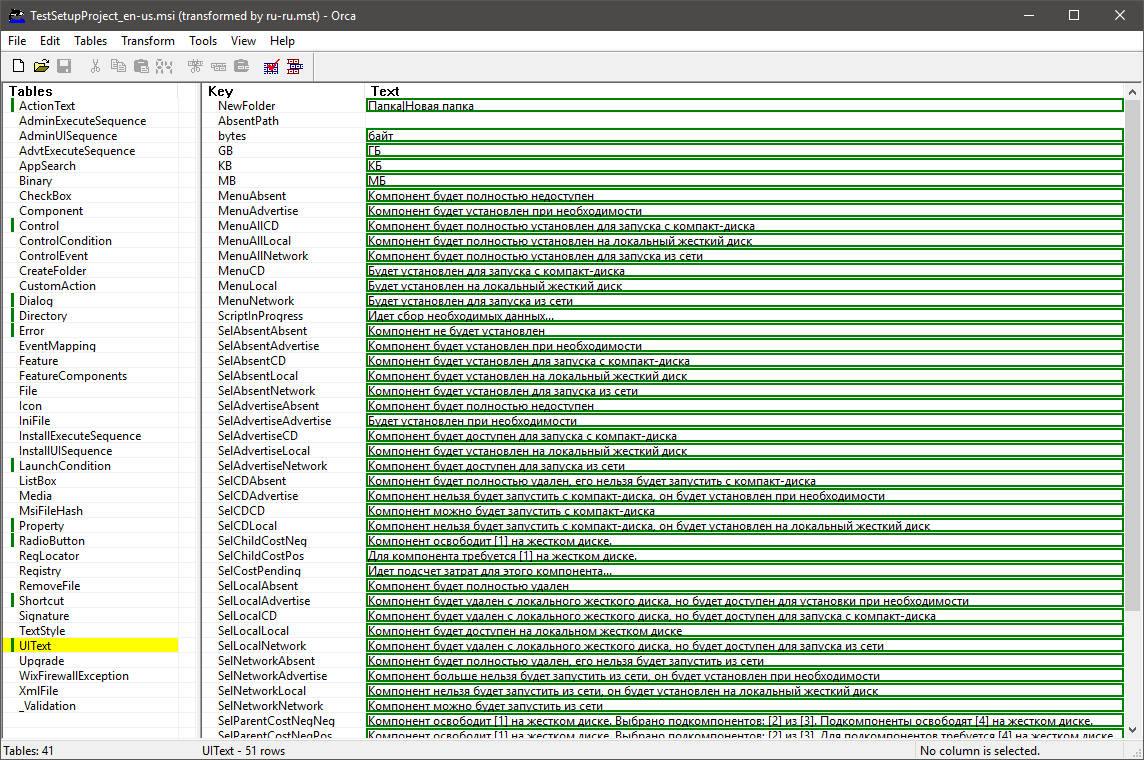
A link has already been given here where the process of creating these files is described.
https://www.firegiant.com/wix/tutorial/transforms/morphing-installers/
As for Bootstrapper, through MsiProperties you can pass the necessary TRANSFORMS value.
 Xaddan
on 23 Nov 2019
Xaddan
on 23 Nov 2019
Made an example: MultiLangTest.zip
Xaddan
on 24 Nov 2019
Great, txs.
oleg-shilo
on 24 Nov 2019
Can I find out an implementation plan?
Xaddan
on 27 Nov 2019
The plan is to have a POC and if successful to proceed with the implementation.
The POC tasks are as in my prev message (a few posts above):
- Embedding multiple wxl files (BuildMsiCmd experiments)
_Low risk. Easy._ - Switching language via msiexec args
_More complicated but you have already done a big chunk of it so it is mainly converting it into Wix# code. Meaning a high chance of success._ - Switching languages via bootstrapper
_This is the trickiest part.
We may find out that it cannot be done within Burn model. Then it will need to be implemented as a custom bootstrapper. Thus this task is a big question._
Right now I am catching up with my duties for my other project that I lately abandoned a little bit. In a week or so I am planing to come back to WixSharp. This is whan I will be able to proceed with this issue.
oleg-shilo
on 27 Nov 2019
I did not understand point 3, in my example, I implemented switching languages through bootstrapper.
Xaddan
on 27 Nov 2019
Then Great!
I did not have a look at the sample yet. So quite possibly you have already covered the scope of the POC I was planing to do.
Will try to give it a try on weekend.
oleg-shilo
on 27 Nov 2019

Xaddan
on 27 Nov 2019
Excellent!
Your sample has exceeded my expectations.
Meaning I can proceed directly with the integration/implementation.
oleg-shilo
on 27 Nov 2019
The only thing I did not implement was support for Uninstall/Modify/Repair.
This bootstrapper can only start the installation, and if you add the uninstall is not a problem, then with the Modify and Repair will come tinkering.
Xaddan
on 27 Nov 2019
Perfect. Txs
oleg-shilo
on 27 Nov 2019
Although I'm probably worried in vain, the bootstrapper does not need to know about Modify and Repair. He needs to say only about installation and uninstall.
Xaddan
on 27 Nov 2019
Yeah, I also though that while you managed to install with a specific language the modify/repair/uninstall will be in that language as well. Without any extra work. This is when the single-language nature of MSI becomes a benefit.
Of course, still needs to be tested
oleg-shilo
on 27 Nov 2019
I was wrong in everything)))
The problem will be with the uninstall. After installation, and subsequent startup of the bootstrapper, the bootstrapper should know what the installer will do. If he does Modify and Repair, then there will be no problems, but if he is uninstall, then we must inform the bootstrapper about it, otherwise he will remain registered in the system.
Xaddan
on 27 Nov 2019
If I am not mistaken inside of the BA, during planing, you can discover if it is unsinstall or not.
oleg-shilo
on 27 Nov 2019
The fact is that the installer starts when the Apply method is called on the bootstrapper. And this method should be launched after the Plan method. Since it is not known what the user will choose Uninstall/Modify/Repair in the installer, it will not be correct to plan Uninstall.
Xaddan
on 27 Nov 2019
If the decision "Uninstall/Modify/Repair" is made in the BA then it may be possible to intercept user input (e.g. click) from custom BA. If there is no other choice...
oleg-shilo
on 27 Nov 2019
I just realized that the sample you shared is not a WixSharp but a VS wixproj solution.
Not a show stopper. Just will need to do the conversion.
oleg-shilo
on 29 Nov 2019
This is the preliminary outcome of the POC. _Special thanks to @Xaddan for an excellent sample._
If you add the below extensions to your project you will be able to build a multi-language msi.
```C#
var productProj =
new Project("My Product",
new Dir(@"%ProgramFiles%My CompanyMy Product",
new File("readme.txt")));
productProj.InstallScope = InstallScope.perMachine;
productProj.GUID = new Guid("6f330b47-2577-43ad-9095-1861bb258777");
string productMsi = productProj.BuildLocalizedMsi("ru-RU,de-DE");
. . .
static class LocalizationExtensions
{
static public string BuildLocalizedMsi(this WixSharp.Project project, string addLanguages)
{
string productMsi = project.BuildMsi();
    var torch = Compiler.WixLocation.PathCombine("torch.exe");
    var embedTransform = <path to EmbedTransform.exe>;

    foreach (string lang in addLanguages.Split(',', ';').Select(x=>x.Trim())
    {
        project.Language = lang;
        project.OutFileName = lang;
        string langMsi = project.BuildMsi();
        string langMst = langMsi.PathChangeExtension(".mst");

        torch.ConsoleRun($"-p -t language \"{productMsi}\" \"{langMsi}\" -out \"{langMst}\"");
        embedTransform.ConsoleRun($"\"{productMsi}\" \"{langMst}\"");
    }

    return productMsi;
}

static public int ConsoleRun(this string exe, string args)
    => new ExternalTool { ExePath = exe, Arguments = args }.ConsoleRun();
}
And this is how you can trigger the installation with a specific languages (English, German, Russian):
```ps
msiexec /i "My Product.msi"
msiexec /i "My Product.msi" TRANSFORMS=:de-DE.mst
msiexec /i "My Product.msi" TRANSFORMS=:ru-RU.mst
Limitations:
- Not integrated with the bootstrapper yet
EmbedTransform.exeis not distributed with WixSharp yet.
BTW, @Xaddan, where did you get the EmbedTransform.exe file. is there an official repo for it?
oleg-shilo
on 1 Dec 2019
I took this file from this article: https://www.firegiant.com/wix/tutorial/transforms/morphing-installers/
Unfortunately, I did not find its repository.
But I managed to find a vbs script, maybe it will be more acceptable:
https://docs.microsoft.com/ru-ru/windows/win32/msi/embedding-customization-transforms-as-substorage?redirectedfrom=MSDN
Xaddan
on 1 Dec 2019
It may also be interesting to read about this trick: http://www.installsite.ru/go/embeddedlang.htm
(There is an English version of the site)
Xaddan
on 1 Dec 2019
Excellent. All the links are very useful. Particularly the emb.vbs script.
I am planing to port it directly to C# so no extra dependency is required.
oleg-shilo
on 2 Dec 2019
The first installment of this enhancement just has been released a s a pre-release NuGet package v1.13.2.1:
https://www.nuget.org/packages/WixSharp/1.13.2.1-hotfix
I decided not to wait till I complete bootstrapper integration (which will be the next step) an release pure dynamic localisation for pure MSI as a NuGet package.
Now you can build the localizable package as below:
```C#
static public void Main()
{
var product =
new ManagedProject("My Product",
new Dir(@"%ProgramFiles%My CompanyMy Product",
new File("readme.txt")));
product.Language = "en-US";
product.GUID = new Guid("6f330b47-2577-43ad-9095-1861bb258777");

product.BuildLocalizedMsi("de-DE, ru-RU");
}
Switching the language can be done via `msiexec` args:
msiexec /i "My Product.msi"
msiexec /i "My Product.msi" TRANSFORMS=:de-DE.mst
msiexec /i "My Product.msi" TRANSFORMS=:ru-RU.mst
```
@Xaddan, can you please help me with testing this feature as I do not have neither Russian nor German Windows available.
Can you please try and see if the resulting _"My Product.msi"_ automatically switches to Russian UI if double-clicked. One of the sources on the matter indicated that it might be the case.
oleg-shilo
on 3 Dec 2019
Yes, I'm testing now.
Xaddan
on 3 Dec 2019
Not working yet.
In order for it to work, you need to make a few more changes:
1) The transformation must be implemented with the name LCID of the language
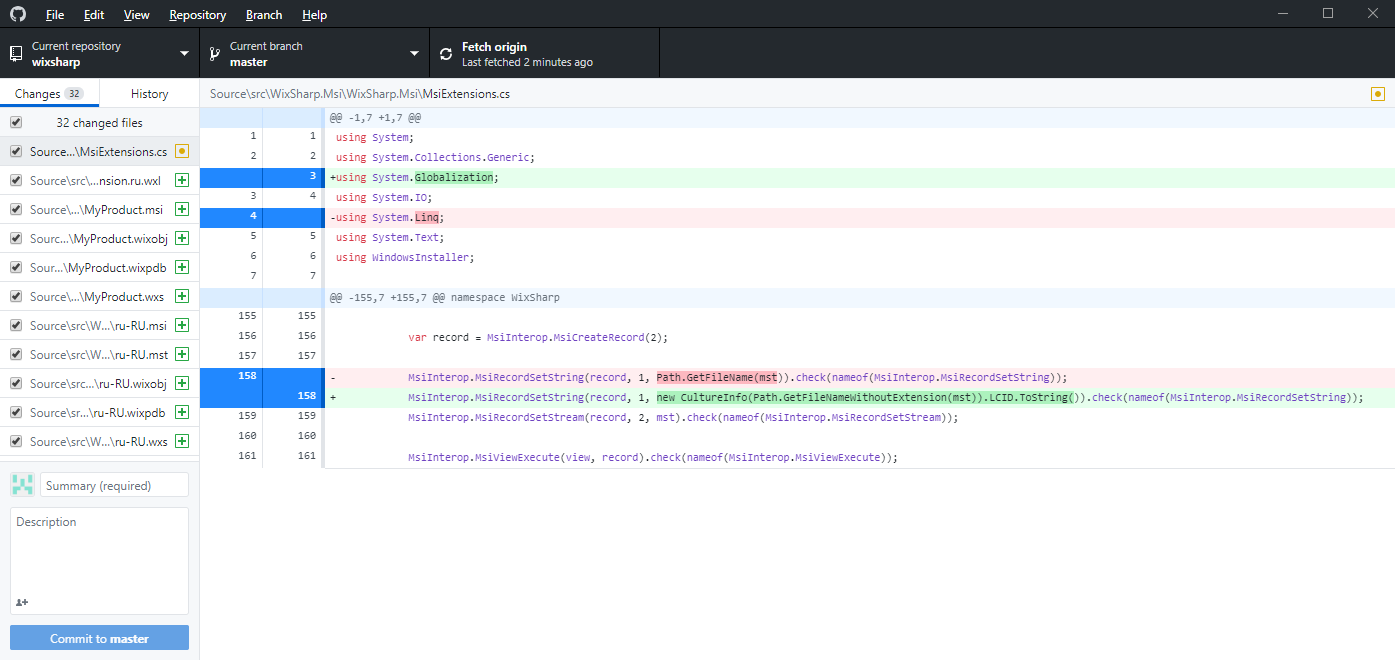
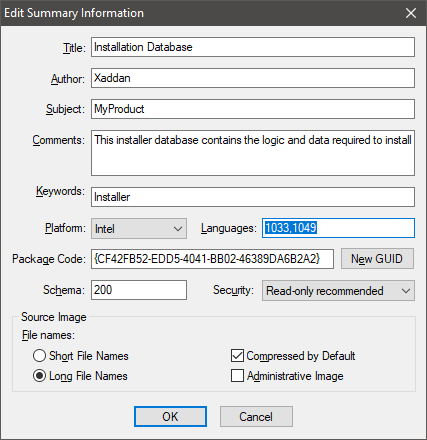
2) LCID of all languages should be added to the summary information
Xaddan
on 3 Dec 2019
Nice initiative! Looking forward to try it too...
Will it work with more than 2 languages?
Jean-Marc1
on 3 Dec 2019
yes it will.
Right now it requires you to specify the desired language as a param in the msiexec:
Default language:  msiexec /i "My Product.msi"
German:            msiexec /i "My Product.msi" TRANSFORMS=:de-DE.mst
Russian:           msiexec /i "My Product.msi" TRANSFORMS=:ru-RU.mst
This part is already working OK. I have tested it. I am now working with @Xaddan to see if the "default language" invocation can automatically pick the OS language. Some sources say it can but it is yet to be seen.
And of course bootstrapper can be used to inject TRANSFORMS but the WixSharp sample is not done yet. Though if you keen to try you can download @Xaddan's sample from this thread. His bootstrapper does the trick.
oleg-shilo
on 4 Dec 2019
@Xaddan, can you please elaborate on LCID?
#1 - What is the purpose of replacing the language tag (e.g. "ge-GE") with the id (e.g. "1049"). It does complicate invoking msiexec. But quite possibly it solves something. . .
#2 - "LCID of all languages should be added to the summary information"
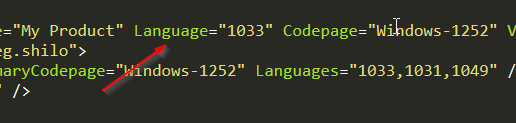
What summary information are you referring to? Is it product.Language?
oleg-shilo
on 4 Dec 2019
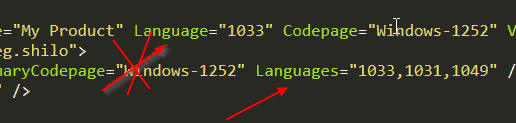
1) Yes, this complicates the call from msiexec. But without this, automatic default language selection will not work.
The summary information contains a list of LCID supported languages. If there is an LCID match in the installer and the operating system, then a transformation is searched with the same LCID.
(Click to open in full size.)
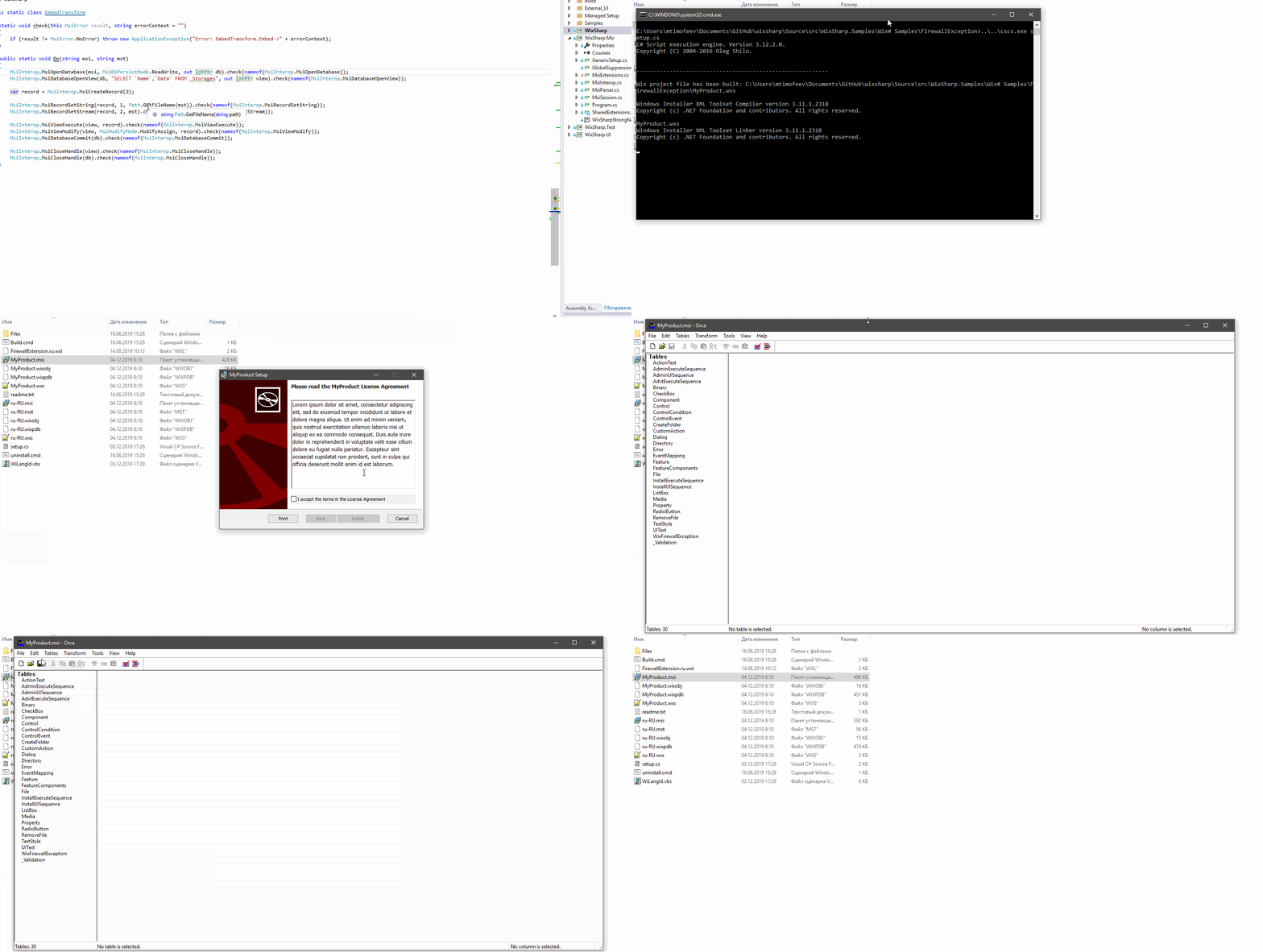
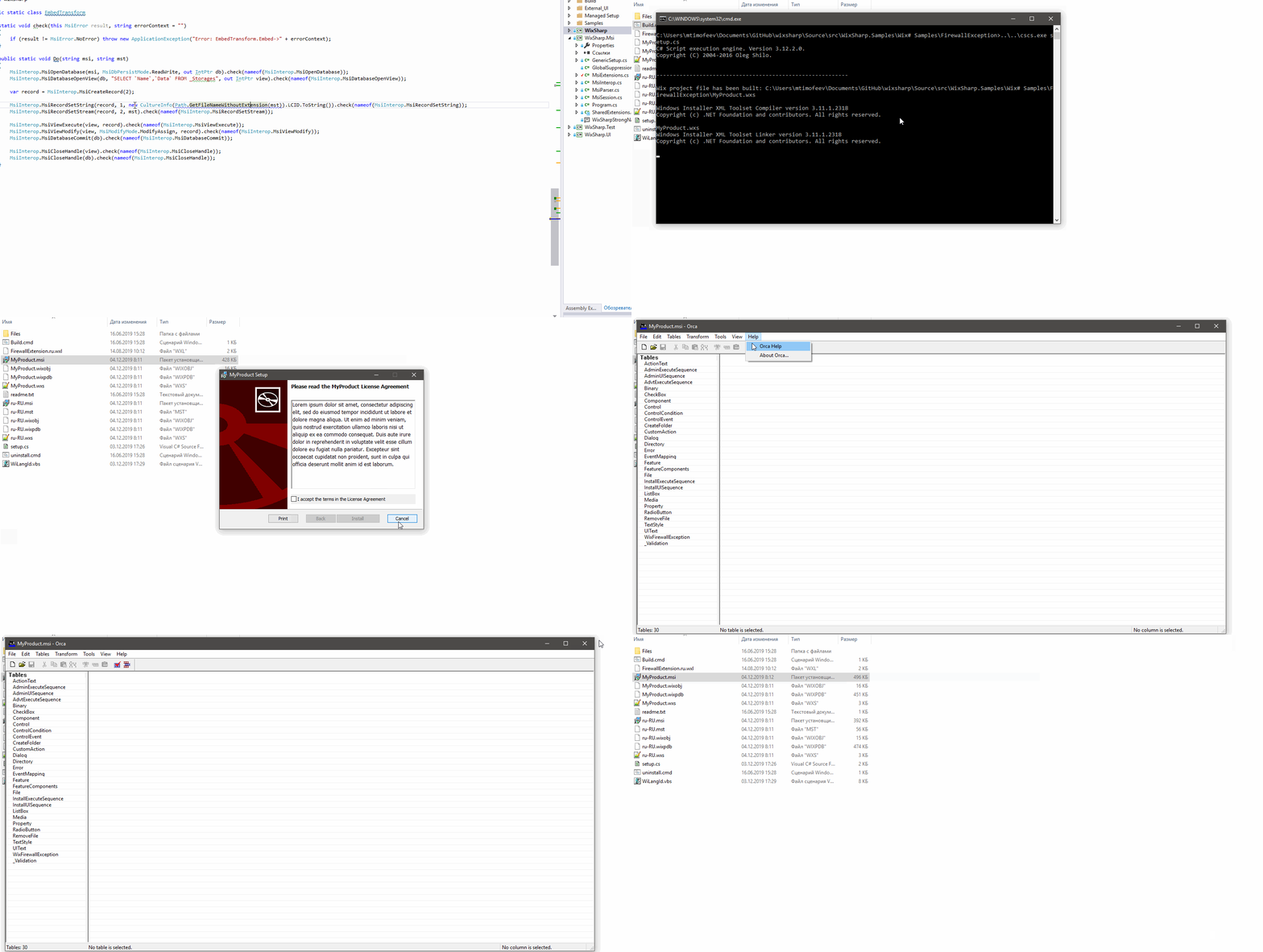
2) As far as I understand this Package.Languages
Xaddan
on 4 Dec 2019
Understood. Not a problem. Agree, it's a small price to pay for the auto-detection of the OS culture.
Will let you know when the next update is ready.
oleg-shilo
on 4 Dec 2019
Should be OK now with the v1.13.2.2-pre release. It implements both #1 and #2 suggestion.
Though I simplified the API now. There is no need to pass additional languages. The can be processed directly from project.Language:
```C#
var product =
new ManagedProject("My Product",
new Dir(@"%ProgramFiles%My CompanyMy Product",
new File("readme.txt")));
product.Language = "en-US,de-DE,ru-RU";
product.GUID = new Guid("6f330b47-2577-43ad-9095-1861bb258777");
product.PreserveTempFiles = true;
product.BuildLocalizedMsi();
```
Please let me know if it works. And if it does I will merge product.BuildLocalizedMsi() into product.BuildMsi() and proceed with the release.
oleg-shilo
on 4 Dec 2019
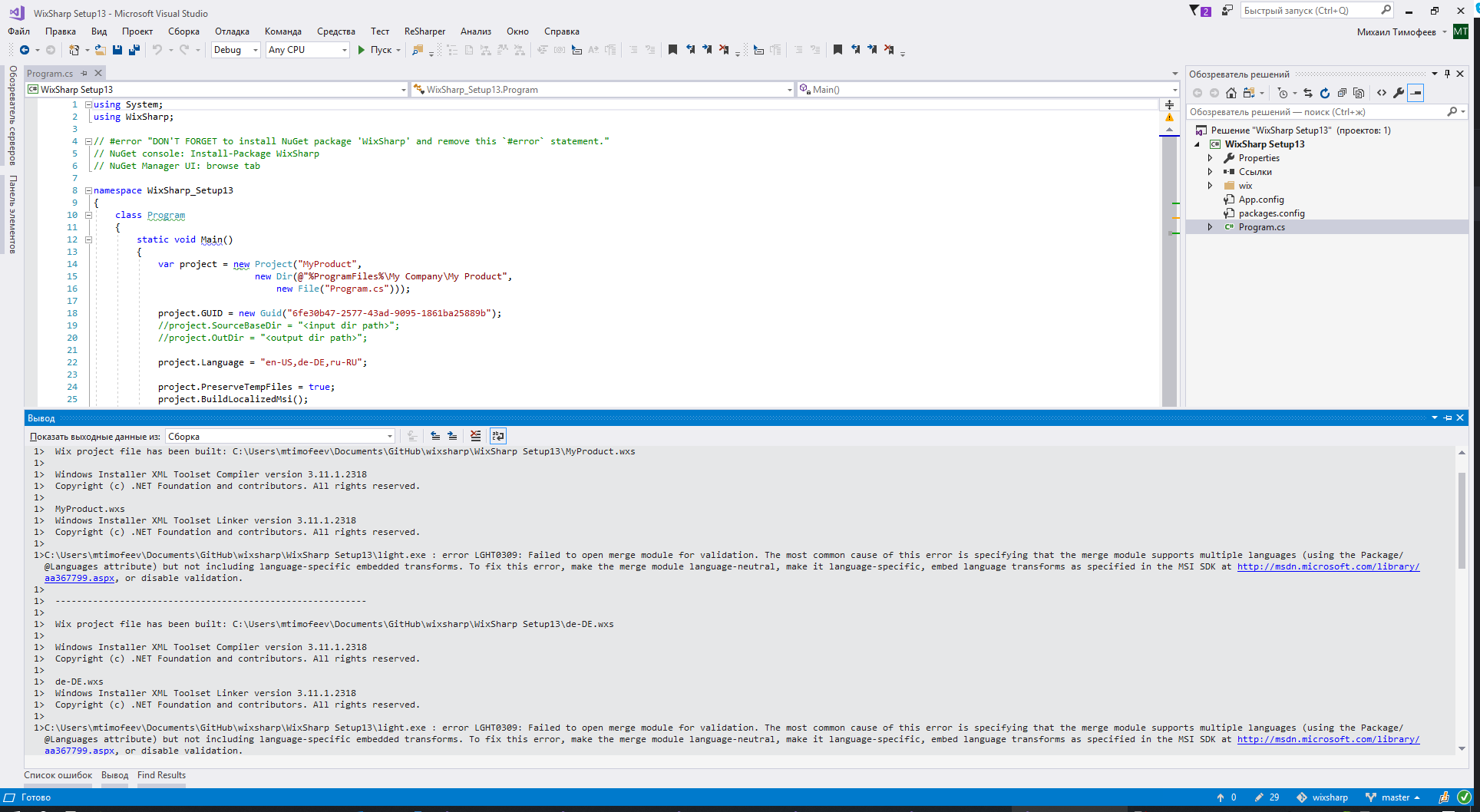
I have such an error during assembly:
light.exe : error LGHT0309 : Failed to open merge module for validation. The most common cause of this error is specifying that the merge module supports multiple languages (using the Package/@Languages attribute) but not including language-specific embedded transforms. To fix this error, make the merge module language-neutral, make it language-specific, embed language transforms as specified in the MSI SDK at http://msdn.microsoft.com/library/aa367799.aspx, or disable validation.
Xaddan
on 5 Dec 2019
Not sure what exact scenario you are having problems with. I just tested a fresh project with the latest NuGet package. All work fine. The project is attached.
May be it is caused by some difference in the building environments...
Can you please try to build the attached project?
oleg-shilo
on 5 Dec 2019
Xaddan
on 5 Dec 2019
I am truly puzzled:
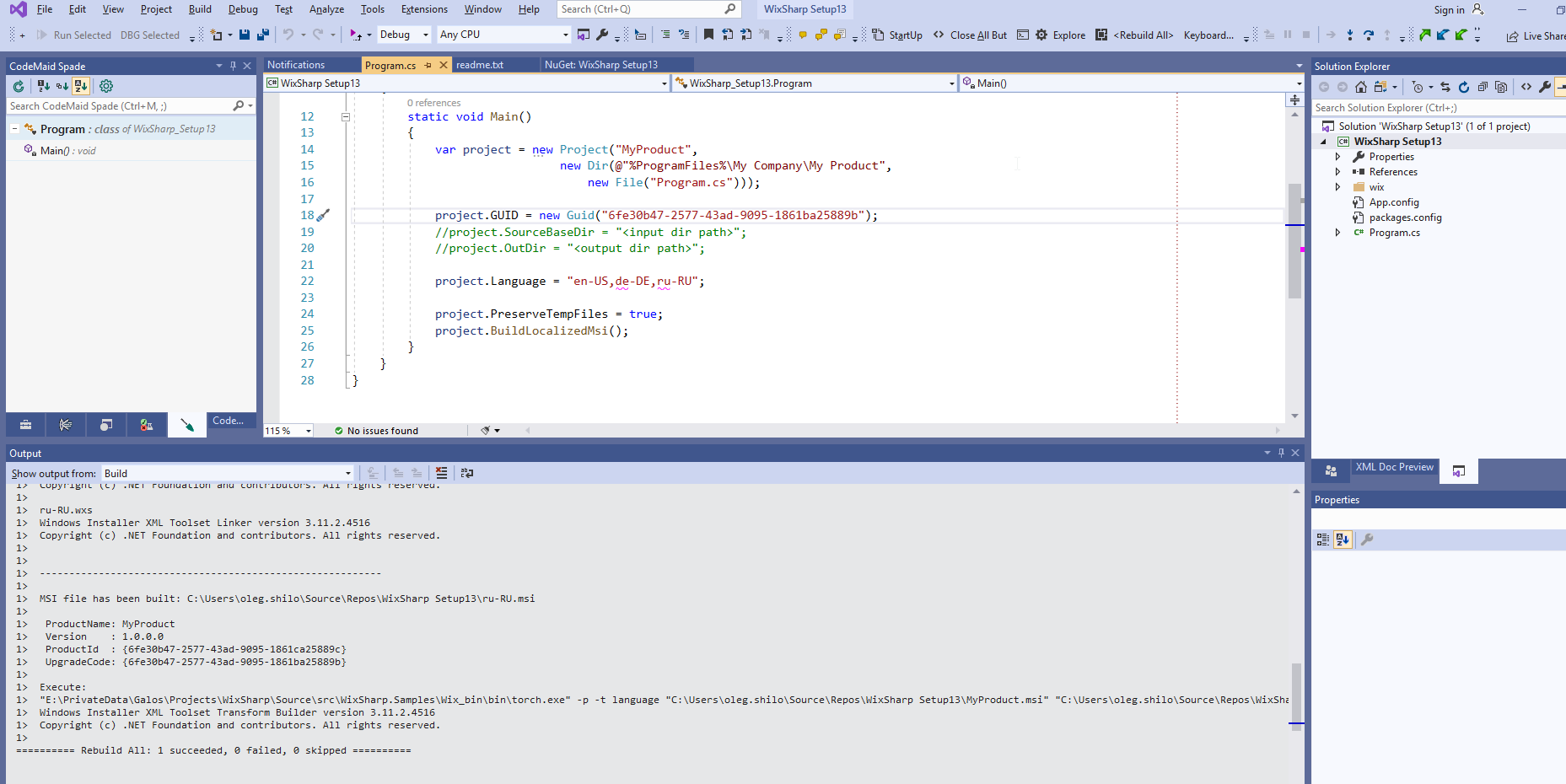
I noticed I am using WiX v3.11.2 and you have v3.11.1
Can this cause the error?
oleg-shilo
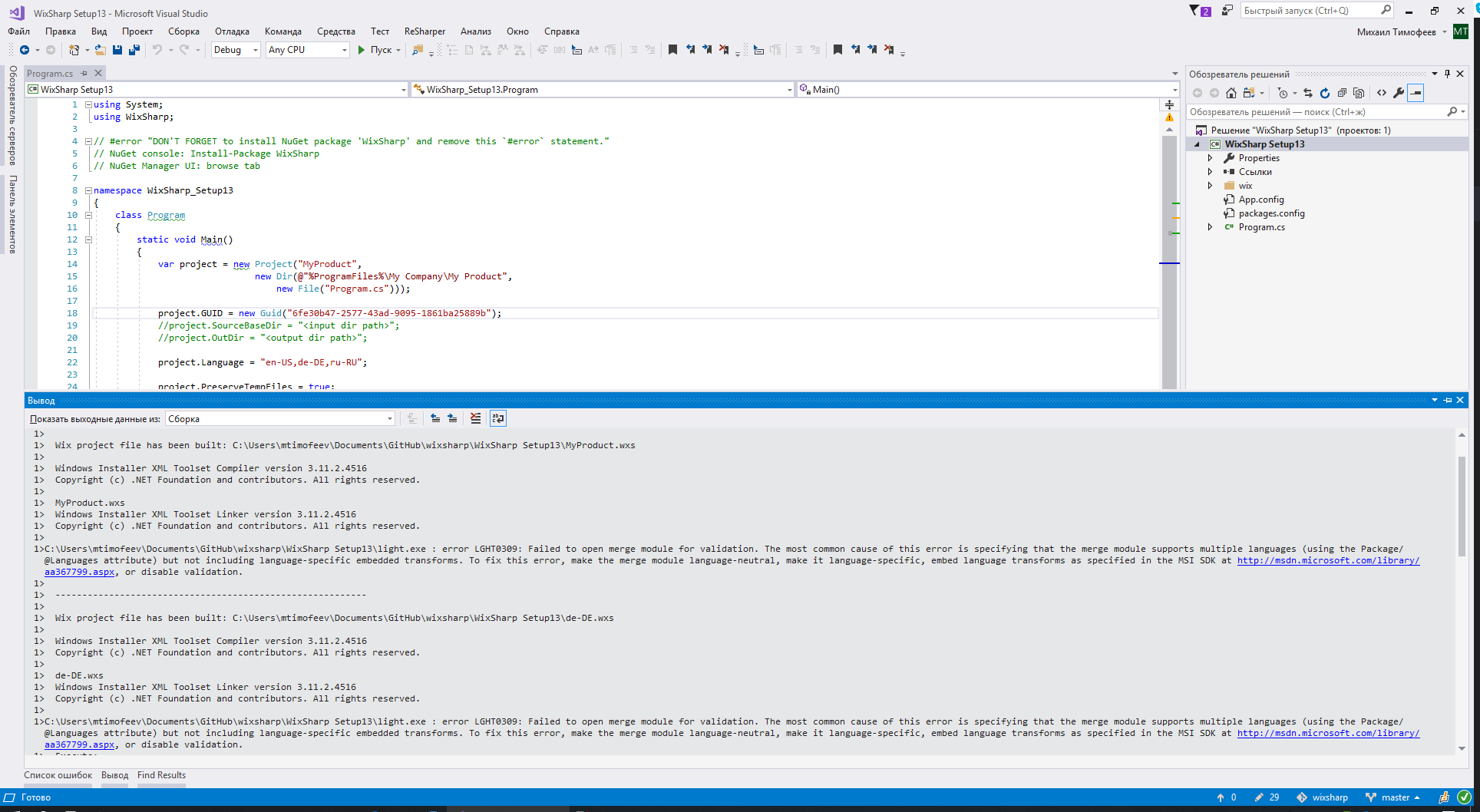
on 5 Dec 2019
I upgraded WiX to v3.11.2, the error remained.
Xaddan
on 5 Dec 2019
As far as I understand, this error occurs due to the fact that several languages are registered in Package.Languages.
Xaddan
on 5 Dec 2019
Yes, but this does not cause any problem on in my environment. :(
Do you have access to a pure English machine?
Just want to see if it is a one off or a persistent problem on RU PCs
oleg-shilo
on 5 Dec 2019
And yes, in my case I also have multiple values for Package.Languages but without upsetting the light?

Can you please generate and share the CMD building assets with project.BuildCmd(). I will compare them to mine.
oleg-shilo
on 5 Dec 2019
Xaddan
on 5 Dec 2019
It works on the English operating system.
Xaddan
on 5 Dec 2019
Automatic localization also works.
Xaddan
on 5 Dec 2019
A wild guess, but can you try the modified version:
// product.Language = "en-US,de-DE,ru-RU";
product.Language = "ru-RU,en-US,de-DE";
The first language may take precedence.
oleg-shilo
on 5 Dec 2019
Yes it worked.
Xaddan
on 5 Dec 2019
WOW! I am shocked!
WiX compiles the same source code differently on different machines depending on the language of OS!
What can I say, great work MS. :(
And of course project.Language = "ru-RU,en-US,de-DE"; fails on my machine.
I'll see if can find a way to delay patching Languages until all MSTs are inserted.
It must be some magic similar to what EmbedTransform.exe does.
oleg-shilo
on 5 Dec 2019
There is a vbs script that rules SummaryInformation and adds additional languages.
https://github.com/towerjoo/WixSample/blob/master/WiLangId.vbs
' Set language list in summary information
Sub SetPackageLanguage(database, language)
    On Error Resume Next
    Dim sumInfo  : Set sumInfo = database.SummaryInformation(1) : CheckError
    Dim template : template = sumInfo.Property(7) : CheckError
    Dim iDelim:iDelim = InStr(1, template, ";", vbTextCompare)
    Dim platform : If iDelim = 0 Then platform = ";" Else platform = Left(template, iDelim)
    sumInfo.Property(7) = platform & language
    sumInfo.Persist : CheckError
End Sub
that is exactly what I had in mind.
txs
oleg-shilo
on 5 Dec 2019
It looks like the following code does this too:
C#
using Microsoft.Deployment.WindowsInstaller;
. . .
using (var database = new Database(msi, DatabaseOpenMode.Direct))
{
    database.SummaryInfo.Template = "Intel;666";
}
Still experimenting...
oleg-shilo
on 5 Dec 2019
This seems to be what you need.
Xaddan
on 5 Dec 2019
Yep. And it does work. The latest committed code inserts the all transforms and only after that updates the package languages. All good.
It builds OK but... I am a bit concerned that the msi with the default language that is different to the language of OS it's build on might have some unexpected side effects. Thus if I build "RU,DE,EN" msi on my pure EN PC cannot show RU ui regardless what i do. Thus it properly sets the default msi content to RU text:
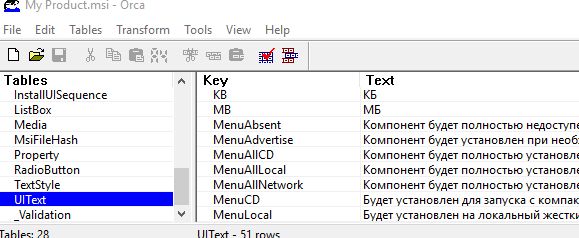
But if it runs as is it switches to EN ui. Great, this is what we want to happen. and if I specify "TRANSFORMS=:1049" it fails. Of course such transform does not exist. All is as expected, but it means that on an EN PC I have no ability to switch to RU UI at all even though the localization data is there in msi. Thus your (@Xaddan) bootstraper with the language selection box will never work fully.
I guess this is the limitation we will need to clearly communicate to the user.
@Xaddan, can you please check if you can build "EN,RU" and "RU,EN" on RU machine and then see if it runs consistently on EN and RU machines.
I have already done:
- "EN,RU"-built-EN-run-EN
- "RU,EN"-built-EN-run-EN
but I cannot do the rest as I have no RU pc available.
Appreciate your help.
oleg-shilo
on 6 Dec 2019
I checked the following:
EN OS
- "EN,RU" -Embedded text-EN -run-EN
- "RU,EN" -Embedded text-RU -run-EN
RU OS
- "EN,RU" -Embedded text-EN -run-RU
- "RU,EN" -Embedded text-RU -run-RU
DE OS
- "EN,RU" -Embedded text-EN -run-EN
- "RU,EN" -Embedded text-RU -run-RU
- "DE,EN,RU" -Embedded text-DE -run-DE
- "EN,RU,DE" -Embedded text-EN -run-DE
Xaddan
on 6 Dec 2019
I agree about the bootstrapper. You need to either automatically determine the default language, and other built-in languages, and based on this data build the logic of the bootstrapper. Or just document it all.
Xaddan
on 6 Dec 2019
Just to confirm, the all combinations you listed are behaving OK. Is it right?
oleg-shilo
on 6 Dec 2019
Yes, they work as expected.
Xaddan
on 6 Dec 2019
Great, then I will proceed with the preparation for the release.
Thank you for your help
oleg-shilo
on 6 Dec 2019
It's my pleasure.
Do you think anyone else is interested in what we are doing here? :)
Xaddan
on 6 Dec 2019
This is your answer :)

oleg-shilo
on 6 Dec 2019
Yes, I am definitely interested :)
I was pulled to work on something else at the moment but look forward to get back to this MSI localization!
Thanks for the good work Oleg / Xaddan!!
Jean-Marc1
on 6 Dec 2019
Done. Released.
https://github.com/oleg-shilo/wixsharp/releases/tag/v1.14.0.0
oleg-shilo
on 10 Dec 2019
The subject is now reflected on wiki: https://github.com/oleg-shilo/wixsharp/wiki/Localization
oleg-shilo
on 13 Dec 2019
Will you implement the BA?
Xaddan
on 13 Dec 2019
Absolutely. I am just taking a short break (a week or so) to catch up with the other projects.
Your POC BA will be the base of the implementation.
oleg-shilo
on 14 Dec 2019
OK :)
I am implementing it now
oleg-shilo
on 15 Dec 2019
If you need any help, you can contact me.
Xaddan
on 15 Dec 2019
Please check <root>\Source\src\WixSharp.Samples\Wix# Samples\Bootstrapper\MultiLanguageSupport.
Keep in mind if running on RU OS you will need to do the change:
C#
// public static string Languages = "en-US,de-DE,ru-RU";
public static string Languages = "ru-RU,en-US,de-DE";
It does the trick. I will need more time to prepare the VS templates and to do yet another release.
oleg-shilo
on 15 Dec 2019
I will also need to add some validation and emit compile warnings for:
- default lng vs OS lng
- mismatch of the BA assembly name and the asm name in
BootstrapperCore.config. Just discovered that it is causing nasty silent problem
oleg-shilo
on 15 Dec 2019
Everything works perfectly
Xaddan
on 16 Dec 2019
Great. Txs for letting me know.
You probably saw the implementation of the _detection algorithm_. The one that decides if it needs to be istnall or uninstall. You asked about it in one of the prev posts.
It's not the most elegant implementation and thread.sleep() will need to be replaced there with event.wait() but it shows the idea.
Keep in mind that in some production scenarios instead of automatically triggering uninstall you may want to ask user to choose between _repair/modify_ and _uninstall_.
But the current implementation is arguably adequate for a code sample.
oleg-shilo
on 16 Dec 2019
Done: Release v1.14.2.0
oleg-shilo
on 20 Dec 2019
Related issues
 JamesWHurst
·
5Comments
JamesWHurst
·
5Comments
 kain64
·
4Comments
kain64
·
4Comments
 yfnfif
·
3Comments
yfnfif
·
3Comments
 ltemimi
·
5Comments
ltemimi
·
5Comments
 UweKeim
·
5Comments
UweKeim
·
5Comments
Most helpful comment
I would like to share my knowledge.
MSI does not support multiple languages.



Localization files (.wxl) do not get into the installer in their pure form, at compile time, lines from these files are laid out in 3 main tables:
ActionText
Error
UiText
But there is an interesting thing as a transformation, its meaning is that 2 installers are taken, and all tables and each line in them are compared, and a file is created that contains all the differences between these two installers.
If the installers will differ only in the localization lines, then the transformation file will be a kind of localization file.
After creating the file, through Orca, you can see what it changes:

A link has already been given here where the process of creating these files is described.
https://www.firegiant.com/wix/tutorial/transforms/morphing-installers/
As for Bootstrapper, through MsiProperties you can pass the necessary TRANSFORMS value.