Winforms: [Accessibility] ComboBox control causes Narrator and Inspect to stop responding
.NET Core Version:
.Net 5.0.100-preview.7.20314.1 from 5.0 master branchHave you experienced this same bug with .NET Framework?:
No
More Info:
- This issue can also reproduce on without Private.
- This issue can reproduce in RTL and LTR environment.
Minimal repro:
- Open the attached ‘WindowsFormsApp3’ application in VS, then build and run it.
- Open Narrator or Inspect, then focus it's cursor to the ComboBox control.
WindowsFormsApp4.zip
Expected behavior:
Narrator or Inspect's cursor focuses on the ComboBox control and works fine.
Actual behavior:
ComboBox control causes Narrator and Inspect not respond.

 Jessie-Zhang01
All 21 comments
@Jessie-Zhang01 is this a regression? Can you double check if this is a regression from a previous Preview?
 merriemcgaw
on 26 Jun 2020
merriemcgaw
on 26 Jun 2020
@merriemcgaw yes, this is a regression issue. It's can reproduce on .Net 5.0.100-preview.5.20270.37, but cannot reproduce on .Net 5.0.100-preview.4.20258.7.
Jessie-Zhang01
on 28 Jun 2020
@vladimir-krestov - could you please take a look at the ComboBox page from our test application, when expanding ComboBox drop downs and selecting items under inspect, inspect eventually hangs.
 Tanya-Solyanik
on 10 Jul 2020
Tanya-Solyanik
on 10 Jul 2020
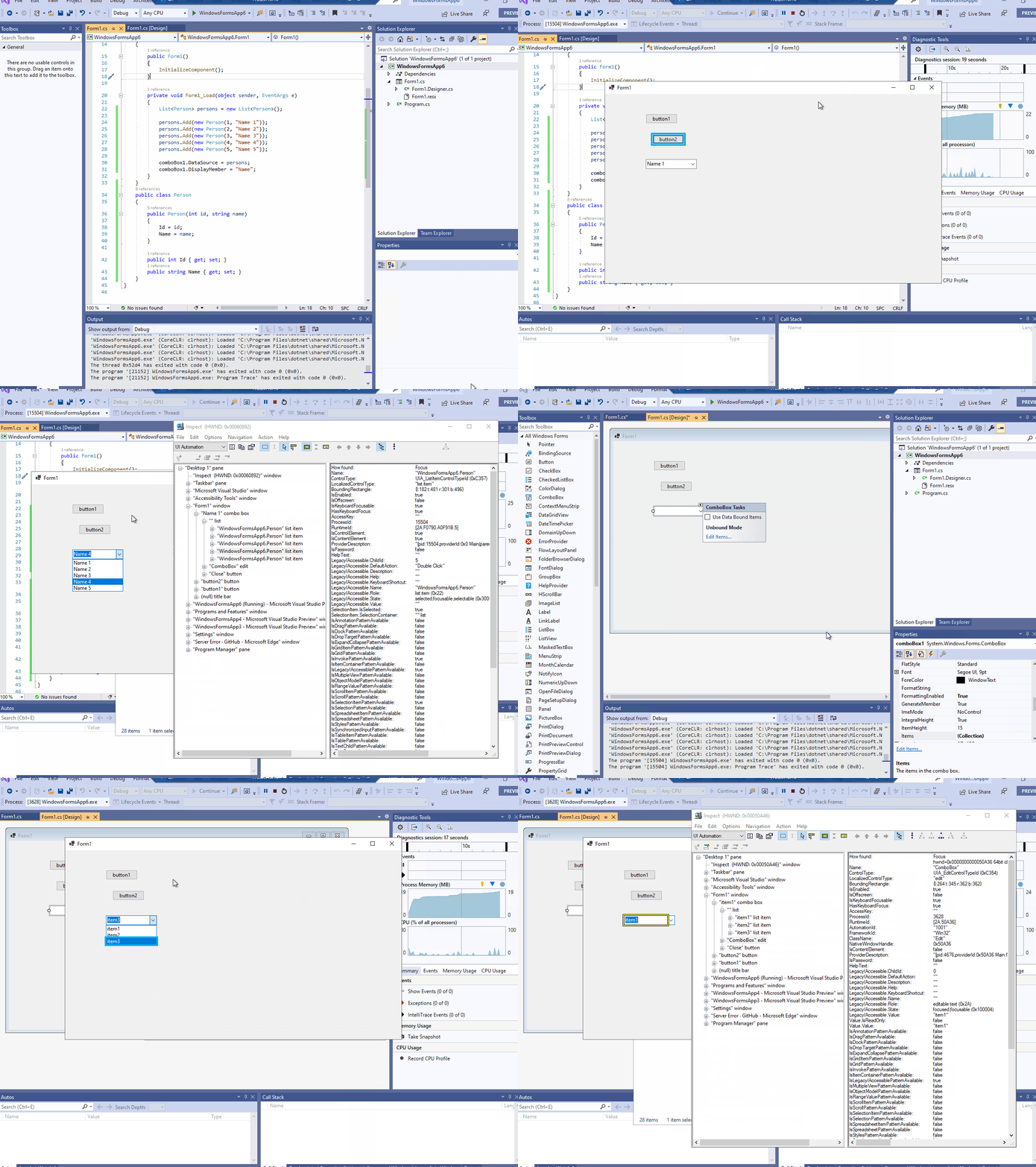
Verified this issue with .Net 5.0.100-preview.8.20362.3 from Master branch, this issue is fixed. Narrator or Inspect's cursor focuses on the ComboBox control and works fine. Please see following gif.
Jessie-Zhang01
on 13 Jul 2020
@Jessie-Zhang01 - could you please try the WinformsControlsTest application that is included into our integration tests.
Tanya-Solyanik
on 13 Jul 2020
@Tanya-Solyanik I tested the WinformsControlsTest application and found a issue: when the "ComboBox" to be expanded contains the same item(set DropDownStyle property of ComboBox as 'DropDown/DropDownList'), Narrator/Inspect eventually hang. Please see following gif:
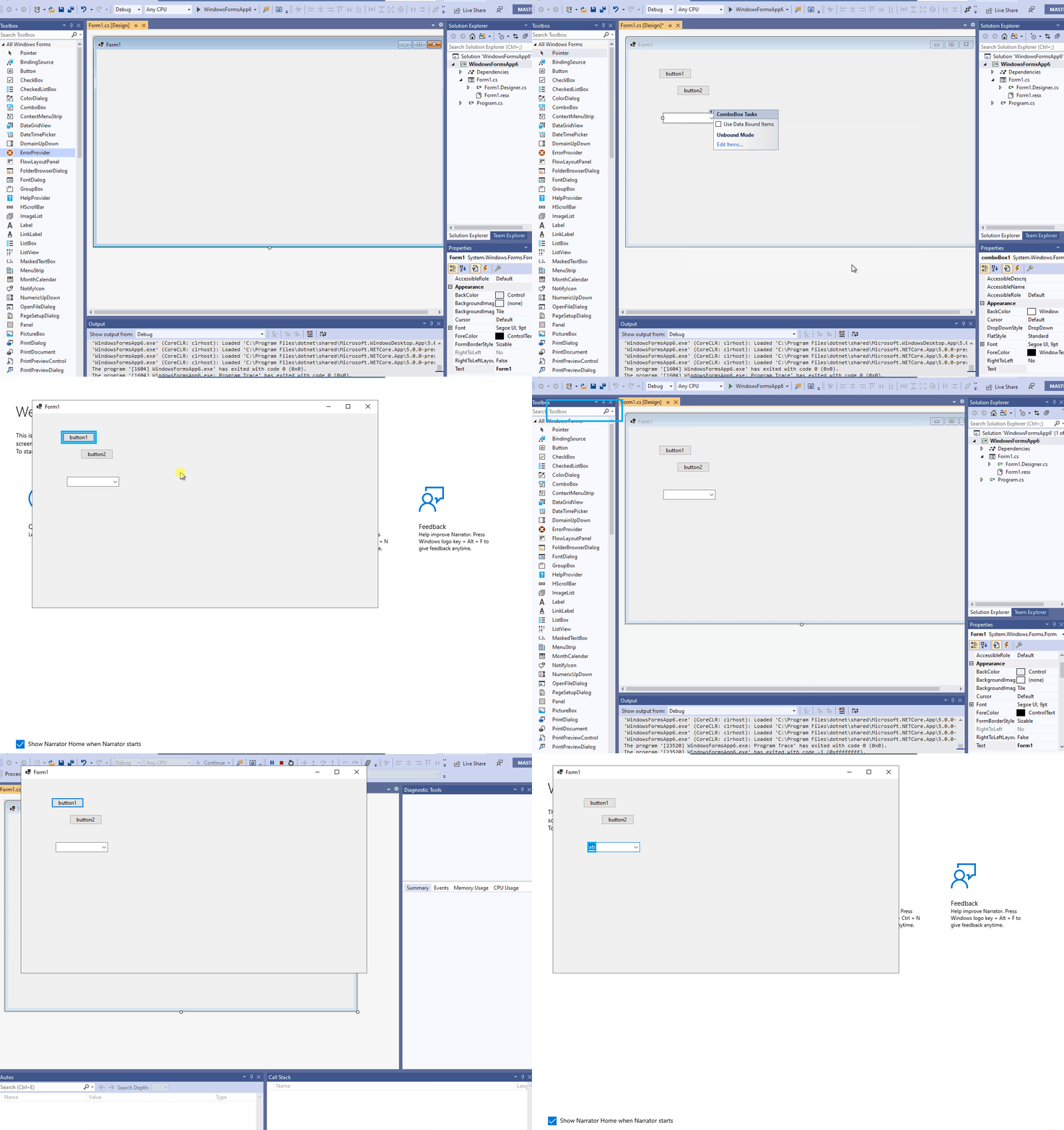
In addition, this issue cannot reproduce when set DropDownStyle property of ComboBox as 'Simple'.
Jessie-Zhang01
on 14 Jul 2020
@Jessie-Zhang01 Does this impact 3.1?
merriemcgaw
on 15 Jul 2020
@merriemcgaw yes, this issue also can reproduce on .Net Core 3.1.
Jessie-Zhang01
on 15 Jul 2020
@RussKie @vladimir-krestov - we need to consider this for servicing in 3.1 as well as the 5.0 fix.
merriemcgaw
on 15 Jul 2020
@Jessie-Zhang01 - Wow, nice job finding a min repro! I think a new more specific issue should be opened. Could you please create a new one with your repro app and close this one.
Could you please double-check if this is broken in NETFX 4.8 and open a bug in AzDo if it is?
It's still not clear why the removal of ComImport attribute fixes this hang though.
Tanya-Solyanik
on 16 Jul 2020
@Tanya-Solyanik I filed a new GitHub issue 3590 for it, so close the current issue. And this issue can also reproduce on .Net 4.8, so create a new VSO bug: 1157357.
Jessie-Zhang01
on 16 Jul 2020
@RussKie @JeremyKuhne @vladimir-krestov I do not believe that https://github.com/dotnet/winforms/pull/3524 was an appropriate fix here. Based on my investigation the removal of ComImport has simply disabled support for IRawElementProviderHwndOverride. This then "works" because the interface is not used. It appears that the specific scenario used for validation works, but it is hiding some underlying condition. I have stepped through the UI Accessibility layer and verified that the call to IRawElementProviderHwndOverride.GetOverrideProviderForHwnd() is succeeding without error from the native side of things. I also verified the managed function tends to work so it is a consequence of the return value or perhaps a misunderstanding of the Accessibility API. I am not sure and admit I have no knowledge of how it should be used, but do know that .NET is properly projecting the interface when ComImport is attributed which is correct as @weltkante has pointed out here.
Given the statement in https://github.com/dotnet/winforms/issues/3590 about .NET 4.8, it is entirely possible that the type was never properly respected and this has been a long standing bug that was recently found now that it is properly defined with ComImport.
 AaronRobinsonMSFT
on 17 Jul 2020
AaronRobinsonMSFT
on 17 Jul 2020
@Tanya-Solyanik, can you chat with @AaronRobinsonMSFT for a high level overview of AccessibleObject?
merriemcgaw
on 24 Jul 2020
It's looking like it might be close to get it in 5.0 Adding @JeremyKuhne
merriemcgaw
on 2 Sep 2020
@JeremyKuhne what are your thoughts about 5.0GA
merriemcgaw
on 9 Sep 2020
Is this still an issue in RC2?
 RussKie
on 18 Sep 2020
RussKie
on 18 Sep 2020
@RussKie Verified this issue with .Net 5.0.100-rc.2.20466.4, when the "ComboBox" to be expanded contains the different item, Narrator or Inspect's cursor focuses on the ComboBox control and works fine.
But when the "ComboBox" to be expanded contains the same item, Narrator/Inspect eventually hang(have a known issue: 3590).
Jessie-Zhang01
on 18 Sep 2020
@Jessie-Zhang01 does it take a while for the hang to happen when we've got the duplicate items in the ComboBox?
merriemcgaw
on 18 Sep 2020
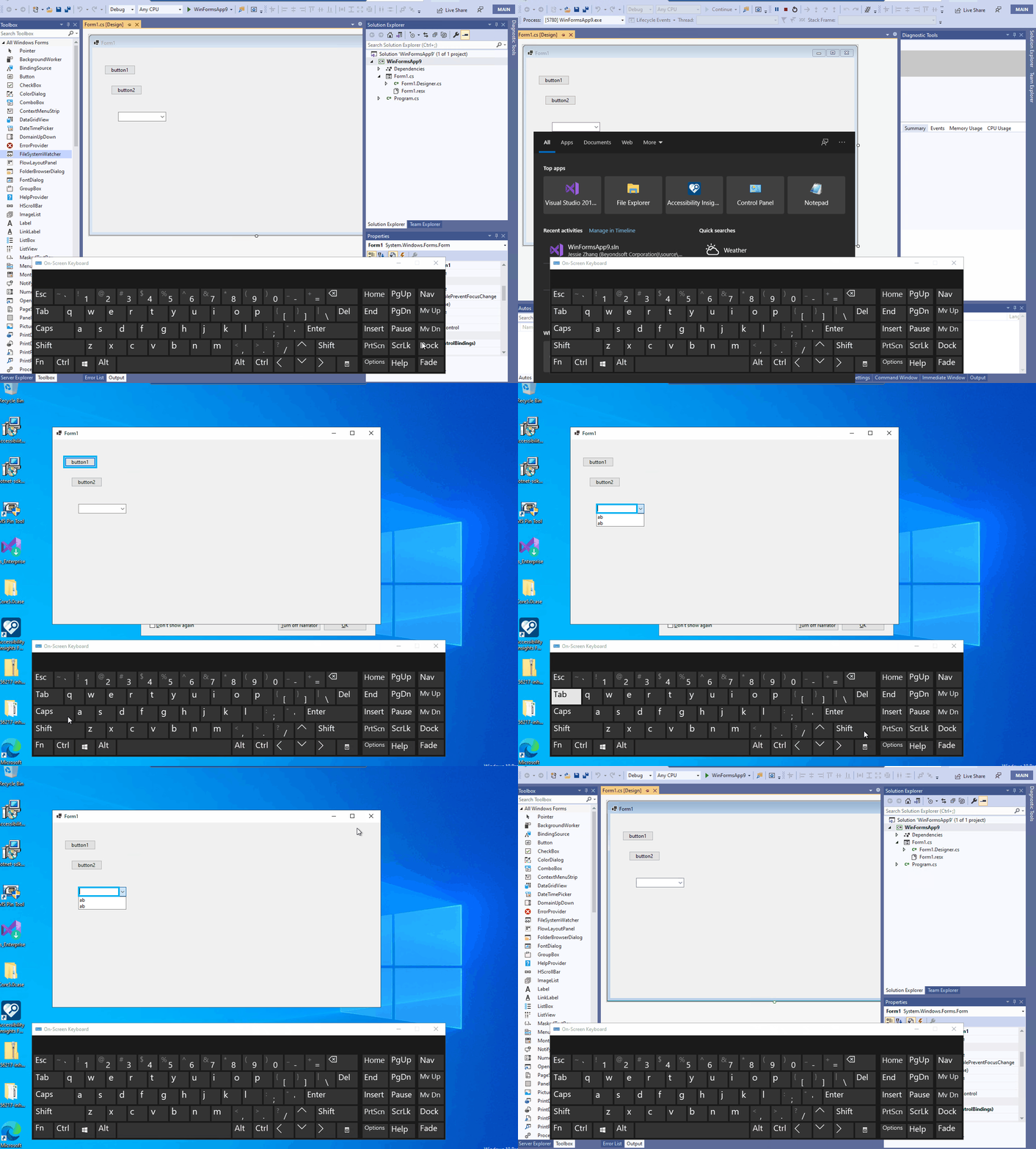
@merriemcgaw No, The Accessibility tools: Narrator/Inspect/Accessibility Insight and test project all are hung when using them together until clicking the stop button in VS toolbar when expand the ComboBox drop-down list with the duplicate items. Please see following gif:
Jessie-Zhang01
on 21 Sep 2020
@merriemcgaw do we want to service this?
RussKie
on 5 Nov 2020
Yes, I think we do.
merriemcgaw
on 12 Nov 2020
Related issues
 lonitra
·
5Comments
lonitra
·
5Comments
 vladimir-krestov
·
3Comments
vladimir-krestov
·
3Comments
 kirsan31
·
4Comments
kirsan31
·
4Comments
 damageboy
·
4Comments
damageboy
·
4Comments
 SergeySmirnov-Akvelon
·
3Comments
SergeySmirnov-Akvelon
·
3Comments
Most helpful comment
@RussKie @JeremyKuhne @vladimir-krestov I do not believe that https://github.com/dotnet/winforms/pull/3524 was an appropriate fix here. Based on my investigation the removal of
ComImporthas simply disabled support forIRawElementProviderHwndOverride. This then "works" because the interface is not used. It appears that the specific scenario used for validation works, but it is hiding some underlying condition. I have stepped through the UI Accessibility layer and verified that the call toIRawElementProviderHwndOverride.GetOverrideProviderForHwnd()is succeeding without error from the native side of things. I also verified the managed function tends to work so it is a consequence of the return value or perhaps a misunderstanding of the Accessibility API. I am not sure and admit I have no knowledge of how it should be used, but do know that .NET is properly projecting the interface whenComImportis attributed which is correct as @weltkante has pointed out here.Given the statement in https://github.com/dotnet/winforms/issues/3590 about .NET 4.8, it is entirely possible that the type was never properly respected and this has been a long standing bug that was recently found now that it is properly defined with
ComImport.