Winforms: MDI forms lost sub control box
.NET Core Version:
Have you experienced this same bug with .NET Framework?:
No
Problem description:
.NET 5 current master and Preview2
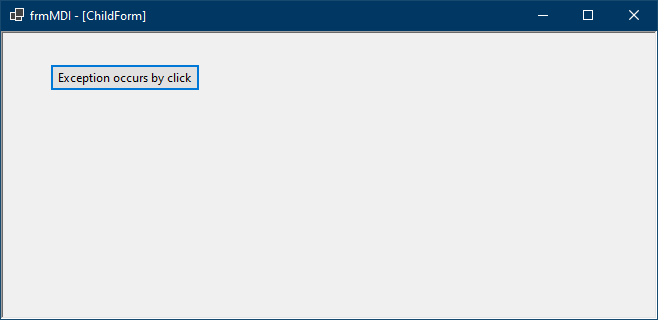
.NET Core 3.1
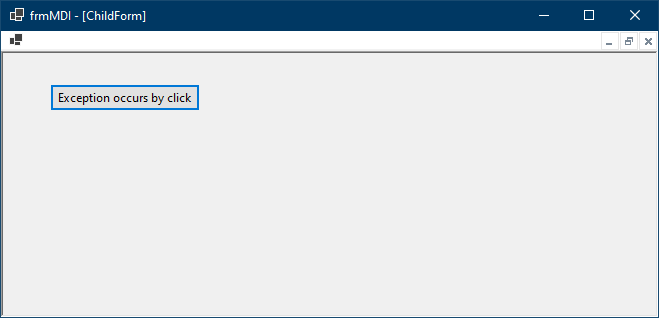
Expected behavior:
.NET 5 variant must look like .NET Core 3.1 variant.
Minimal repro:
Run a repro app provided in #2979
 RussKie
All 27 comments
Had two hours of "fun" bisecting, and it looks like we regressed back on 13 Nov 2019 in 07ae71178eda9d1e4ebf73be44879d969cea7dc5 😱
Somewhat surprised this went unnoticed for so long... @Vino-Wang looks like we have a gap.
I still need to go through the diff (which is massive) to see what caused it.
🤔 Not sure what to look for tbh, @JeremyKuhne @weltkante if you have any hints - they are appreciated.
RussKie
on 2 Apr 2020
I took a quick look over Form.cs and what stands out regarding MDI forms is the removal of the "merged menu". Might have slipped up and left a bool or other variable in the wrong default state when removing the code. I might be able to debug later today.
 weltkante
on 2 Apr 2020
weltkante
on 2 Apr 2020
this line is probably the regression. Can't seem to link directly for some reason, probably because the commit is so large? Its line 6081 in the diff of Form.cs in the commit linked above, I commented on the line but you have to manually scroll there. Within UpdateMenuHandles method an interop call for WM_MDISETMENU occurred even if no deprecated HMENU was configured by the user. I believe removing this interop call leads to the regression, because when I'm on a working build and skip this line I get the behavior you observe on master.
I think this can be fixed without reintroducing MainMenu and Menu classes, you just need to manufacture an appropriate HMENU directly via interop instead of using the WinForms convenience classes. Need to be careful to do proper cleanup though, to not introduce any leaks.
PS: I reviewed the diff of Form.cs manually against the release/3.1 branch and I think this is the only line which was removed even though it was executed. Also I'm quite confused by the commit being a merge of remote/release/3.1 yet the changes within the commit aren't in release/3.1. Was this a commit that was rolled back in 3.1 ?
weltkante
on 2 Apr 2020
Great investigation @weltkante! Thanks a ton!
 merriemcgaw
on 3 Apr 2020
merriemcgaw
on 3 Apr 2020
I've started going through history again, and ran tests against 3.1.2, and it appears to be a regression all the way back to 3.1... So we'll need to service it.
RussKie
on 16 Jun 2020
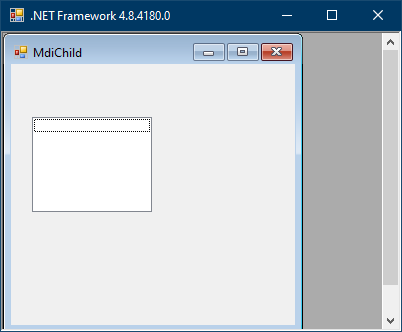
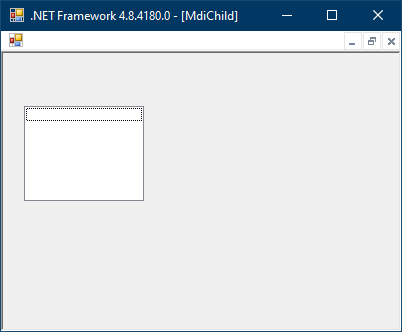
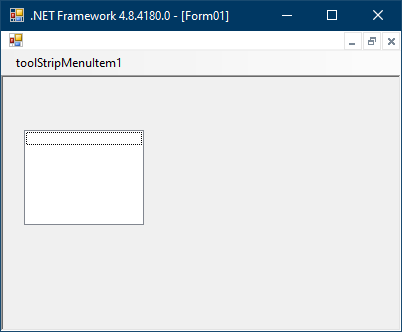
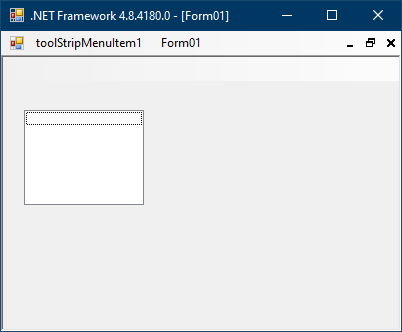
I've compared net472 vs netcore3.1
Click for lots of pretty pictures...
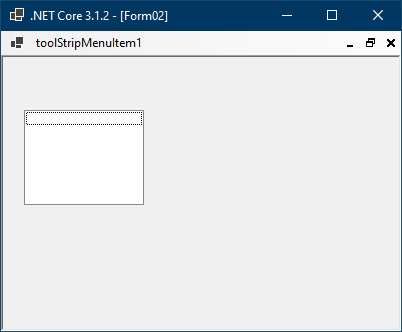
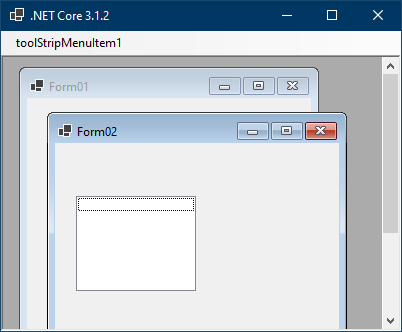
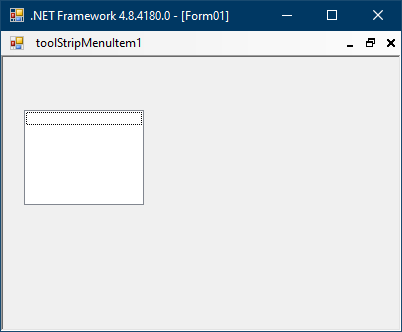
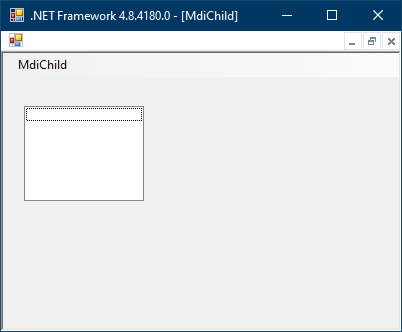
| Parent | Child | Screenshot | Screenshot |
|--- | --- |--- | --- |
| - | - | 
 |
| 
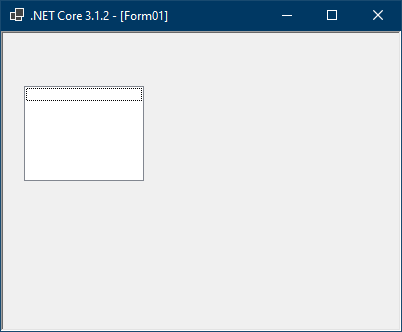 |
|
| Controls.Add(menuStrip), MainMenuStrip = null | - | 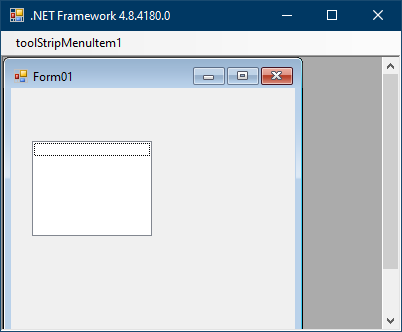
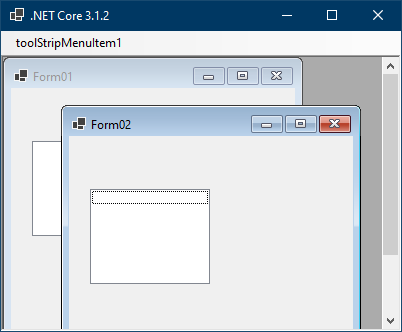 |
| 
 |
|
| Controls.Add(menuStrip), MainMenuStrip = menuStrip | - | 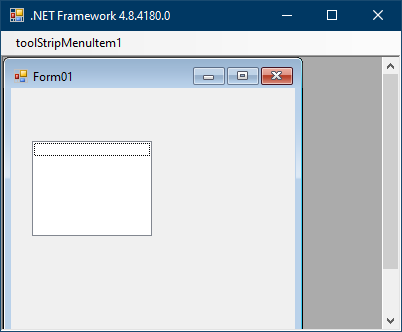
 |
| 
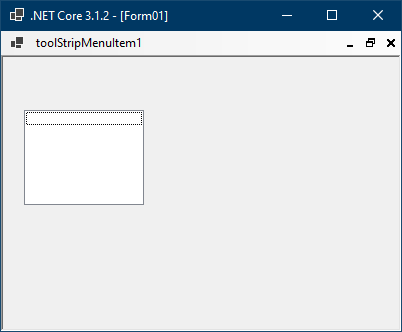 |
|
| - | Controls.Add(menuStrip), MainMenuStrip = null | 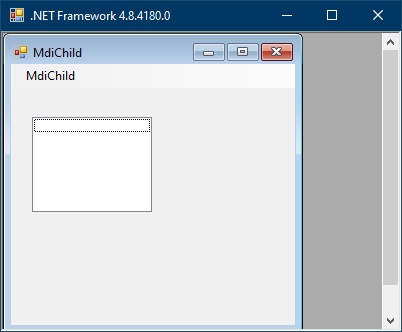
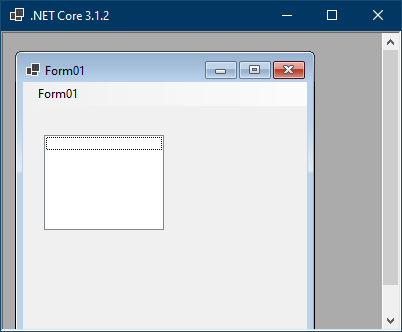 |
| 
 |
|
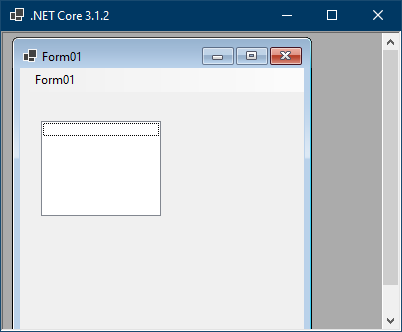
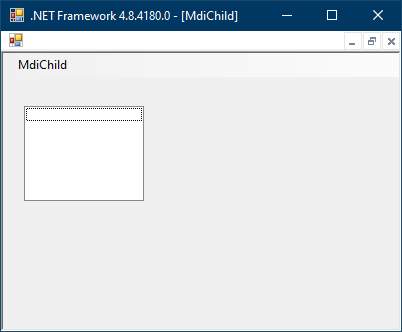
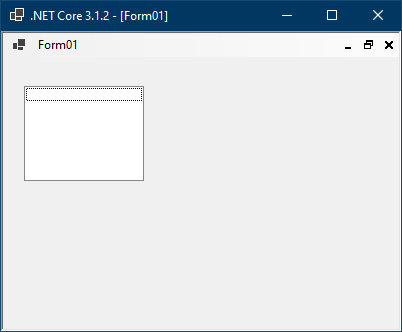
| - | Controls.Add(menuStrip), MainMenuStrip = menuStrip | 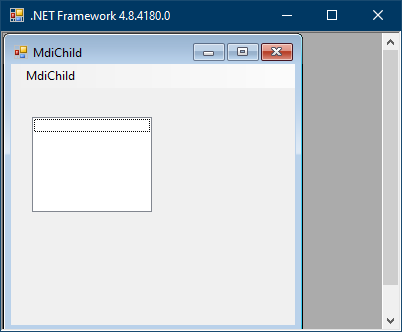
 |
| 
 |
|
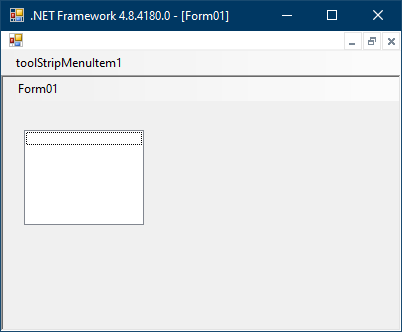
| Controls.Add(menuStrip), MainMenuStrip = null | Controls.Add(menuStrip), MainMenuStrip = null/menuStrip | 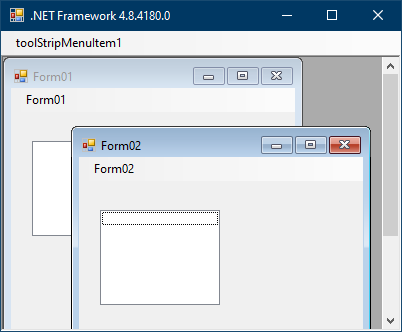
 |
| 
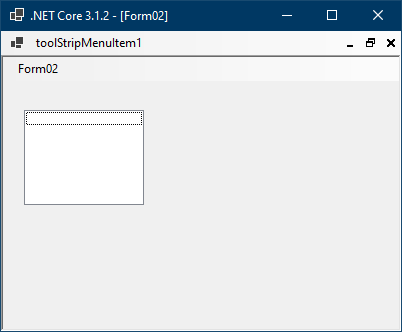 |
|
| Controls.Add(menuStrip), MainMenuStrip = menuStrip | Controls.Add(menuStrip), MainMenuStrip = null | 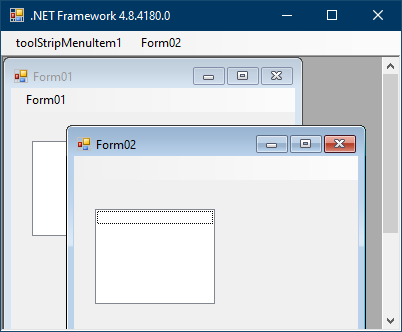
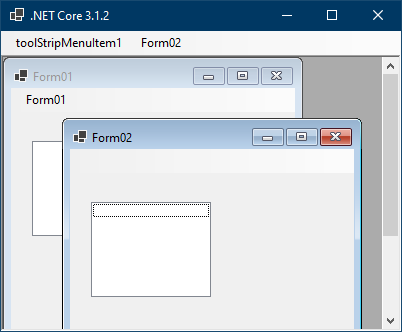 |
| 
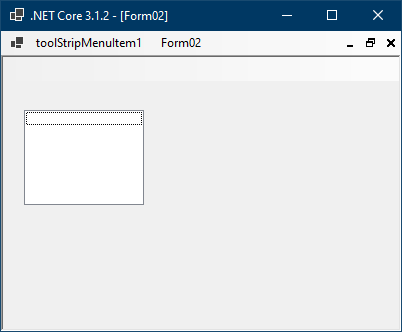 |
|
| Controls.Add(menuStrip), MainMenuStrip = menuStrip | Controls.Add(menuStrip), MainMenuStrip = menuStrip | 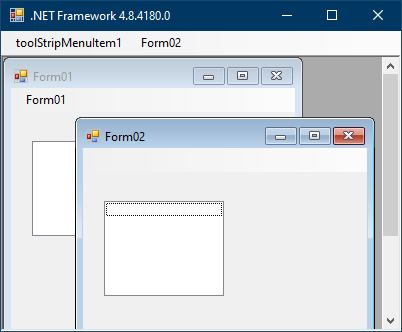
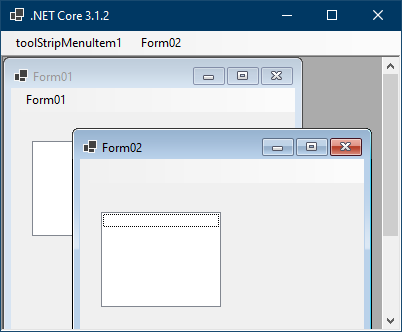 |
| 
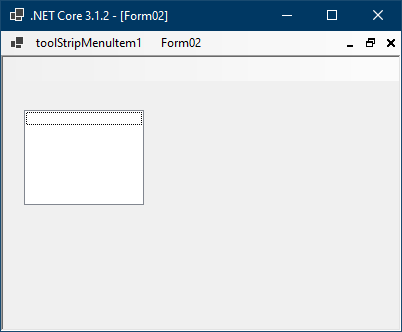 |
|
So it looks like there's only one scenario where it is severely broken - both parent and child forms don't have
MainMenuStripset nor have it added to theControlscollection.| net472 | netcoreapp3.1 |
| -- | --- |
| | |
There are other smaller issues such as:
When a parent form doesn't have
MainMenuStripproperty set the child's main menu is rendered differently:| net472 | netcoreapp3.1 |
| -- | --- |
| | |Different control box glyphs in net472 version depending on whether a parent has
MainMenuStripproperty set.Both in net472 and netcoreapp an active child has a blank main menu which is merged with a parent's main menu:
| net472 | netcoreapp3.1 |
| -- | --- |
| | |
The plan is to only fix #1 and service it in 3.1. No action for other points.
RussKie
on 17 Jun 2020
@RussKie
Somewhat surprised this went unnoticed for so long...
So it looks like there's only one scenario where it is severely broken - both parent and child forms don't have MainMenuStrip set nor have it added to the Controls collection.
Yea, the reason of not detecting it so long is that 99% of people using the MDI with MainMenuStrip, and with MainMenuStrip everything is fine :)
 kirsan31
on 17 Jun 2020
kirsan31
on 17 Jun 2020
Yep, figured as much :)
RussKie
on 17 Jun 2020
I'm having this problem with .NET 5.0.1
I can't find any scenario where the minimise, restore and close buttons are shown when the MDI child is maximized.
Setting a MainMenuStrip on the parent, child or both doesn't show them
Is there any kind of workaround for this before .NET 6?
 aaronchch
on 18 Dec 2020
aaronchch
on 18 Dec 2020
@aaronchch can you provide a repro to investigate?
RussKie
on 18 Dec 2020
@RussKie uuuuuups 😭 It's seems like a regression from 3.1 😭😭😭
I noticed this at the very last moment before the release of our application (3.1 -> 5.0). I will provide a repro shortly, but I think there will be nothing special...
kirsan31
on 18 Dec 2020
Yes, nothing special: Mdi.zip
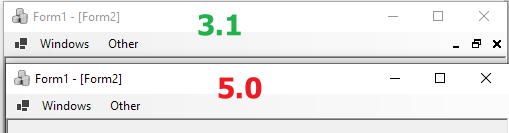
kirsan31
on 18 Dec 2020
I already located the point of the regression earlier above. Some usage of HMENU is required, which was accidently removed. It needs to replaced by direct interop instead.
weltkante
on 18 Dec 2020
@weltkante I mean that in .net5 it's broken even with MainMenuStrip, in 3.1 only without it (#1 in this post).
kirsan31
on 18 Dec 2020
Yes I think thats what this issue is about. Note that the top post already is talking about a .NET 5 vs 3.1 regression, not a regression in 3.1
weltkante
on 18 Dec 2020
Yes I think thats what this issue is about. Note that the top post already is talking about a .NET 5 vs 3.1 regression, not a regression in 3.1
Then I don't understand anything at all - how could this have gone into the 5.0 release ? :astonished:
kirsan31
on 18 Dec 2020
Looking through the discussion history again I think the ".NET 5 vs 3.1" regression got mixed up with the general "net472 vs netcore3.1" issue and was probably lost track of, unfortunate.
weltkante
on 18 Dec 2020
Looking through the discussion history again I think the ".NET 5 vs 3.1" regression got mixed up with the general "net472 vs netcore3.1" issue and was probably lost track of, unfortunate.
Yea, it looks like this :(
To summaries things up, with maximized mdi child form we have 2 regressions here:
- __.net framework -> .net core 3.1__: sub control box is lost when both parent and child forms don't have
MainMenuStrip. - __.net core 3.1 -> net 5.0__: sub control box is always lost.
As discussed above, 1. is a small problem because of rarity using mdi without MainMenuStrip. But 2. mean that mdi simply not usable in net5. Therefore it's defiantly must be serviced...
kirsan31
on 18 Dec 2020
The problem I'm having is shown and described in issue #4388:
The Minimize, Restore and Close buttons are on the menu but they aren't visible. Mousing over the right hand end of the menu bar shows a narrow outline of the button which can be clicked and behaves correctly. The buttons can be used but can't be seen.
It seems like the images aren't being shown so the buttons have zero width.
Maybe #4388 isn't a duplicate of this after all.
aaronchch
on 20 Dec 2020
@aaronchch nope this is exactly same issue. And yes you are right all 3 buttons are there and usable, but with 0 width:

kirsan31
on 20 Dec 2020
Yes, it looks like a different bug. Investigating.
RussKie
on 21 Dec 2020
4388 is a dup, I just never realised the buttons were the all along. @kirsan31 I ran your sample on a 5.0-rc2, and the issue was there, so it would be the result of bad merge of 3.1->5.0.
I do kind of feel like an archeologist, dig through an ancient codebase, not really knowing where to start. Here's my understanding of how MDI control box is working. Posting here to provide more context, and so I can recall after I'm back from holidays.
Whenever an MDI windows is being maximised or minimised there's a call to update MDI parent's toolstrip:
https://github.com/dotnet/winforms/blob/4bca5b30aea871a2c1761b39f8ff8128cb155119/src/System.Windows.Forms/src/System/Windows/Forms/Form.cs#L5613
If the child is being maximised - we merge its menu into the main menu of the parent (line:5671):
https://github.com/dotnet/winforms/blob/4bca5b30aea871a2c1761b39f8ff8128cb155119/src/System.Windows.Forms/src/System/Windows/Forms/Form.cs#L5654-L5676
For that we create MdiControlStrip that contains three buttons: "Minimize", "Maximize" and "Close":
https://github.com/dotnet/winforms/blob/4bca5b30aea871a2c1761b39f8ff8128cb155119/src/System.Windows.Forms/src/System/Windows/Forms/MDIControlStrip.cs#L32-L40
These buttons get native Windows images for respective operations via GetNativeMenuItemImage() call, which retrieves those via
https://github.com/dotnet/winforms/blob/4bca5b30aea871a2c1761b39f8ff8128cb155119/src/System.Windows.Forms/src/System/Windows/Forms/ToolStripMenuItem.cs#L795-L800
...and fails. Because the default system menu doesn't have any images.
Notice the menu in .NET 5.0 version doesn't have any images:

Whilst in .NET Framework does:
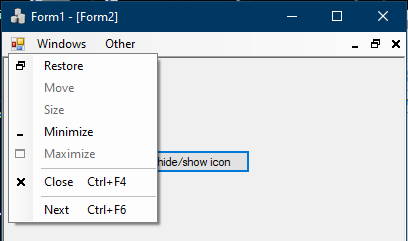
Just for laughs I decided to set images manually, and voila:
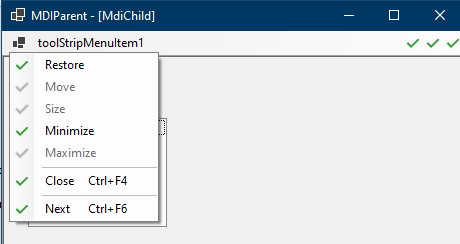
3461 addresses the issue by creating a new menu, which has images (magic?). Granted that PR isn't complete like-for-like, and needs further work.
I wouldn't be surprised if there are still things that I missed, and hopefully @JeremyKuhne and @weltkante can help me filling the gaps.
RussKie
on 21 Dec 2020
I've been playing with .NET Framework implementation, and it appears it isn't terribly difficult to confuse the runtime into something like this:
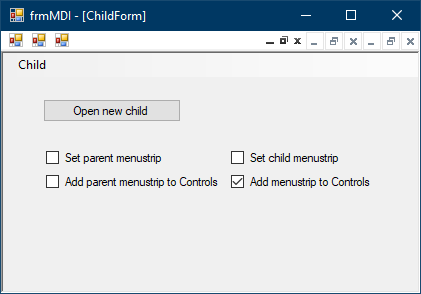
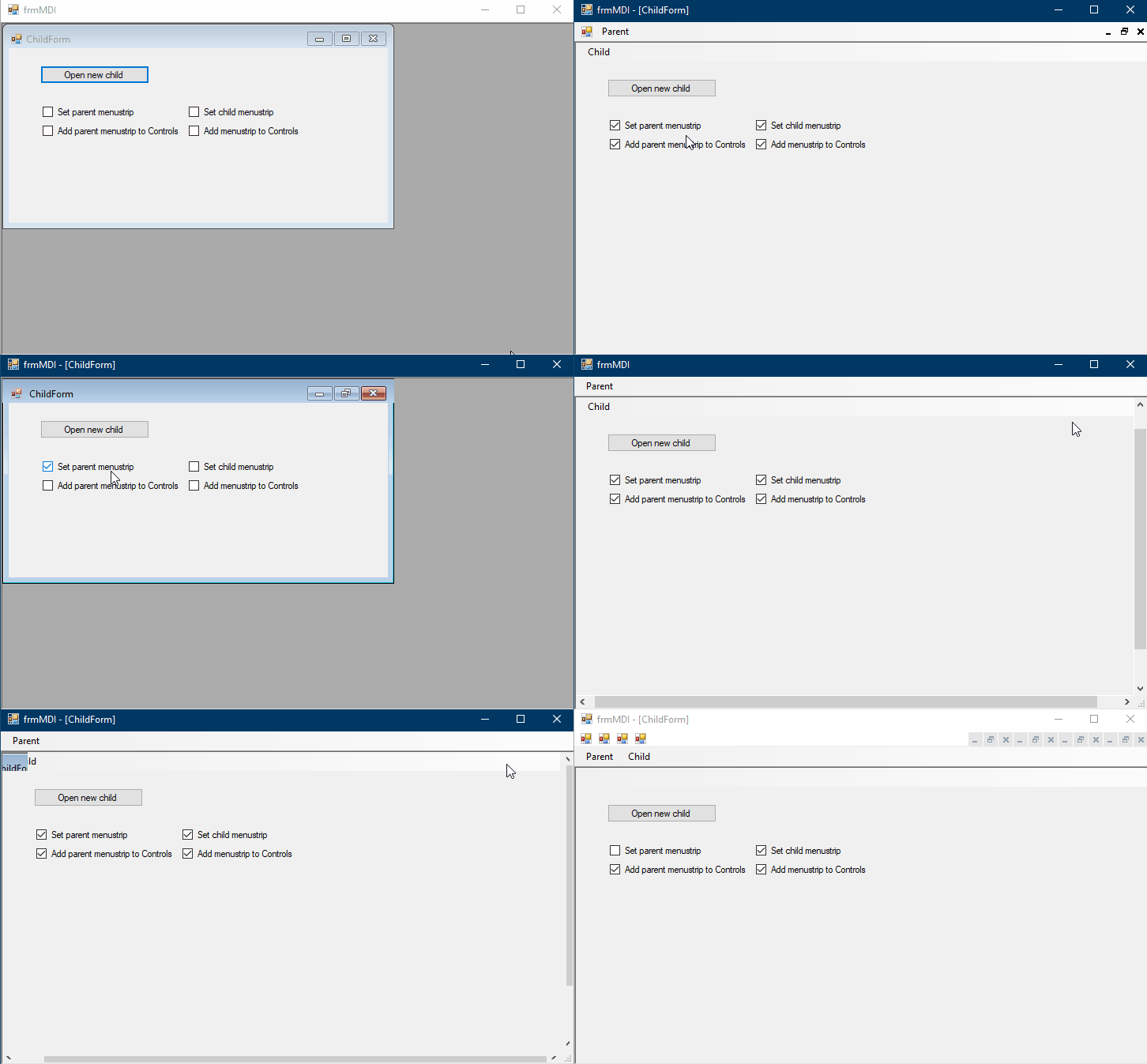
- check all boxes
- maximise the child
- unckeck "set child menustrip"
- uncheck "add parent menustrip to Control"
- uncheck "set parent menustrip"
- uncheck "add menustrip to Control"
- check "set parent menustrip" - this causes the child to set to "normal" style, although one could see the visual artifacts as if the title bar is covered, and the form can't be moved.

- check all boxes again
- set the child's mode to "normal", and see that the form has different dimensions and position
- maximise the form
- uncheck "add parent menustrip to Control" - observe multiple menus and control boxes
However it doesn't behave the same way in .NET Core 3.1. No matter what I tried I could never get step 7 to trigger, both forms and their behaviours remain stable.
RussKie
on 22 Dec 2020
This is _nice_ too:
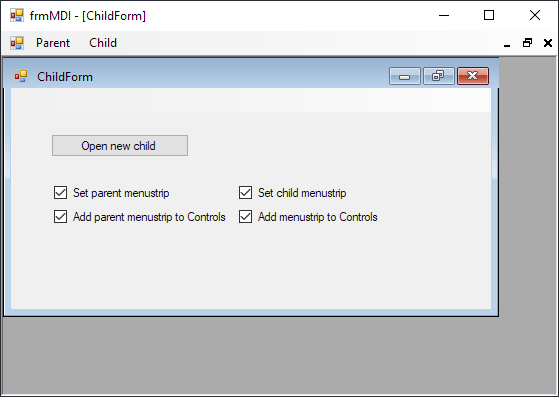
- check "set parent menustrip" + "add parent menustrip to Control"
- maximize the child
- uncheck "set parent menustrip"
- check "set parent menustrip"
Your first screen can be obtained with fewer steps (I've optimized the scheme 🤣 ):
- maximize the child
- check "set parent menustrip"
- uncheck "set parent menustrip"
Than simple cycle 2. and 3. Each uncheck of "set parent menustrip" will add one more set of icons:
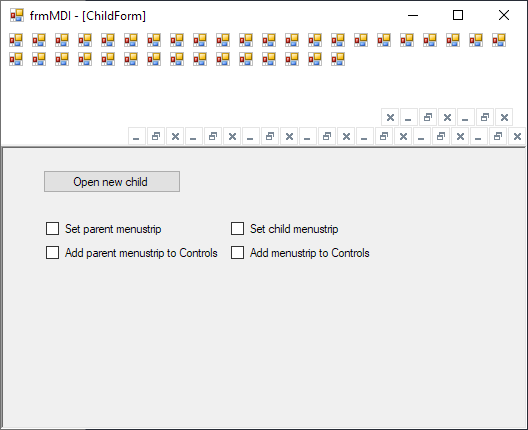
And yes .NET Core 3.1 work good. I think, this is because .NET Core 3.1 behaves different without menustrip, see 1. and 2. here.
kirsan31
on 22 Dec 2020
I've looked through the regressing diff a bit more and noticed we were also losing some live code paths in InvalidateMergedMenu which was triggering an UpdateMenuHandles via MenuChanged even if there was no classic Menu in use. Restoring that refresh code path seems to fix at least some cases of the double menu icons.
see here for what I've been playing around with, its a bit different from your branch (not using a dedicated variable) and I've had no time to adapt the changeset to your branch, but I figured its better to post now rather than wait until I can get around to revisit this. Maybe you can incorporate the missing refresh logic in your branch and see if that gets you closer to .NET Core 3.1 / Desktop behavior.
weltkante
on 29 Dec 2020
@weltkante
I've looked through the regressing diff a bit more and noticed we were also losing some live code paths in InvalidateMergedMenu which was triggering an UpdateMenuHandles via MenuChanged even if there was no classic Menu in use. Restoring that refresh code path seems to fix at least some cases of the double menu icons.
Sorry but I am a bit confuse here. How restoring of loosing code can fix double menu icons? As I understand for now:
- .NET Framework implementation can lead to duplication of menu icons.
- .NET Core 3.1 have no duplication problem but also no menu without menustrip.
- NET 5 have no visible menu at all.
kirsan31
on 29 Dec 2020
There are probably multiple bugs, I was focusing on the regression. Whether it was a regression against .NET Core 3.0 or 3.1 I'm a bit confused, the PR didn't seem to be in 3.1 even though its on the 3.1 branch, I didn't dig deeper. Anyways, fixing the regression I mentioned earlier leads to visible menus but with more cases of duplication. If I'm late and this issue is getting fixed in an entirely different way than sending WM_MDISETMENU then you can ignore my comment, but if you are intending to restore the regressed WM_MDISETMENU logic then you are missing some refreshes leading to duplicate icons even in simple cases which did not have them before. So while you can fix the duplicate icons differently to cover more cases its probably a good idea anyways to look at why these additional refreshes were necessary, it may give hints how to fix remaining duplication cases by adding even more refreshes.
weltkante
on 29 Dec 2020
Related issues
 KlausLoeffelmann
·
3Comments
weltkante
·
4Comments
weltkante
·
5Comments
KlausLoeffelmann
·
3Comments
weltkante
·
4Comments
weltkante
·
5Comments
 vladimir-krestov
·
4Comments
vladimir-krestov
·
4Comments
 noseratio
·
5Comments
noseratio
·
5Comments
Most helpful comment
There are probably multiple bugs, I was focusing on the regression. Whether it was a regression against .NET Core 3.0 or 3.1 I'm a bit confused, the PR didn't seem to be in 3.1 even though its on the 3.1 branch, I didn't dig deeper. Anyways, fixing the regression I mentioned earlier leads to visible menus but with more cases of duplication. If I'm late and this issue is getting fixed in an entirely different way than sending
WM_MDISETMENUthen you can ignore my comment, but if you are intending to restore the regressedWM_MDISETMENUlogic then you are missing some refreshes leading to duplicate icons even in simple cases which did not have them before. So while you can fix the duplicate icons differently to cover more cases its probably a good idea anyways to look at why these additional refreshes were necessary, it may give hints how to fix remaining duplication cases by adding even more refreshes.