Winforms: TrackBar accessible object missing Name property. Should we define a custom one?
The following accessibility issue needs investigation.
App: WindowsFormsApp1
Element path: slider ''
Issue Details: The Name property of a focusable element must not be null. Section 508 502.3.1
How To Fix: Provide a UI Automation Name property that concisely identifies the element.
This accessibility issue was found using Accessibility Insights for Windows, a tool that helps debug and find accessibility issues earlier. Get more information and download this tool at https://aka.ms/AccessibilityInsights.
 hughbe
All 13 comments

I'm opening this as more of a way for me to learn about this too... do we need to define a custom name for TrackBar, like for ToolStripGripAccessibleObject
public override string Name
{
    get
    {
        string name = Owner.AccessibleName;
        if (name != null)
        {
            return name;
        }
        if (string.IsNullOrEmpty(stockName))
        {
            stockName = SR.ToolStripGripAccessibleName;
        }
        return stockName;
    }
    set
    {
        base.Name = value;
    }
}
This doesn't look right, TrackBar inherits from Control, you should not have custom logic in the Name property.
I don't know much about accessibility but I suspect that the name of an AccessibleObject is something different from the name of a Control (maybe using it as fallback if no other name is available, but certainly not _overriding_ it). The name of a control is a unique key into the control collection, provided and controlled by the owner of the control, not something you can provide a default for or localize.
There's a reason the designer goes to great length making sure control names don't conflict, providing a hardcoded default would conflict with that goal. Localizing a control name (by going through SR resources) would cause chaos with dictionary/hashtable mappings using the control name as key.
The only place where you should be allowed to hardcode names in WinForms is when you are in a composite control - then you are the owner of your components and can chose their name freely.
 weltkante
on 7 Feb 2020
weltkante
on 7 Feb 2020
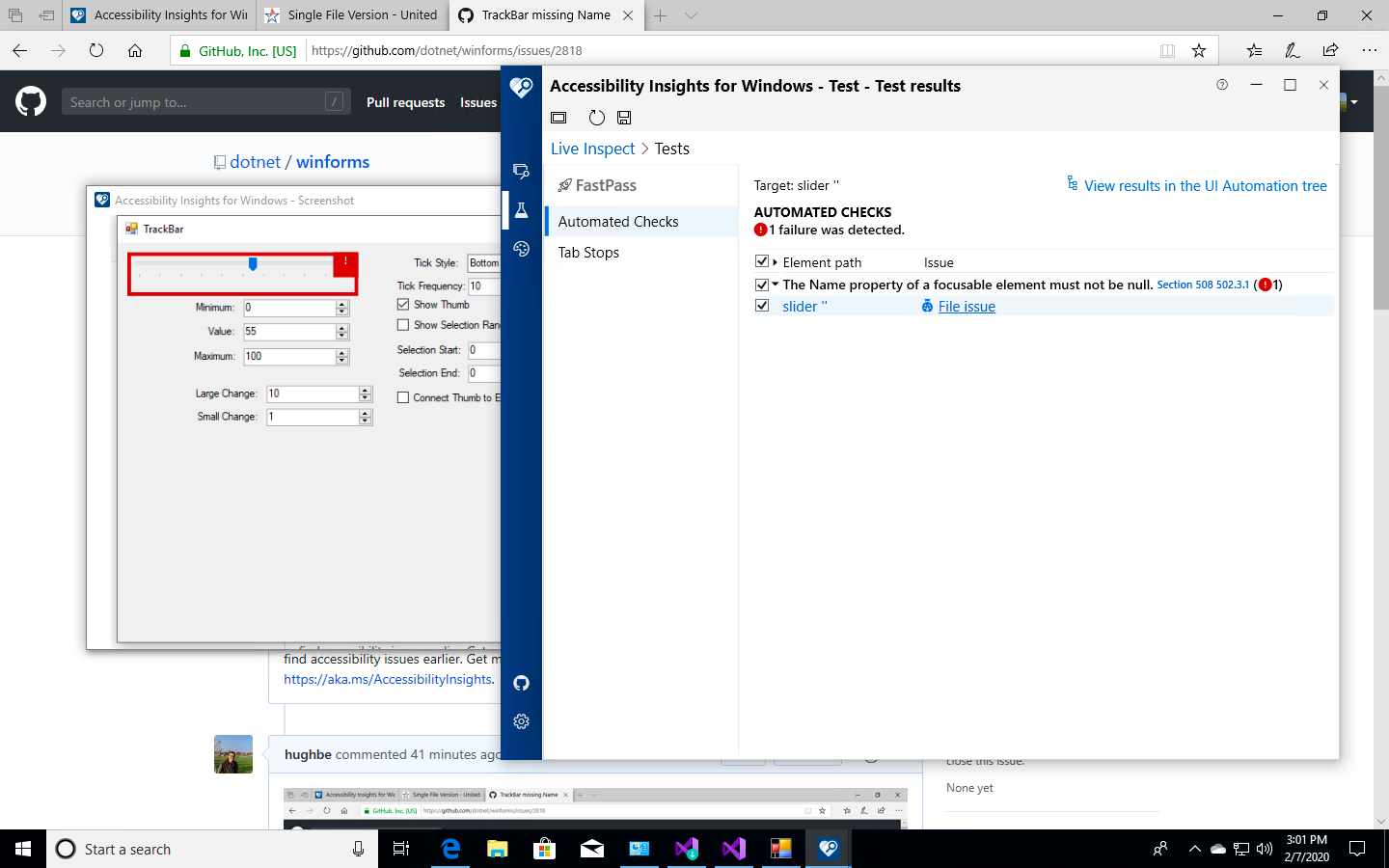
More informative screenshot
This doesn't look right, TrackBar inherits from Control, you should not have custom logic in the Name property.
We seem to do this around the place, e.g. NumericUpDown:
            public override string Name
            {
                get => base.Name ?? SR.DefaultNumericUpDownAccessibleName;
                set => base.Name = value;
            }
As I said, I'm learning about accessibility (have basically no idea what I'm doing)!
hughbe
on 7 Feb 2020
Which Name is that? The name of the NumericUpDown Control or the name of the NumericUpDownAccessibleObject? For the AccessibleObject its probably ok. Maybe I'm just getting confused about what you are talking since you don't provide much context and both Control as well as AccessibleObject have a Name property.
weltkante
on 7 Feb 2020
Sorry! I meant the name of NumericUpDownAccessibleObject: in the context of accessibility, Control.Name isn't actually used anywhere
hughbe
on 7 Feb 2020
@M-Lipin @vladimir-krestov please help and work with @hughbe to have it fixed.
 RussKie
on 11 Feb 2020
RussKie
on 11 Feb 2020
I guess we found out that it's about changing TrackBarAccessibleObject.Name property, not about Control.Name property, and there are no issues.
2820 looks good for me.
 vladimir-krestov
on 12 Feb 2020
vladimir-krestov
on 12 Feb 2020
Yeah sorry should have marked that conversation as resolved, it was just a misunderstanding.
weltkante
on 12 Feb 2020
This looks like an application, not a framework issue to me. App developer has several options:
- set AccessibleName property on the TrackBar control
- place a label (or a control with Text property) in front of the TrackBar in the tab-order, and TrackBar will pick up label text as an accessible name.
Either one of these options would provide a more meaningful name than what we could set as a default. On our level we can only supply ControlType(Slider), or it's synonym(TrackBar), as an accessible name, this is actually a violation of another accessibility rule.
Our goal is to make development of accessible application easier, setting AccessibleName property in code is easy. If the developer had to provide a custom renderer to achieve correct color contrast, that would be something to fix.
 Tanya-Solyanik
on 14 Feb 2020
Tanya-Solyanik
on 14 Feb 2020
An app developer can forget to set AccessibleName or place a Label in front of a Control. Moreover, as @RussKie said, a developer may not aware that he has to do that. But we should ensure compliance the MAS requirement:

The "TrackBar" name is really synonymous. But for users it will be familiar to get
"{name of control class}" {reserved control type name} like as "TrackBar" slider, I guess.
Accessibility Insights tool doesn't swear so #2820 implementation looks good for me.
Who has any thoughts?
vladimir-krestov
on 14 Feb 2020
An app developer can forget to set AccessibleName or place a Label in front of a Control.
Sure, in this case it is the job of tooling to flag it as an error
as @RussKie said, a developer may not aware that he has to do that.
Sure, owners of AI are working on a repository of fixes to common accessibility problems. They are working towards AI showing potential solutions for detected errors. In this case, here is the link
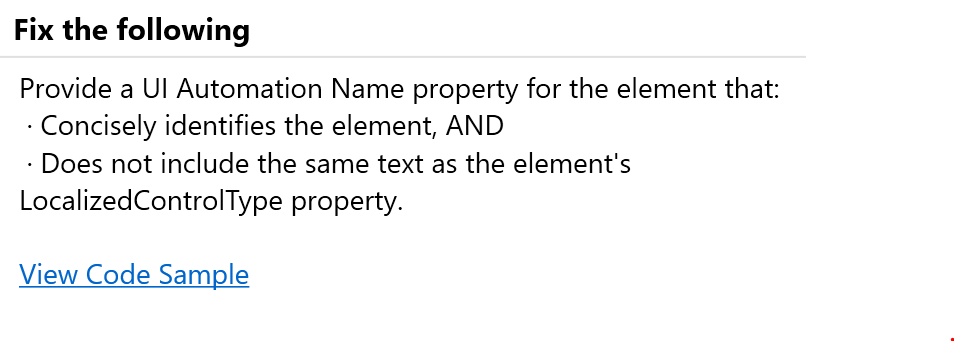
How would developers learn that a meaningful Accessible name should be provided unless we flag missing names as errors?
But we should ensure compliance the MAS requirement:
No, we should provide APIs for app developers to write compliant applications. MAS requirements are designed for applications, not for frameworks.
Accessibility Insights tool doesn't swear so #2820 implementation looks good for me
This is an oversight in our tooling, it does not search synonyms. Neither one of these trees explains what value is adjusted by the slider (and "slider, slider" is considered a violation by AI):
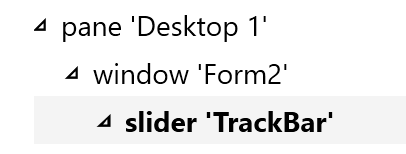

As framework developers we are not in the position to create a meaningful accessible name because we don't know business logic behind this control. And we should not suppress legitimate error from out tooling.
Tanya-Solyanik
on 14 Feb 2020
My personal opinion is that WinForms should provide the best possible minimum accessibility by default, and this includes including non-empty names where possible. For example, it will help infinitely more to read "Track Bar" rather than nothing (which is the current situation).
As a further example, there may be a layout of a label followed by a track bar where the label describes the function of the track bar. If the label is read out and the user tabs to the next element (track bar), and nothing is read out, then this is a bad experience. If the label is read out and then "Track Bar", then the user has a lot more context by default.
hughbe
on 16 Feb 2020
it will help infinitely more to read "Track Bar" rather than nothing
The current situation is not nothing, We show control type, which is Slider which is synonym of TrackBar. It's is not an improvement to read control name twice, neither is to read control name followed by its synonym.
As a further example, there may be a layout of a label followed by a track bar where the label describes the function of the track bar.
According to docs, if the developer does not specify accessible name on control that does not have Text property, accessible name comes from the preceding control (in tab order) that has Text property (label) (dig into COntrolAccessibleObject.Name to see this). In the case of label followed by a track bar, when accessibility tools read track bar, they should read
Tanya-Solyanik
on 18 Feb 2020
Related issues
RussKie
·
5Comments
weltkante
·
5Comments
vladimir-krestov
·
3Comments
weltkante
·
4Comments
weltkante
·
5Comments