- .NET Core Version: Preview9
- Have you experienced this same bug with .NET Framework?: No
Problem description:
Issue with drawing main form Icon on windows 7, 10 x64.
Actual behavior and Expected behavior:
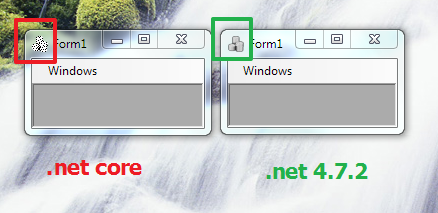
Minimal repro:
WinFormsCoreTest.zip
 kirsan31
All 21 comments
@Olina-Zhang could you please confirm the issue.
Thank you
 RussKie
on 9 Sep 2019
RussKie
on 9 Sep 2019
@Russkie, this issue can repro in simple core app, the display of form icon using the icon from kirsan31's app is different from .Net framework app. Although size of Icons are same, but their bitDepth are different. Please see following screenshot:
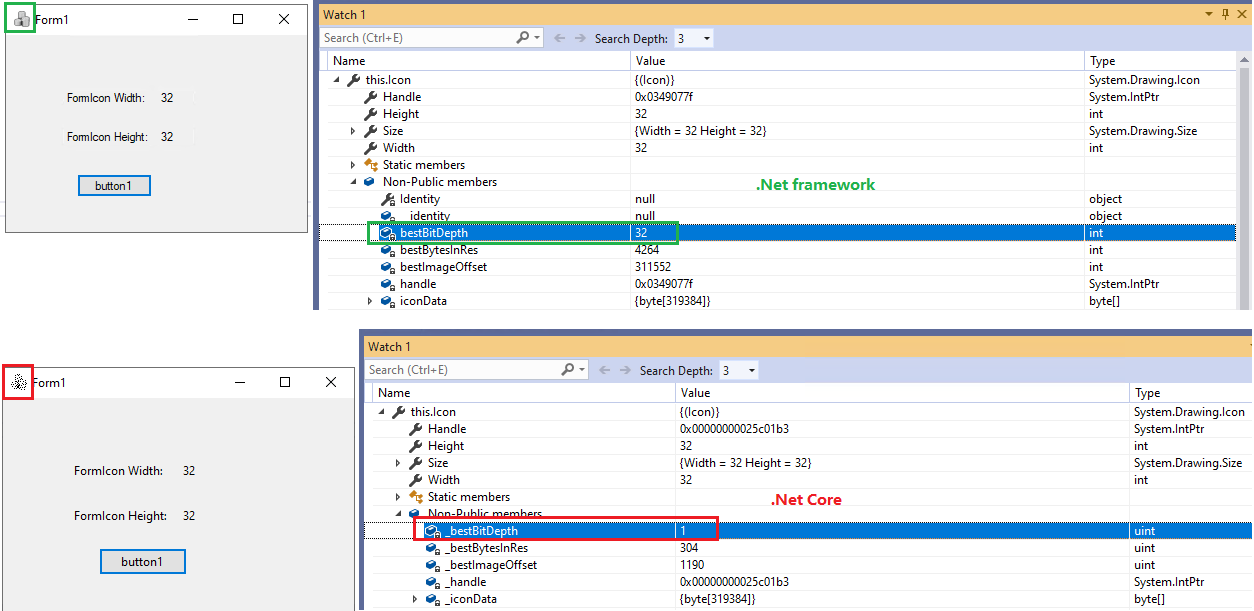
.net Core and .net Framework apps:
CoreApp.zip
FrameworkApp.zip
 Olina-Zhang
on 10 Sep 2019
Olina-Zhang
on 10 Sep 2019
Thank you Olina.
Just to confirm, does the issue only appear on W7? I tried it locally on W10 and I couldn't repro it.
RussKie
on 10 Sep 2019
@RussKie
Just to confirm, does the issue only appear on W7? I tried it locally on W10 and I couldn't repro it.
As I mentioned in first post, I can repro it on win7 and win10 (pro for Workstation 1903).
kirsan31
on 10 Sep 2019
My apoligies, I misread the original report
RussKie
on 10 Sep 2019
I can reproduce it with the supplied icon:

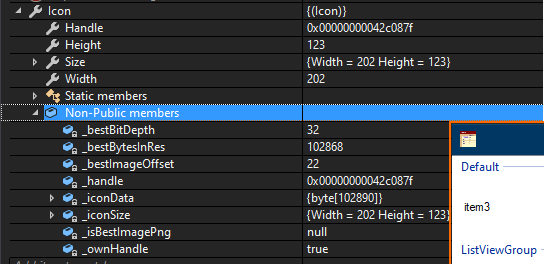
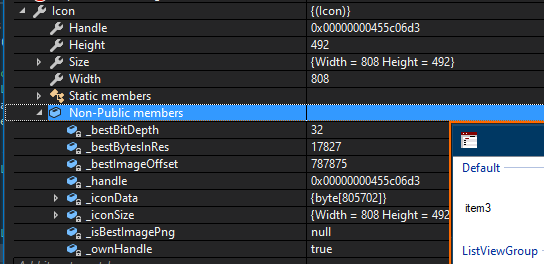
However using other icons (from https://github.com/dotnet/winforms/tree/master/src/System.Windows.Forms.Design/src/Resources/System/WinForms/Design) everything is working as expected on W10E 1903:
- the current release/3.0 (b88058ce22a6773455e508acbb6c23093506e932):
- the release/3.0-rc1 (59ef5c56a4c9f94abaada724b9e3d4bd35ab2df6)
RussKie
on 10 Sep 2019
@RussKie I think that it's very strange, that I didn't notice this in previous previews (I was using 5 and 7 before 9)...
I uninstalled preview9 and installed preview7. And yes on preview7 this icon displayed correctly!
Then I tried preview8 - same as preview9. So regression was introduce in preview8.
kirsan31
on 10 Sep 2019
Then I tried preview8 - same as preview9. So regression was introduce in preview8.
Thank you for testing it
RussKie
on 10 Sep 2019
It looks like a regression in CoreFx in the way Icon loads the information from a stream of bytes.
I have used the repro app provided (thank you) and extended it to show-case the problem.
I have serialiesd two icons - the one provided with the repro (icon.ico) and another one from WinForms repo (good.ico) using the VS designer.
I have then used the base64 encoded strings to re-create icons.
My repro app can be found here - https://github.com/RussKie/Test-IconDeserialiser
@danmosemsft @ericstj could you please move the issue to the CoreFx repo
RussKie
on 11 Sep 2019
Looking at the changes I wonder if https://github.com/dotnet/corefx/commit/b75421a0035bf3a44e1f68447255470d57074dbb/src/System.Drawing.Common/src/System/Drawing/Icon.Windows.cs has introduced the regression, as it fits with the timeline
/cc: @JeremyKuhne
RussKie
on 11 Sep 2019
Looking at the changes I wonder if dotnet/corefx@b75421a/src/System.Drawing.Common/src/System/Drawing/Icon.Windows.cs has introduced the regression, as it fits with the timeline
Might have. I'll look into it.
 JeremyKuhne
on 11 Sep 2019
JeremyKuhne
on 11 Sep 2019
Yep, I messed it up. :/ It's picking the first one that comes closest to the desired size, which in the case of this icon is the black and white 32x32 icon (which matches SM_CXICON x SM_CYICON). I'm fixing it, but I'm not entirely sure when it will make it to official builds.
You can hack around it by stripping the other colors out or making sure the 32bit one is first in the icon.
JeremyKuhne
on 12 Sep 2019
JeremyKuhne
on 12 Sep 2019
You can hack around it by stripping the other colors out or making sure the 32bit one is first in the icon.
Thanks for workaround, it's working.
kirsan31
on 12 Sep 2019
Thanks for workaround, it's working.
Good to know. Unfortunately we're too late to get the fix into the initial 3.0 release (only a little over a week away), but it will definitely get fixed in 3.0.
JeremyKuhne
on 12 Sep 2019
Fix is in master (5.0), 3.0 port issue is linked, will close once we port to 3.0.
JeremyKuhne
on 12 Sep 2019
@JeremyKuhne do you know if the fix has been ported to 3.0?
RussKie
on 19 Sep 2019
https://github.com/dotnet/corefx/issues/41068 is tracking getting this fix in post GA. It will be one of the first servicing fixes we take.
 ericstj
on 19 Sep 2019
ericstj
on 19 Sep 2019
Thank you Eric.
RussKie
on 19 Sep 2019
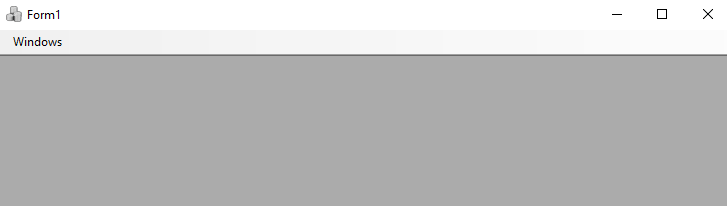
Verified this bug in .Net Core SDK 3.1.100-preview1-014066 build from release branch. This bug is fixed. Please see following screenshot:
 ghost
on 25 Sep 2019
ghost
on 25 Sep 2019
This has been merged into .NET Core 3.0 and will show up in the next servicing release.
JeremyKuhne
on 30 Sep 2019
Related issues
 SergeySmirnov-Akvelon
·
3Comments
SergeySmirnov-Akvelon
·
3Comments
 Jenna-Zheng
·
3Comments
Jenna-Zheng
·
3Comments
 0x084E
·
3Comments
0x084E
·
3Comments
 weltkante
·
5Comments
weltkante
·
5Comments
 damageboy
·
4Comments
damageboy
·
4Comments
Most helpful comment
Fix is in master (5.0), 3.0 port issue is linked, will close once we port to 3.0.