Windowscommunitytoolkit: [Feature]Add coming in direction property for InAppNotification
Describe the problem this feature would solve
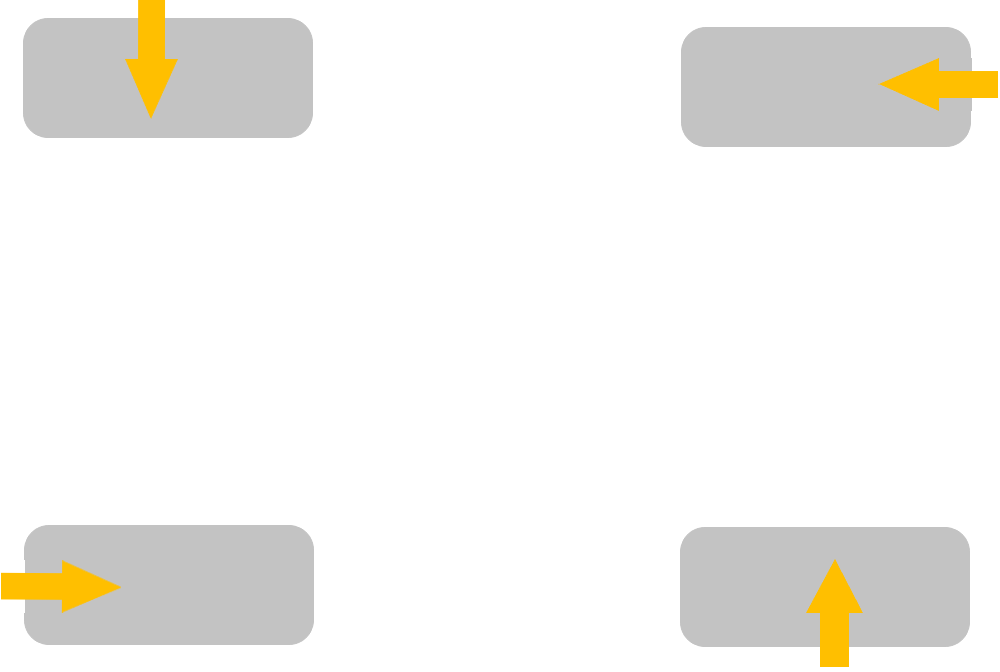
Currently InAppNotification always comes from bottom to top. This does not meet all cases.
It's better to leave a Property called "ComingDirection" or something else, let us choose the direction.
 hupo376787
All 5 comments
Hello, 'hupo376787! Thanks for submitting a new feature request. I've automatically added a vote 👍 reaction to help get things started. Other community members can vote to help us prioritize this feature in the future!
![msftbot[bot] picture](https://avatars2.githubusercontent.com/in/26612?v=4&s=40) msftbot[bot]
on 27 May 2020
msftbot[bot]
on 27 May 2020
@hupo376787 This looks like an amazing feature and would really love to see that being implemented 🚀🚀 Is this something you can work on?
Also, let's see if the rest of the community like it as much as I do 🙂
 Kyaa-dost
on 27 May 2020
Kyaa-dost
on 27 May 2020
Hi, @Kyaa-dost . I know little about animation and tranform, so I can't help currently. Maybe someone else.
hupo376787
on 27 May 2020
FYI @gabbybilka @SavoySchuler for https://github.com/microsoft/microsoft-ui-xaml/issues/913
 michael-hawker
on 28 May 2020
michael-hawker
on 28 May 2020
Hi, all. Instead of waiting for the new property, we can use the HorizontalOffset and VerticalOffset to customize the coming in direction.
Thanks to @Faywang - MSFT's so answer. How to change the InAppnitification's coming in direction?.
Based on the document of InAppnitification, there are two properties: HorizontalOffset and VerticalOffset. They controls the horizontal and vertical offset of the popup animation, you can change them to redefine the notification's popup direction. For example:
From Bottom to Top:
<controls:InAppNotification x:Name="ExampleInAppNotification"
                            Content="This is a test message."
                            ShowDismissButton="True"
                            AnimationDuration="00:00:00.1000000"
                            VerticalOffset="100"
                            HorizontalOffset="0"
                            StackMode="Replace" />
From Top to Bottom:
<controls:InAppNotification x:Name="ExampleInAppNotification"
                            Content="This is a test message."
                            ShowDismissButton="True"
                            AnimationDuration="00:00:00.1000000"
                            VerticalOffset="-100"
                            HorizontalOffset="0"
                            StackMode="Replace" />
From Left to Right:
<controls:InAppNotification x:Name="ExampleInAppNotification"
                            Content="This is a test message."
                            ShowDismissButton="True"
                            AnimationDuration="00:00:00.1000000"
                            VerticalOffset="0"
                            HorizontalOffset="-100"
                            StackMode="Replace" />
From Right to Left:
<controls:InAppNotification x:Name="ExampleInAppNotification"
                            Content="This is a test message."
                            ShowDismissButton="True"
                            AnimationDuration="00:00:00.1000000"
                            VerticalOffset="0"
                            HorizontalOffset="100"
                            StackMode="Replace" />
Related issues
 Joebeazelman
·
3Comments
Joebeazelman
·
3Comments
 HardySoftware
·
3Comments
HardySoftware
·
3Comments
 jamesmcroft
·
3Comments
jamesmcroft
·
3Comments
 ilinkmobility
·
4Comments
ilinkmobility
·
4Comments
 IanStorm
·
4Comments
IanStorm
·
4Comments
Most helpful comment
Hi, all. Instead of waiting for the new property, we can use the
HorizontalOffsetandVerticalOffsetto customize the coming in direction.Thanks to @Faywang - MSFT's so answer. How to change the InAppnitification's coming in direction?.
Based on the document of InAppnitification, there are two properties: HorizontalOffset and VerticalOffset. They controls the horizontal and vertical offset of the popup animation, you can change them to redefine the notification's popup direction. For example:
From Bottom to Top:
From Top to Bottom:
From Left to Right:
From Right to Left: