Windowscommunitytoolkit: Tooltip of RangeSelector should automatically disappear
I'm submitting a...
- Bug report (I searched for similar issues and did not find one)
Current behavior
Tooltip will always exist when clicked with the mouse.

Expected behavior
Tooltip should disappear automatically after the operation is completed.
Minimal reproduction of the problem with instructions
Environment
Nuget Package(s):

Package Version(s):

Windows 10 Build Number:
- [ ] Fall Creators Update (16299)
- [ ] April 2018 Update (17134)
- [x] October 2018 Update (17763)
- [ ] Insider Build (build number: )

App min and target version:
- [x] Fall Creators Update (16299)
- [ ] April 2018 Update (17134)
- [ ] October 2018 Update (17763)
- [ ] Insider Build (xxxxx)

Device form factor:
- [x] Desktop
- [ ] Mobile
- [ ] Xbox
- [ ] Surface Hub
- [ ] IoT

Visual Studio
- [x] 2017 (version: )
- [ ] 2017 Preview (version: )
 HHChaos
All 7 comments
Thanks for reporting the issue, but it's a duplicate of #2730, which has already been fixed on PR #2849. Closing the issue.
 kbrons
on 29 Mar 2019
kbrons
on 29 Mar 2019
@kbrons I downloaded the latest code and found that the problem was still there.
They seem to be unrelated. Are you sure this PR fixes the problem mentioned here?
HHChaos
on 1 Apr 2019
There is a question, should we add a wait time or transition animation before the tooltip disappears to ensure that the user can see the contents of the tooltip?
HHChaos
on 2 Apr 2019
I think that's a good idea but if an user swipes the range selector sharply, the transition will look odd. Perhaps the wait time will be better in this case.
 Bmartin2013
on 3 Apr 2019
Bmartin2013
on 3 Apr 2019
@Bmartin2013
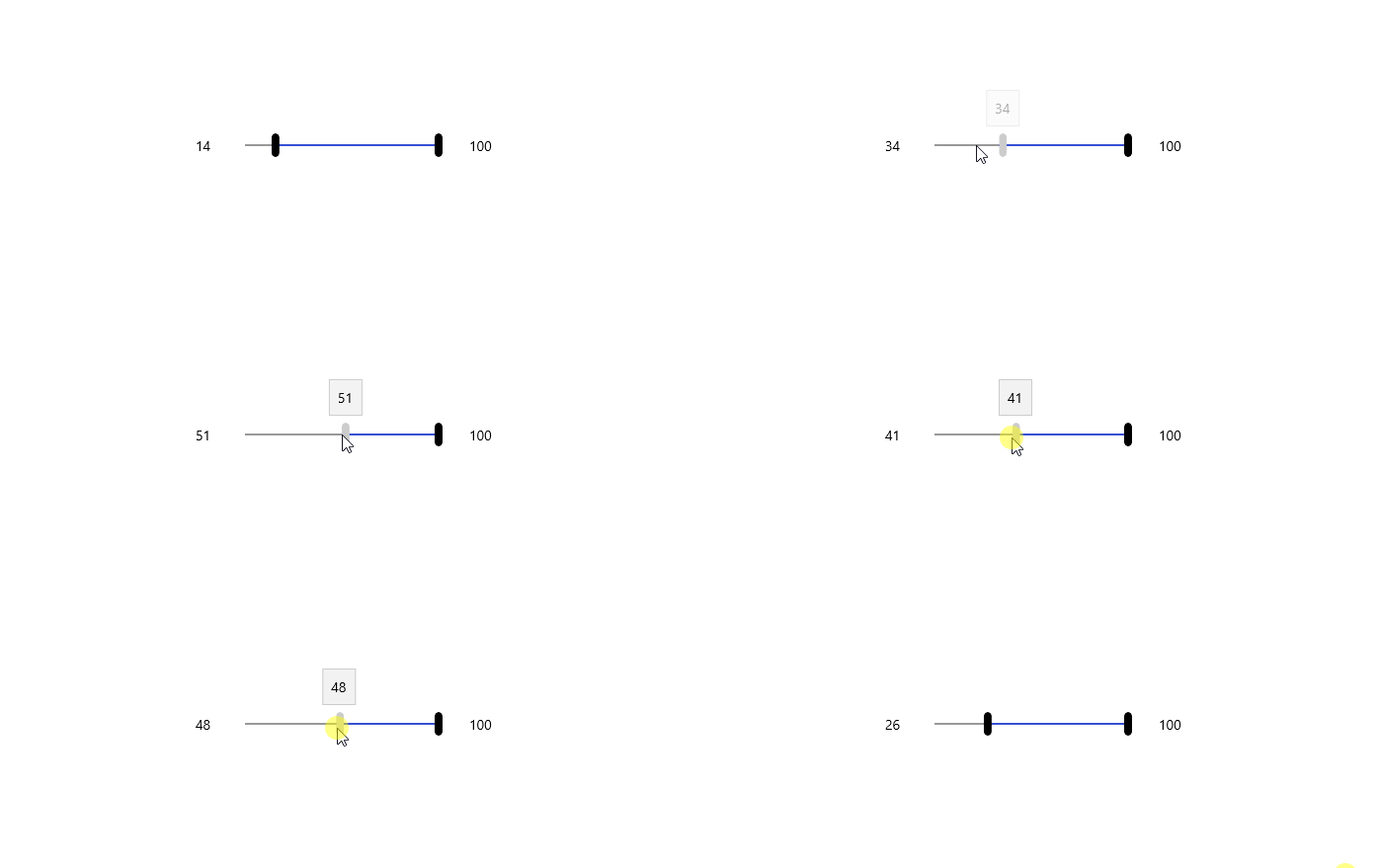
Maybe we have a better choice - use implicit animation for the tooltip.
I tested adding the following code to the default style.
...
<Grid x:Name="ToolTip"
    .../>
        <animations:Implicit.ShowAnimations>
            <animations:OpacityAnimation Duration="0:0:0.3" From="0" To="1.0"/>
        </animations:Implicit.ShowAnimations>

        <animations:Implicit.HideAnimations>
            <animations:ScalarAnimation Target="Opacity" Duration="0:0:1" To="0">
                <animations:ScalarKeyFrame Key="0.7" Value="1.0"/>
            </animations:ScalarAnimation>
        </animations:Implicit.HideAnimations>
    ...
</Grid>
...
It has a great transition when the sample app is running.
HHChaos
on 3 Apr 2019
I tested and closed this due to it being fixed in v6.0, but reopened to be sure it doesn't need more testing before it's closed.
I checked the merged code and the above suggestion by @HHChaos was taken and merged into master.
I suggest this be closed.
 HerrickSpencer
on 26 May 2020
HerrickSpencer
on 26 May 2020
Closing per conversation with @michael-hawker. I believe the PR merge fixed this bug. Thanks to @HHChaos
HerrickSpencer
on 26 May 2020
Related issues
 ranjeshj
·
3Comments
ranjeshj
·
3Comments
 michael-hawker
·
4Comments
michael-hawker
·
4Comments
 IanStorm
·
4Comments
IanStorm
·
4Comments
 shweaver-MSFT
·
3Comments
shweaver-MSFT
·
3Comments
 miguelarcilla
·
4Comments
miguelarcilla
·
4Comments