Windowscommunitytoolkit: MarkDownTextBlock ignors setting the Text-Property to an empty string
I'm submitting a bug
Current behavior
MarkDownTextBlock ignors setting the Text-Property to an empty string
Expected behavior
Setting the Text-Property to an empty string should clear the current content
Minimal reproduction of the problem with instructions
Environment
Nuget Package(s):

Package Version(s):

Windows 10 Build Number:
- [ ] Anniversary Update (14393)
- [ ] Creators Update (15063)
- [x] Fall Creators Update (16299)
- [ ] Insider Build (build number: )

App min and target version:
- [ ] Anniversary Update (14393)
- [ ] Creators Update (15063)
- [x] Fall Creators Update (16299)
- [ ] Insider Build (xxxxx)

Device form factor:
- [x] Desktop
- [ ] Mobile
- [ ] Xbox
- [ ] Surface Hub
- [ ] IoT

Visual Studio
- [x] 2017 (version: current)
- [ ] 2017 Preview (version: )
 michaelcoelsch
All 7 comments
Looks like it also ignores whitespace. @WilliamABradley, any ideas?
 nmetulev
on 19 Feb 2018
nmetulev
on 19 Feb 2018
Is this happening when you set the Text to empty from code behind? Or from XAML? I don't see that happening though in either cases.
 avknaidu
on 19 Feb 2018
avknaidu
on 19 Feb 2018
... in both, code and XAML binding.
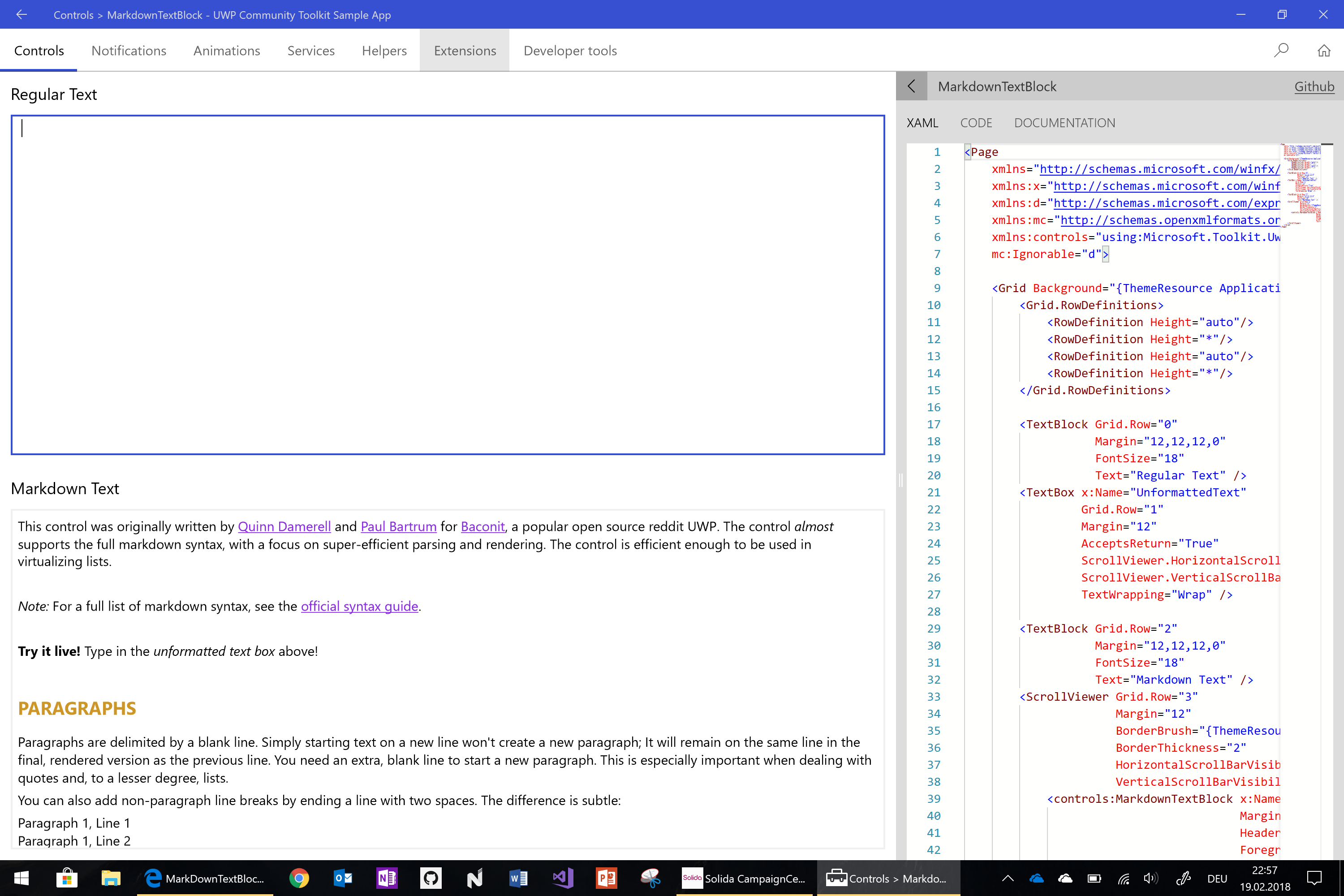
You also can see this in the sample app when deleting all text in the upper textbox.
michaelcoelsch
on 19 Feb 2018
@nmetulev according to current code
This will ignore NullOrWhiteSpace. We should remove this check completely.
avknaidu
on 19 Feb 2018
👍2
Great find, could you submit a PR?
nmetulev
on 19 Feb 2018
WOI
avknaidu
on 19 Feb 2018
PR merged
nmetulev
on 21 Feb 2018
Was this page helpful?
0 / 5 - 0 ratings
Related issues
 SmartPolarBear
·
4Comments
SmartPolarBear
·
4Comments
 miguelarcilla
·
4Comments
miguelarcilla
·
4Comments
 michael-hawker
·
4Comments
michael-hawker
·
4Comments
 ilinkmobility
·
4Comments
ilinkmobility
·
4Comments
 tibitoth
·
3Comments
tibitoth
·
3Comments
Most helpful comment
@nmetulev according to current code
https://github.com/Microsoft/UWPCommunityToolkit/blob/ada7903eb841aca389571fcd3cefb83b46da5e59/Microsoft.Toolkit.Uwp.UI.Controls/MarkdownTextBlock/MarkdownTextBlock.Methods.cs#L47-L51
This will ignore
NullOrWhiteSpace. We should remove this check completely.