Windowscommunitytoolkit: MasterDetail control has strange behaviors on HamburguerMenu App
Issue information
Hi.
I was working on Windows Template Studio Issue 1356 that reports a strange behavior on MasterDetail control. I've verified that this behavior only happens on Navigation pane projects (Hamburger menu control).
I was looking and the code and it looks like this behavior could be an Issue of MasterDetail control.
I've uploaded an isolated repro here.
Environment
Nuget Package(s):
- Microsoft.Toolkit.Uwp.UI.Controls

Package Version(s):
- 2.0.0

Windows 10 Build Number:
- Fall Creators Update (16299)

App min and target version:
- Creators Update (15063)

Device form factor:
- Desktop

Visual Studio
- 2017 15.4
Thank you so much.
 mvegaca
All 22 comments
ping @skendrot
 nmetulev
on 3 Nov 2017
nmetulev
on 3 Nov 2017
Your sample repo works fine. I followed the steps in the WTS issue (using the repo you linked) and cannot reproduce.
 skendrot
on 3 Nov 2017
skendrot
on 3 Nov 2017
Hi @skendrot
I've confirmed that it still happens.
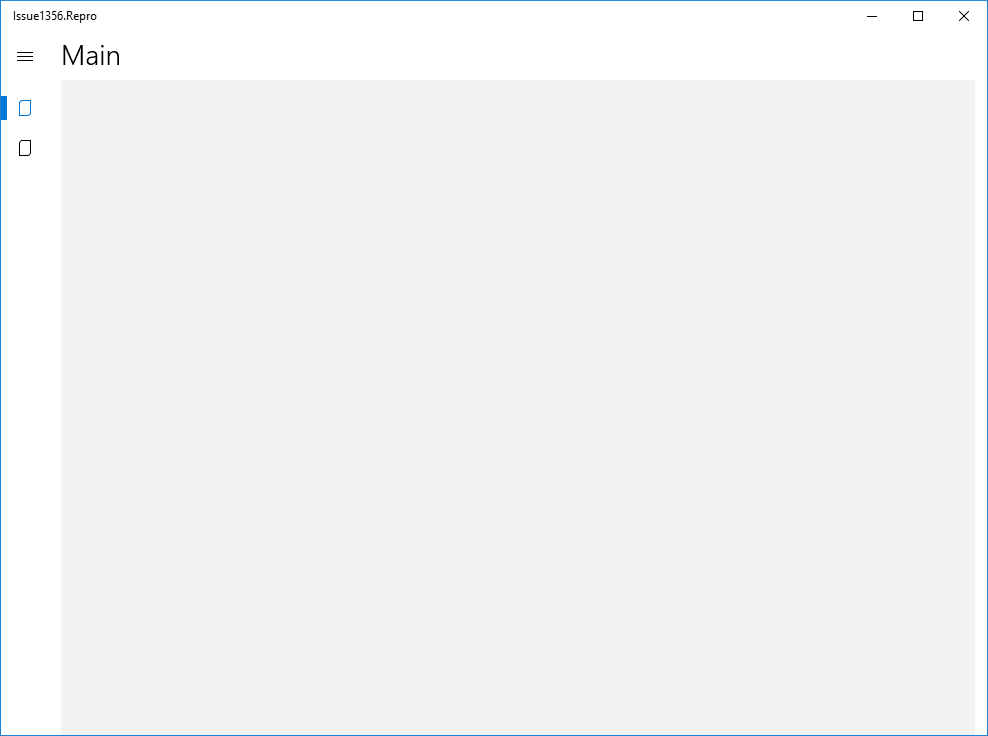
Step 1
Open the app in wide state
Step 2
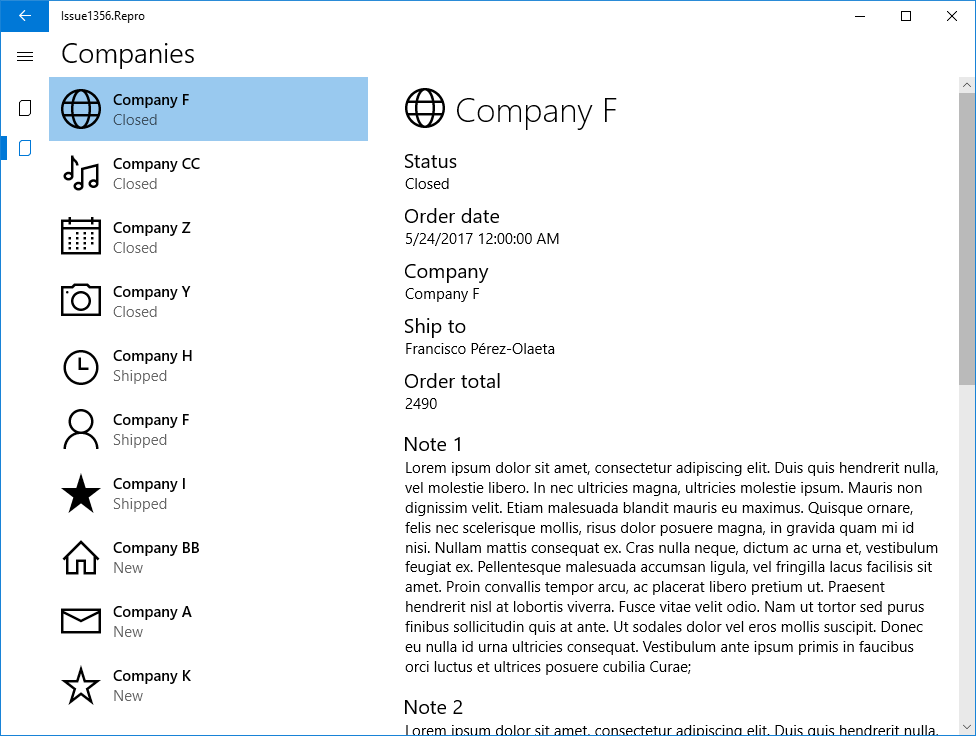
Navigate to Companies view.
Step 3
Reduce the window with enough to the Master/Detail shows only the detail but not enough to hide the navigation pane
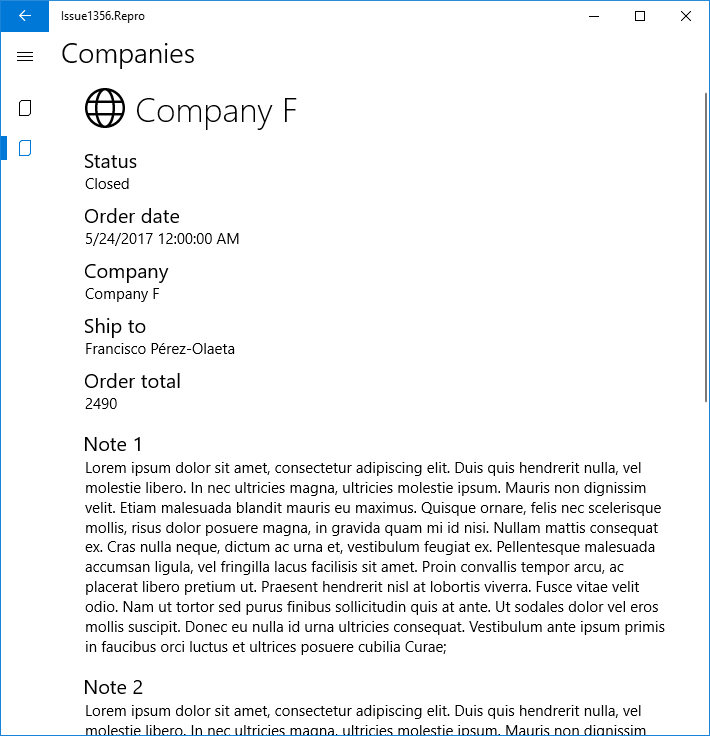
In this case, Master/Detail control should keep in the list view, instead of the Detail View. With this situation when you click on go back the application returns to the Main Page instead of return from the detail to the list view in Master/Detail Control.
mvegaca
on 6 Nov 2017
This situation does not happen all times but it can be reproducible. You should have to navigate between pages and grow and reduce the window trying to reproduce that.
mvegaca
on 6 Nov 2017
Hmm, I spent some time trying to reproduce this with no luck, this is a tough one.
Master/Detail control should keep in the list view, instead of the Detail View.
This is not expected as there is an item selected in the control. If the item is selected, once you go in narrow view, the detail should be only visible, which is the case here.
nmetulev
on 7 Nov 2017
@mvegaca I'm still not able to reproduce this issue. What Windows environment are you able to reproduce this on? Maybe it's an issue with a particular SDK/Windows version?
skendrot
on 8 Nov 2017
I've added a repro steps mp4 vide Here.
My O.S. version: 16229.16
mvegaca
on 8 Nov 2017
Thanks for the video @mvegaca. When I click the back button it takes me to the Companies view (master view) without issue. I'm using your sample (Issue1356.Repro) and on build 16299.19
skendrot
on 8 Nov 2017
I can repro this.
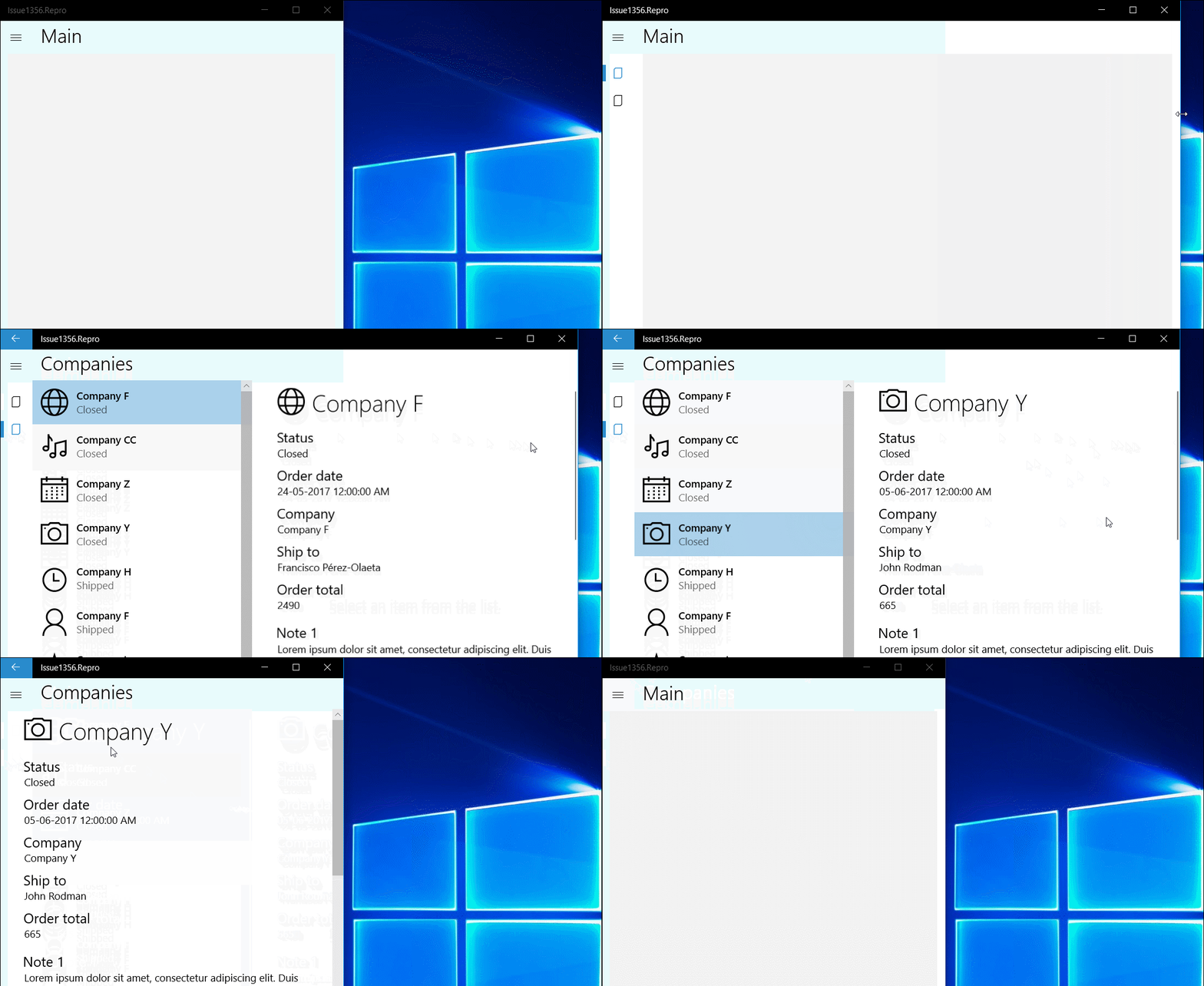
It didn't occur every time. But once it occurs, it occurs continuously.
 Vijay-Nirmal
on 9 Nov 2017
Vijay-Nirmal
on 9 Nov 2017
I cannot reproduce while debugging. I can reproduce when not debugging... This is going to be difficult to fix...
skendrot
on 10 Nov 2017
@skendrot Experienced the same thing 😕
Vijay-Nirmal
on 11 Nov 2017
It looks it could be that when the window goes from wide to narrow, MasterDetail keeps on detail view but it doesn't add (sometimes) a go-back handling action to de system back button behavior.
mvegaca
on 14 Nov 2017
This issue seems inactive. Do you need help to complete this issue?
 windowstoolkitbot
on 29 Nov 2017
windowstoolkitbot
on 29 Nov 2017
Equivalent Issue on Windows Template Studio is always opened. Any news on MasterDetailControl?
mvegaca
on 29 Nov 2017
@mvegaca What do you mean "always opened"?
skendrot
on 29 Nov 2017
Sorry, I mean still opened.
mvegaca
on 30 Nov 2017
@mvegaca, please test #1691 if it will resolve the issue.
nmetulev
on 10 Dec 2017
Thinking about this more, and @azchohfi has pointed out, the fix I submitted to the MasterDetailsView to fix this issue will most likely will be a breaking change, and shouldn't be included until 3.0.
However, I believe there is something you can do in WTS to avoid this issue, and that is to remove this line.
@mvegaca, what do you think, is that acceptable?
nmetulev
on 14 Dec 2017
This issue seems inactive. Do you need help to complete this issue?
windowstoolkitbot
on 30 Dec 2017
Hi @nmetulev
It could be a workaround but if we comment that line the master detail control looks poor when it's opened.
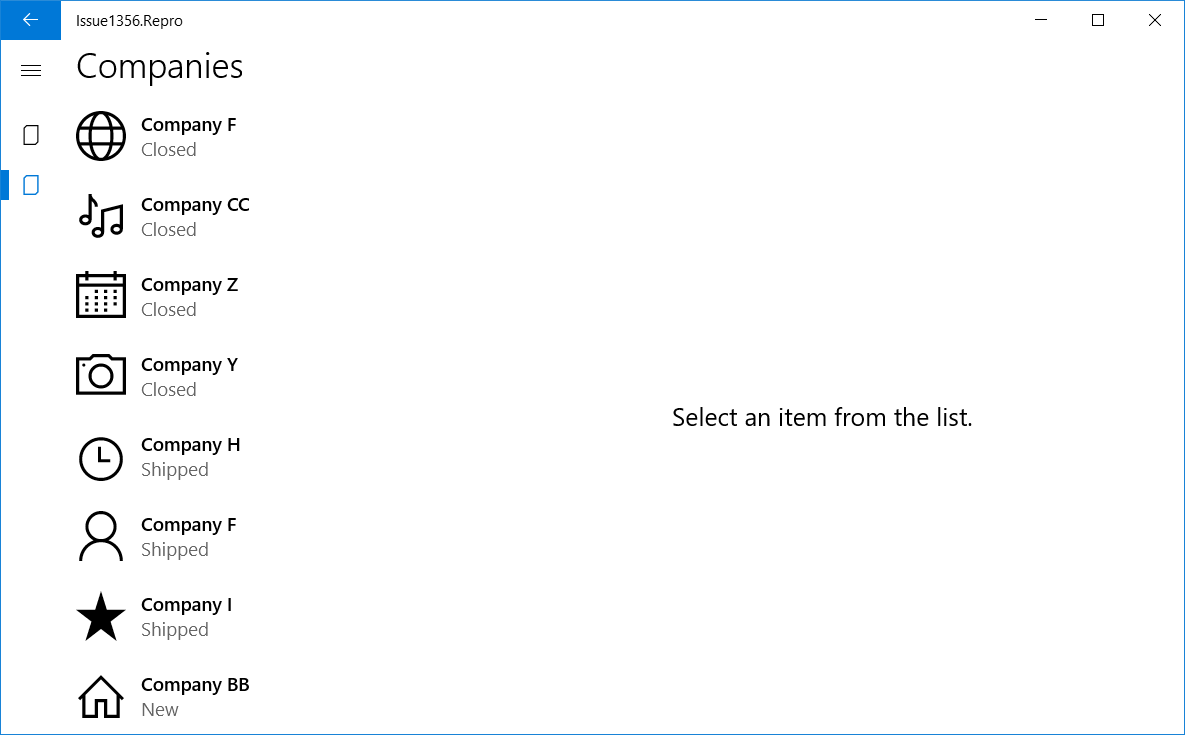
In my opinion we should wait to V.3.0 on this Issue. Is there an a pre release way to test UWP Toolkit 3.0 before this will be available on Nuget?
mvegaca
on 2 Jan 2018
Sorry about the delay @mvegaca . The current work in progress for this is in #1691. You could grab the packages from appveyor if you'd like to test, or build directly from the nmetulev/master branch. I will continue the work for this once 2.2 is released and once merged it will be available on myget
nmetulev
on 13 Feb 2018
PR merged
nmetulev
on 24 May 2018
Related issues
 shweaver-MSFT
·
3Comments
shweaver-MSFT
·
3Comments
 michael-hawker
·
4Comments
michael-hawker
·
4Comments
 alvinashcraft
·
3Comments
alvinashcraft
·
3Comments
 Joebeazelman
·
3Comments
Joebeazelman
·
3Comments
 ilinkmobility
·
4Comments
ilinkmobility
·
4Comments